| Author |
 Replies: 9 / Views: 1,733 Replies: 9 / Views: 1,733 |
|
|
Valued Member
United States
311 Posts |
Ok, I am starting off slow here... I have a Canon XSi (T1i), what software and cable set-up do I need to use to be able to take pictures from my computer with a Canon? I have been reading of you guys doing this but this is the first time I have ever taken this sort of photograph with my camera... what help can you guys give?
|
|
|
|
Pillar of the Community
Canada
2784 Posts |
cjweber first hello well you got a real good camera for coin photography. I like the images that come from the t1i. well you need a usb cable. computer to camera. if you don't have the software. that came with your camera. go on the canon web site. don't load canons EOS uitity plus Digital photo professional. you can then tether your camera to the computer. ? do you have a tripod if not you can set your camera on some thing solid. slide the coin back in force until it is in focus. this just for you to see how this works. you can use a kit lens. there will be others here that will come on your thread. with lots of good information. so list what you have and we can go from there have a great one
|
|
Pillar of the Community
 United States
4047 Posts |
Did your camera come with the software disk? If not, follow rocky's instructions about Canon website...
Contact me for photographic equipment or visit my home page at: http://macrocoins.com |
|
Pillar of the Community
United States
2824 Posts |
make sure the usb cable to camera is right some do not support live view and do transfer only the current eos software works on all current os
|
|
Valued Member
 United States
311 Posts |
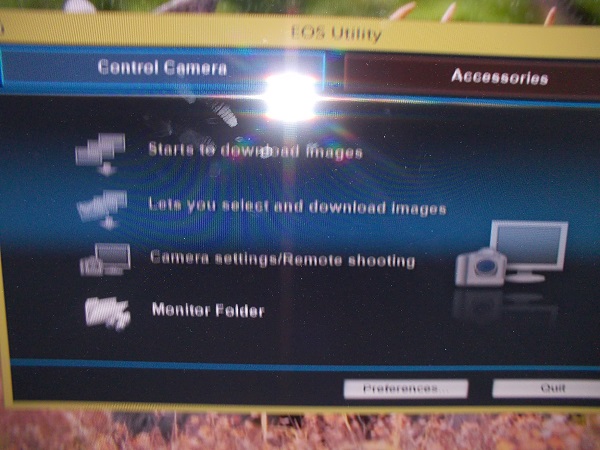
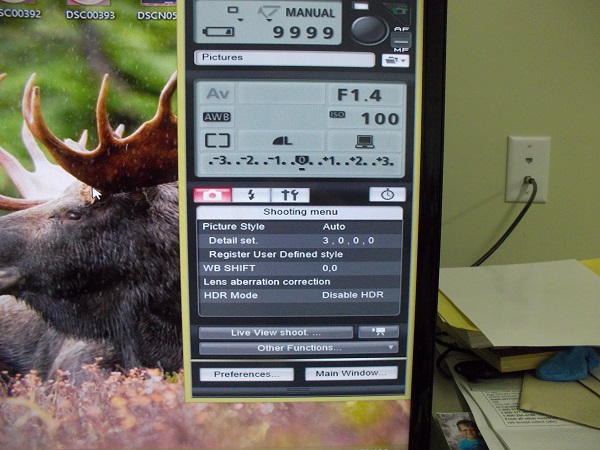
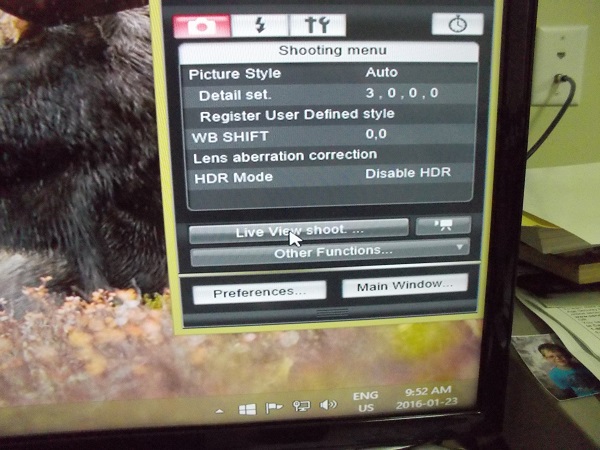
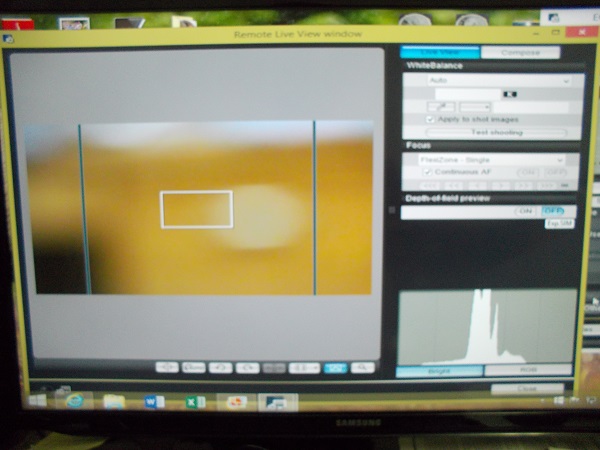
Thanks guys, I've downloaded the software but which one do I use? Digital professional, utilities, etc.... For now I just want to be able to use the computer with live view, I'll start building macro and micro lenses and baffles in a little bit...
|
|
Pillar of the Community
Canada
2784 Posts |
|
|
Valued Member
United States
311 Posts |
Rocky that is awesome! Thank you so much for the help and the screen shots!!
|
|
Pillar of the Community
Canada
2784 Posts |
your welcome OcalaFlorida has a thread here. I would look his up and read it. you can see his progression just like all of us. another good one is by rmc under 400.00 setup . some of these. I have read a dozen times. every time I get some thing else out of them. any question are all good question you will find there is a lot of support. I know they will help as I will to get to where you want to go. take your time. as you go along it will get very easy. you will see
|
|
Rest in Peace
United States
10625 Posts |
You will need to make sure you have your camera set for remote shooting through live view. Scroll down and read my post in this link which is actually a post I came across by another member. It's based on a T2i but worked with my XS so it should work with your T1i as well. https://goccf.com/t/239469&whichpag...rms=settings |
|
Valued Member
United States
311 Posts |
@dave700x - thanks I just went over there and found that and saved it!
@rocky - I saw that under $400 setup thread and have been going off a lot of that too... I already have the camera and most of the lenses and adapters seem cheap enough, I just need to find a decent copy stand that's cheap and available locally
|
| |
Replies: 9 / Views: 1,733 |
|








 Posted 01/22/2016 11:16 pm