| Author |
 Replies: 11 / Views: 2,324 Replies: 11 / Views: 2,324 |
|
|
New Member
Greece
45 Posts |
I am not an expert, but after some years I have some basics in my mind for taking photo of a coin.
Shutter speed no less than 1/100. If it is less, the sharpness of the image is not so right.
f/ somewhere in the middle. 8 for me is the best for sharpness.
ISO no more than 100 of course.
The light is the most important, but
Now my question. I use WHITE background for a coin and everything seems good. If for the same coin, same light but BLACK background, I have to increase the stops of the camera.
I understand how this happens and how the camera measures the light. The question is which is right? What is your experience?
(We never get a 100% reality in a photo of the coin)
|
|
|
|
Pillar of the Community
2087 Posts |
You need to adjust you camera setting( if your camera allows it). From what you have said I gather the camera is metering across the whole frame. Somewhere in the menus should be a setting that allows you to meter just the center of the frame.
{I use a mirror less camera so what I see in the view finder or on the back-screen is exactly what I get in the photo so I ignore the metering and just adjust the exposure until the coin looks right. If I have any doubt I turn on zebra. I am guessign your camera is a DSLR so you probably don't have those options}
|
|
Moderator
 United States
56855 Posts |
Have you tried a 18% gray scale back ground? John1  |
|
Pillar of the Community
United States
5825 Posts |
I use a black/dark gray non-reflective background.
Why?
Because I want as much light as possible coming from the coin only.
A white background will tend to wash out the colors/toning of a coins surface.
I use a sheet of black kindergarten construction paper for my background.
|
|
Pillar of the Community
United States
9395 Posts |
I just use an 18% gray card as the background, and do full manual exposure set to eliminate/minimize the burned-out areas in the raw image.
|
|
Valued Member
United States
67 Posts |
Agree with pep... you want the light to be measured from the coin, not the background. So a manual exposure setting will give you the same result, whether the background you use is white, black, or somewhere in-between. Adjust from that if necessary, but that's the starting point.
|
|
New Member
 Greece
45 Posts |
Thank you all very much.
I use manual settings, and use X-rite as well for WB.
@austrokiwi, yes, I use a DSLR
All of you suggest to use a non-reflective dark and possibly a 18% grey background might be the best.
Yes, that makes sense to me now! A BIG thank to all of you once again!
|
|
Valued Member
United States
67 Posts |
If you're using manual settings and getting a change based on your background color, you're not really using manual. What you're doing is looking at the meter and adjusting your settings based on setting the needle to the middle of the meter. That's not manual, that's "manually setting the speed, aperture and ISO based on the light meter, just like the camera would if you let it". You might as well use an Auto mode if that's how you do it. Shooting manual means getting your exposure settings based on 18% gray or some other fixed mechanism, and then *ignoring* what the meter says because you know better than the meter does.
So yes, get that 18% card, but set your exposure from it once and don't use your meter for exposure. I will say, there's a large contingent of folks that would recommend automatic exposure settings rather than manual. That can be done too, I just don't prefer it.
|
|
New Member
Greece
45 Posts |
Dave M, you are talking about "Exposure Compensation". You are right. I do not need manual operation to make an automatic setting. Earlier today, I read exactly the same thing you wrote: http://digital-photography-school.c...ur-exposure/Today with you all, I feel that I have received one year photographic education! Thank you! |
|
Pillar of the Community
2087 Posts |
Quote:
I use a black/dark gray non-reflective background that is also my approach, I use camera flock which reflects very little light. |
|
Pillar of the Community
Australia
7096 Posts |
I use a grey cloth background, it seems to work for toned silver coins. 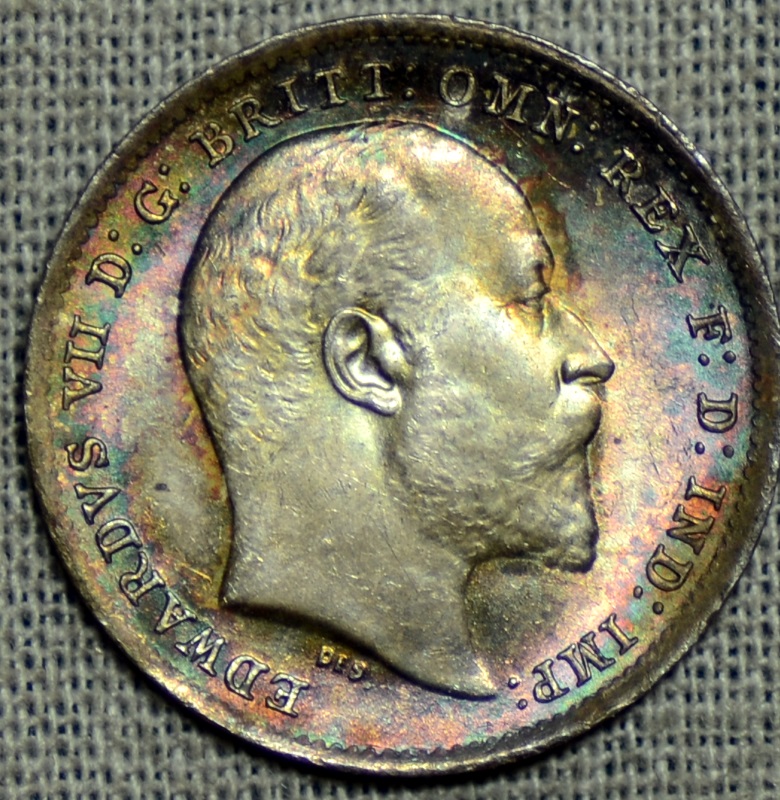 |
|
Valued Member
United States
67 Posts |
Quote:
Dave M, you are talking about "Exposure Compensation". I don't think I ever mentioned exposure compensation, but it's good to hear you're reading! |
| |
Replies: 11 / Views: 2,324 |
|







 Posted 04/02/2016 08:32 am





