| Author |
 Replies: 18 / Views: 4,359 Replies: 18 / Views: 4,359 |
|
Valued Member
United States
263 Posts |
I bought a used QX5 on ebay. I hooked it up and was delighted with the quality of the device for such a low cost. But....after about 3-4 minutes my laptop just shutdown....nuttin....nada! I had to do a system restore and reloaded the software and turned the device on. Again, it worked and I even snapped a couple of pictures. Then it shutdown again. After removing the software and device from my system and several attempted and failed system boots I did another system restore. My computer seems to be fine now but I am not going to try the QX5 again until I find out what is going on and have a fix in hand. I have read online that problems can occur when using a laptop because of the somewhat limited power capability of the USB connections. I haven't heard of any software problems or patches. Any suggestions? afernbaugh |
|
|
|
Pillar of the Community
United States
1626 Posts |
I know when I bought a new laptop, it was not compatible with Windows Vista and had to download a patch...seems to be working fine now. What platform are you running?
|
|
Valued Member
 United States
263 Posts |
Thanks for the response! I have a 2-3 year old Toshiba with Windows XP. Any help would be appreciated.
afernbaugh
|
|
Pillar of the Community
Australia
839 Posts |
Thats what ebay can do to you.... Not a clue how to fix it sorry. I'd say it's got to do with the camera and nothing to do with the type of PC though. |
|
Pillar of the Community
United States
1626 Posts |
Maybe you can try a different USB port...could be a conflict...other than that..out of my relm
|
|
Bedrock of the Community
United States
14454 Posts |
that would be the only thing I could think of, is its conflicting with something, but I have no idea what that could be since you did a factory restore. I use XP here also and have a QX5 also and it works fine here. Maybe you need a update driver or something, I think there is one out there for the QX5 if you do a search for "QX5 update" in google
|
|
Valued Member
United States
263 Posts |
Thanks Bryan, I will do that! My current thinking is that I am over taxing the power supply for the usb port. The computer crashes just like a failure of the power supply or removing the battery from the laptop. Bryan? Are you using a laptop?
afernbaugh
|
|
Bedrock of the Community
United States
14454 Posts |
no I am using a desktop not a laptop, but I would think if that was the case when you unhook the QX5 the computer would reboot instead of having to restore the PC afterwards to get it to boot back up. It just sounds like some type of conflict. I think SuperDave is a computer techy person and maybe he will have some advice for you on this matter
|
|
Pillar of the Community
United States
5318 Posts |
It's possible you have an older, incompatible version of the software?
Mine runs well from a Thinkpad running XP. The software version on my CD says 1.0.0.17
I would hope the conflict is software, because the hardware end would be a lot tougher to fix.
Good luck!
|
|
Bedrock of the Community
United States
14454 Posts |
I emailed SuperDave and maybe he will come in here and give some advice on what to try
|
|
Valued Member
United States
263 Posts |
Thanks Kurt and Bryan. This is exactly why I like this forum. My best to both of you!
afernbaugh
|
|
Moderator
 United States
23522 Posts |
It's easy to eliminate the QX5 software as the problem, because you can get images from the QX5 without loading the software. If all is working well with your computer, you can plug the QX5 into a port and the system will detect it. Then open Control Panel, and Scanners and Cameras. The QX5 should show up as an item there. Double-click it, and a, "Acquire Images" wizard will open, allowing you to take pics. You have to provide your own illumination - the QX5 light won't work - and the images will be in greyscale, but that will prove whether or not it's the QX5's software.
One possible problem with this method is that Windows' Data Execution Prevention program will kick in. You'll know if it does, and we'll have to disable it. Let me know if this happens.
Just for the record, are you using any other USB devices at the same time which will be drawing power?
|
|
Valued Member
United States
263 Posts |
I will try that later this evening and I will post my results Dave, I may have had my aux disc drive connected. I can't remember. I assume that all other devices should be removed when using it. It would seem that if the light does not work that the power draw is diminished..right? Thanks for the help and stay tuned for more....
Alan......aka afernbaugh
|
|
Moderator
United States
23522 Posts |
quote:
I assume that all other devices should be removed when using it. It would seem that if the light does not work that the power draw is diminished..right
You got it. There's a total of 500mA available on each USB port, but the possibility exists that, for instance, a set of 4 USB plugs on the rear of your laptop are all one USB port, and sharing that 500mA. A single USB port can have 127 different devices attached at once - it's smart enough to share all that - so to save money the manufacturer could be using only one port with multiple plugs. Your aux drive should be self-powered - any USB attachments that have their own power supply don't need to be counted against the total. |
|
Valued Member
United States
263 Posts |
I had some limited success!! I located the proper driver from a Google search and downloaded it into my files. I disconnected all the USB devices except my mouse. I then connected the camera cable into my USB 2.0 slot and put the camera under a desk lamp (incandescent)with a sample coin on the target tray. The connection Wizard came up and I selected a computer search for the driver. The Windows software located the driver and loaded it. I then, as Dave suggested, found the camera image (live) in a Windows Wizard. I was able to snap some sample pictures and sent them to my Windows Picture files. My samples look like this: Image:  qx5001.jpg qx5001.jpg17.4 KB Image: qx5002.jpg18.85 KB Image: qx5003.jpg21.95 KB Image: qx5004.jpg15.08 KB I discovered that I couldn't upload pictures to this site with the camera connected...I think so anyway....so I disconnected it. My system was stable the entire 25 to 30 minutes it took for this slow learner to do all of this. It seems we have eliminated the camera and driver as the culprits of my problems. But that still leaves the power consumption and software possibilities. I am elated to have it operating and I am OK with having to provide additional lighting....but I would like the use of the editing functions of the QX5 software. Any suggestions? Alan.....aka afernbaugh |
|
Moderator
United States
23522 Posts |
The QX5 software is known to be buggy - it was written for previous versions of Windows and in a lot of cases such software doesn't grow well with the operating system. There's nothing relevant in the software which can't be done far better with other free software like Irfanview or the Gimp, so my advice would be to just leave the software alone and concentrate on Windows' acquisition software. Keep on playing. I can't imagine where the 'scope would interfere with picture uploading (but Windows surprises me every day  ). |
| |
Replies: 18 / Views: 4,359 |






 Posted 04/27/2008 06:39 am





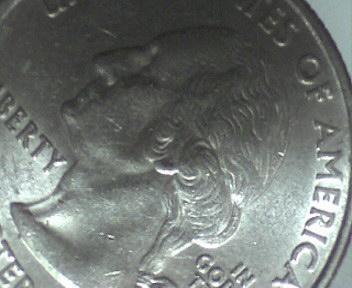 qx5001.jpg
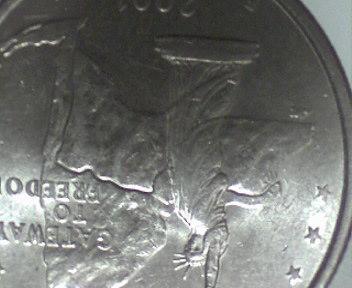 qx5002.jpg
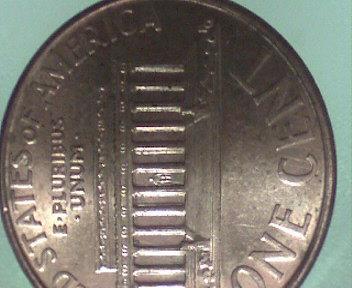 qx5003.jpg
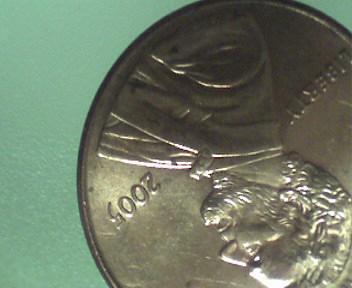 qx5004.jpg


