| Author |
 Replies: 16 / Views: 4,379 Replies: 16 / Views: 4,379 |
|
New Member
Poland
37 Posts |
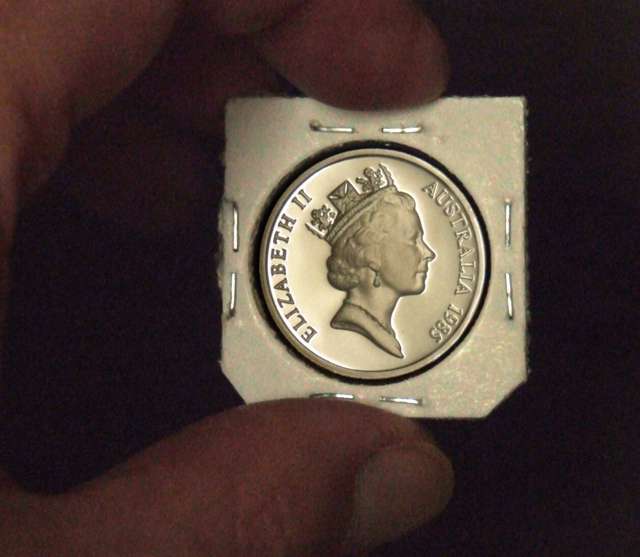
Hello, I like very much photos of proof coins such as:  But how to make similar beautifull pictrure of proof coin? (Sorry for my English - I some speak this language). |
|
|
|
Pillar of the Community
Australia
655 Posts |
The examples you show look like drawings rather than photos. The two methods I know of to shoot proofs turn out like the examples below. One where the shiny surface goes black and one where it goes white. They are almost like positive/negative. I don't know how I would be able to shoot 50/50 black/white. Maybe with some clever photoshop work... Image:  1999p2640.jpg 1999p2640.jpg49.76 KB Image: 1999p1640.jpg46.15 KB |
|
Bedrock of the Community
United States
14454 Posts |
this is the only way I can photo proof coins (I guess you would call it the black background look), I don't know how to do the white look 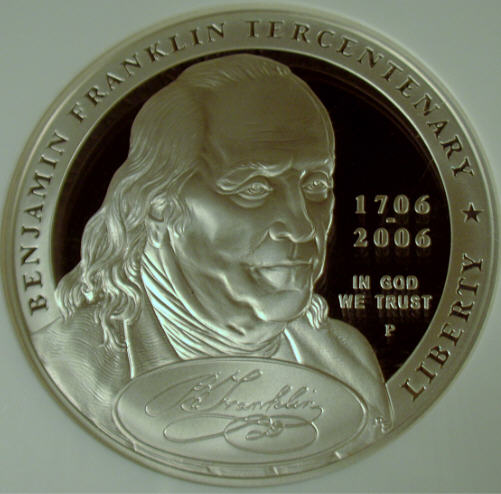 |
|
Pillar of the Community
United States
1173 Posts |
Hello and welcome, romekd!  Try this link: https://goccf.com/t/29384It will tell you how Learjet gets his great pictures of proof coins. Good luck! |
|
New Member
 Poland
37 Posts |
I didn't understand everything. Can anybody tell in simply English, step by step, how to make photo with white background of proof coin and how to make photo with black background of proof coin?
|
|
Pillar of the Community
Australia
655 Posts |
It's all in the lighting angle. With the coin slightly to one side of direct bounce into the light the background goes white. Either tilt the coin or the light a little further away from direct and the background goes black.
You can sort of see the effect by holding the coin in your hand and using the light on the ceiling. Find a direct reflection and tilt the coin just slightly away from direct light. The background looks white. Tilt the coin a little more and it goes darker.
|
|
Pillar of the Community
Australia
655 Posts |
Zoomed out wide so you can get perspective on what I'm doing. Even included some fingers.  All I've done between these two shots is tilted the angle of the coin a little. It only takes the tiniest amount. The light is fixed (fluro on the ceiling), the camera is fixed on a copy stand. Bumped the ISO up so I don't get camera blur since I was holding the coin. You can get the same effect by shifting the position of the light while camera and coin are fixed. Image: proof_darkj.jpg28.05 KB Image: proof_lightj.jpg28.38 KB |
|
New Member
Poland
37 Posts |
I made it, thanks! My effects: - white background:  - black background:  |
|
Pillar of the Community
Australia
655 Posts |
They look great! Well done.
|
|
Moderator
 United States
23522 Posts |
I'd say you made it.  Excellent shots! |
|
New Member
Poland
37 Posts |
I did it!! This is my effect:  And I've made an instruction how I did that photo:  |
|
Valued Member
United States
177 Posts |
|
|
Pillar of the Community
United States
2443 Posts |
|
|
New Member
Poland
37 Posts |
|
|
Moderator
United States
195559 Posts |
I usually just lurk, but I have to say that these are some great photos!  |
|
Pillar of the Community
Australia
2830 Posts |
G'day,
quote: "... I have to say that these are some great photos!"
I agree
Peter in Oz
|
| |
Replies: 16 / Views: 4,379 |







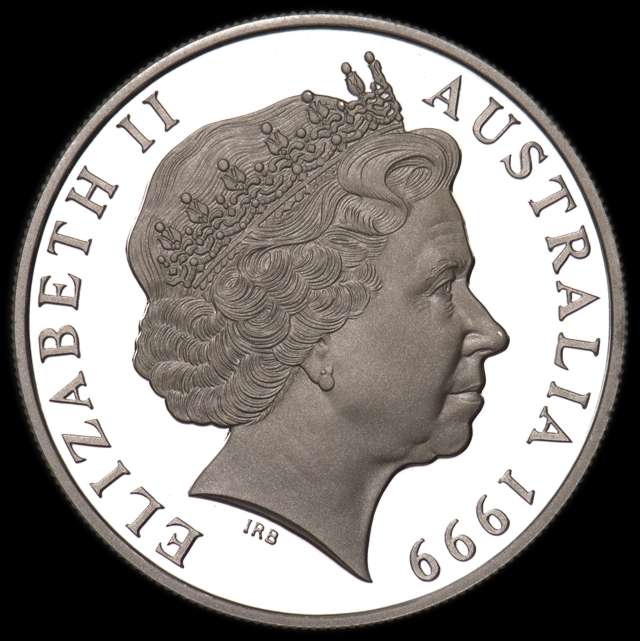 1999p2640.jpg
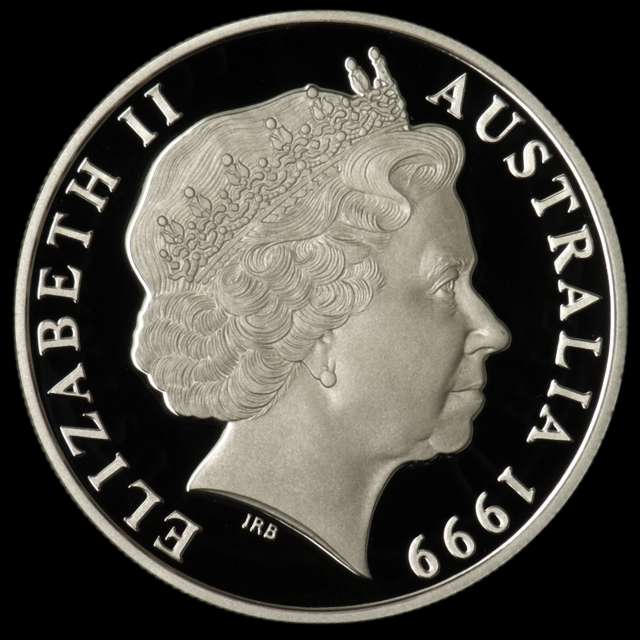 1999p1640.jpg

 Posted 05/01/2008 7:39 pm




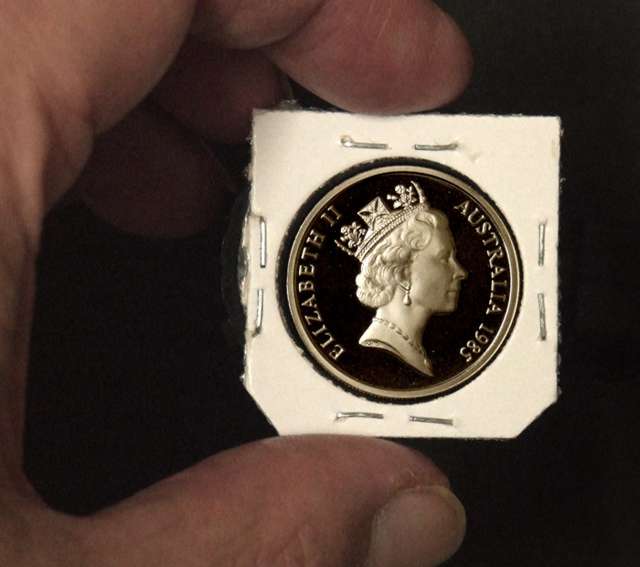 proof_darkj.jpg
 proof_lightj.jpg


