| Author |
 Replies: 13 / Views: 2,562 Replies: 13 / Views: 2,562 |
|
|
Valued Member
United States
487 Posts |
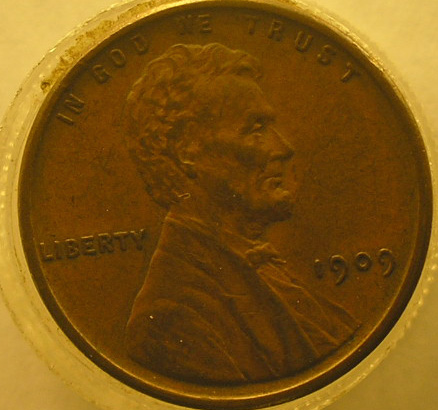
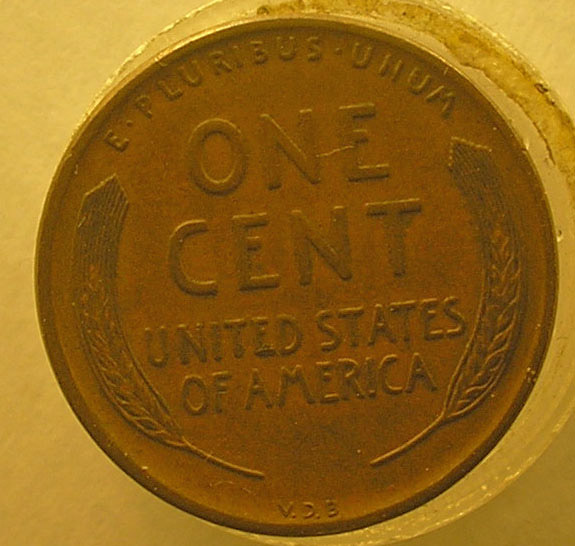
I tried posting a picture of a 1904-o morgan to the grading forum and by the time I got it shrunk down to under 100k it looks like a dime. I tried taking other pictures this morning with less resolution but file is still the same size ( over 600k after cropping) I also took pictures of a 1909 vbd with the same settings and it is fine ( I think) I will post both here and maybe someone can tell me the errors of way. Thanks Image:  1904.jpg 1904.jpg89.69 KB Image: 1909.jpg91.72 KB Image: 1909vbd.jpg101.96 KB |
|
|
|
Bedrock of the Community
United States
14454 Posts |
the cent looks fine, maybe you need to just change the picture dimensions instead of trying to decrease quality. Thats what I do anyway. I use Microsoft Picture-it but other programs are available for free that will do the same thing. Another option is to use one of the free online picture galleries and just copy location of the picture and then just post the picture here from there
|
|
Pillar of the Community
United States
2797 Posts |
scmoore61, I spend most of my $$ adding to my collection and not on photo-editing software. That's why I advise everyone about MS Office Picture Mgr. If you have MS Office, you have this utility. With it you can crop, resize, compress, and adjust color/brightness/contrast. Just right-click on the photo and from the "Open with" menu select MS Office Picture Mgr. Click on the edit pictures tab on the top menu bar and the options pop up. Play with them until you get comfortable. I always save with a different file name so I retain the original. Here's your VDB adjusted using this program. 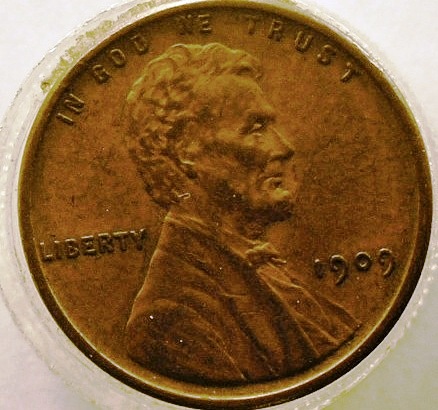 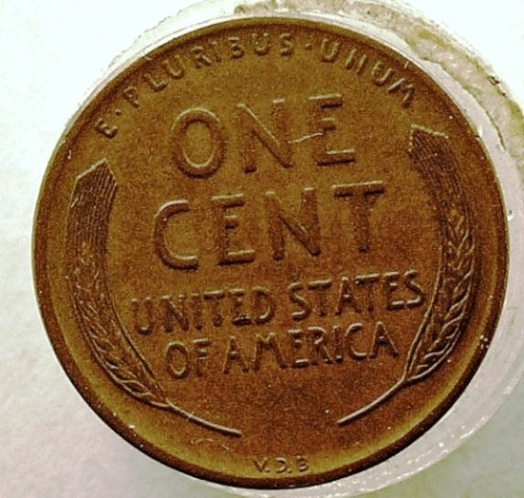 |
|
Pillar of the Community
United States
666 Posts |
There are all sorts of great programs out there that are free that can help you with minor photo editing, such as the sort of stuff that's needed for pictures here. The one that I find the most simple is Irfanview (free for non commercial use) ( http://www.irfanview.net/). |
|
Valued Member
 United States
487 Posts |
I have photo shop to edit with but what did I do differently with the penny and the dollar? I took the photos one after the other and never changed settings but when I went to post them 1 was 606K the other was 87K.
|
|
Bedrock of the Community
United States
20043 Posts |
1) Get closer to the coin to fill the frame, use macro mode of course. Don't be afraid of using optical zoom to fill it.
2) Just reduce the image size to around 720 x 555, that works well for me for the forum.
|
|
Valued Member
United States
377 Posts |
I use photoshop to edit the pic size. There is a "Save for Web" option. I can bring up 4 different views of the coin in different jpeg/pixel sizes. I usually shrink a 3MB file down to about 90k, and still keep the quality and large photo.
|
|
Valued Member
United States
487 Posts |
Thanks Madzdad71 I will look for that.
|
|
Valued Member
United States
377 Posts |
|
|
Pillar of the Community
United States
1415 Posts |
I use gimp. It's freeware on the net. http://www.gimp.org/downloadsHas all the features you need for what we are doing plus more. and it's FREE!! can't be beat. |
|
Pillar of the Community
United States
621 Posts |
Irfanview is another free tool for pictures. Great resizing option that I use a lot.
|
|
Valued Member
United States
97 Posts |
I tried to post photos here but found out the files were too large. I work on a Mac. Does anyone here know how to compress the file to the proper size using iPhoto? I would very much appreciate the help. Thank you. Matthew  |
|
Pillar of the Community
United States
511 Posts |
For macintosh, I use a program called GraphicConverter. They ask for money for the unlocked version, but the free version is just as powerful.
There are two functions that greatly decrease the file size. One is to "resize picture". Most of my pics straight from the camera are larger than my computer screen. I resize them to about 40% of that. Then, when saving the file (jpeg), there are options for quality. 100% quality is a lot larger file than 80% quality, but the differences to the naked eye are negligible. With these two steps, I take an image that starts out at 1200kb to 50-150kb.
You can get graphicconverter for free, or see if iPhoto has similar options. I don't dislike iPhoto, I just have never used it because GC serves all my needs.
WheatieFan
|
|
Valued Member
United States
97 Posts |
Thank you. I got it figured out now using my iPhoto. I just have to size it when I export to the desktop.
|
| |
Replies: 13 / Views: 2,562 |
|










 1904.jpg
 1909.jpg
 1909vbd.jpg


 Posted 05/08/2008 1:18 pm


