

Coin Community Family of Web Sites Join Thousands of Coin, Bullion, & Money Collectors
Shop for APMEX Bullion on eBay!Vancouvers #1 Coin and Paper Money Dealer Specializing in Modern Numismatics Join Thousands of Coin, Bullion, & Money Collectors 300,000 items to help build your collection! Coin, Banknote and Medal Collectors's Online Mall Royal Canadian Mint products, Canadian, Polish, American, and world coins and banknotes.


Username:
Password:
Save Password
Forgot your Password?


This page may contain links that result in small commissions to keep this free site up and running.

Welcome Guest! Registering and/or logging in will remove the anchor (bottom) ads. It's Free!

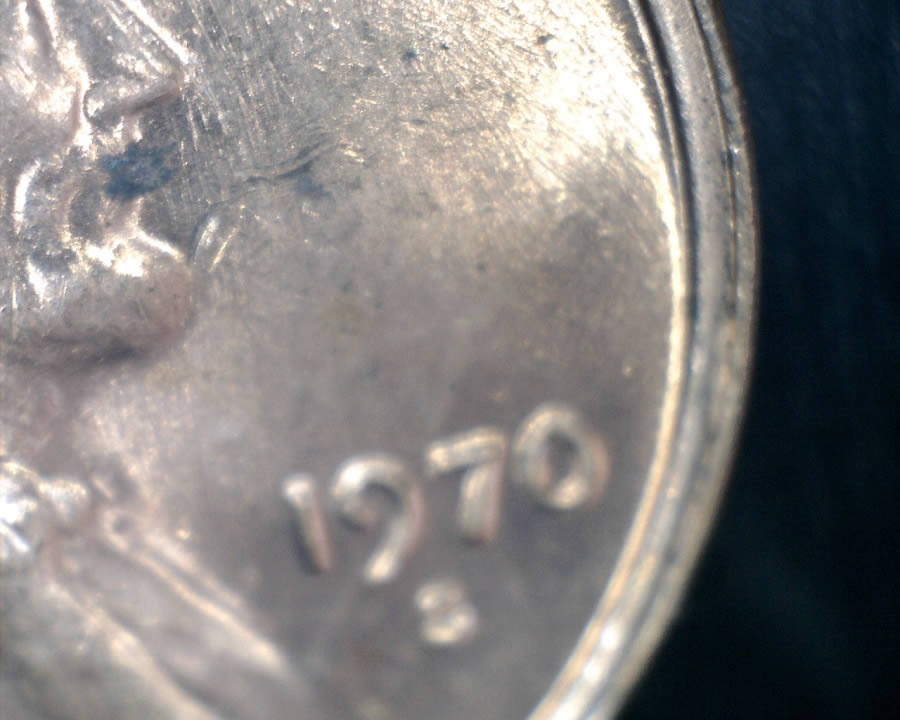
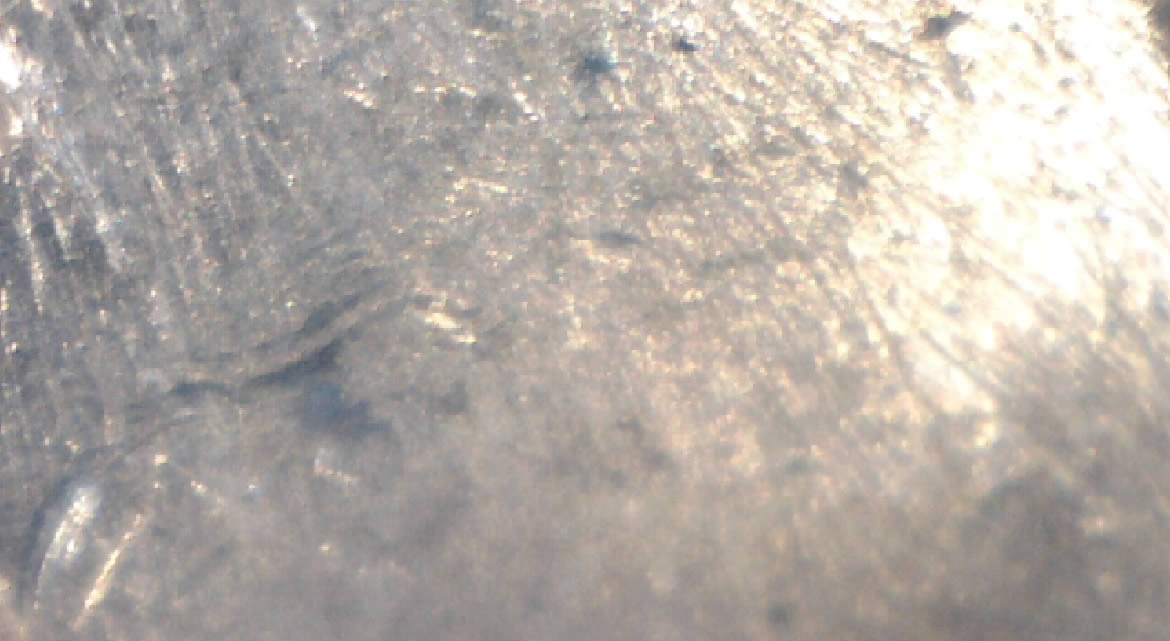
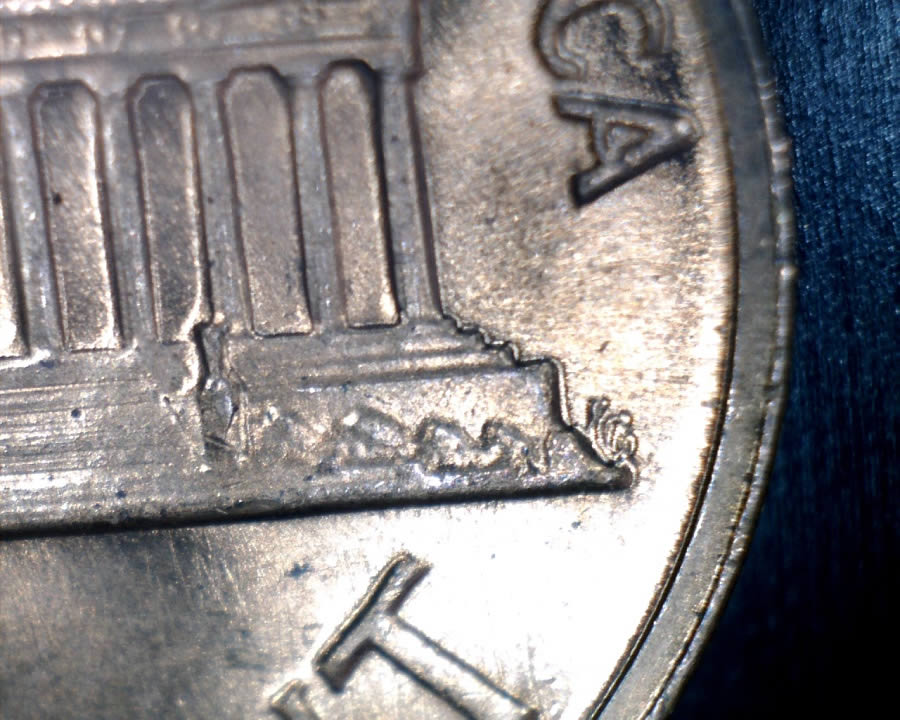
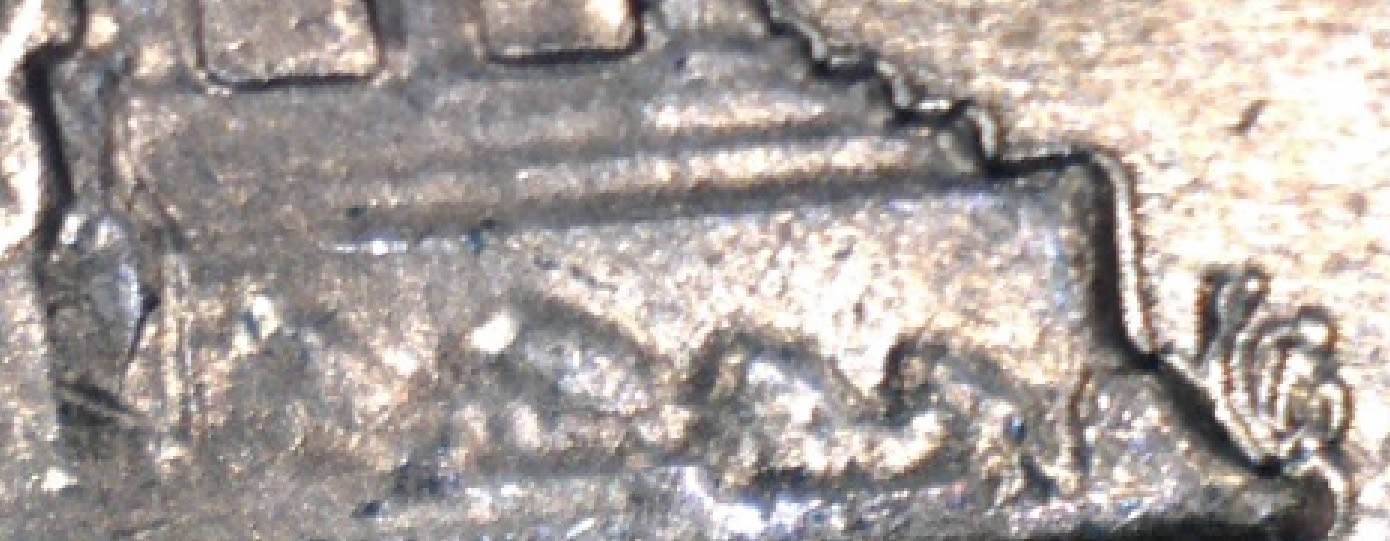
1970-S LMC Die Clash Help With Identifying

To participate in the forum you must log in or register.
Author Previous TopicReplies: 9 / Views: 591Next Topic  
Pillar of the Community
SF11Dude's Avatar
United States
746 Posts
 Posted 12/27/2017  1:08 pm Show Profile   Bookmark this topic Add SF11Dude to your friends list Get a Link to this Message Number of Subscribers
I took a look a an overlay which assumes 180 perfect rotation when clashing but couldn't match up the image.
My best guess it is the rocky portion below the memorial or it evens resembles Monticello with the dome image in the middle. FG's initials look odd too. Thoughts?

1970-S-LMC-Die-Clash-Help-With-Identifying
Moderator
Learn More...
John1's Avatar
United States
56855 Posts
 Posted 12/27/2017  1:19 pm  Show Profile   Bookmark this reply Add John1 to your friends list Get a Link to this Reply
WADR,need to practice those pic taking skills.
John1
Pillar of the Community
cwb's Avatar
United States
3463 Posts
 Posted 12/27/2017  1:20 pm  Show Profile   Bookmark this reply Add cwb to your friends list Get a Link to this Reply
It's not a die clash, just been damaged.

Keep searching, they are out there!
Pillar of the Community
SF11Dude's Avatar
United States
746 Posts
 Posted 12/27/2017  1:29 pm  Show Profile   Bookmark this reply Add SF11Dude to your friends list Get a Link to this Reply
Yep, I have been honing my pic taking skills and sometimes I get it right but I am still not happy with my pics a lot of times.
Trying to get the coin in the right position, adjusting the light angle, zoom depth, etc.
Sorry about the lighting...
Pillar of the Community
cwb's Avatar
United States
3463 Posts
 Posted 12/27/2017  1:58 pm  Show Profile   Bookmark this reply Add cwb to your friends list Get a Link to this Reply
There is some pretty crazy Machine Doubling on the reverse side.
Moderator
Learn More...
John1's Avatar
United States
56855 Posts
 Posted 12/27/2017  2:08 pm  Show Profile   Bookmark this reply Add John1 to your friends list Get a Link to this Reply
What is your camera and light source?
John1
Pillar of the Community
SF11Dude's Avatar
United States
746 Posts
 Posted 12/27/2017  2:56 pm  Show Profile   Bookmark this reply Add SF11Dude to your friends list Get a Link to this Reply
John1, I use 2 lights, 1 I can control the angle and brightness for indirect and the celestron USB camera has lights I cannot turn off.

I have another USB on a stand I can control the brightness with but the camera software stinks...

I was watching videos on DIY lighting/camera boxes and Dinolite today and liked their software...not sure what is the best investment to make.

If the camera is good seems like the SW stinks and vice versa. :)
Moderator
Learn More...
John1's Avatar
United States
56855 Posts
 Posted 12/27/2017  3:18 pm  Show Profile   Bookmark this reply Add John1 to your friends list Get a Link to this Reply
I have a Celestron and a Dino-Tite and had to block off all but one light at the 12k position and then put a filter over that one. Then if needed,I use a hand held LED flashlight. Whenever possible I like using a point-n-shoot camera with natural sunlight.
John1
Pillar of the Community
SF11Dude's Avatar
United States
746 Posts
 Posted 12/27/2017  3:26 pm  Show Profile   Bookmark this reply Add SF11Dude to your friends list Get a Link to this Reply
Thanks for the tips John1. I have been playing with how to change the light reflection from the USB camera by inserting the tip of my finger, the black end of a pen or something else which causes the light brightness to adjust.

I am also trying various filter materials.

I would really like to find a standalone piece of software that would work with either camera but no joy so far. I like the Dinolite SW features I saw in the videos for making lines, measuring, etc.

Someone smarter than me should invent the "The Jetson's Coin Hunting Dream Machine", it measures the radius, weighs the coin, immediately recognizes errors and varieties, takes the imagery, labels it and inserts a link to the right reference. Lol
Moderator
Learn More...
John1's Avatar
United States
56855 Posts
 Posted 12/27/2017  4:29 pm  Show Profile   Bookmark this reply Add John1 to your friends list Get a Link to this Reply
A white coffee pot filter works great.
John1
  Previous TopicReplies: 9 / Views: 591Next Topic  

To participate in the forum you must log in or register.


Disclaimer: While a tremendous amount of effort goes into ensuring the accuracy of the information contained in this site, Coin Community assumes no liability for errors. Copyright 2005 - 2026 Coin Community Family- all rights reserved worldwide. Use of any images or content on this website without prior written permission of Coin Community or the original lender is strictly prohibited.
Contact Us  |  Advertise Here  |  Privacy Policy / Terms of Use

Coin Community Forum © 2005 - 2026 Coin Community Forums
It took 0.25 seconds to rattle this change. Forums