Coin Community Family of Web Sites Join Thousands of Coin, Bullion, & Money Collectors
Coin, Banknote and Medal Collectors's Online Mall Join Thousands of Coin, Bullion, & Money Collectors Royal Canadian Mint products, Canadian, Polish, American, and world coins and banknotes. Specializing in Modern Numismatics 300,000 items to help build your collection! Vancouvers #1 Coin and Paper Money Dealer Royal Estate Auctions - $1 Coin Auctions


Username:
Password:
Save Password
Forgot your Password?


This page may contain links that result in small commissions to keep this free site up and running.

Welcome Guest! Registering and/or logging in will remove the anchor (bottom) ads. It's Free!

Poor Quality Pictures

To participate in the forum you must log in or register.
Author Previous TopicReplies: 6 / Views: 1,718Next Topic  
Pillar of the Community
solotime's Avatar
United States
2311 Posts
 Posted 02/16/2018  11:03 am Show Profile   Bookmark this topic Add solotime to your friends list Get a Link to this Message Number of Subscribers
So I upgraded my camera to a new much more expensive one only to find out that it's not good for taking pictures of coins. I don't know if the problem is the memory card or the camera isn't made for small things?

My old camera was very amazing in pictures of coins. I could zoom in a very lot and see all the details on the coin. Now my new one doesn't even allow me to zoom in that much without it becoming blurry.

My new camera is the Sony A6300.
Pillar of the Community
Coconutjoe's Avatar
United States
1475 Posts
 Posted 02/16/2018  11:13 am  Show Profile   Bookmark this reply Add Coconutjoe to your friends list Get a Link to this Reply
What was your old camera?
Pillar of the Community
Canada
2784 Posts
 Posted 02/16/2018  12:02 pm  Show Profile   Bookmark this reply Add rocky to your friends list Get a Link to this Reply
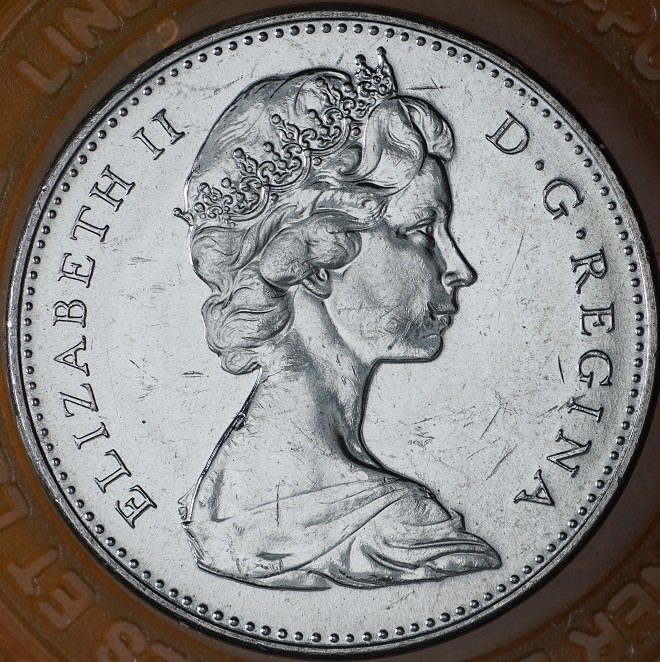
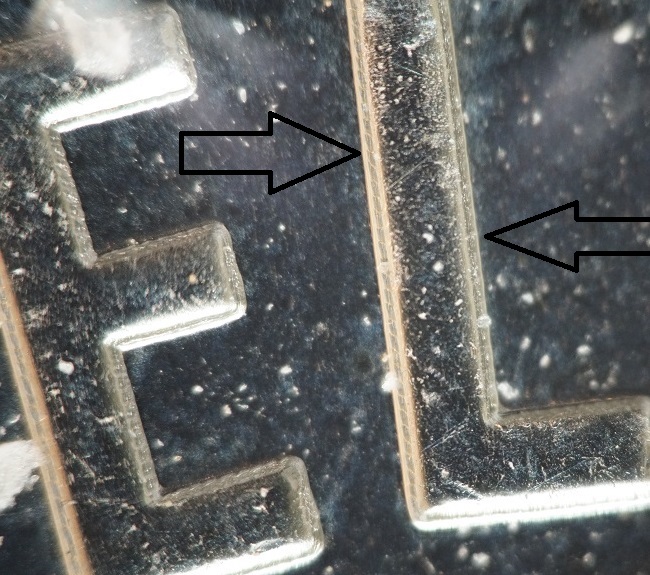
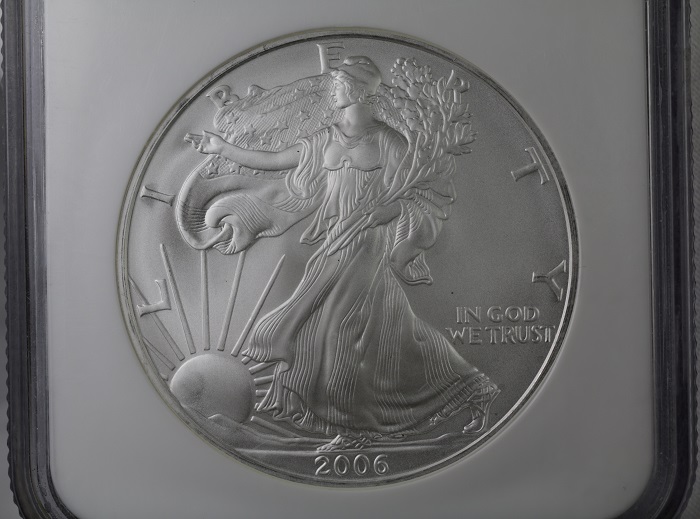
solotime first welcome to the forum. you have a very excellent camera there solotime. Sony A6300 mirrors shoots in APS-C mode. totally excellent. question what are you using for a lens. I use the sony A&R markII. these are basically the same cameras. they work excellent for coins. I will share a couple picture with you. you want to set your focusing mode. that will help you to focus your coin photos perfectly. there are a couple more mirror-less photographers. we will all help you I am sure. here is a couple pics let me know what you think. the last image is a slabbed coin. they can be difficult to photograph. with them walk the light right to them. you will see what I mean a little later.
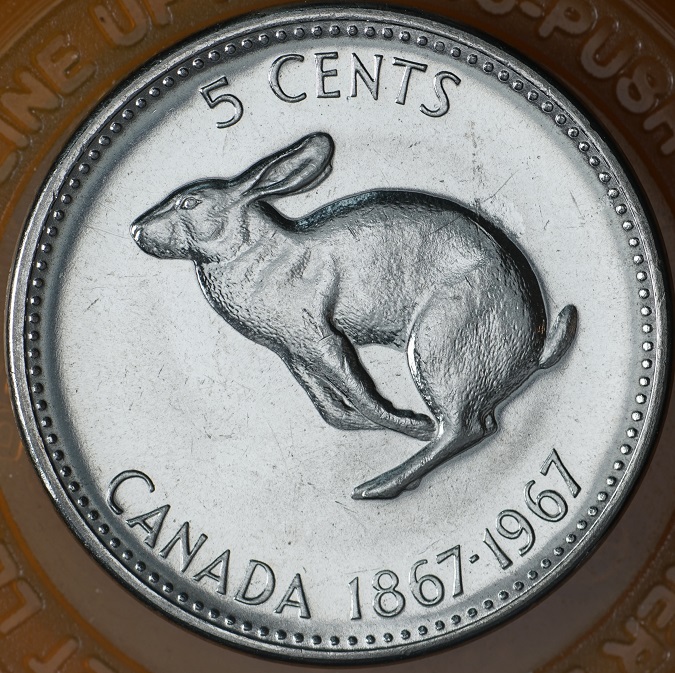
Poor-Quality-Pictures
Rest in Peace
moxking's Avatar
United States
17900 Posts
 Posted 02/16/2018  12:04 pm  Show Profile   Bookmark this reply Add moxking to your friends list Get a Link to this Reply
I've used the Sony Cybershot forever (bought two more in the box before they expired forever). With the auto macro I can get to within an inch of the coin and still have great detail.

The only real problem is the pain it is to adjust white balance, especially if you are trying to photograph slabs.

I'm just hoping my Cybershots keep running for a long time, with two in reserve.
Pillar of the Community
Canada
2784 Posts
 Posted 02/16/2018  12:20 pm  Show Profile   Bookmark this reply Add rocky to your friends list Get a Link to this Reply
moxking you have a very good camera. but the sony A6300 that is one incredible camera. there is a focus setting in that Sony A 6300 camera when you turn on focus assist. all solotime photos will be in perfect focus. once solotime gets use to the camera. it takes nothing to get your focus perfect. lets start with the lens.

moxking if you ever have to go to a different camera. there are lots here that would be very happy to help you with any camera myself included
Pillar of the Community
solotime's Avatar
United States
2311 Posts
 Posted 02/26/2018  4:56 pm  Show Profile   Bookmark this reply Add solotime to your friends list Get a Link to this Reply
Thank you everyone for replying.

Turns out the mistake was transferring the photo's to my phone.
When you transfer a photo to the phone, it resizes it by 1/4 the size.
So if it's 8MB, it's now only 2MB. I was only transferring them to my phone
because it was quicker. Unfortunately wasn't the best idea.

Also I was using the wrong photo setting when taking pictures.
I spent some time playing around with the settings and now found one
that seems to be much better.

I can't remember what my old camera was. All I know is that it was a Sony.

Poor-Quality-Pictures
Valued Member
Taiwan
192 Posts
 Posted 02/26/2018  6:37 pm  Show Profile   Bookmark this reply Add Guybrush to your friends list Get a Link to this Reply

Quote:
So if it's 8MB, it's now only 2MB


Seems like some support issues. My old java-based phone can only open images up to 5MB max, so large images have to be manually converted/resized prior to transfer, or automatically by allowing Windows to do it while transferring (may not always work). If you didn't do it then the computer did it.

With the click of the correct buttons, the images should be able to get in to the phone intact. Opening them on the phone is another story though.

Android phones don't seem to have problems with bulky images at all.
Edited by Guybrush
02/26/2018 6:39 pm
  Previous TopicReplies: 6 / Views: 1,718Next Topic  

To participate in the forum you must log in or register.


Disclaimer: While a tremendous amount of effort goes into ensuring the accuracy of the information contained in this site, Coin Community assumes no liability for errors. Copyright 2005 - 2026 Coin Community Family- all rights reserved worldwide. Use of any images or content on this website without prior written permission of Coin Community or the original lender is strictly prohibited.
Contact Us  |  Advertise Here  |  Privacy Policy / Terms of Use

Coin Community Forum © 2005 - 2026 Coin Community Forums
It took 0.28 seconds to rattle this change. Forums