| Author |
 Replies: 36 / Views: 5,380 Replies: 36 / Views: 5,380 |
|
|
|
Pillar of the Community
United States
1376 Posts |
Thanks for the feedback Ray! Ok, so I removed the ping pong balls and moved the lights back from the Opalux to the point where each light spotlight was just hitting the edge of the Opalux. Here are a series of photos taken with a Pentax K200D using a SMC Pentax-F Zoom 35-70 mm lens in 70 mm macro mode. Pentax doesn't have a LiveView application, so I used autofocus for all shots. All photos are taken as RAW files and then converted to JPG. The original size of the photos was 3872 x 2592 but are downsized to 1130 x 756 to meet the 300 KByte size limit. No post processing was done to any of photos. All photos were taken in aperture priority mode, at ISO 100, f/6.3 and no exposure compensation. The shutter speed changes with the number lights that are on. I have 5 Jansjo lights positioned at 8 - 10 - 12 - 2 - 4. Switched the coin to a Morgan silver dollar to get a larger coin in the aperture, but with my camera/lens combo most of the aperture is still filled with background. I'm using a 18% grey card as the background, but even with manual white balance on the card, it comes out looking mostly black. Here are the pictures... Lights on: 8 - 10 - 12 - 2 - 4, 1/200 sec 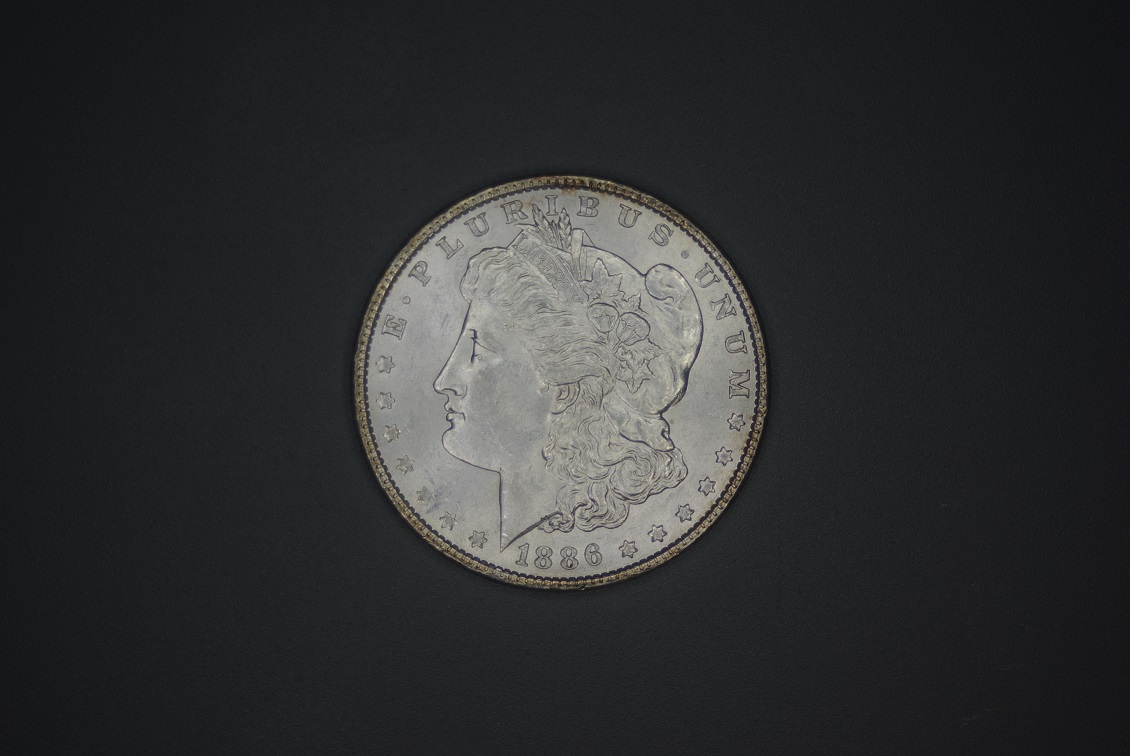 Lights on: 8 - 10 - 2 - 4, 1/200 sec 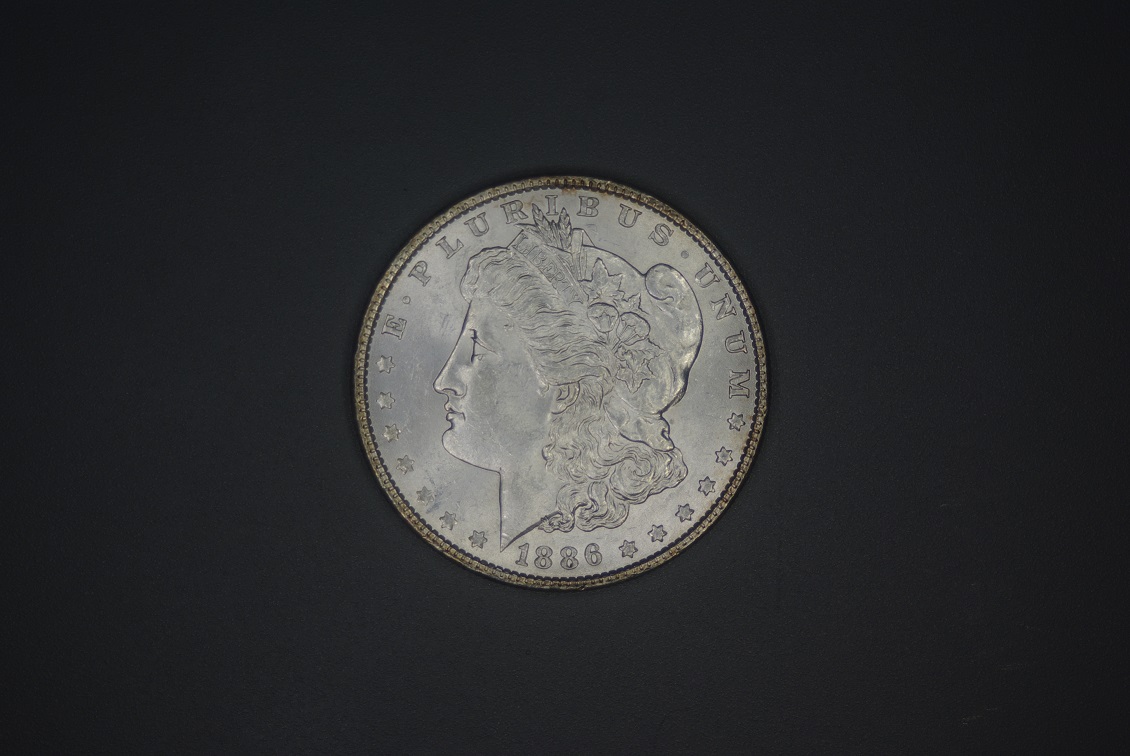 Lights on: 8 - 12 -4, 1/160 sec 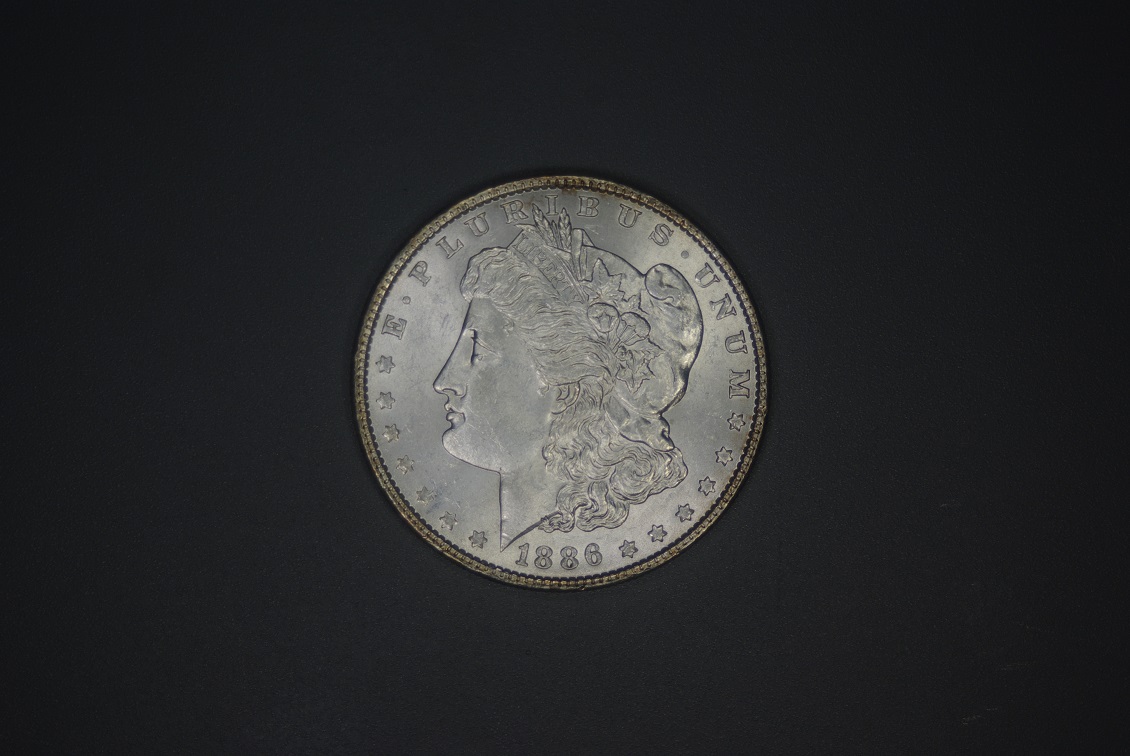 Lights on: 10 - 12 - 2, 1/100 sec camera is indicating that flash is needed 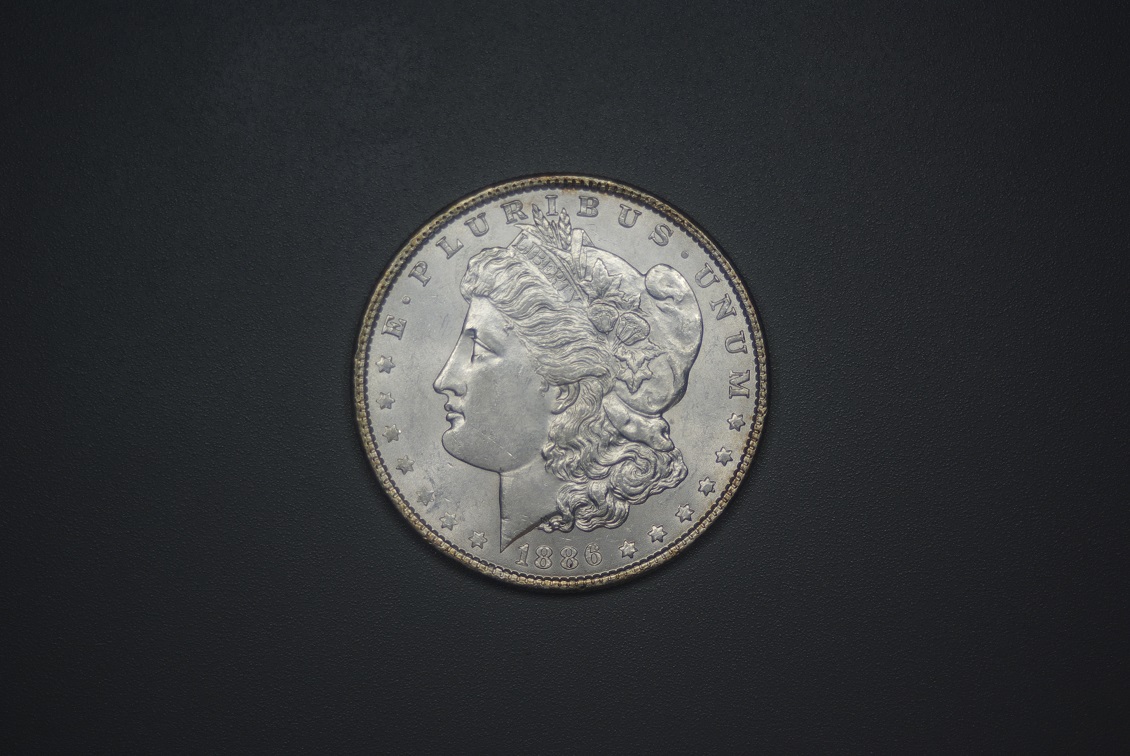 Lights on: 10 - 2, 1/100 sec camera is indicating that flash is needed 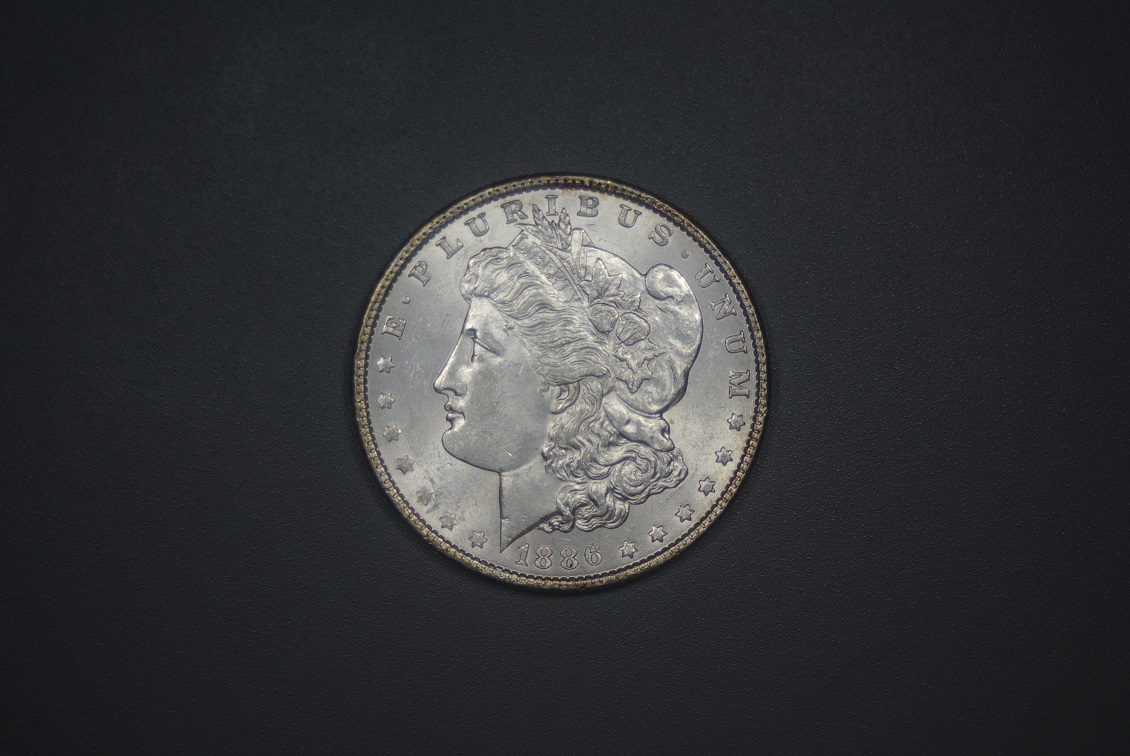 What do you think? Which photo looks the best? Does it matter that for a couple of the shots the camera is indicating that there isn't enough light and that flash is needed? Edited by BadDog
06/21/2018 09:22 am
|
|
Pillar of the Community
United States
1299 Posts |
I like the last one. Still looks a little washed out, but some luster is showing. Big improvement.
|
|
Pillar of the Community
Canada
9647 Posts |
I'm with Ham, the last one. If you now crop it you will have a very good pic.
|
|
Pillar of the Community
 United States
4048 Posts |
Yep, last shot is what you're looking for.
Don't worry at all if the camera says flash is needed. In fact, I highly recommend you go into the menu and turn off the flash completely so it does not annoy you. 1/100 is actually very fast so I am questioning what do you have your ISO set to? It should be set for 100 to get best noise suppression.
Contact me for photographic equipment or visit my home page at: http://macrocoins.com |
|
Pillar of the Community
 United States
2843 Posts |
Yep. That last picture is very nice.
|
|
Pillar of the Community
United States
8715 Posts |
The last one is definitely the best.
|
|
Pillar of the Community
United States
1376 Posts |
Thanks everyone for the comments  Quote:
Don't worry at all if the camera says flash is needed. In fact, I highly recommend you go into the menu and turn off the flash completely so it does not annoy you. 1/100 is actually very fast so I am questioning what do you have your ISO set to? It should be set for 100 to get best noise suppression. Ray, I have the flash turned off, but the camera still lets me know it doesn't think there is enough light by flashing the flash needed symbol in the view finder. I had the ISO set to AUTO, but for all those photos it was auto set to ISO 100. In order to get a slower shutter speed I would have to change the aperture, but isn't a fast shutter speed better? Fast is recommended by Mark Goodman in his Numismatic Photography book as a general principle. However, since the camera was indicating more light was needed, this is why I was wondering about whether or not there was enough light for proper exposure at the given settings. Here are some more comparison photos. With these, I changed from AUTO ISO to a set ISO of ISO 100. I then changed the aperture between f/6.3 and f/8.0 in order to get a slower shutter speed. Once again, I played with the lights a little by sometimes having two lights at 10 and two lights at 2 and also adding a partially obscured light at 6. As before, none of the photos have any post processing done to them, but I did crop these for the comparisons. What do you think of these? 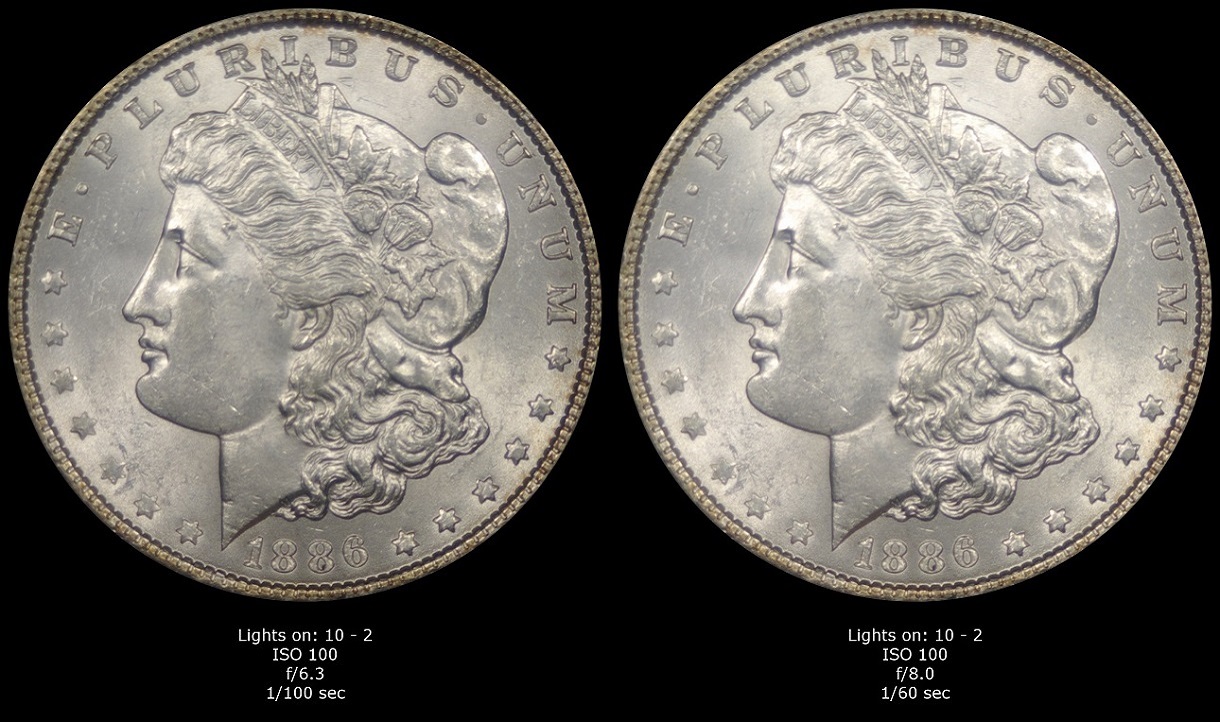 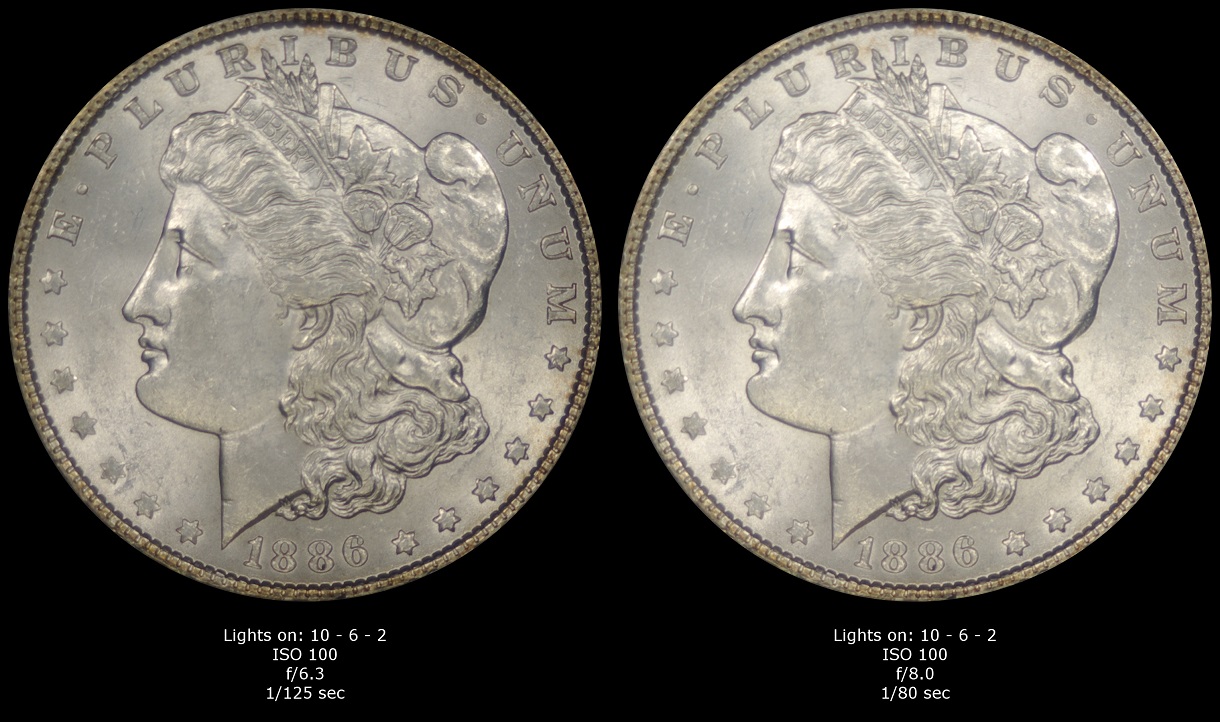 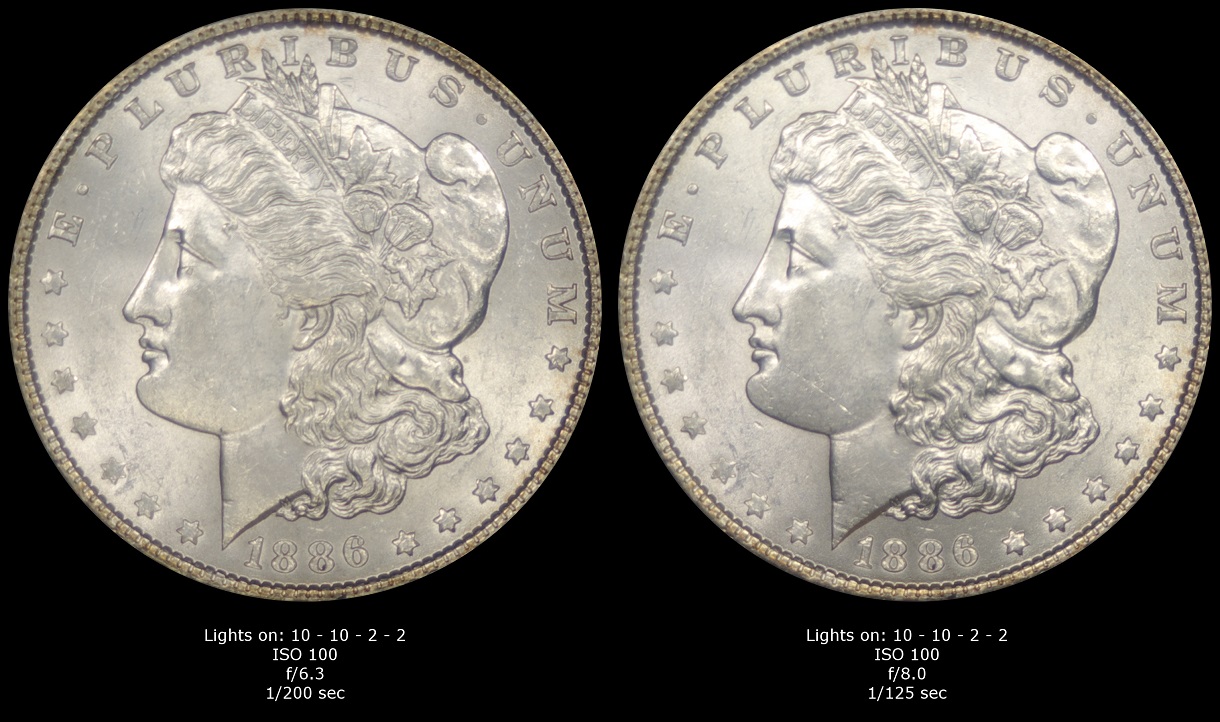 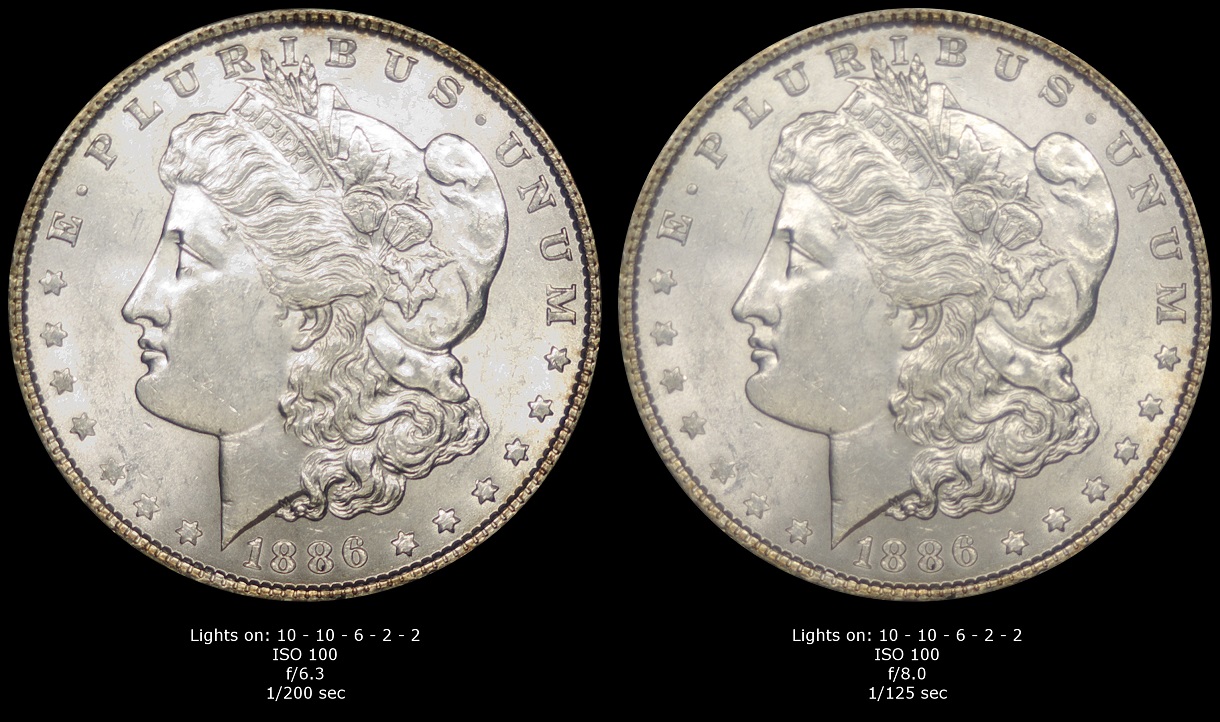 Edited by BadDog
06/22/2018 2:55 pm
|
|
Pillar of the Community
United States
6514 Posts |
They look a heckuva lot better than any of mine. So I feel weird saying anything but I agree with rmpsrpms that they look a little washed out. As far as a solution rmp's couldn't hurt to try out.  Check out my counterstamped Lincoln Cent collection: http://goccf.com/t/303507 |
|
Pillar of the Community
United States
1376 Posts |
Here's what the coin would like with some post processing (sharpened, contrast and levels adjusted). This photo was at ISO 100, f/6.3, 1/100 sec (obverse) and 1/125 sec (reverse) and lights at 10 - 6 - 2, with the light at 6 partially obscured. 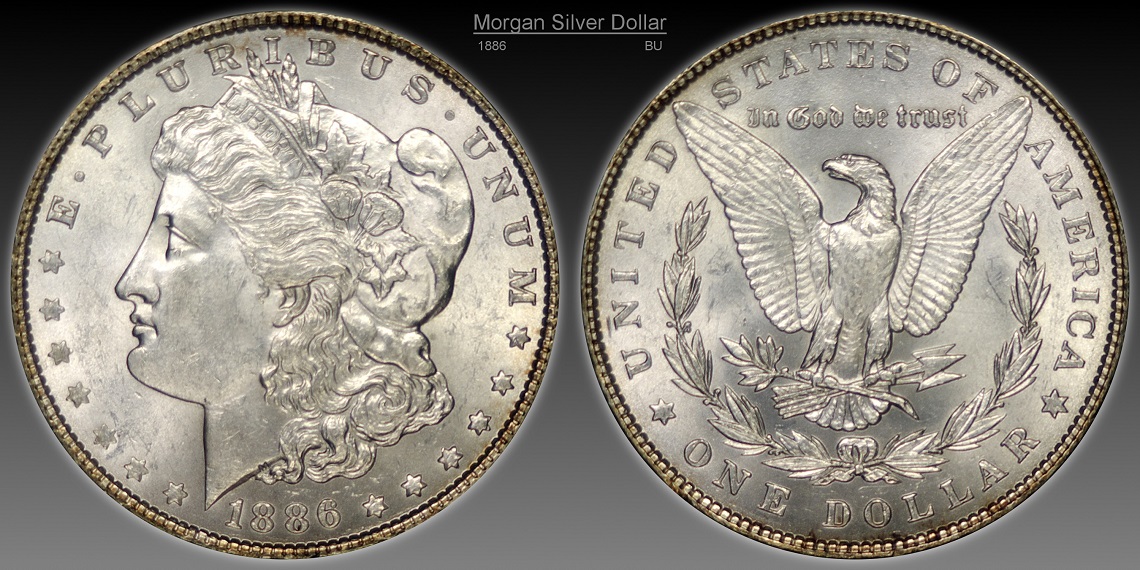 Edited by BadDog
06/22/2018 7:00 pm
|
|
Bedrock of the Community
United States
94367 Posts |
BadDog - Quite a display on your part which only lessens my confidence in the accuracy of internet pics. I take it this is a raw coin. How would you grade it, honestly?  |
|
Pillar of the Community
United States
9395 Posts |
Still looks like the 10-2 is best in this batch
|
|
Pillar of the Community
United States
1376 Posts |
Quote:
I take it this is a raw coin. How would you grade it, honestly? Coinfrog, Honestly? Are you implying that some eBayers might enhance their photos to make the coin look better  Say it ain't so  The coin is raw. I'd say it's a solid 63, maybe a 64. Don't think it would go any higher than that. Is that about what you would grade it as from the photo? It's a common date, so I don't have any plans to get it TPG graded. IMHO taking really good photos of coins is HARD. I'm just trying to figure out how to get better at  Edited by BadDog
06/23/2018 07:16 am
|
|
Moderator
United States
194816 Posts |
Quote:
IMHO taking really good photos of coins is HARD. I'm just trying to figure out how to get better at Agreed. I think you are making great progress. |
|
Pillar of the Community
United States
4048 Posts |
Nice group of photos for comparison, but I find it odd that most of the shots are over-exposed. Only the 10-2 6.3 and 10-6-2 6.3 shots are correctly exposed. Not sure why the camera is shooting so they are over-exposed. What camera mode are you using?
I'm not at all fond of having lights coming in from below (ie in the 3-9 range). Think of shooting the coin like you would shoot a model...you'd never (at least rarely) shine a light from the ground straight up to her face. You don't want those lower surfaces to be highlighted. Or if she were outside in natural light, usually the light would be coming in from overhead, not from the ground.
Contact me for photographic equipment or visit my home page at: http://macrocoins.com |
|
Pillar of the Community
United States
1376 Posts |
Ray,
All of the photos were taken in Aperture Priority mode, with no exposure compsensation.
I added the partial light at 6 because it looked to me like there was a half moon of darkness in the 6 area. I thought it needed a little extra light in that area.
Thanks for the advice, I'll keep experimenting.
|
| |
Replies: 36 / Views: 5,380 |






 First Page


 Posted 06/21/2018 09:30 am





