| Author |
 Replies: 10 / Views: 2,332 Replies: 10 / Views: 2,332 |
|
|
New Member
United States
6 Posts |
I'm going through 2 (old unopened) boxes of 1984 P cents from Pittsburgh fed. I am finding a large number of what I think are lesser known or less popular DDOs. There are some I'm not sure about and I cant find anything written about them...so:
1. Letters in motto and date (esp the O in GOD and the 8) look raised in places, like they are thicker but not spreading laterally. Is that die wear? Or is that doubling?
2. I CANNOT find a way to upload photos off computer (using digital microscope)...how do people feel about me taking a photo of the laptop image using my phone and posting that?
|
|
|
|
Moderator
 United States
196572 Posts |
 to the Community! Your post was moved to the appropriate forum for the proper attention.  |
|
Moderator
United States
56855 Posts |
Edited by John1
11/27/2019 10:21 am
|
|
New Member
United States
41 Posts |
Try opening the photos on your laptop with Preview or Microsoft's default media viewer, then "Save As" or "Export" to JPG and select a lower quality to fit the file size requirements. My original images are usually much larger than what I put on here, but saving as a "lesser quality" is almost unnoticeable.
|
|
Moderator
United States
196572 Posts |
|
|
Pillar of the Community
United States
592 Posts |
Uploading pictures to the site is a bit clunky but once you mastered the steps it's easy, just time consuming.
1. Set your scope to save the pictures in a particular folder. For instance, create a desktop folder called "Coin Photos" and save the raw photos there.
2. Go to the Image Optimizer app on this site and click and drag the pictures from your "Coin Photos" folder to the Image Optimizer.
3. Modify the photos so that each of them is less than 300kb and then click "save all".
4. Download the saved photos - one at a time unfortunately- to a different desktop folder, for instance "Saved Photos".
5. Upload the photos from your "Saved Photos" folder to your post - one at a time unfortunately.
Saving every picture in a separate folder also allows you to re-post a photo later without having to go through the optimizer because you already know it will be accepted.
Hope this helps.
|
|
New Member
 United States
6 Posts |
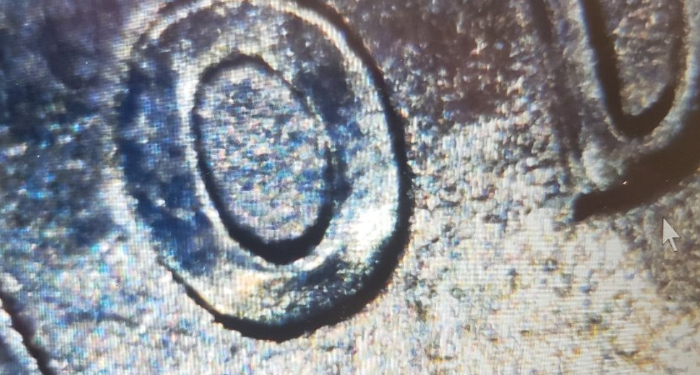 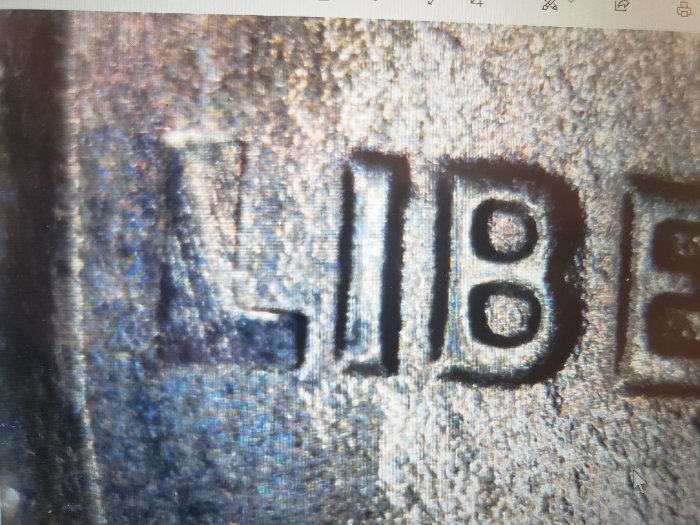 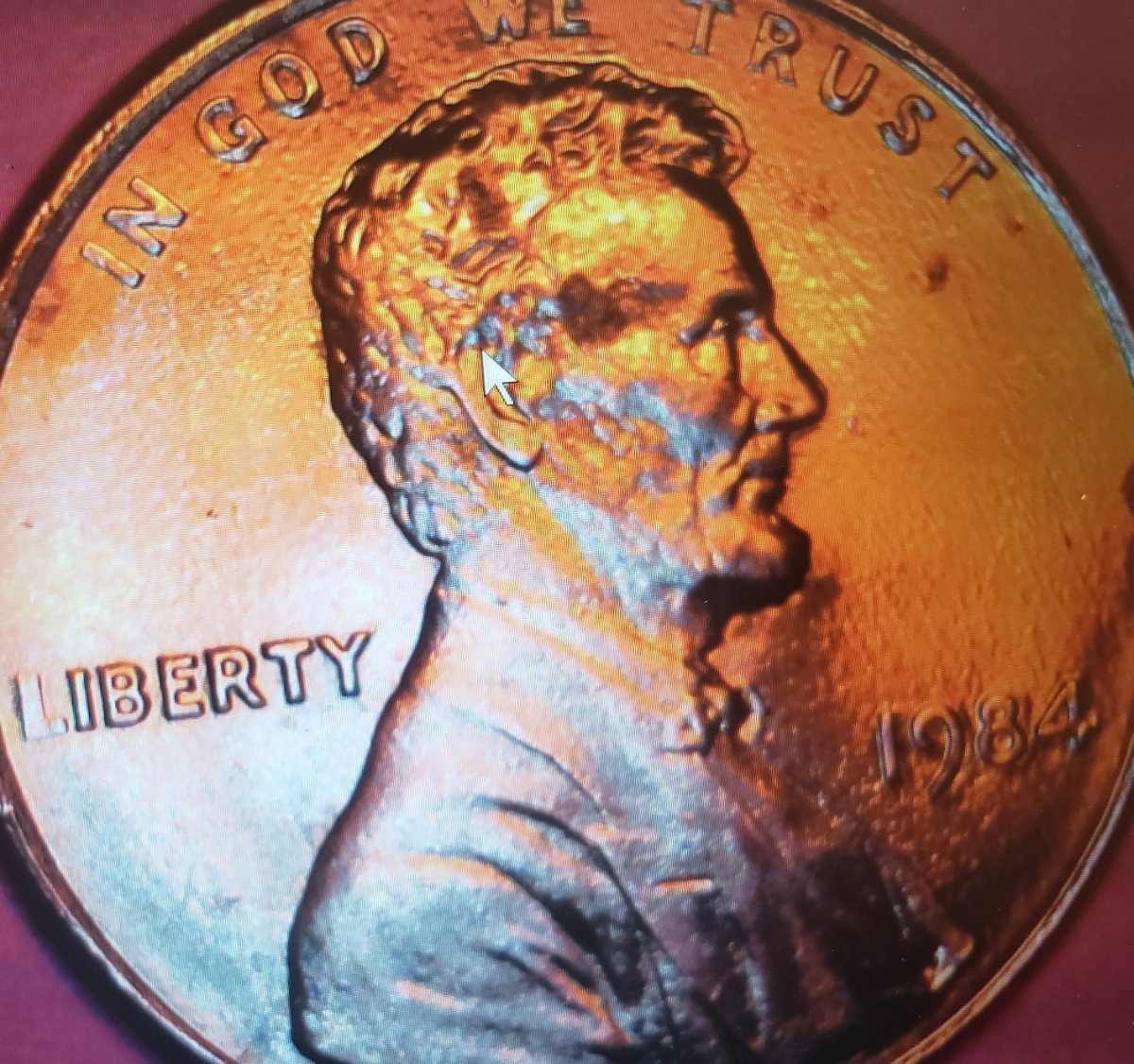 Holy cow, I hope I got it. At this point I dont care if it's die wear or DDO. I'm just glad I figured how to post any kind image. Thanks for everyone's help. Have a great Thanksgiving. Let me know what you think. Mike Blair |
|
Moderator
United States
56855 Posts |
Congrats on getting the pic up  Looks like die wear and maybe a bit of Struck Through Grease. It is a spender in my opinion. John1  |
|
New Member
United States
6 Posts |
|
|
Pillar of the Community
United States
5898 Posts |
It is a great feeling to get the "posting and image" thing figured out! Congrats. Struck Through Grease can cause large or small areas (called devices) of a coin to be obscured or missing. All machinery requires lubrication to keep running smoothly and occasionally the lubricant (usually grease) will get onto the face of a die, filling the devices. This prevents metal from flowing into these areas of the dies. If you do an online search you can see many examples. Words of encouragement are one of the major food groups.
We need to consume them regularly to thrive and grow.
|
|
New Member
United States
6 Posts |
|
| |
Replies: 10 / Views: 2,332 |
|










 Posted 11/27/2019 10:21 am


