| Author |
 Replies: 73 / Views: 9,611 Replies: 73 / Views: 9,611 |
|
|
|
Pillar of the Community
 United States
723 Posts |
Thank you so much Ray, for your tips. You have brought me a long way.
Automatic white balance, sorta. I do the "one touch" white balance. I get the lights just where I want them and "one touch" the white balance. I use white paper. The gray card gets me off in wierd directions.
Obverse and Reverse are set exactly the same. I didn't even breath on it, just flipped the coin. I tuned the focus and shot. Post editing the same, a tiny bit of exposure compensation and contrast.
The surrounding of the coin in nice white, I will mouse over that white and move the RGB just a bit to get them in the same ballpark.
Maybe I could (and was hoping to) help the magenta a bit, but if I went anywhere with anything it looked worse. So I didn't go more than a couple numbers with any of the RGB.
Again though, exactly the same setup, very minor (very!) post editing.
I suppose I could set it to "tungsten" or such. And there are a plethora of more white balance buttons . . . . .
The reverse does (really) have blue toning creeping in from the left. But not the magenta so much. But indeed there is a touch of that magenta. It is actually quite attractive.
By setting tbe lights more to 12, I would push them back a bit?
And how do you mean masking the diffusers? In what way or direction?
I am befuddled a bit. And sorry for the additional questions.
Thank you again!
|
|
Pillar of the Community
 United States
4051 Posts |
Jon...I would not mess with the RGB once you've set white balance. It's too easy to mess it up. The RGB tweaks I mentioned are for ensuring the WB is correct, but after that, let it be. The magenta color I was referring to is not the coin, but the white background.
I'll comment on the lights later.
Contact me for photographic equipment or visit my home page at: http://macrocoins.com |
|
Pillar of the Community
United States
4051 Posts |
|
|
Pillar of the Community
United States
723 Posts |
Ray, I thank you so much for the time and effort you have put into this.
I completely understand your graphic, and will do some shots later today.
|
|
Pillar of the Community
United States
723 Posts |
Oh, and of course you ar correct on that reverse, that surround of the coin should be bright white.
I didn't change the RGB enough to turn it that magenta color. Or maybe I did, but I just brought down the red a tiny tad when I was mousing over that same white. If I recall properly. I have zero idea as to how that happened.
So . . . . . Duh
And of course, once pointed out, it just screams!
Why I didn't see it before is disturbing to me. I suppose I had some sort of tunnel vision, but that is an oversight that I would probably fire someone for!
|
|
Pillar of the Community
United States
723 Posts |
OK, here goes. First, let's get this out of the way. Yes, I am personally responsible for the toilet paper shortage!! Backed the lights up just like you suggested, and masked about 2/3 of them. I got the background looking more white with a fresh white balance and just a tiny bit of post tweaking in PhotoShop. Indeed looks better! Still, I cant quite get the luster that is present in hand, but not too far off. And the reverse looks much better. This is much closer to the look of the original. The blue toning is creeping in from the left. It is a bit "bluer" in hand. In hand, the colors are quite nice. I did lose the diffusion. Once I pushed the lights back and masked them, I lost a lot of light. Pulling the diffusers off brightened them up quite a bit. Any further thoughts? I feel I have a way to go yet. And again, thank you for your "above and beyond" help. 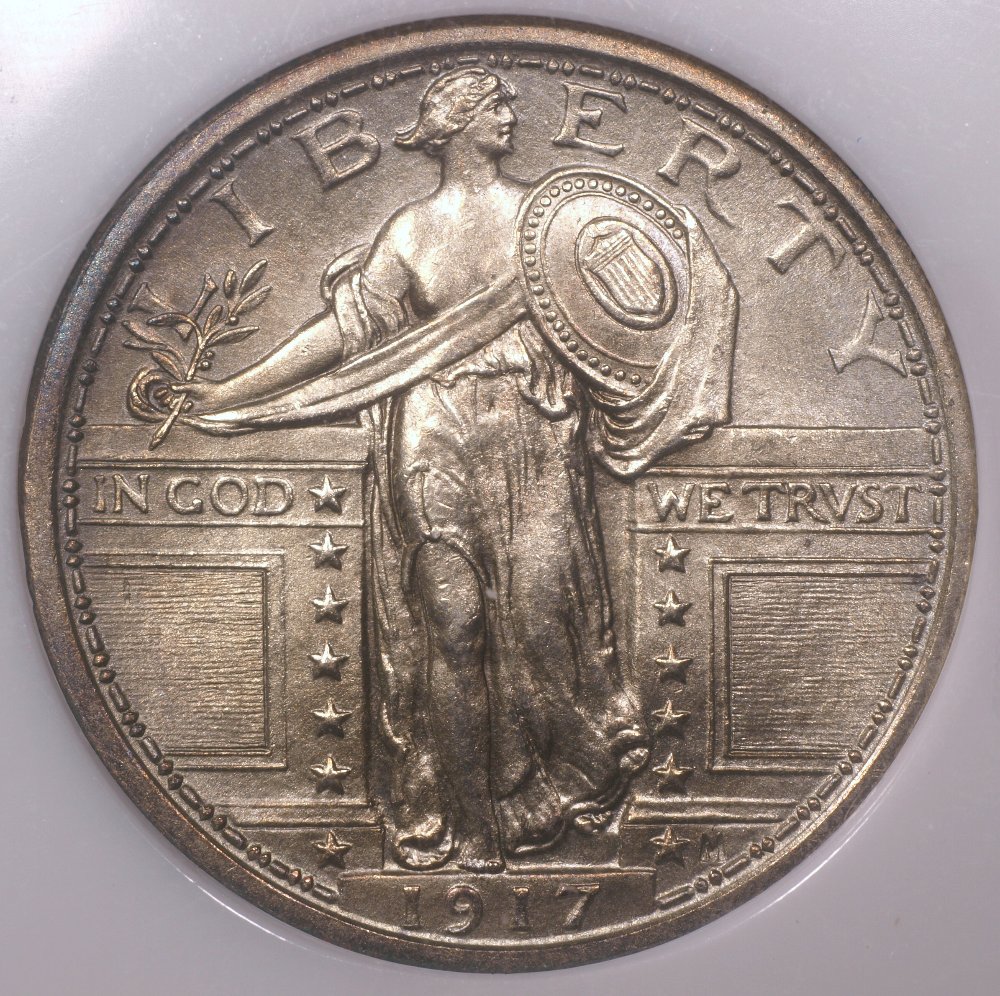 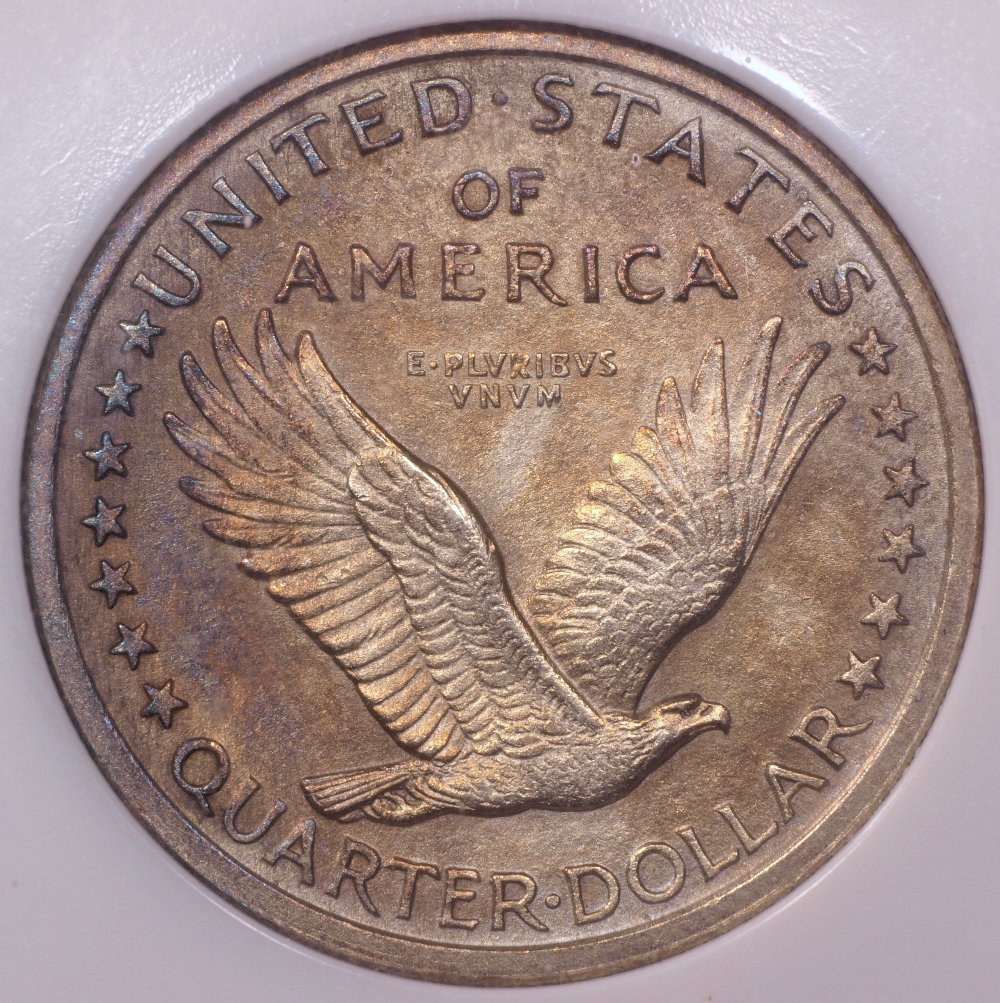 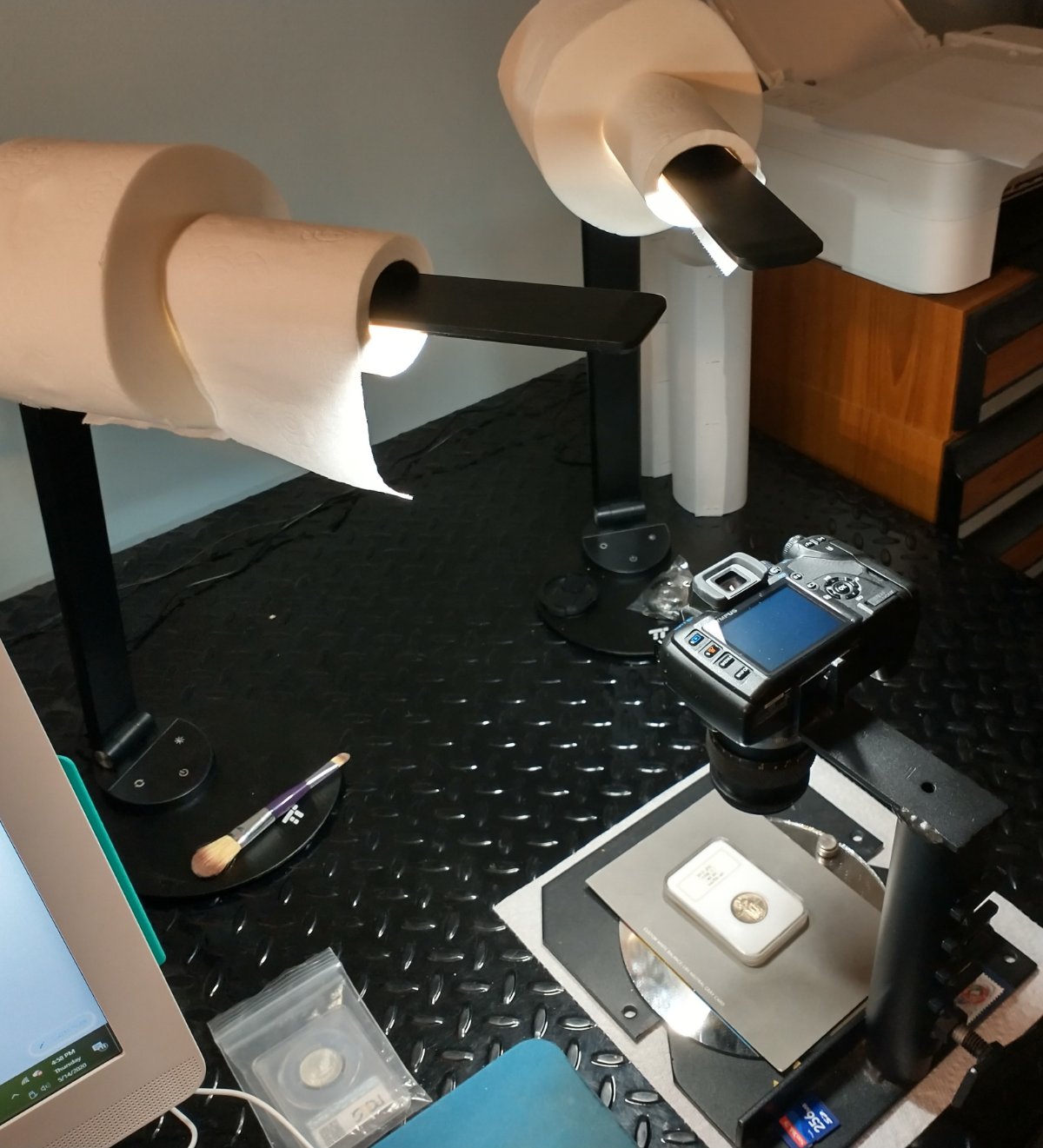 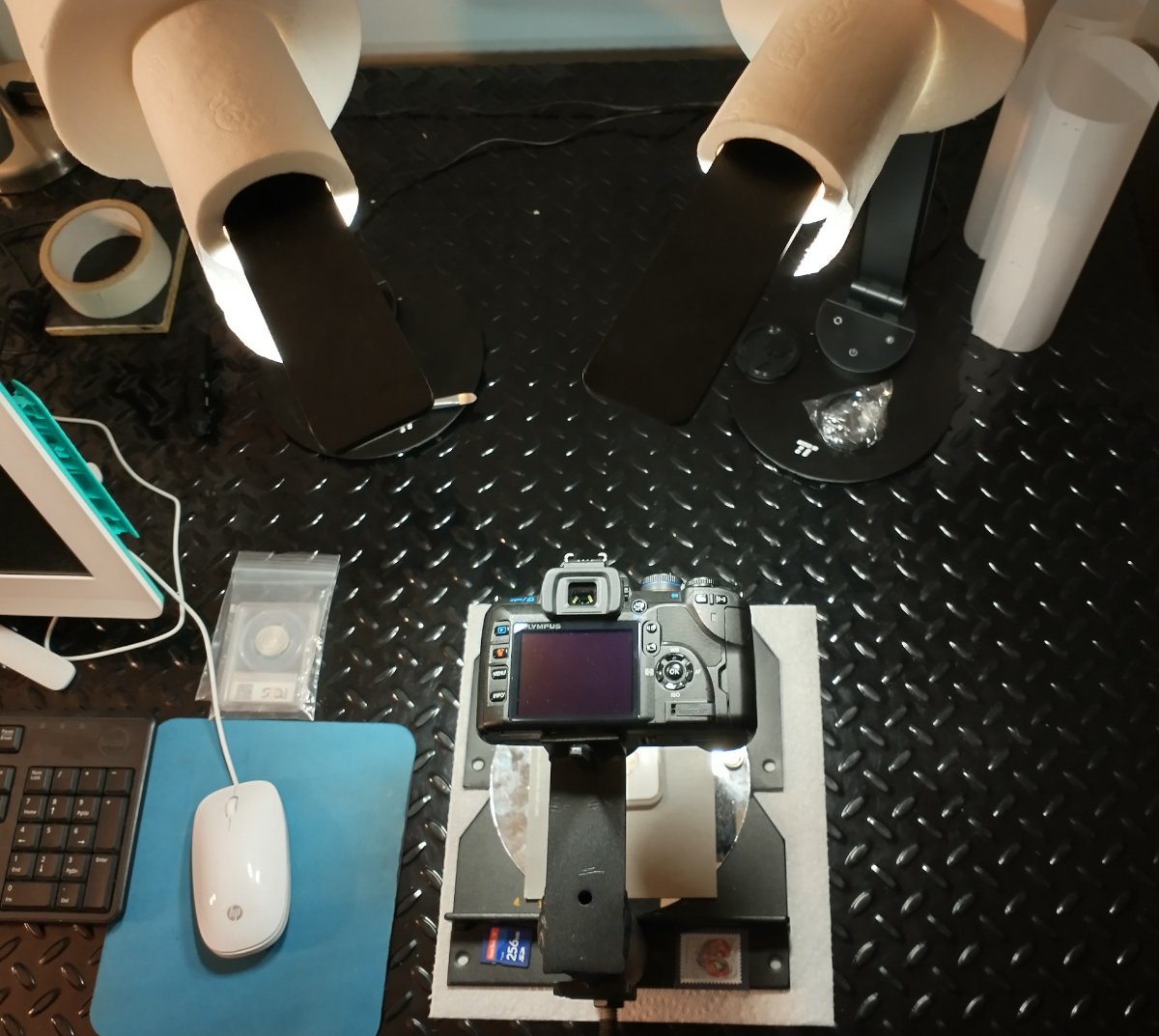 |
|
Pillar of the Community
United States
4051 Posts |
That is way better. You are very close.
I'd suggest turning the EV down by -2/3 to minimize the over-exposure, and then adjust the shot in post processing. If you like I can make specific suggestions for use of DPP3 (DPP4 is similar). Just post the same obverse or reverse shot as above, with -2/3EV, and I'll make some adjustments. Note the coin will look darker, but that can be taken care of in post.
|
|
Pillar of the Community
United States
723 Posts |
Okie doke, I have googled EV enough so that I believe I understand what you are asking. These are straight from the camera, not touched. Minus 2/3 EV. My camera reads it as -.7 PPP3 or 4, I am not familiar with. Can I get the download, as I am using Olympus? I can shoot in RAW, but that seemed a bit daunting, as I really know very little about it, I do believe I understand the concept. Please let me know if I have misunderstood what you are saying above. Thank you, I need to wash your car . . . . 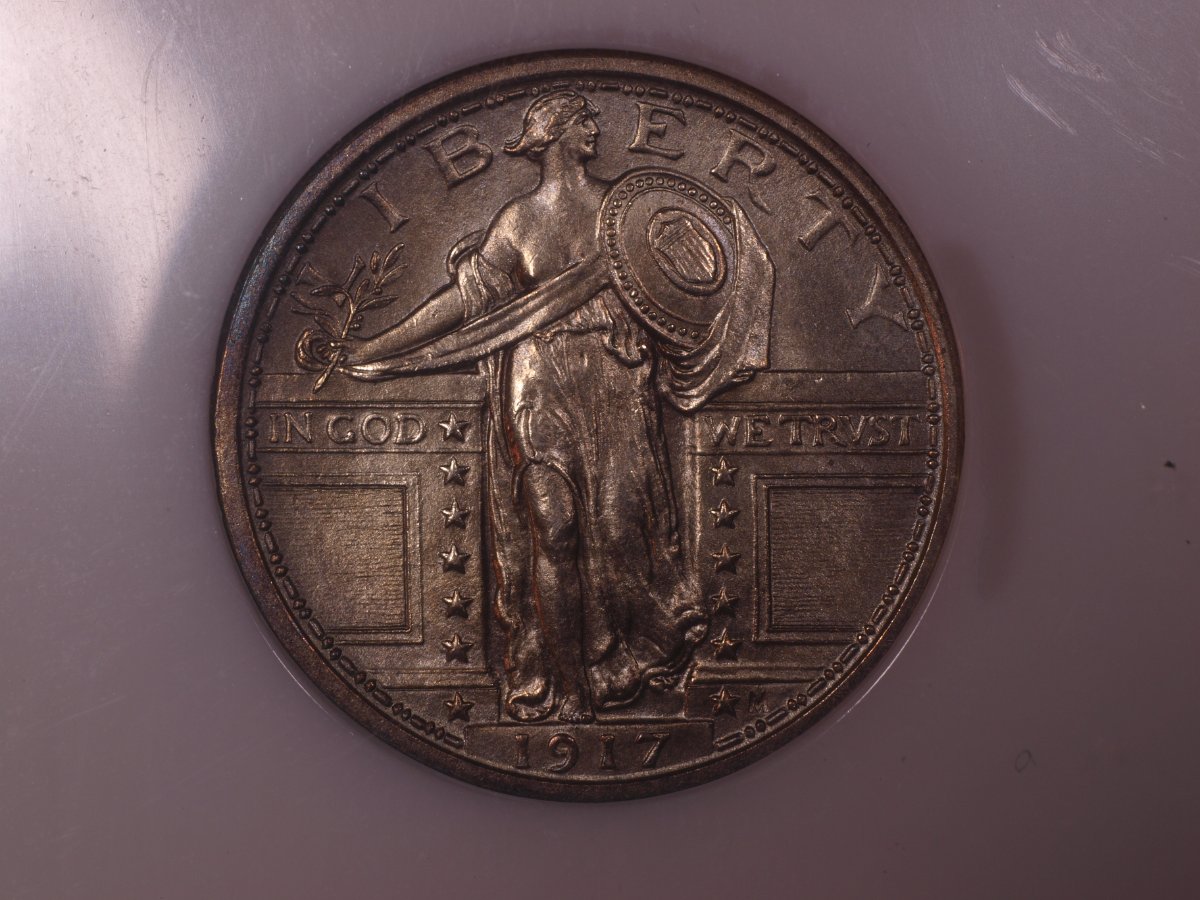 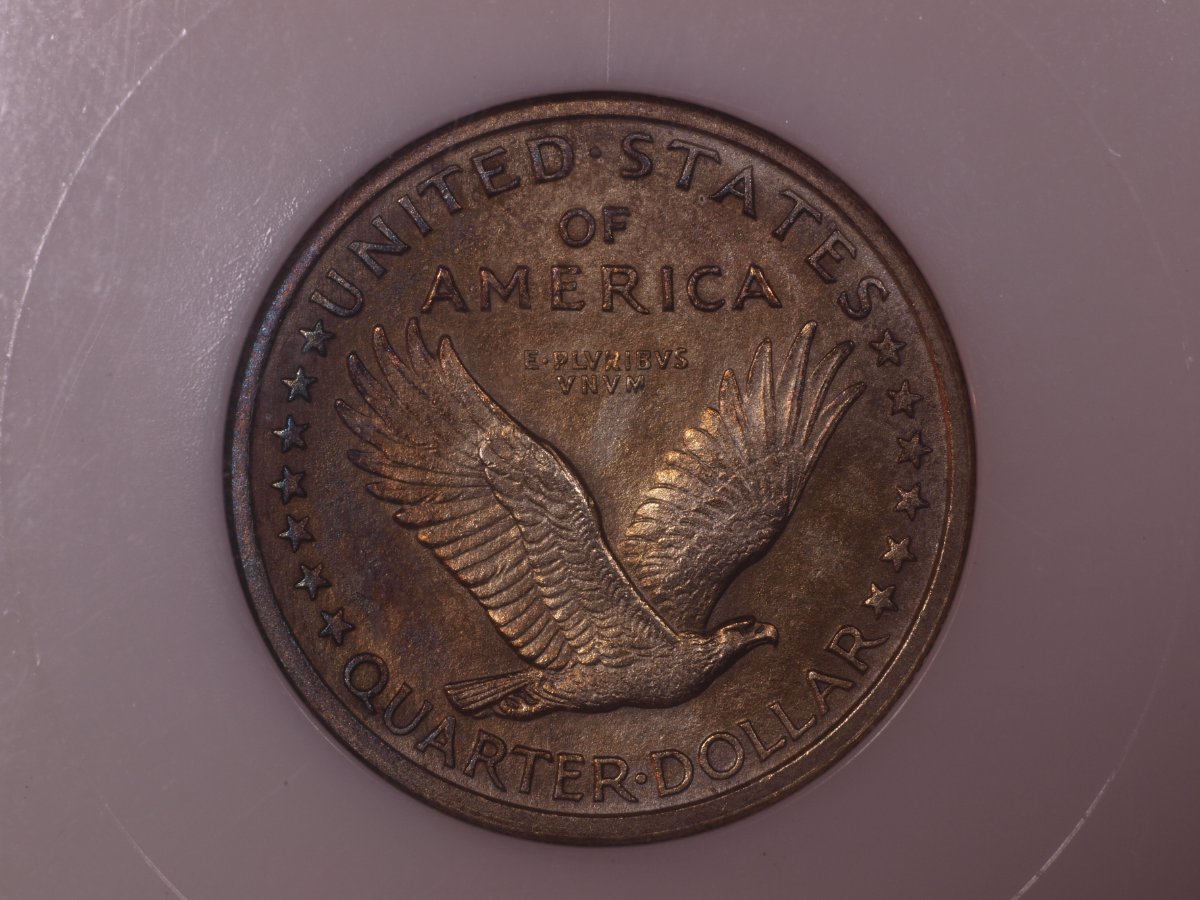 |
|
Pillar of the Community
United States
4051 Posts |
I was expecting essentially the same images as before, just a bit darker, but these are very different. White balance is very different, and at least on the obverse I can see there was another light on which was not there in your first images. Did you adjust white balance in post processing? The lighting is also not as even as on the first images. It will be hard to match anything close to the first images with these. What did you do differently?
|
|
Pillar of the Community
United States
723 Posts |
Hmmmmm The same lights, in the same place. I see the glare on the slab and maybe I knocked one of the lights, or now that you mention it, I do believe I had my desk lamp on. Dang! I will double check the lighting. Easy enough. White balance is the same. I didn't touch anything. In my previous shots, post editing, I did pull out a little bit of red, and that whitened the field pretty well. Maybe I breathed on the contrast, but very lightly. If you have the patience, I will do a do-over. And be a bit more meticulous. It will need to be tomorrow, I have run out of gas tonight.  Thank you! Edited by Jon K
05/15/2020 12:17 am
|
|
Pillar of the Community
United States
4051 Posts |
No worries, I am very patient.
While you are at it, can you crop it to the same size as previous?
What's going on with your white balance? Those shots have a lot of magenta. Just for the record, can you shoot the card you do white balance with, right after balancing? It's a white index card, right?
|
|
Pillar of the Community
United States
723 Posts |
Crop, no problem. Yes, I use a white card for white balance. I have no clue why it is so bad in the latest shots. I will do another white balance. Then I should take a photo of it . . . . huh, I never considered that.  Okie doke, all will be done as prescribled! |
|
Pillar of the Community
United States
723 Posts |
Well . . . . I couldnt sleep worried about it. And might have blindly blundered into something. I took the extraordinary step of shooting an image of the white card to see how the white balance looked. It was that magenta color that has been haunting me. Well, I have no idea why it would think magenta . . . . So I flipped the card over to the 18% grey side and attempted to white balance on the grey side, but the camera didn't like it. It told me to try again. That is what it has always done, so I never pursued it. So I thought maybe there isn't enough light . . . I tweaked the EV to brighten it up a bit and sure enough, it worked as it should. I took a photo of the grey card. It looked grey. Then I flipped over to the white side and BANG! it is the whitest white that I have seen on any of this stuff! Ha! Maybe I have a usable white balance!! I have posted below, the two shots. The grey card and the white card. I think we might be on to something. A bit later I will shoot the coin, crop it, and post it. This is the grey card below.  This is the white card. Still not perfect, there is indeed still a sort of light pink. But it is not #@&*% MAGENTA!  |
|
Pillar of the Community
United States
723 Posts |
This is the coin right out of the camera. Cropped only. No stray lights, and a bit closer white balance. 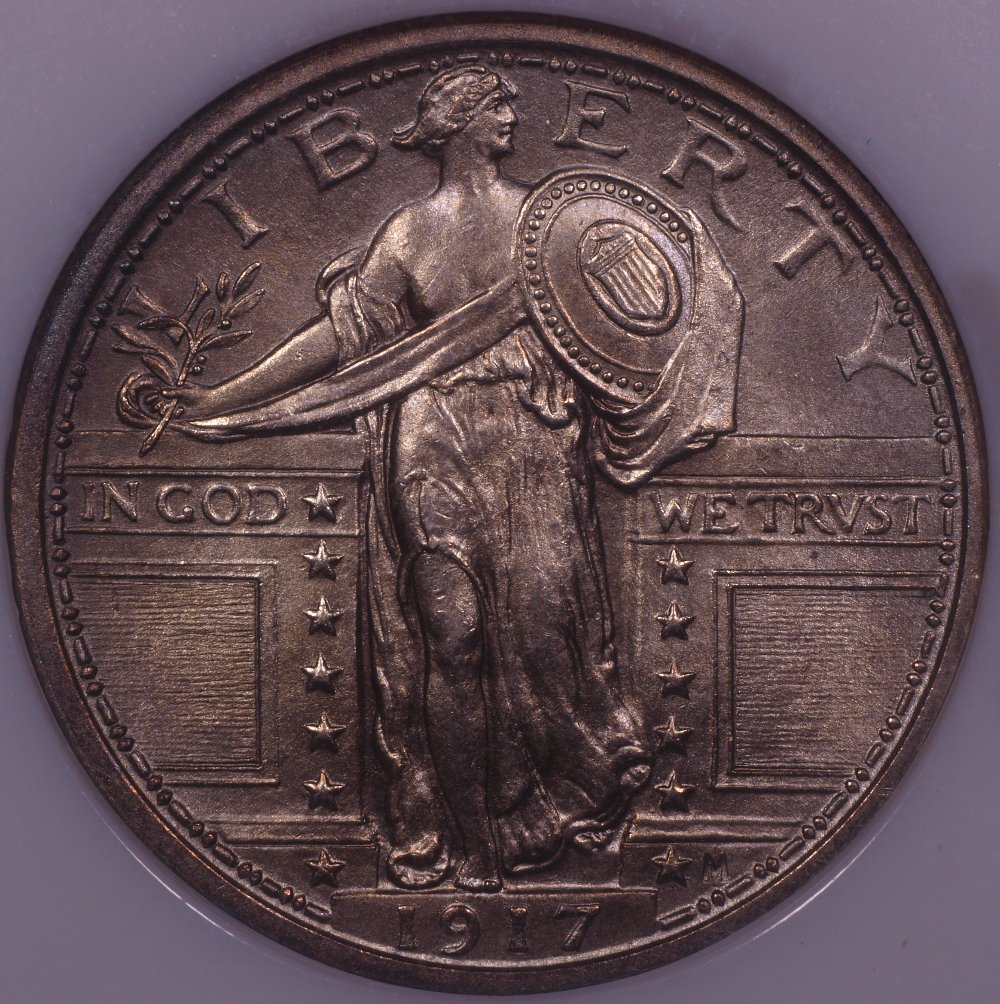 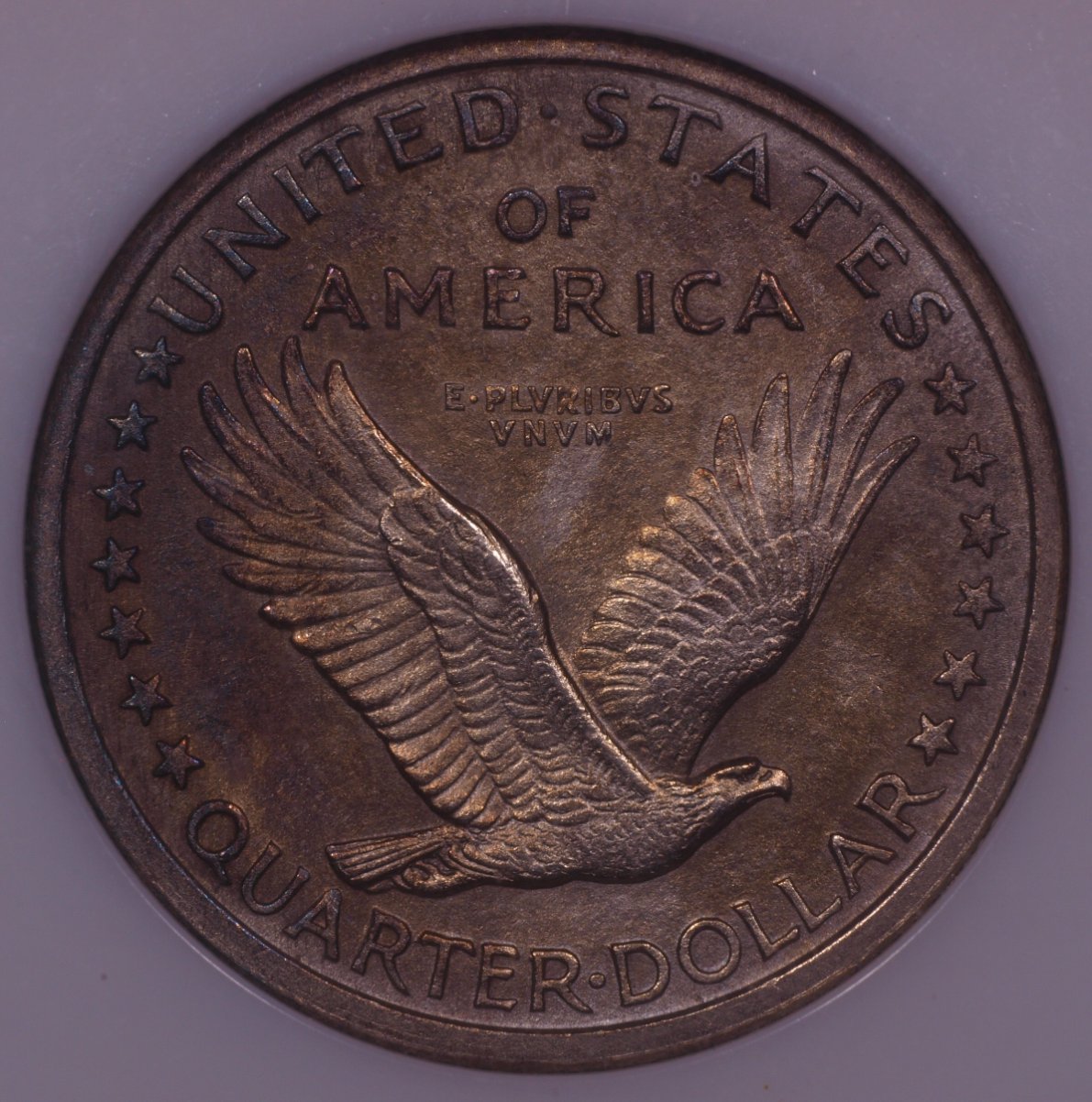 |
|
Pillar of the Community
United States
4051 Posts |
Seems there is something going wrong with your camera's WB function. Luckily these images are "close enough" that they can be tweaked assuming the background is white. The EV compensation reduced the highlight levels so there is only minimal over-exposure now, much better than before. I can't seem to upload images for some reason, and CCF doesn't allow PhotoBucket, so I am forced to continue using EasyZoom to host images for this forum. Anyway, here's an adjusted image of the SLQ Obverse: https://easyzoom.com/image/200456/a...?mode=manage |
| |
Replies: 73 / Views: 9,611 |







 First Page
 Previous Page


 Posted 05/14/2020 11:45 am


