| Author |
 Replies: 6 / Views: 1,608 Replies: 6 / Views: 1,608 |
|
|
New Member
Canada
36 Posts |
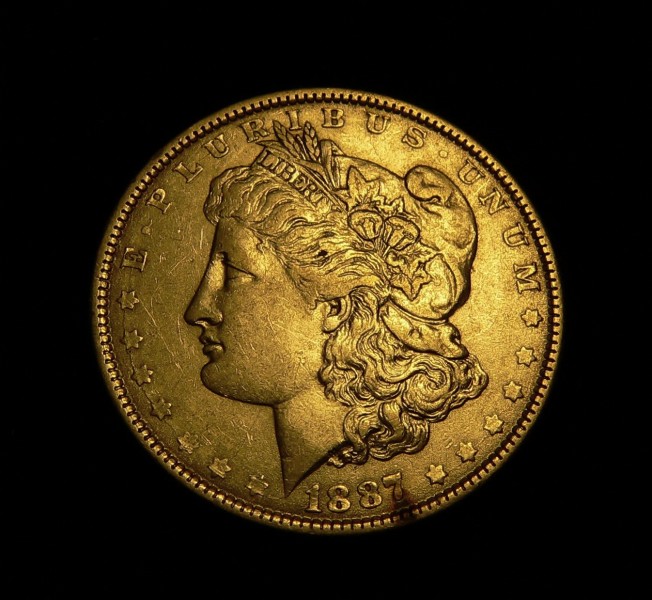
Do you think this pic is good enough for grading purposes? I dont, but I'm not sure whats wrong with it specifically? Image:  MMMMM.jpg MMMMM.jpg99.47 KB |
|
|
|
Pillar of the Community
United States
860 Posts |
Welcome to the forum!
The image itself seems quite detailed. However, if the coin is not really gold, you need to adjust the "color balance" for your camera. If it is a relatively new digital camera, there should be a simple procedure for setting it, and most hold the setting. On mine, I just go to a specific menu and choose the icon for color balance ( the manual helps ) and then focus on a sheet of white paper and push a button sequence. This adjusts the color of the photo to the lights you use. Yours look like it was set for "daylight" color and then used with incandescent lights.
Your photo shows well, the marks and such, but doesn't show any luster that might be there. Usually this is because the light needs to be adjusted to get some reflection, not blind out the image, but allows the "sparkle".
For decent grading, luster is usually need for any EF or higher, especially MS grades, without it the coin looks over dipped or problemed.
So if possible try photos with the lighting ( or maybe better 2 lights) at different angles, recording what you do, until the results look best.
Jim
|
|
New Member
 Canada
36 Posts |
Excellent comments...Thank you Jim!
I actually lowered the saturation when editing, as it was even more golden straight out of the camera.
No special settings and the lighting was a compact fluorescent.
As far as capturing luster I'm going to have to try something else because different angles give me a much grainier ugly image. I really want to keep the black void background effect.
Maybe axial lighting or diffused lighting?
|
|
Pillar of the Community
United States
860 Posts |
Axial lighting does approach a good medium, but is sometime difficult to get an autofocus camera to find the right point. I do use it often for the larger coins like halves and dollars ( Morgan/Peace). Practice and experimentation does help. I look forward to some of your coin photos!
Jim
|
|
Pillar of the Community
United States
830 Posts |
Try setting the camera's white balance settings and experiment with it for a bit. Nice detail, for sure!
|
|
Pillar of the Community
United States
2797 Posts |
Does this look like your coin in-hand? 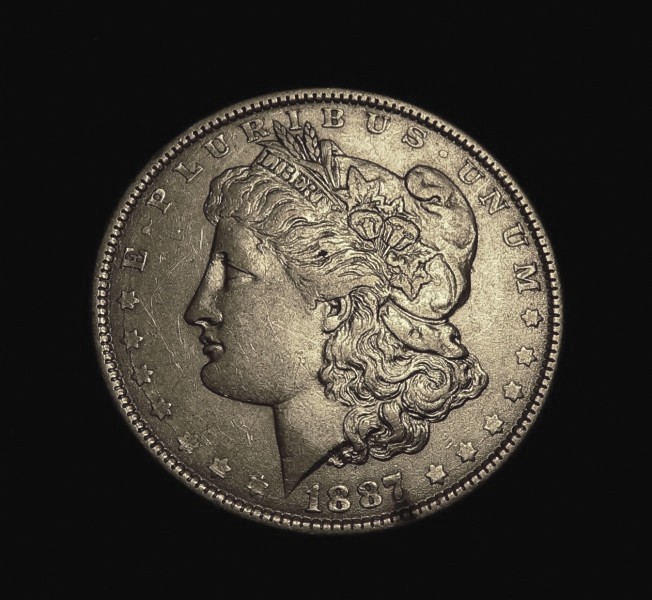 This can be done after the shot with photo editing software. I used Microsoft picture mgr that's included most MS operating systems. |
|
New Member
Canada
36 Posts |
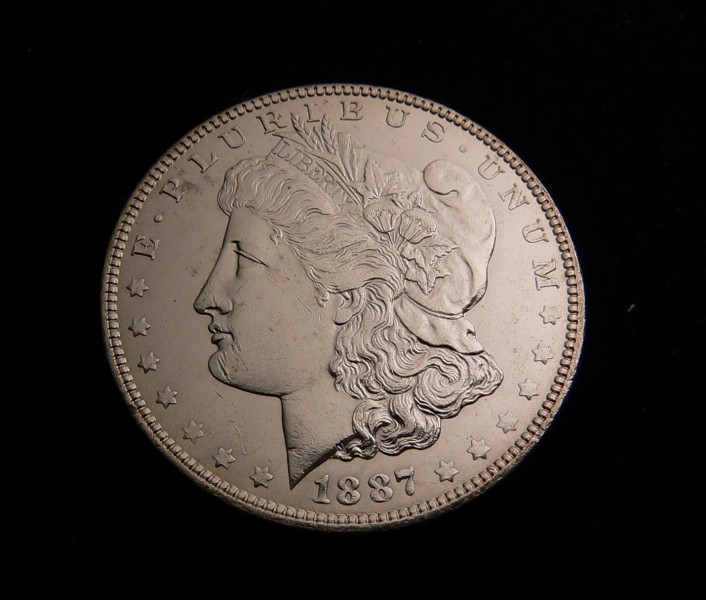
Did more experimenting today. Fixing the colour balance was easy as described...but the tricky part was making the image less granular. The light has to be even, it has to be direct, it has to be strong enough, and I found it has be diffused! It was the clarity of my light source that was creating all that harsh glaring and glinting. Still not perfect but this is vastly improved! Image: XXXXXXX.jpg76.8 KB |
| |
Replies: 6 / Views: 1,608 |
|









 MMMMM.jpg

 Posted 11/18/2008 12:24 am


 XXXXXXX.jpg


