Coin Community Family of Web Sites Join Thousands of Coin, Bullion, & Money Collectors
Vancouvers #1 Coin and Paper Money Dealer 300,000 items to help build your collection! Royal Estate Auctions - $1 Coin AuctionsRoyal Canadian Mint products, Canadian, Polish, American, and world coins and banknotes. Specializing in Modern Numismatics Join Thousands of Coin, Bullion, & Money Collectors Coin, Banknote and Medal Collectors's Online Mall


Username:
Password:
Save Password
Forgot your Password?


This page may contain links that result in small commissions to keep this free site up and running.

Welcome Guest! Registering and/or logging in will remove the anchor (bottom) ads. It's Free!

Size And Resizing Pictures..again..sorry!

To participate in the forum you must log in or register.
Author Previous TopicReplies: 4 / Views: 1,640Next Topic  
Valued Member
akglen's Avatar
United States
170 Posts
 Posted 02/13/2009  2:40 pm Show Profile   Bookmark this topic Add akglen to your friends list Get a Link to this Message Number of Subscribers
I use a Canon sx110is to take my pictures and MS office picture manager to edit them.
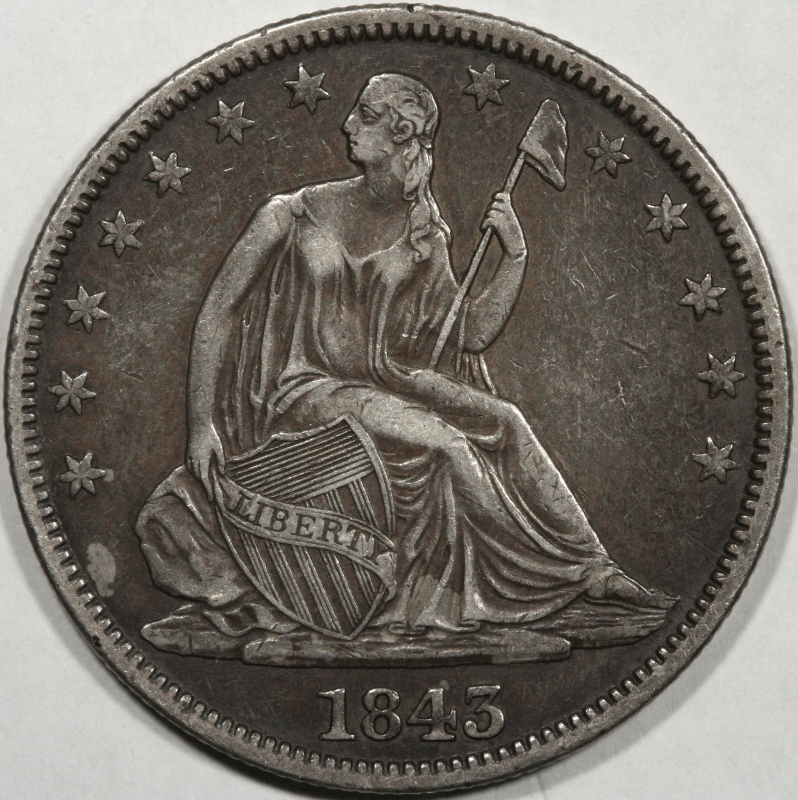
I am learning but very slowly about taking coin pictures. The only thing I do once I have uploaded the picture onto my computer is crop them to cut out the background. With these two pictures they were 1.3mb and 1.64 after I did that. They were to big to upload into the gallery so I re-sized them. Do I lose too much detail by doing this? If there is a better size or some way to get additional detail please let me know.
The second thing I am thinking about is that when I crop the pictures, everything from a penny to a dollar coin appear to be the same size, I lose all sense of scale. Is this something I should take into account somehow?
thanks,
Size-And-Resizing-Pictures..again..sorry!
Moderator
Learn More...
John1's Avatar
United States
56855 Posts
 Posted 02/13/2009  2:51 pm  Show Profile   Bookmark this reply Add John1 to your friends list Get a Link to this Reply
Why not just use Photobucket.com ?
John1
Pillar of the Community
chequer's Avatar
Canada
4227 Posts
 Posted 02/13/2009  2:54 pm  Show Profile   Bookmark this reply Add chequer to your friends list Get a Link to this Reply
with the photobucket, but there looks like lots of detail in those pics to me
Moderator
Learn More...
SsuperDdave's Avatar
United States
23522 Posts
 Posted 02/13/2009  6:20 pm  Show Profile   Bookmark this reply Add SsuperDdave to your friends list Get a Link to this Reply
Hmmm.

1) Truly excellent pics for an SX110IS.

2) You don't lose enough detail by downsizing to make a difference on a computer monitor.

3) Does your software allow a "quality" setting when saving? I use the Gimp, which is free, and save my images which are to be posted online at a lower quality setting. The 4MB pics I take, downsized to 800 pixels and saved at 60% Quality, fit CCF's Member Gallery (you're eligible - do you have a Member Gallery?) and come in at about 500KB each. Detail is still quite sufficient:

Size-And-Resizing-Pictures..again..sorry!

I might recommend that you download and install the Gimp:

http://www.gimp.org/

It's powerful, and maybe intimidating, but if you use it only to crop, size and save pics it will do the trick.
Valued Member
akglen's Avatar
United States
170 Posts
 Posted 02/13/2009  11:04 pm  Show Profile   Bookmark this reply Add akglen to your friends list Get a Link to this Reply
I used photobucket until I got the required number of posts then started using the photo gallery here on this site. I don't know that one or the other is better, each has limits. I guess what I was worried about was the file size, mine seem to be about half the size of SD's and was thinking I was losing some detail this way. I have no idea of what the software I have will do so will have to experiment with it and look into Gimp.
Thanks for the idea's,
  Previous TopicReplies: 4 / Views: 1,640Next Topic  

To participate in the forum you must log in or register.


Disclaimer: While a tremendous amount of effort goes into ensuring the accuracy of the information contained in this site, Coin Community assumes no liability for errors. Copyright 2005 - 2026 Coin Community Family- all rights reserved worldwide. Use of any images or content on this website without prior written permission of Coin Community or the original lender is strictly prohibited.
Contact Us  |  Advertise Here  |  Privacy Policy / Terms of Use

Coin Community Forum © 2005 - 2026 Coin Community Forums
It took 0.23 seconds to rattle this change. Forums