| Author |
 Replies: 8 / Views: 1,645 Replies: 8 / Views: 1,645 |
|
|
Valued Member
United States
369 Posts |
Ok, not really anything new, but definitely improved! Thanks to SuperDave's tips found here: http://www.coincommunity.com/forum/...53746#427551 Not everything he recommended I was able to find on my camera (Nikon L18) but I did change the White Balance, barely messed with the exposure, whipped out the 'ol cheap tripod, and used timed capture. The latter probably did the most good, imo. Here are a few that I got before the batteries died. I think they're much better than what I have done before. 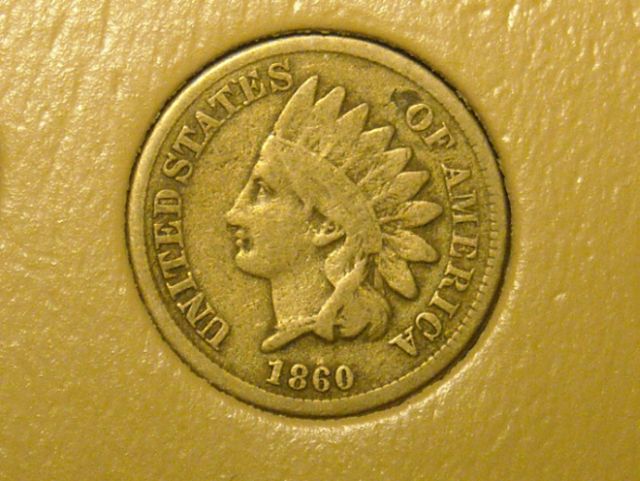 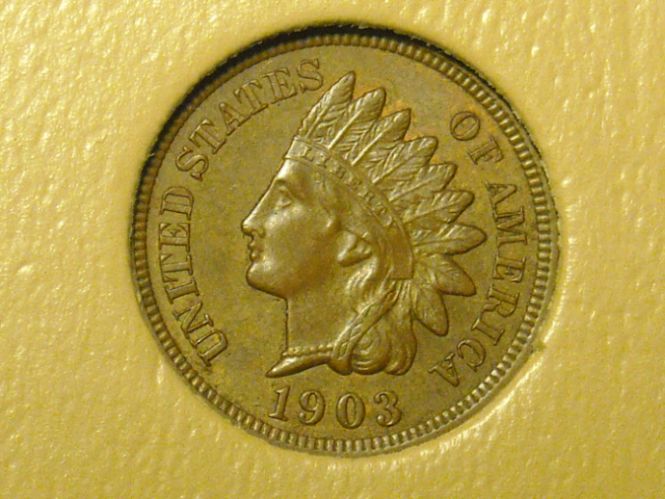 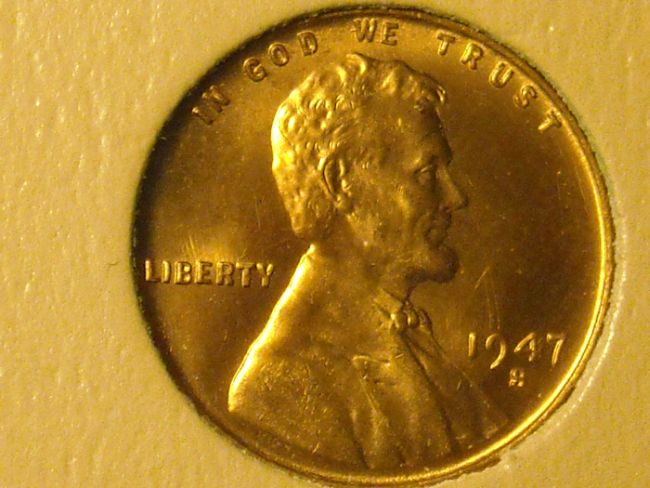 The last one (1947 S) I believe was one of the first pics I took, before I realized I hadn't taken the plastic sleeve out.  It still needs work, but I think they are getting better. Any opinions? Suggestions? Thanks for looking. |
|
|
|
Moderator
 United States
56855 Posts |
You said you adjusted the white balance but the photos have a yellow look to them, doesn't the white balance take care of that? John1  |
|
Moderator
United States
23522 Posts |
Quote:
doesn't the white balance take care of that? Not necessarily. It's a preset correction for a specific color temperature, and the light bulb people aren't nice enough to all supply bulbs at that exact temperature. So, if you're not lucky enough for your camera's Tungsten white balance setting to match your lighting, it's off to Postprocessing Street.  The Nikon L18 doesn't appear to have Custom White Balance capability. Texas collector, there isn't a whole lot to complain about here besides the excess yellow color, so the only recommendation I can come up with is to have a go at postprocessing in some sort of graphics software. I use the Gimp, because it's powerful and free, but there are many other possibilities. |
|
Valued Member
 United States
369 Posts |
I didn't notice the yellow color last night. (I'm on a different computer now) My old pics were kind of yellow also, though. SuperDave, on my camera I can switch between preset white balance settings, but there is indeed no "custom" white balance. I'm going to keep working on it for a few days, maybe try a different room, or at least a different light. Thanks for the input all.
|
|
Pillar of the Community
United States
2797 Posts |
Texas ... does the coin-in-hand look more like this? 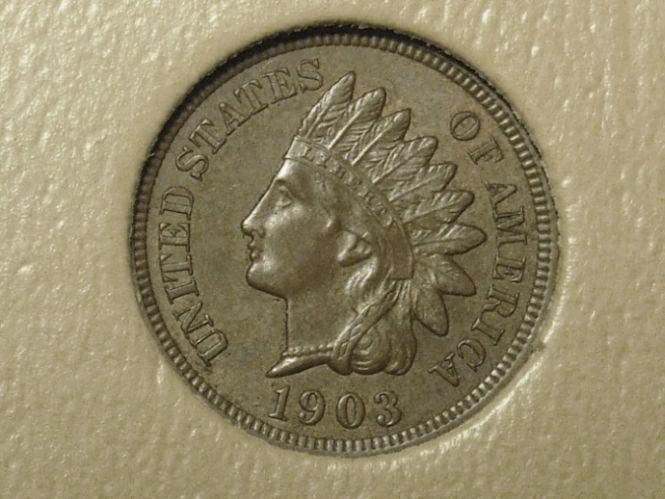 |
|
Valued Member
Denmark
70 Posts |
What I do when I do not want to set up the WB on my camera is to make sure that there is a white piece of paper in one corner of the picture. The corner with the piece of paper is being cut away in the postprocessing.
I then use the piece of white paper in the picture to set my WB with the WB tool in my photoshop.
I am not sure if this only works if photographing in RAW?
|
|
Bedrock of the Community
United States
10045 Posts |
Even when a camera has WB settings, I've never found them to be completely accurate. I always fix things in photoshop using the "color balance" sliders. I simply work on the image while viewing the coin in balanced lighting--works for me. Here's an example of what "color balance" does in PS. Of course, I don't have the coin to compare.   |
|
Valued Member
United States
369 Posts |
Way to go, DV! The coin is a little darker (brown with a couple hints of red), but that is pretty close.
SeatedNut, your's brings out the details well, but the coin in hand has much more color.
|
|
Pillar of the Community
United States
2797 Posts |
Texas,
I just reduced the color saturation without fiddling with the color or white balance. If you attempt to use a program to make the colors correct, I find it much easier to adjust to the background than the coin itself. I do the same when taking the shot ... overlook the color on the coin and make the background as true to actual color as possible (hard to do if you use black though).
|
| |
Replies: 8 / Views: 1,645 |
|










 Posted 10/15/2009 11:45 am


