| Author |
 Replies: 20 / Views: 4,823 Replies: 20 / Views: 4,823 |
|
Pillar of the Community
Canada
904 Posts |
|
|
|
|
Pillar of the Community
 Canada
9903 Posts |
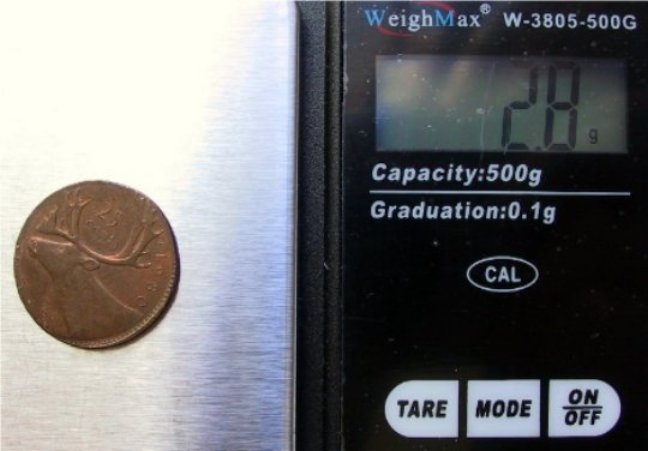
Nice find,weight appears correct for a 1 cent planchet
|
|
Valued Member
Canada
272 Posts |
That is so sweet,
do you have any history behind it.
What happened in the last 30 years..
|
|
Bedrock of the Community
United States
10045 Posts |
Wow...you found this? Excellent!  This is the best error coin I've seen in a while. |
|
Pillar of the Community
 Canada
904 Posts |
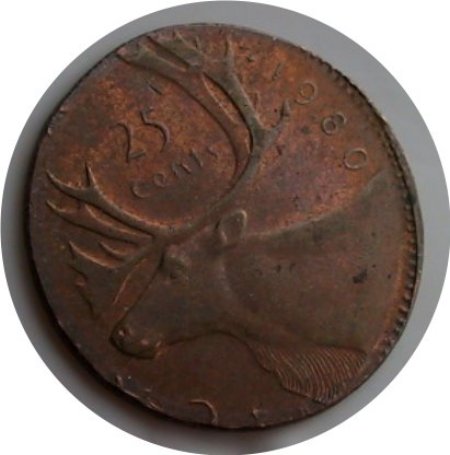
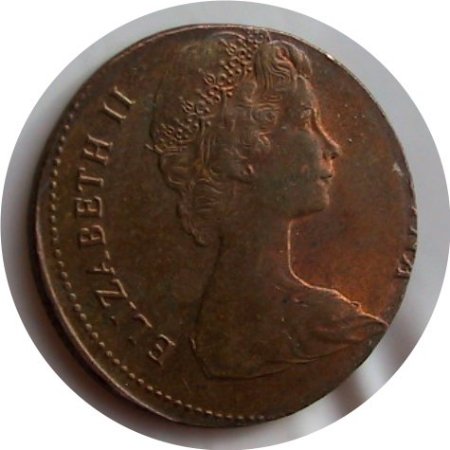
Thanks guys....I got this from a gentleman that had this sitting in his house since the 1980's.
The weight is correct for a 1980 penny, size is a tad bit larger and although it does not show in the pictures there is a tiny reeded edge area where the planchet was struck against the collar during the strike...
Edited by D
09/18/2010 2:00 pm
|
|
Pillar of the Community
Canada
4944 Posts |
Great looking coin D
I have one almost the exact same, but mine is a dollar on a penny planchet.
One of these ($0.25) just sold at the Torex or Nuphilex coin auction for $220 (MS-62)
|
|
Pillar of the Community
Canada
904 Posts |
Thanks Canadian-Banknotes...Your dollar on a penny planchet is a great find.. ..would like to hear the story on it and if possible pictures would be nice... I looked at some of the Torex prices and maybe its just me but they seem to be down from trends and it is now a buyers market... |
|
Pillar of the Community
Canada
4944 Posts |
I dont have a camera right now and my scanner does really bad scans. But I might try.
|
|
Pillar of the Community
Canada
4944 Posts |
It took me about 30 minutes, but here is one side of my coin.  |
|
Pillar of the Community
Canada
4944 Posts |
Here's the other side.  |
|
Pillar of the Community
Canada
4944 Posts |
As you can see, my scanner leaves weird lines across the image. And the colour is off. My coin has a similar toning that yours does.
|
|
Pillar of the Community
Canada
904 Posts |
Beauty.....Congrats... |
|
Pillar of the Community
Canada
4944 Posts |
|
|
Pillar of the Community
Canada
1161 Posts |
To remove the lines your scanner makes on your pictures. Use a free editing software such as Paint.net and use it to edit your pictures. Do a yahoo search for Paint.net and it is freeware. When you open your picture in Paint.net...choose the option to "noise reduction". It will remove the lines. Adjust the noise to your liking. Works wonders. You can also try PhotoScape. PhotoScape is what I use to cut and crop coin pics as it allows you to crop round objects easily. PhotoScape is also a freeware.
|
|
Pillar of the Community
Canada
4944 Posts |
Thanks cladhunter13,
I will definitely give that a try!
|
|
Pillar of the Community
Canada
4944 Posts |
I just downloaded Paint.net what do I look under to find the "Noise reduction"?
Effects, Image, Adjustments, etc?
Thanks
|
| |
Replies: 20 / Views: 4,823 |












 Posted 09/18/2010 1:21 pm


