| Author |
 Replies: 29 / Views: 10,447 Replies: 29 / Views: 10,447 |
|
Valued Member
United States
273 Posts |
Hey all, I'm having some trouble cutting the coins out of my original photographs in photoshop to do some editing work (place against a white or black bg, etc.). Any easy way to do this?
|
|
|
|
Pillar of the Community
United States
2150 Posts |
I use photoscape, a free program. Makes it really easy. Just google photoscape and you should be able to find it.
|
|
Pillar of the Community
United States
1256 Posts |
I use a different editor and haven't used PS in years but I would guess they are similar. The "tool" you are looking for is the round selection tool. When you select the tool there will be options for it. Make sure anti-alias in checked or on. Use the tool to "draw" a circle around the coin. Lining it up can be tricky as most times the coin does not photograph exactly round. Try and get it to line up around the coin. Practice. Once it's lined up nicely, copy it and paste as a new image. To put it on a colored background, add a new layer, move the layer down and paint it with the color of choice.
Edited by timsumrall
11/02/2010 3:11 pm
|
|
Pillar of the Community
United States
2150 Posts |
Heres one I did REALLY quick. 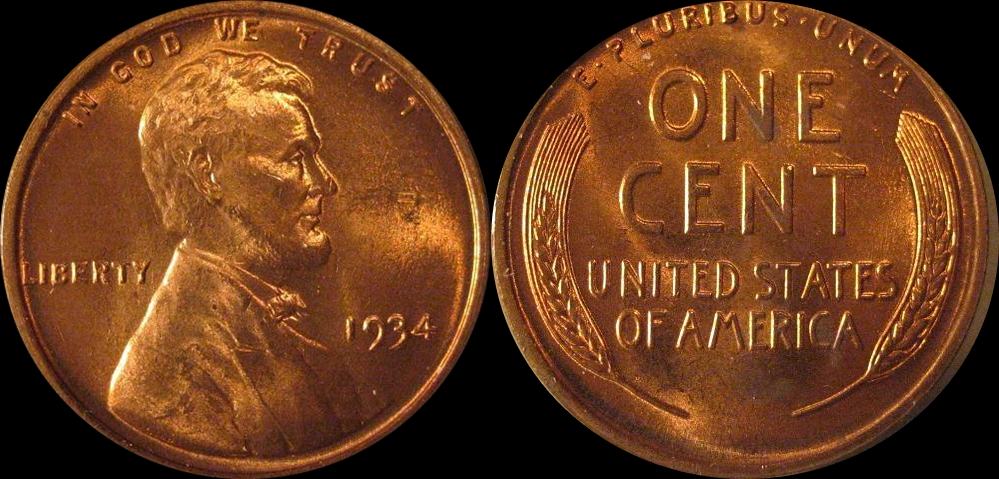 |
|
Pillar of the Community
United States
2150 Posts |
You can crop, combine and add text in like less than a minute. Heres another I did. 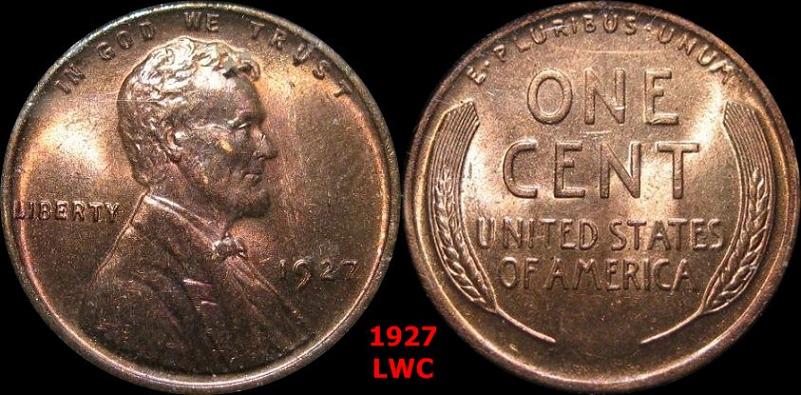 |
|
Pillar of the Community
United States
608 Posts |
Use the Elliptical Marquee Tool in Photo Shop and copy and paste in a new file with the ground you want.
|
|
Pillar of the Community
Canada
1248 Posts |
|
|
Pillar of the Community
United States
1256 Posts |
|
|
Pillar of the Community
United States
2150 Posts |
Quote:
DO NOT DOWNLOAD it! unless you want to have about half a dozen other programms with it, This didn't happen to me when I downloaded it. The only other program it asked if I wanted was google toolbar which I unchecked. What other programs did it install? I installed it after seeing a recommendation on here and since then I use it all the time with no problems whats so ever. |
|
Pillar of the Community
United States
1534 Posts |
Quote:
This didn't happen to me when I downloaded it. Same here. |
|
Moderator
 United States
195559 Posts |
I use the also free Paint.net on my XP notebook, although I use Gimp on my Linux boxes. http://getpaint.netHere is a quick image to show what tools to use to cut out your coin... 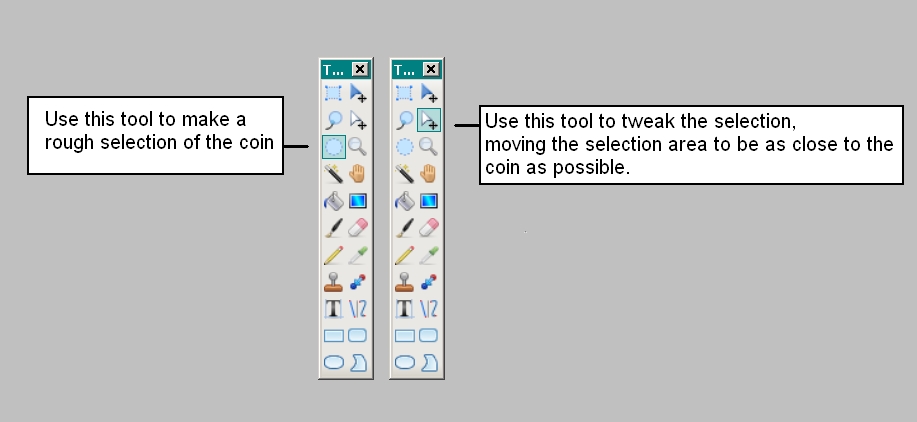 |
|
Pillar of the Community
United States
1353 Posts |
canadanz,
joebuck sent me the above and it is very easy. Works great!
|
|
Pillar of the Community
Canada
1248 Posts |
I had everything checked NOT to download. am not a dummy.
what came before I knew it was, despit asking not to:]
googlebar
googels browser
free music
dating service
computer tune up ads
financial ads
some registry clean suff I had never heard of...
NEVER AGAIN
|
|
Pillar of the Community
United States
2150 Posts |
Quote:
am not a dummy. I don't think anyone has implied that you are a dummy, I just stated that it didn't happen when I installed it. I just uninstalled it and reinstalled it with no problems. I installed it through cnet. I don't know whats going on with all that other stuff? |
|
Pillar of the Community
United States
2120 Posts |
heres the key, after using the eliptical marquee, right click and select transform selection... you can select more accurately that way.
|
|
Moderator
United States
195559 Posts |
Quote:
I don't think anyone has implied that you are a dummy, I just stated that it didn't happen when I installed it. I just uninstalled it and reinstalled it with no problems. I installed it through cnet. I don't know whats going on with all that other stuff? Installs change all the time. Free programs that have no strings one day will obtain a lot of "extras" to help generate revenue on the next. Sometimes they make it obvious, other times they get sneaky. Sometimes the repository (the place you downloaded it from) will add their own materials to the installs; a "fee" for hosting the files. One must pay attention, even if they have installed something before. I had one program that installed several times (on different machines) with no hitches. After a few months I installed it on yet another machine (please note, I did not download the install again, I used the copy that was already on my server). This time the installer started prompting to download other "features" during the process. It is obvious that the installer was always calling home to see if the creator/host had anything else to offer. After a few months, they did. |
| |
Replies: 29 / Views: 10,447 |










 Posted 11/02/2010 3:10 pm


