Coin Community Family of Web Sites Join Thousands of Coin, Bullion, & Money Collectors
Specializing in Modern Numismatics Coin, Banknote and Medal Collectors's Online Mall Join Thousands of Coin, Bullion, & Money Collectors Royal Canadian Mint products, Canadian, Polish, American, and world coins and banknotes. Shop for APMEX Bullion on eBay!300,000 items to help build your collection! Vancouvers #1 Coin and Paper Money Dealer


Username:
Password:
Save Password
Forgot your Password?


This page may contain links that result in small commissions to keep this free site up and running.

Welcome Guest! Registering and/or logging in will remove the anchor (bottom) ads. It's Free!

How Do You Put The Image In The Post?

To participate in the forum you must log in or register.
Author Previous TopicReplies: 6 / Views: 979Next Topic  
Pillar of the Community
janknez's Avatar
United States
595 Posts
 Posted 11/15/2006  7:19 pm Show Profile   Bookmark this topic Add janknez to your friends list Get a Link to this Message Number of Subscribers
When I upload images in a post, they appear as links, but sometimes people put the actual images right in the post. How do you do that?

BTW, I thought the tutorial ("Uploading Images") might tell me, but the link appears to be broken, at least the one that is above the box in which I am writing this post.
Valued Member
United States
224 Posts
 Posted 11/15/2006  7:21 pm  Show Profile   Bookmark this reply Add TypeMaster to your friends list Get a Link to this Reply
I upload mine to my web server space and do a photo link to them.
Pillar of the Community
Becky's Avatar
United States
954 Posts
 Posted 11/15/2006  7:35 pm  Show Profile   Bookmark this reply Add Becky to your friends list Get a Link to this Reply
I use Photobucket.com. Couldn't be easier, I just upload, copy and paste, right into the thread.
How-Do-You-Put-The-Image-In-The-Post?
Moderator
Learn More...
Sap's Avatar
Australia
16808 Posts
 Posted 11/15/2006  8:57 pm  Show Profile   Bookmark this reply Add Sap to your friends list Get a Link to this Reply
In the navigation bar on the left of the screen, there's a "tutorials" section; the "uploading photos" link there works OK, and that's pretty much how I insert images in my posts.

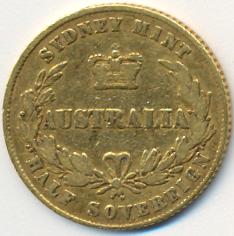
Basically, you take the URL for the downloaded picture (whether you've downloaded it here on the CCF forum or on an image server elsewhere, it doesn't matter) and put {img}" and "{/img}" either side of it. Use square brackets rather than the curly ones to actually get it to work. For example, "{img}uploaded/Sap/2006217194323_SWA 4908 SydSov.jpg{/img}" makes this image appear, when I replace the {} with []:

How-Do-You-Put-The-Image-In-The-Post?

If you're still not sure how to use it, click on "reply with quote" on this post and you should see the "source code".

I always hit "preview" before hitting "post new reply", just to make sure I've got the format working.
Don't say "infinitely" when you mean "very"; otherwise, you'll have no word left when you want to talk about something really infinite. - C. S. Lewis
Forum Dad
Learn More...
bobby131313's Avatar
United States
24149 Posts
 Posted 11/15/2006  9:03 pm  Show Profile   Bookmark this reply Add bobby131313 to your friends list Get a Link to this Reply
Pillar of the Community
janknez's Avatar
United States
595 Posts
 Posted 11/16/2006  9:14 pm  Show Profile   Bookmark this reply Add janknez to your friends list Get a Link to this Reply
quote:
Originally posted by bobby131313


Fixed the link.

Here it is...

http://www.coincommunity.com/forum/...g_images.asp


Thanks, Bobby. Thanks everybody for your advice.
Edited by janknez
11/16/2006 9:14 pm
Pillar of the Community
Ralph's Avatar
United States
1582 Posts
 Posted 11/17/2006  09:29 am  Show Profile   Bookmark this reply Add Ralph to your friends list Get a Link to this Reply
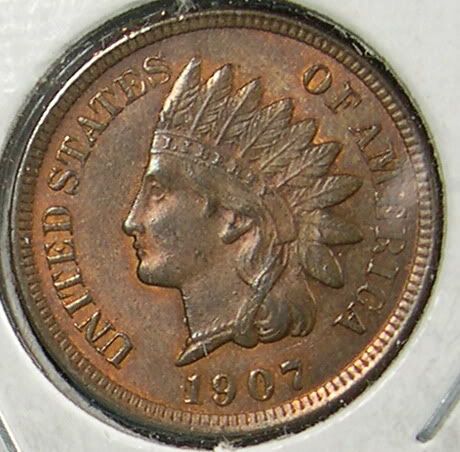
Never tried to insert an image with the post - always just used the link thing - trying it out here. If it works - thanks. If it doesn't, somebody tell me where I'm going wrong.

Ralph

Ralph

How-Do-You-Put-The-Image-In-The-Post?http://www.coincommunity.com/forum/...440_1900.jpg target _blank rel nofollow http://www.coincommunity.com/forum/...440_1900.jpg /a " border="0" style='cursor:default' onClick='doimage(this,event)'>
  Previous TopicReplies: 6 / Views: 979Next Topic  

To participate in the forum you must log in or register.


Disclaimer: While a tremendous amount of effort goes into ensuring the accuracy of the information contained in this site, Coin Community assumes no liability for errors. Copyright 2005 - 2026 Coin Community Family- all rights reserved worldwide. Use of any images or content on this website without prior written permission of Coin Community or the original lender is strictly prohibited.
Contact Us  |  Advertise Here  |  Privacy Policy / Terms of Use

Coin Community Forum © 2005 - 2026 Coin Community Forums
It took 0.28 seconds to rattle this change. Forums