| Author |
 Replies: 11 / Views: 2,137 Replies: 11 / Views: 2,137 |
|
|
Pillar of the Community
United States
5899 Posts |
These were shot under tungsten light, and I have adjusted to compensate for the overall warm yellowish lighting. It still came out a bit pinkish. I then adjust the Color Balance in Photoshop. No need to sharpen as it capture all details and more, lighting is my main issue, I will have to play with the stops. These are AU-MS and blast white, so it was difficult with reflection and glare. Ideas on how to block out glare, or shooting through slabs. Thanks! 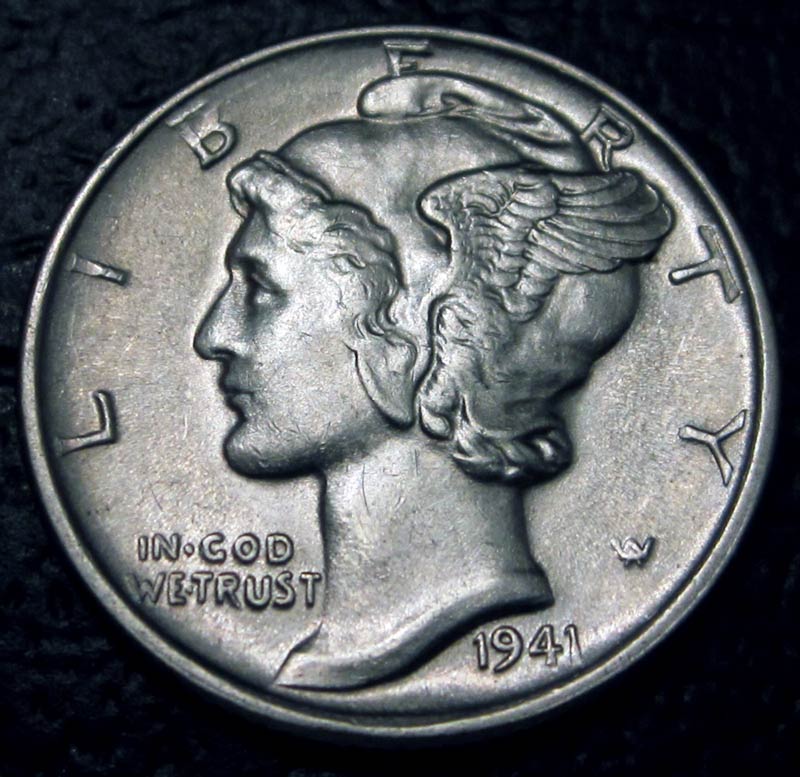 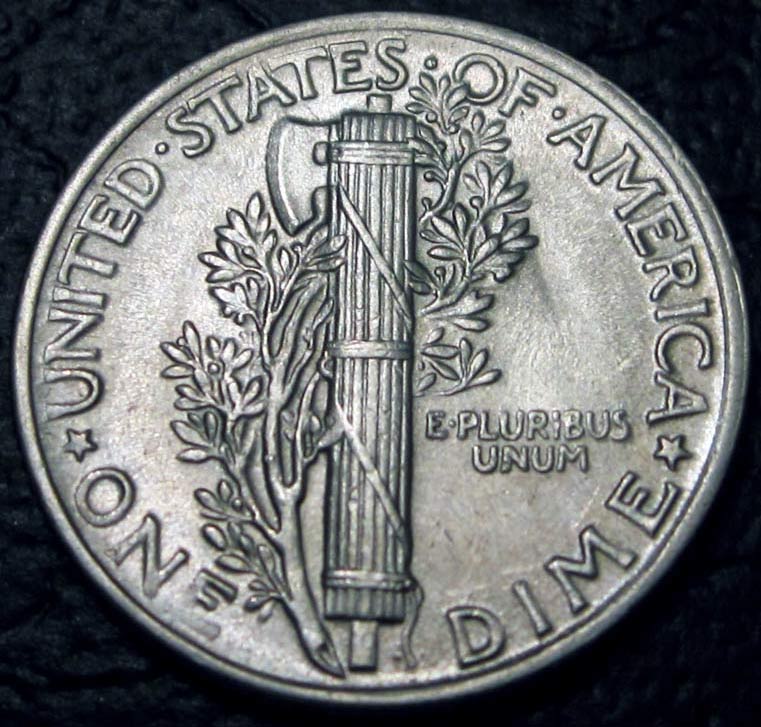 |
|
|
|
Pillar of the Community
Australia
1244 Posts |
Hi, I use bake-ing paper or other type of thin paper that lets light thru, I know it sound a little silly but it works. It simply stops the overhead reflection or glare of lighting. You may need to play with it you can put it closer to the light source or further away to change the end result.
Your picture looks really good, there's no problem with glare or reflection.
:)
|
|
Pillar of the Community
Australia
1244 Posts |
Edited by Australian coin
07/28/2011 10:02 am
|
|
Pillar of the Community
 United States
5899 Posts |
Thanks Australian Coin.
I will try your advice and test it out. The issues I am having with the strong yellowish color I get from my household overhead light bulb. And sometime the shadow from me getting too close too the subject can create a cast.
|
|
Moderator
 United States
23522 Posts |
Oh, hello.  That's rather a nice result. You're using Custom White Balance, right? Canon historically has problems adjusting for Tungsten; it's a problem I willingly live with in return for Canon's other strengths. Often, Auto white balance is the best setting of the bunch for Tungsten. You can possibly help with glare by getting the camera vertical above and parallel to the coin; I have the feeling that you're close enough to it to make that difficult. Lighting, as well, need to be as close to vertical as possible. Slabs will be difficult in the absence of manual focus. The cleanest-possible slab will help, giving the camera less to "notice." So will arranging lighting so that the camera can't see any reflected glare anywhere in its' viewfinder; it's OK to have that glare somewhere - probably inevitable - but if the camera can't see it that will help to fool it into thinking the slab isn't there. |
|
Pillar of the Community
United States
5899 Posts |
Thanks Dave,
Your insight has always help me either get better insight or results.
I will check if I have auto white balance set up when I am shooting, the program is set to indoor Tungsten lighten, I may have to open up the aperture slightly more also and see what result I get.
Overall, I am happy so far, but always room for improvement.
|
|
Pillar of the Community
Australia
1244 Posts |
Yeah, inside lighting sucks- my old cannon didn't understand yellow at all. I prefer to take outside pictures in the sunlight; it will give a bright glare/ reflection of the coins, but no yellowing to deal with. This pics shows inside lighting overhead, you can see the yellowing affect. 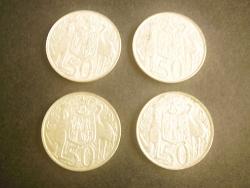 If you are taking inside pics a trick is to take them on a nice day next to a window, without the light on. Like this pick. 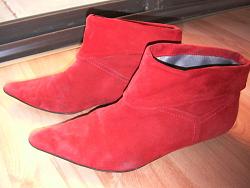 And here is a pic of using outside sunlight; it shows glare and reflection of the background and a line through the centre of the coin, this can be fixed using the diffusing method. 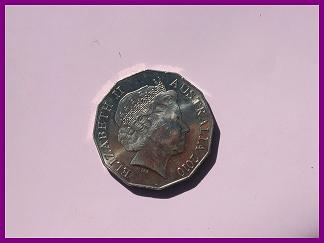 |
|
Moderator
United States
23522 Posts |
Seriously, macmercury, don't mess with much. These are as good right now as anyone is doing with a little point-and-shoot like yours. You're getting tremendous contrast and sharpness where the lens is sharp; I'm thinking the areas out of focus (the base of the reverse shows it best) is because the camera isn't perfectly square to the coin.
You'll want to close the aperture (higher numerically) to improve on focus, if the circumstances prevent you getting closer to "square" on the coin. A tighter aperture will increase the depth of field, hopefully bringing more of the coin into focus. The tradeoff is a darker picture - the camera will slow the exposure time unless you bring more light to bear.
You've already got 97% of it. This is the last 3% we're discussing.
|
|
Pillar of the Community
United States
677 Posts |
Wow! When I looked at your pictures, I thought you had to be using a nice DSLR camera. Then I looked up your camera model. It gives hope to all of us with point-and-shoots that we can actually take good great pictures of coins!
I re-read the thread and it sounds like your camera has manual functions for f-stop, etc.? Or are you "just" manipulating the auto settings?
|
|
Moderator
United States
23522 Posts |
He has virtually no manual control over that camera. It's insane.
|
|
Pillar of the Community
United States
677 Posts |
Quote:
He has virtually no manual control over that camera. It's insane. That's what I was thinking. His Canon must be quite similar to my Nikon CoolPix S6000, features-wise? (auto everything) You've set the picture-taking bar high, macmercury! Kudos to you for making that camera do what you want it to do!  |
|
Pillar of the Community
United States
5899 Posts |
Thanks for the responds.
I have set the macro setting at 2x. Maximum.
Adjust the lighting to between 0- minus 1, so that it doesn't blow out the detail.
Change light source to Tungsten, the main function that this camera has is the non-hand shaking, but that is only for slight movement compensation, still need a steady hand.
When I preview it in Photoshop, I still need to adjust the Color Balance, but I will try the coffee filter method to cover up and see if that will help, so I don't need to adjust color.
|
| |
Replies: 11 / Views: 2,137 |
|










 Posted 07/28/2011 10:00 am


