| Author |
 Replies: 12 / Views: 2,124 Replies: 12 / Views: 2,124 |
|
|
Valued Member
Canada
170 Posts |
Im trying to put some pics in a new post, Is it me or is there a problem with the site. I have resized and and they are in the correct format. Thanks
|
|
|
|
Forum Dad
 United States
24230 Posts |
You're going to have to be more specific. What exactly is happening?
|
|
Valued Member
 Canada
170 Posts |
I start a new post, go to upload pics, select the pics and begin dowload. It times out and says the problem is with the Website on the other end.
Edited by redlee
09/19/2011 11:14 am
|
|
Forum Dad
United States
24230 Posts |
Please copy and paste EXACTLY what it says.
|
|
Forum Dad
United States
24230 Posts |
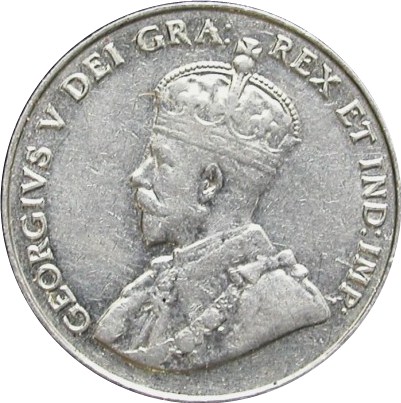 I'm having no problem and there are no other complaints. |
|
Valued Member
Canada
170 Posts |
http://www.coincommunity.co HTTP 500 Most likely causes: •The website is under maintenance. •The website has a programming error. What you can try: Refresh the page. Go back to the previous page. That looks like one of the pics I'm trying to load? m/forum/outputFile.asp
Edited by redlee
09/19/2011 11:29 am
|
|
Forum Dad
United States
24230 Posts |
Paste the filenames of the images here please.
|
|
Valued Member
Canada
170 Posts |
I cant seem to get it to work It must be my incompetence.
|
|
Valued Member
Canada
170 Posts |
C:\Users\Richard\Documents\P1000063.jpg
|
|
Forum Dad
United States
24230 Posts |
Don't know what to tell you. Everything is working fine for me and there are no other member reports. You're using IE8... try a different browser I guess.
|
|
Valued Member
Canada
170 Posts |
C:\Users\Richard\Documents\P1000064.jpg
|
|
Pillar of the Community
United States
2120 Posts |
RedLee,
What might help is if you take a screenshot of the issue you are having.
To do this, press the CTRL button, hold it down, and press the 'prt scr' button. This button usually located just to the right of the top center of a key board, or near Home, Del, Ins, etc.
Once you have done ctrl+prtscr, open up mspaint (start>programs>accessories>paint) and then paste into that program.
This should give you an exact "screenshot" of what you were looking at when you pressed ctrl+prtscr.
Save that picture and email it to Bobby. From that he may be able to help further.
PS, I dont mean to offend anyone's computer skills. Just trying to make directions clear.
|
|
Pillar of the Community
United States
2120 Posts |
|
| |
Replies: 12 / Views: 2,124 |
|










 Posted 09/19/2011 11:12 am


