| Author |
 Replies: 195 / Views: 19,441 Replies: 195 / Views: 19,441 |
|
|
|
Pillar of the Community
 Canada
9774 Posts |
Close ups with 35mm 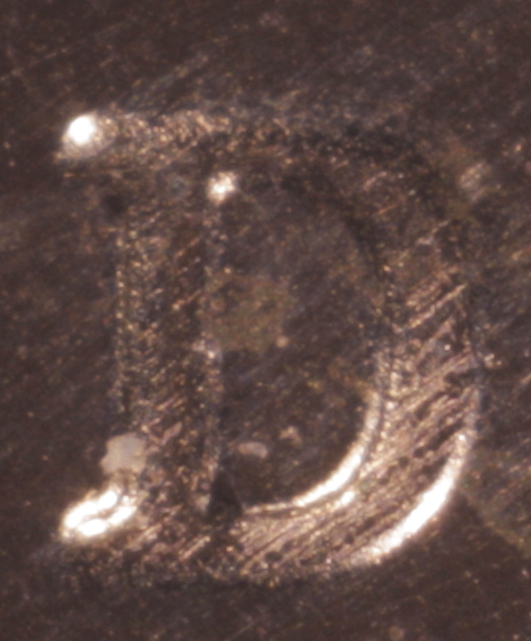 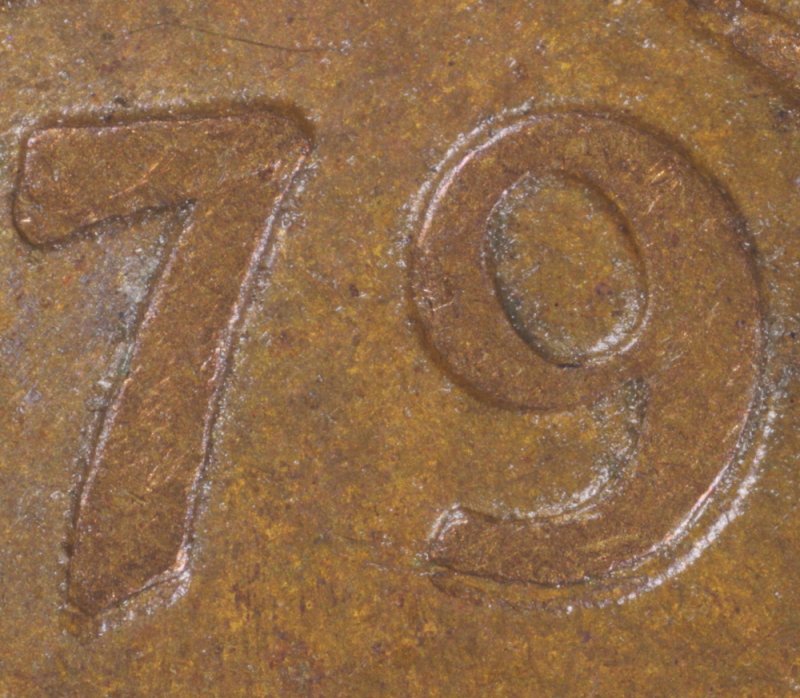 uuum different size pics How do I get the same size pics? Edited by mcshilling
06/14/2015 11:56 am
|
|
Pillar of the Community
 United States
4051 Posts |
How did you do the cropping for these? Long as you crop the same size, and downsize to the same size, they should come out the same size when published.
Looking good on the 79 image BTW. The D MM is a bit fuzzy. How did you create that image?
Contact me for photographic equipment or visit my home page at: http://macrocoins.comEdited by rmpsrpms
06/14/2015 12:08 pm
|
|
Pillar of the Community
Canada
9774 Posts |
The 2 where done the same settings , I couldn't get that fuzzy out of it, it is the same 2015 cent I have been using all along, ( too shiny )
Cropping was done with DPP, next 2 will be a bit different in size.
|
|
Pillar of the Community
Canada
9774 Posts |
Canadian nickel close up 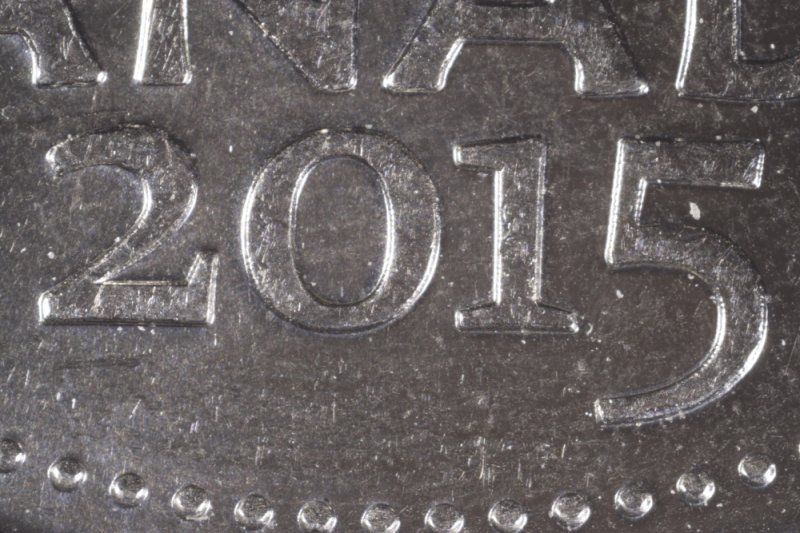 Canadian Dime close up 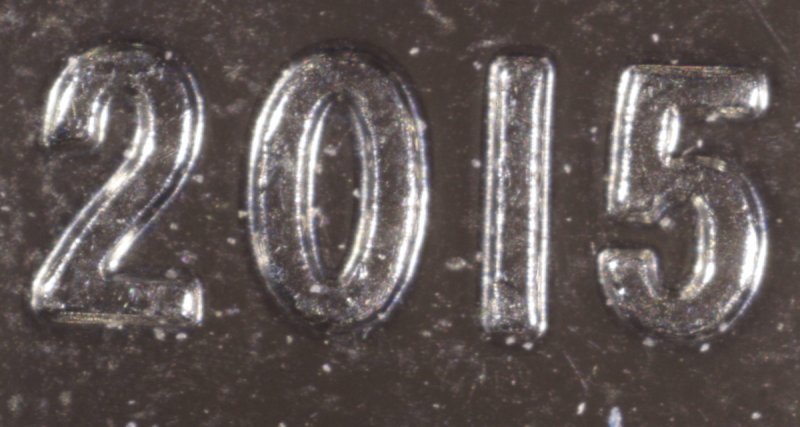 I know the height would be different, thought the width would be also, the nickel is 1000 pixels wide and the dime is 1200 pixels wide. Just checked the CCF Gallery #s and it took the pics and made them both 800 pixels wide Also the nickel was 744kb when put into the Gallery and is now 99kb, the dime was 593kb and now is 57kb. Edited by mcshilling
06/14/2015 1:08 pm
|
|
Pillar of the Community
United States
4051 Posts |
The Nickel looks good, but the Dime is fuzzy. What were the aperture settings on these?
|
|
Pillar of the Community
Canada
9774 Posts |
|
|
Pillar of the Community
United States
4051 Posts |
All tethered on the PC in Live View?
When you look at the coin in Live View, at 100%, it should look exactly like it does at 100% in the image. If it's blurrier, then you are probably having a vibration problem.
How much downsizing are you doing, and how much cropping?
Only other thing I can think would cause this is improper critical focus.
|
|
Pillar of the Community
Canada
9774 Posts |
All in 'live view' , that D didn't look right from the start and couldn't get it better, the 79 just popped right up like that, even I was impressed.
They are about 3880 pixels before I take them to Batch and Trim and resize.
On both I have the pic then zoom in on the exact spot that I want.
|
|
Pillar of the Community
United States
4051 Posts |
It must simply be a small focus difference. At this magnification it doesn't take much focus error to cause problems.
Do you have a metal ruler? If you take a pic of it we can see what magnification you're working at. Was the Dime at a lot higher magnification than the Nickel?
|
|
Pillar of the Community
Canada
9774 Posts |
I will have too check next time I do that set up, I did refocus but don't remember how much.
|
|
Pillar of the Community
United States
4051 Posts |
If you are not carefully critically-focusing for each shot at these magnifications, you will never get consistent results.
|
|
Pillar of the Community
Canada
9774 Posts |
OK guys let me know what you think? 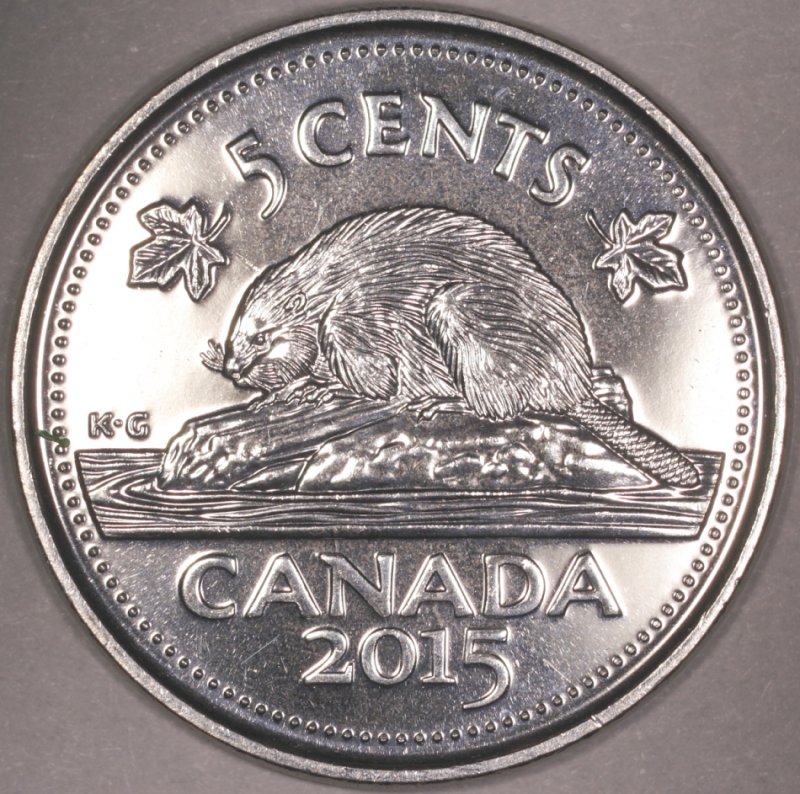 |
|
Pillar of the Community
Canada
2784 Posts |
mcshilling wow really great like it. tell me are you using diffuser. I like the soft look and very close to the nickel appearance. what was your setting and what is your diffuser if you don't mind my asking. really nice like it
|
|
Pillar of the Community
Canada
2784 Posts |
mcshilling as I was studying your coin is beaver face near its eye smooth. it looks like it is smooth that would be a very nice error if it is smooth.
|
|
Pillar of the Community
Canada
9774 Posts |
Thanks rocky, ISO 100, F8 the rest are what Rays has said to do.
Ray defused my lights inside before he sent them to me, he used Canson opalux art paper.
The beaver does have a bald spot above the eye but all the ones I have do.
The coin is supposed to look like it is in front of the beavers nose and tail.
|
| |
Replies: 195 / Views: 19,441 |








 First Page
 Previous Page


 Posted 06/14/2015 12:07 pm


