| Author |
 Replies: 195 / Views: 19,432 Replies: 195 / Views: 19,432 |
|
|
|
Pillar of the Community
 Canada
9774 Posts |
I moved my lights, if you put the face of a clock where the coin is I'm at 11:30 and 5:30
I played with room lights and a small clip on reading light nothing made a change on screen, so I played with the 2 Jansjo lights.
|
|
Pillar of the Community
Canada
9774 Posts |
This is my set up, 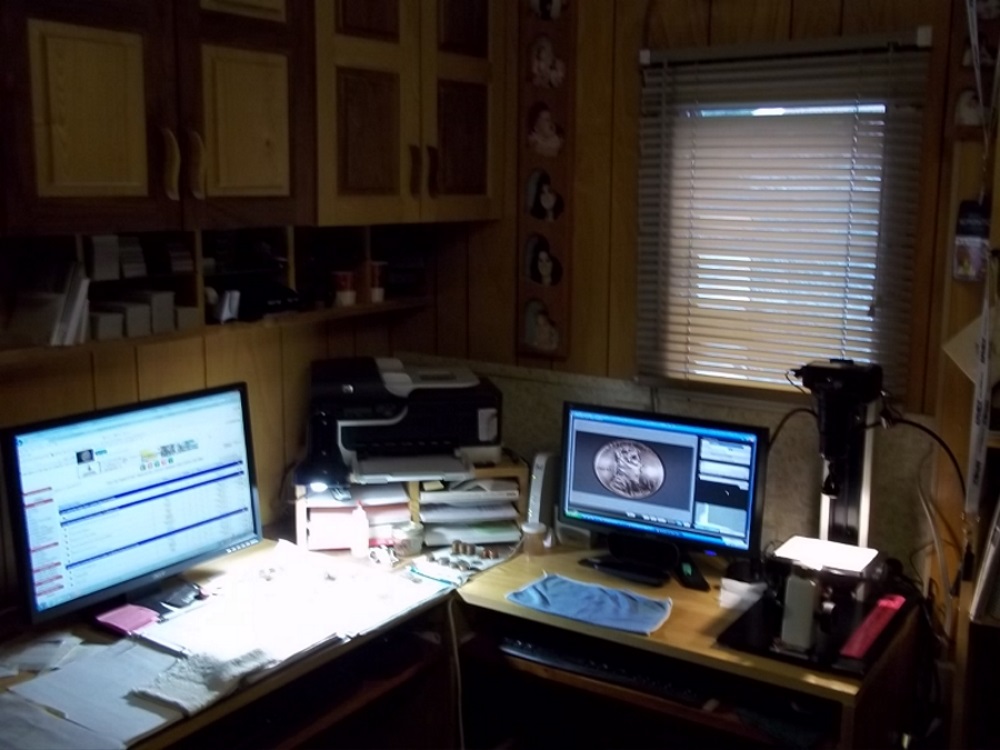 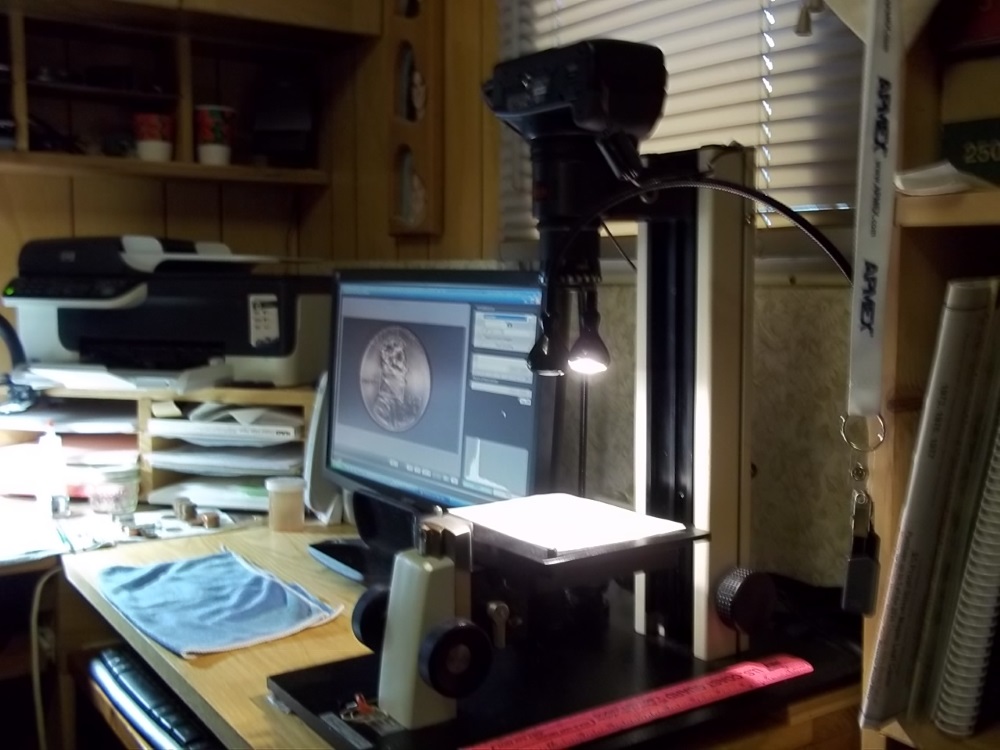 |
|
Pillar of the Community
Canada
2784 Posts |
mcshilling really nice setup. wow great job I like this may try to build very similar stand. well done one sure is not long finding out how sensitive the focus is with these lenses. nice thanks for shareing
|
|
Pillar of the Community
Canada
9774 Posts |
rocky, rmpsrpms does have 3 different types of copy stands, don't know what your budget is but it is easier to get a proper one that suits your needs.
Edited by mcshilling
06/10/2015 9:32 pm
|
|
Pillar of the Community
Canada
9774 Posts |
Ray, after you get your pic up on screen in DPP and have the colour set right, What do you do next to get it too the right size in pixels and to keep ALL pics the same size?
|
|
Pillar of the Community
 United States
4051 Posts |
DPP works on the "export" model. You can't "save" the changes you have made on the file you're working on. This keeps you from over-writing the original file. You must use the "Batch Process" tab to export the changes you want to save to a new file.
To resize what you're working on, open the "Batch Process" dialog box and select "resize". I suggest sticking with integer resizing, and my size setting is almost exclusively 1296x864, which gives a 4x downsize for T2i and a 3x downsize for the XS. You can crop either before or after resizing using the "Trimming Angle" dialog box. If you crop after, you will need to export a new file using "Batch Process" dialog.
Contact me for photographic equipment or visit my home page at: http://macrocoins.com |
|
Pillar of the Community
Canada
9774 Posts |
Will give that a try, I did see Batch Process but didn't understand it, Trimming Angle I did get. Thanks Ray.
|
|
Pillar of the Community
Canada
9774 Posts |
I went to Batch and did what you said (I hope) saved in a fill that I wanted and now have a coin pic of 1571KB
Do you guys leave it at that and do the corrections when you download here or have it ready to go(200kb) on your own computer?
Yes I know we have a gallery here but it's the same ? What is the best way?
|
|
Pillar of the Community
United States
4051 Posts |
I leave it at that and host from Photobucket or my own web page...
|
|
Pillar of the Community
United States
1476 Posts |
Quote:
I leave it at that and host from Photobucket or my own web page... I thought they want us to have all our pictures here on the server?  If you use a hosting service, is it the same? Also, I have been able to down size my images to a little below 250 and they will upload to CCF. |
|
Pillar of the Community
United States
4051 Posts |
Yes, they do want us to upload to CCF server but I prefer hosting my own. That said, I have seen a few examples of images on PB that are still there but don't show properly, which is very annoying.
|
|
Pillar of the Community
Canada
9774 Posts |
Can someone tell me how we do it from CCF Gallery ( I do have a Gallery )
What is the biggest size CCF can take?
If bigger say 1200kb how do you get it smaller?
|
|
Pillar of the Community
Canada
9774 Posts |
OK been playing around and I figured it out, when you download a large KB pic Gallery seems to make it smaller for you.
Then you take the link and post in your thread and bingo. I hope
|
|
Pillar of the Community
Canada
9774 Posts |
Lights mounted to side of copy stand, I have noticed that the base will move a bit when adjusting the lights. On the stand that I have their is a slot on each side that has a nut that can be moved up and down, so I made a little rig out of wood that goes over the light cable and fastens to this nut. It takes a #10-24 bolt. 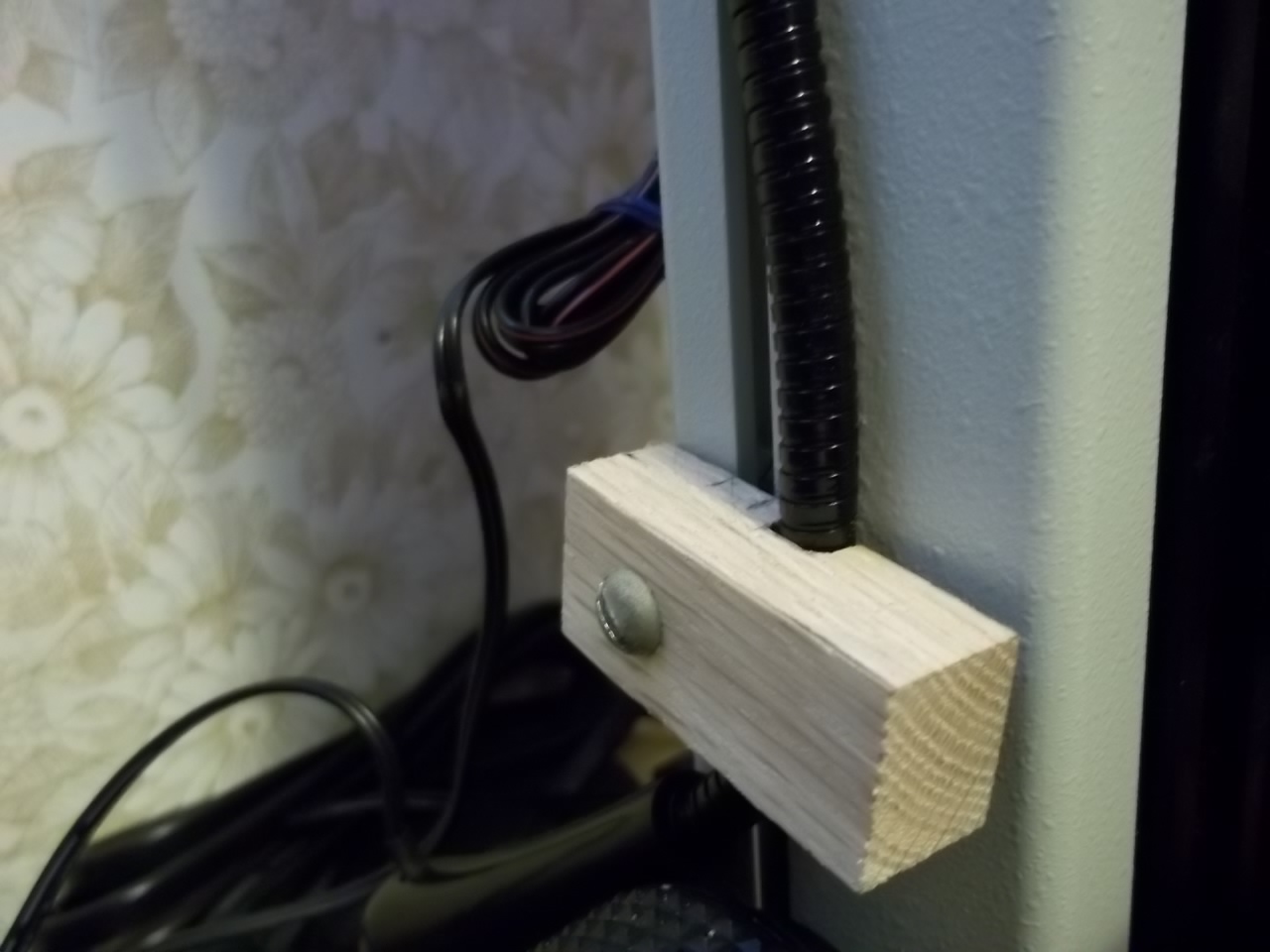 |
|
Pillar of the Community
United States
4051 Posts |
mcshilling...very nice. One on each side, with adjustable clamping height. Should prove very flexible.
|
| |
Replies: 195 / Views: 19,432 |







 First Page
 Previous Page


 Posted 06/10/2015 7:38 pm





