| Author |
 Replies: 71 / Views: 9,448 Replies: 71 / Views: 9,448 |
|
|
|
Pillar of the Community
United States
1305 Posts |
Quote:
1) Change the contrast subsetting to -2, -3, or even -4. This will balance the image a little better, and give you room for adjustments without blowing out highlights or crushing shadows. I don't see where you change the contrast subsettings. Quote:
Jansjos always need some level of diffusion to avoid "graininess" or "sparklies", so you should be diffusing the lights with tissue or vellum. For the fill-in light, use multiple layers. What do you mean by fill-in light, use multiple layers. Thanks, Ray |
|
Pillar of the Community
 United States
4051 Posts |
You change the subsettings where it says "Detail Set".
My suggestion was to use 2 Jansjos with some diffusion, but if there are dark areas on the coin that can't be recovered, then you can use another Jansjo with more diffusion to "fill-in" the dark areas. The light can come from somewhere between 3 and 9 oclock depending on where it fills-in the dark areas best.
Contact me for photographic equipment or visit my home page at: http://macrocoins.com |
|
Pillar of the Community
United States
1305 Posts |
|
|
Pillar of the Community
United States
1305 Posts |
Looks much better to me. How can I improve? Using 2 Jansjo's (positioned at 5 and 7) with some diffusion. 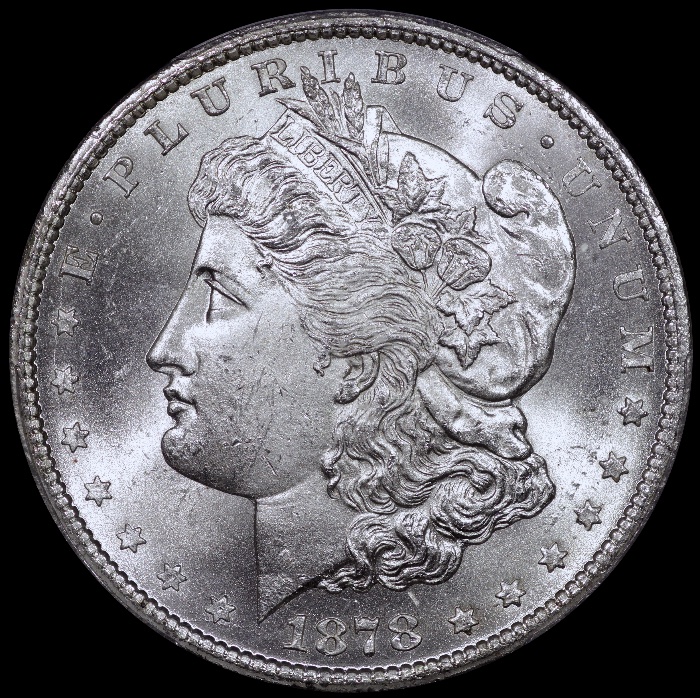 |
|
Pillar of the Community
United States
1305 Posts |
Shooting information. 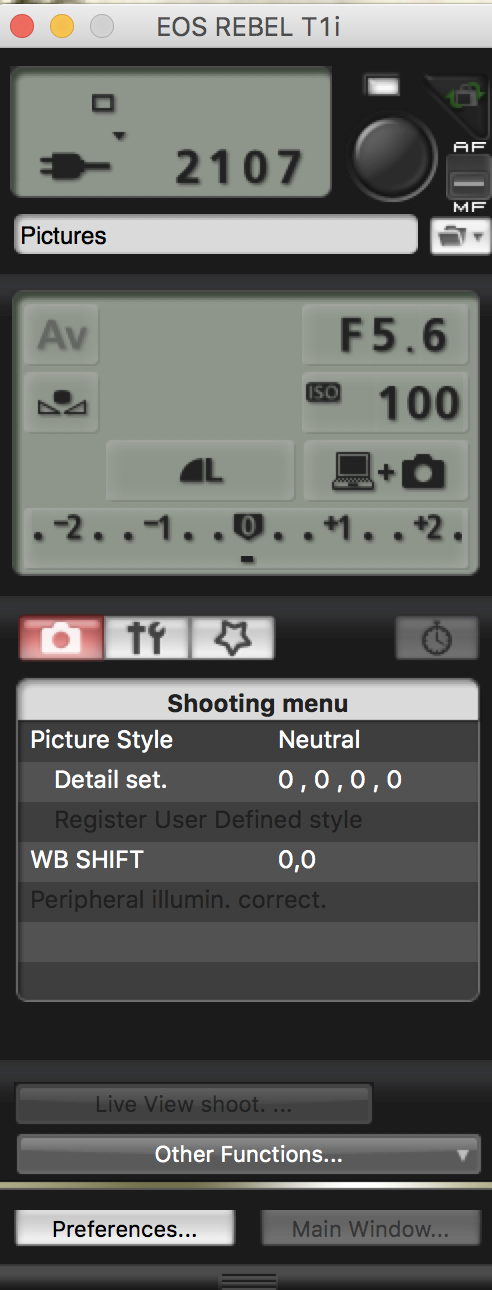 |
|
Pillar of the Community
United States
1305 Posts |
I need to clarity something. When positioning the coin, it is upside down on the copy stand. So actually the lights would be at about 2 and 10 in reference to Miss Liberty. One light at the U, and the other at P.
|
|
Pillar of the Community
Canada
2784 Posts |
great image hamm very well focused very well done.
|
|
Pillar of the Community
United States
1305 Posts |
I like these better. What say you? 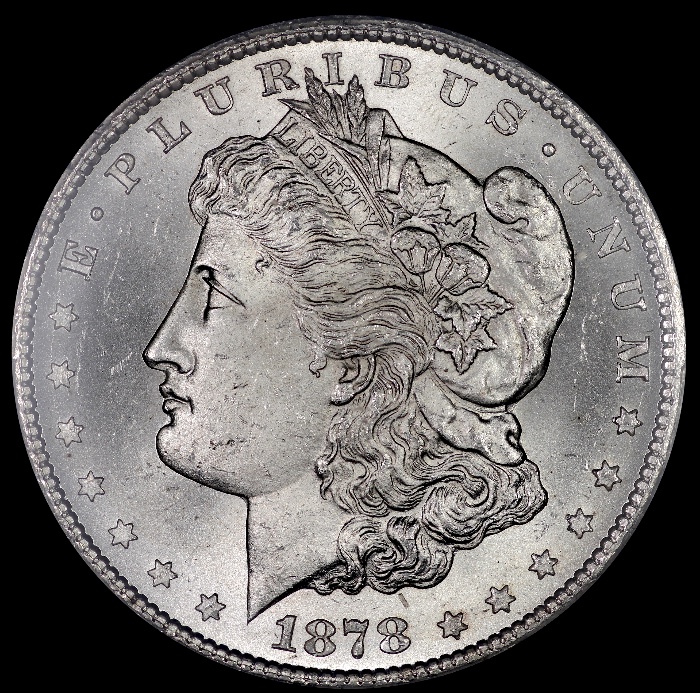 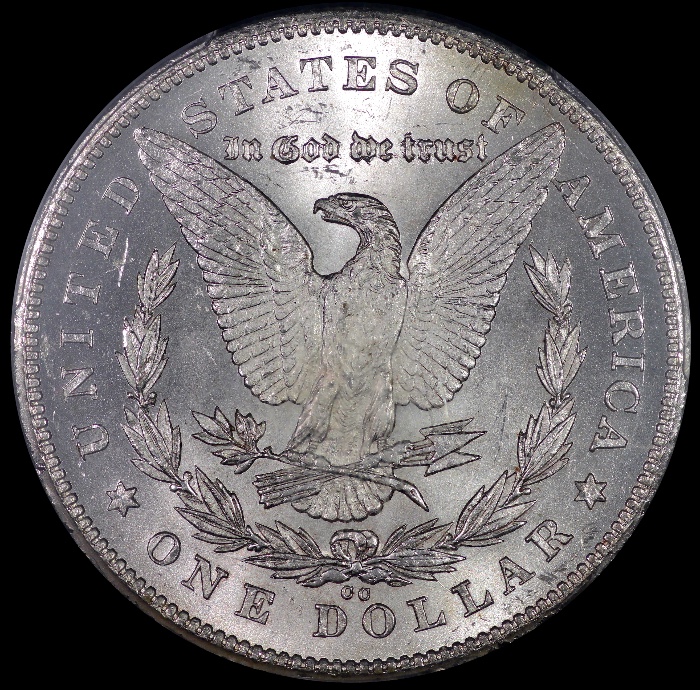 |
|
CCF Advertiser
United States
1533 Posts |
Lunapic. This is what I was looking for.
|
|
Pillar of the Community
United States
4051 Posts |
Looking good Ham! You may have either too much fill light, or perhaps your lights are a bit far apart, since the more "normal" Morgan pic is darker at the date and MM. I'd recommend adjusting the light positions so that fields behind the Date and MM are about as dark as the areas in front of face and behind head on obverse and near the NI of UNITED and RI of AMERICA on the reverse. Probably just bring your two lights a little closer together. Right now they appear to be at 10 and 2, but may give a little better contrast if they are at 10:30 and 1:30.
Contact me for photographic equipment or visit my home page at: http://macrocoins.com |
|
Pillar of the Community
United States
1305 Posts |
Ok, Ray. Will try your suggestions. Thanks.
|
| |
Replies: 71 / Views: 9,448 |








 First Page
 Previous Page


 Posted 06/21/2017 9:56 pm


