| Author |
 Replies: 10 / Views: 2,552 Replies: 10 / Views: 2,552 |
|
|
Valued Member
United States
335 Posts |
I was reading posts and wondering.I am new to computers,since Jan.when I bought a bundle package from Radioshack.I am lazy and wonder if I should concentrate on using the scanner or the camera,to generally,get the best pics? I have read that luster does not show on the scanner,thanks.
|
|
|
|
Bedrock of the Community
United States
14454 Posts |
that is correct usually a scanner doesn't show the luster of a coin. it is better than having no picture at all though but if there is a choice I always use my digital camera over my scanner every time
Edited by Bryan1315
09/12/2006 7:59 pm
|
|
Forum Mom
 United States
5877 Posts |
Scanners are great for showing detail, but not eye appeal. I would take the time to learn the digital camera. Make sure you use the macro setting. There is a Coin Photography section on CC here: http://www.coincommunity.com/forum/...?FORUM_ID=81. Hopefully that will help. In the meantime, don't be afraid to use the scanner. Sometimes, a scan and a picture together are the best way to grade a coin. A scan will show the details and also any flaws or imperfections very well. Good luck!  I am moving this topic to the Photography section for better exposure. (No pun intended!  ) |
|
Pillar of the Community
United States
1454 Posts |
If I had a choice, which I don't, I would use a digital camera with a macro mode. The scanner is all I have and it is true, luster, sheen, shine, whatever you want to call it doesn't come through. Scanners are better for banknotes though. Digital camera is the way to go on coins.
Everything in my gallery was done with a scanner.
Edited by Irishraider
09/12/2006 10:22 pm
|
|
Valued Member
 United States
335 Posts |
Thanks everyone.I got to read up on the scanner.I learned from here about the different size settings,who would know?.Got to get my thoughts together about a set up for the photos.Years back,I was a baby photographer.If I could handle a line of moms,babys,kids,groups and not ruin the day for them,I can get some good pics of a coin which is sure to behave.I just need something which will hold them on an angle.Im going to glue some material which will grip them.
Edited by sandpaper
09/12/2006 11:49 pm
|
|
Pillar of the Community
United States
830 Posts |
I have used both a scanner, and three different digital cameras, and I am thoroughly unimpressed with scanners. I have only seen "scans" of coins from one guy who can make them look nice, but he's been using a scanner for years. I think they make the depth look kinda flat. They also, as previously stated, don't do a good job showing luster. Digital cameras are a bit tricky to learn sometimes, but I think they make beautiful coin pics when you finally figure out the correct settings, etc. This one was taken with a less than 1 megapixel digital camera:  This one with a 4 megapixel digital camera: 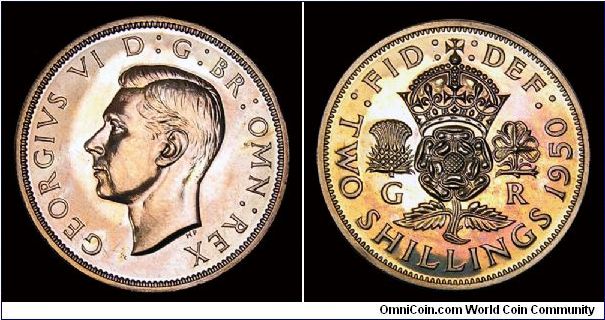 and this one with a 10 megapixel digital camera: 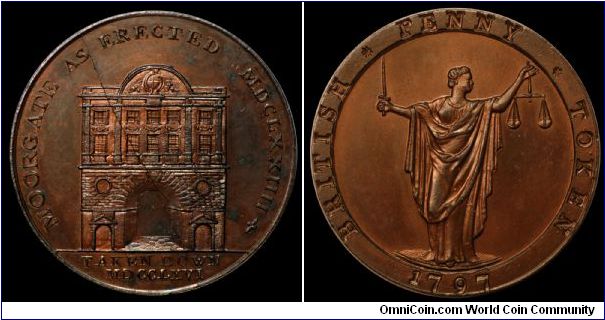 |
|
Valued Member
United States
46 Posts |
|
|
Pillar of the Community
Belgium
2078 Posts |
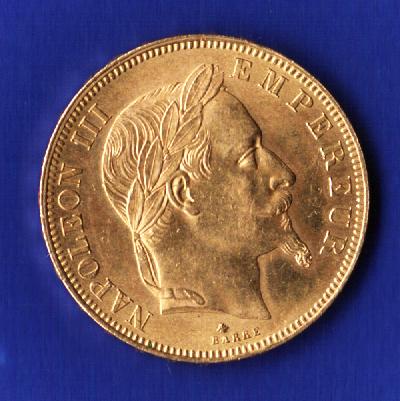
I only have a 300 dpi scanner with full optional settings It absolutely refuses to scan the 2005 business sovereign because there is no contrast and a medium high reflecting surface It also dislikes the Uncirculated Gold Maples and Gold Eagles for the same reasons It absolutely loves anything proof frosted and anything older then 60 years The attached no motto shows exactly the lustre and the bagmarks at the same time Image:  20$ Gaudens 1908 Kop.jpg 20$ Gaudens 1908 Kop.jpg47.5 KB 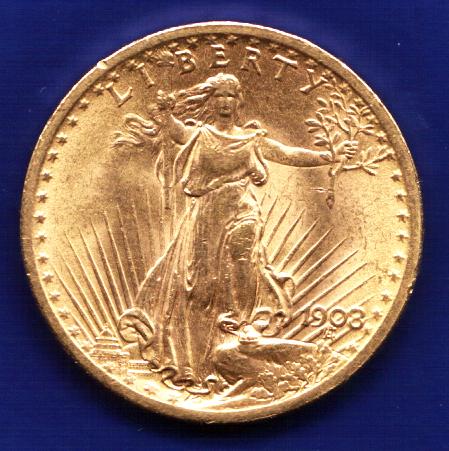 Edited by ageka
10/18/2006 07:40 am
|
|
Pillar of the Community
Belgium
2078 Posts |
|
|
Pillar of the Community
Belgium
2078 Posts |
|
|
New Member
United States
3 Posts |
Scanning bare coins is better than ones in holders or capsules. If you cannot or don't want to remove the coin from a capsule you can get some pretty horrible reflections off of the inside of the plastic and back onto the coin. Especially for proofs.
Since the light source moves as the scanner passes down the coin, the pretty shadows seen from photographed coins do not show up. This makes it difficult to tell how deep some features are.
Also, with scanning, the coin is face down and it is not always easy to check the orientation. To get around this use photo edit software to cut out the coin in a circle and rotate it to the correct orientation. No-one likes to look at a crooked coin picture.
Of course there is a pretty good free photo editor on soureforge.net called GIMP.
If your copper/bronze coins come out way to dark with the scanner, you can try to use a photo editor to run a "histogram" filter on the image to stretch out the darkest dark and lightest light of the image. Of course, you should probably not do this if you intend to use the image to sell the coin as it will present a picture that is much prettier than the coin is in person.
Hope this helps.
|
| |
Replies: 10 / Views: 2,552 |
|











 Posted 09/12/2006 7:59 pm


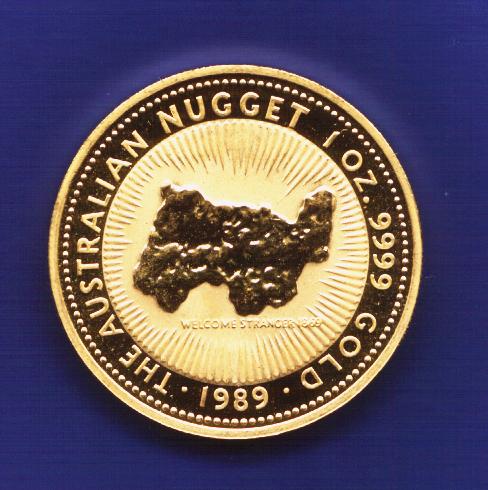 Nugget 1989 Let.jpg
 50 FF Nap Laur 1865 K.jpg


