| Author |
 Replies: 19 / Views: 4,227 Replies: 19 / Views: 4,227 |
|
Pillar of the Community
Canada
3167 Posts |
Hello!
I was wondering if anyone has this camera and if it is good for getting close ups of coins. If you have any pictures you took with it to share, I'd love to see them!
Thanks!
Wanted to make sure it was an okay camera (for my tight budget) before I bought it.
Don't think they make them anymore, but found one new at a local store. Edited by noahs-numismatics
08/22/2012 09:54 am
|
|
|
|
Pillar of the Community
 United States
4051 Posts |
It does not appear to have much in the way of manual mode operation so it might be difficult to use for macro work. But if you can get it for super cheap you can try it out and not be out too much if it won't do the job. It looks like it sold for $80 when last available new.
|
|
Pillar of the Community
Australia
2830 Posts |
I've had two Canon in the IXUS series (closely related to power-shot).
I bought the first one, after seeing the great pics on CCF, taken by member Yass, with his Canon.
The only reason I replaced the first one, after nearly three years, was because it got damp in a cyclone, and moisture got inside.
I've bought three Canon as gifts for my brother and sons.
I'm very happy with what they do, and the value for money.
I'm sure that lots of other cameras are good value too, but I'm happy to stick with Canon, for a compact digital.
They update their models twice a year, so cameras six months old are often to be found at clearance prices.
|
|
Pillar of the Community
 Canada
3167 Posts |
I can get the camera @ $75 +tax(12%). Is that a good deal?
BTW, the store is closing down so no returns...:(
|
|
Pillar of the Community
Australia
1244 Posts |
My current camera is a Canon PowerShot A495 Took quite a while to get used to using, I had a earlier cannon camera model I gave to grandpa as it was user friendly with a round wheel on top that you could flick through setting from "take picture" to "view picture" with a simple turn of the wheel, my one is more like flat buttons and clicking through menu setting (annoying) but the macro mode is great -- that's all I use it for taking pictures of coins up close.   But I do really like the cannon brand, they are quite hardy and can be knocked around a bit, and I have never had one stuff up yet. I have bought budget brand cameras before and they were a total nightmare, from poorly uploading pictures to just refusing to turn on. |
|
Moderator
United States
14463 Posts |
My current camera is a Canon PowerShot A800, and here is my latest picture with it. 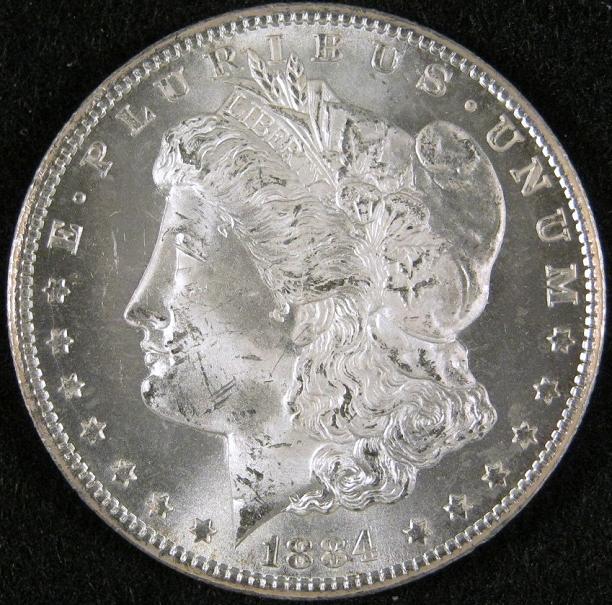 The macro works good. EDIT - here is an example 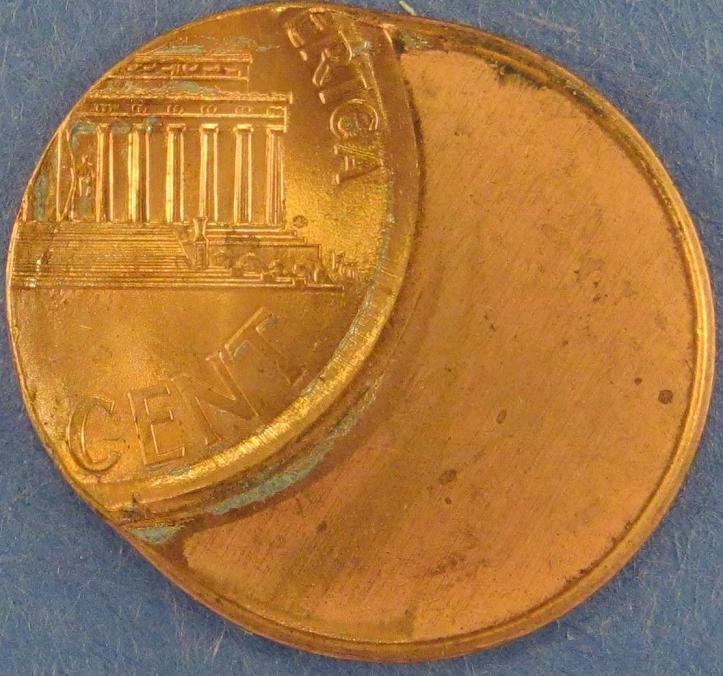 Edited by Fuzzy317
08/22/2012 10:49 pm
|
|
Pillar of the Community
Australia
1244 Posts |
Heres a pic I took free hand without bothering about lighting or settings "macro mode", threepence measures 16mm, in this picture it easily captured the die crack in the threepence, which I did not notice when it was in hand. 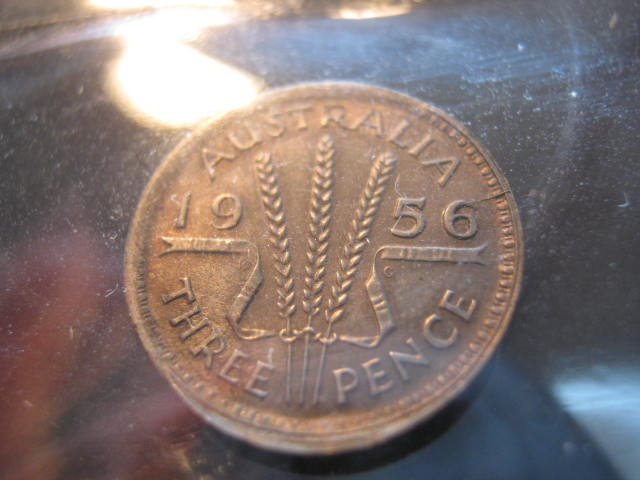 |
|
Pillar of the Community
United States
4132 Posts |
@Fuzzy: That's fantastic for a sub-$100 camera. Now I have a camera to recommend to folks on a budget who want to take coin pictures.
|
|
Moderator
United States
14463 Posts |
I have a usb microscope, but never was happy with my ability to get it focused. I went to local electronic discount store and picked mine up. Takes nice portrait and landscape pictures. Best parts for me is auto-focus and the storage card fits my laptop.  |
|
Moderator
United States
14463 Posts |
he is a picture of squatter on my 6x8 trailer. I was probably about 30 feet away. Scaling down to less than 100k makes it a bit less clear. 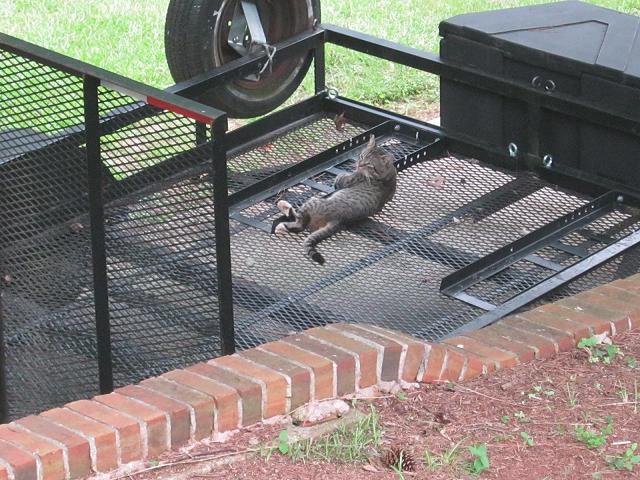 Edited by Fuzzy317
08/22/2012 11:57 pm
|
|
Pillar of the Community
Australia
2830 Posts |
"$75 +tax(12%). Is that a good deal? BTW, the store is closing down so no returns"
- maybe try this: offer $50, and when you think he won't budge any further, seal the deal.
|
|
Pillar of the Community
United States
4051 Posts |
Those shots look pretty good, better than I expected for a $75 camera.
|
|
Pillar of the Community
Canada
3167 Posts |
-Fuzzy317
WOW! those are some pretty awesome pics. Is there some special setup ie. lighting/background that you used?
Thanks!
|
|
Moderator
United States
14463 Posts |
This is my setup, not great but it works for me. 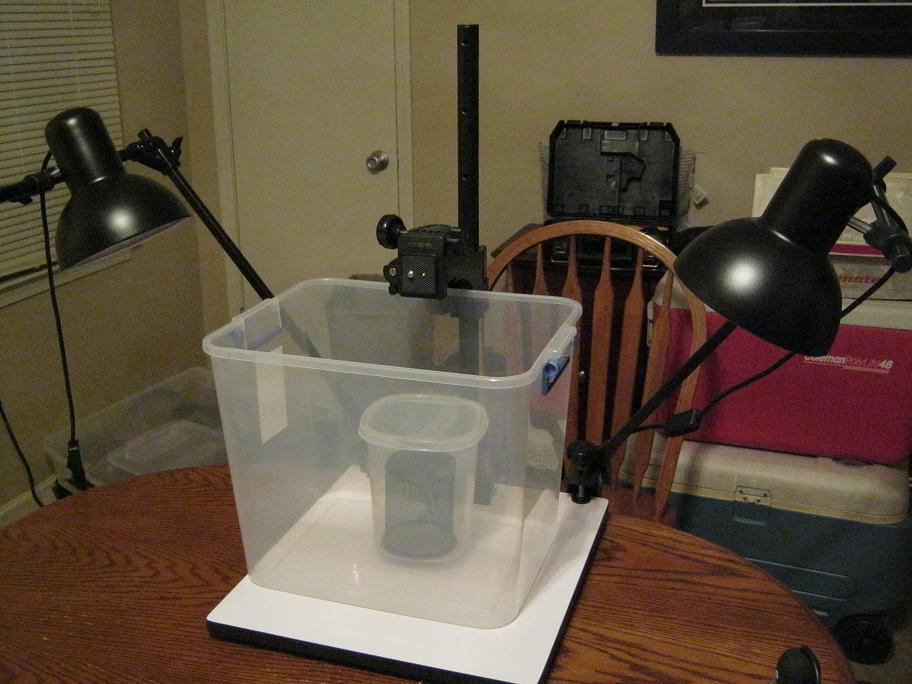 the clear containers help cut down the glare from the lights. And there is a pen cup turned upside-down in the center that I place the coin on. I have been playing around with black, blue, or gray background. Black works for some coins, gray for others. You can see the camera mounting screw. Edited by Fuzzy317
08/23/2012 10:25 pm
|
|
Pillar of the Community
Canada
3167 Posts |
Cool! Are those just regular household lights, or are they a special type.
Thanks!
|
|
Moderator
United States
23522 Posts |
Quote:
Cool! Are those just regular household lights, or are they a special type. If you're going to use lamps of that type, your best bet is probably Compact Fluorescent bulbs in the Daylight spectrum. You'll see these bulbs sold by color - Warm White, Cool White, Bright White, Daylight and others depending on how the vendor designates them. What that describes is the "color temperature" of the bulb, the actual color of the light it sheds. This is measured in degrees Kelvin, using the same scale as astronomers use to describe the color of a star. The lower numbers - usually from ~2800k to 5000k - have a more or less yellowish cast to the light. "Natural" and "Daylight" bulbs have a color temperature of 5000-6500k, meant to simulate actual daylight. The reason this is important is, pretty much all point-and-shoot cameras are optimized for outdoor usage. As in, operation in color temperatures of 5000k+. Getting proper color from other color temperatures involves in-camera color correction, and cameras are more or less-successful at making that correction. Canon are notorious for imperfect color correction in the "tungsten" range, what you and I would describe as a "standard" light bulb whose color temperature is in the 2800-3500k range. This, of course, varies by camera but it's nice to be able to more or less forget about color worries, which are among the most common "newbie" difficulties when shooting coins. The color temperature of your bulbs should be labeled on the package. If the bulbs you choose are closer to 5000k than 6500k, use the "Daylight" white balance setting on your A1200 (you'll need to run it in Program Mode for white balance adjustments to be available). If the bulb is closer to 6500k, use the "Cloudy" white balance setting. The highest-average color temperature outdoors is to be found on cloudy days rather than sunny; although the Sun constantly bombards us with every color temperature at once, atmospheric conditions tend to filter out the lower color temperatures, raising the "average" and clouds do the best job of filtering out those yellower colors. There. I'm sure that was a whole_lot_more than you ever really wanted to know about color temperature.  |
| |
Replies: 19 / Views: 4,227 |









 Posted 08/22/2012 7:46 pm


