


 Posted 11/28/2012 9:46 pm


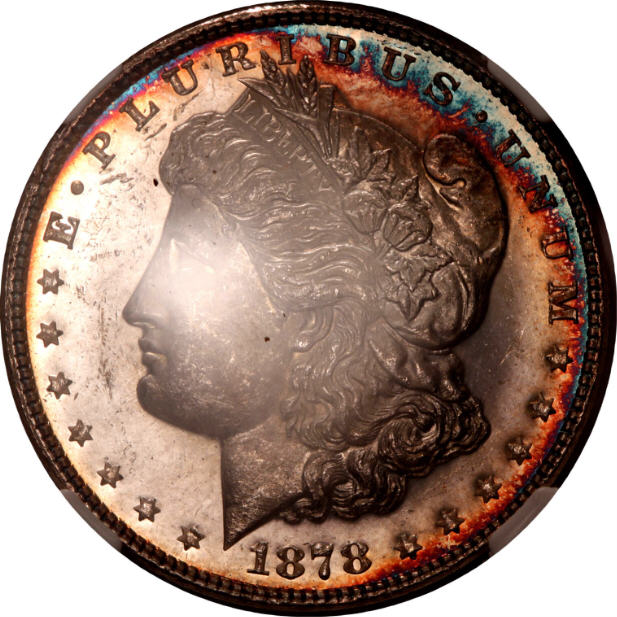
I've never imaged a DMPL coin axially. Bryan and I discussed this one off-forum, and I offered a couple hints for axial imaging of slabbed coins which I'm going to repeat here.
A "standard" axial setup of a 45-degree glass square to the coin will always cause glare on the slab. So you must (and you *can*) vary the angle of the glass. Not a lot; only a few degrees each way. But you can move that glare horizontally on the slab so it's out of the frame, or at least no longer interfering with the coin, and still retain the advantage of capturing the color which is why we use axial lighting in the first place. Furthermore, you can also vary the glass angle off-square. That moves the glare vertically with reference to the slab. It's a second option, or one you can use in conjunction with the other, to put that glare where you want it or minimize the effect on color.
Like everything else related to coin photography, you have to experiment to see what works for you. It won't be easy. You'll have to hold the glass steady - in the face of what's inevitably going to be a longer exposure - while snapping the shot.
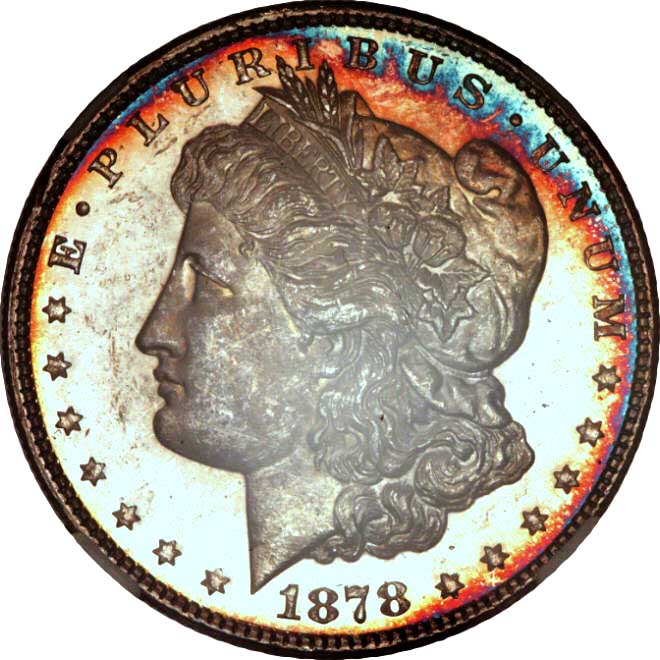
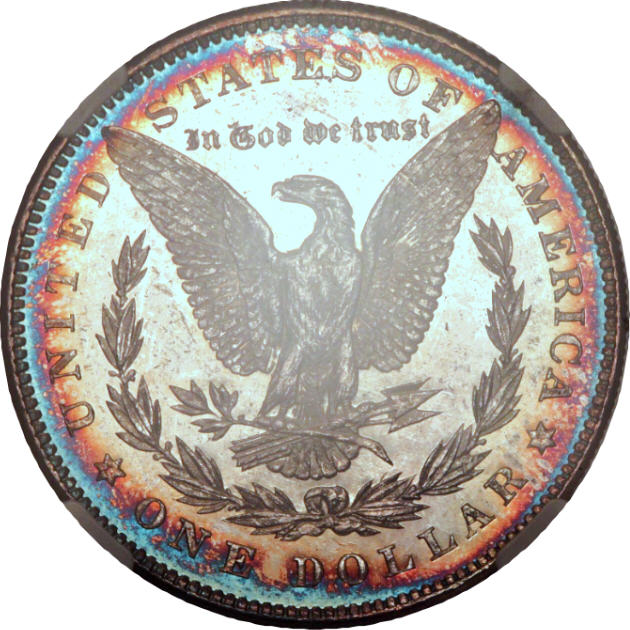
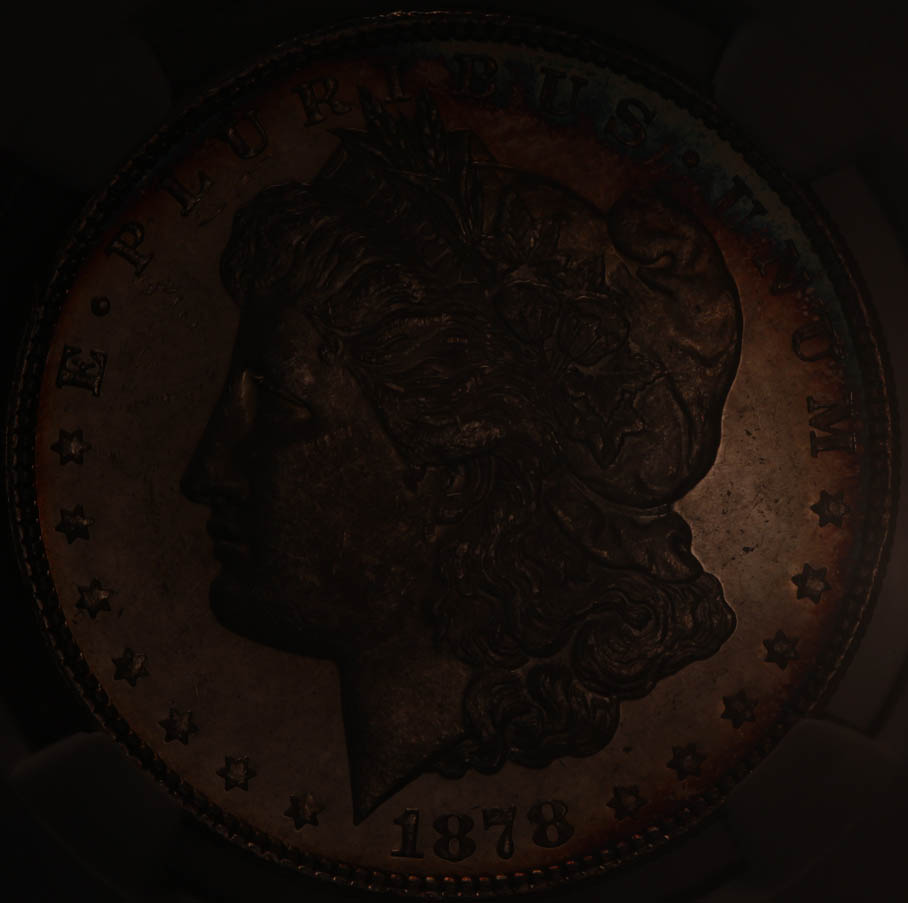
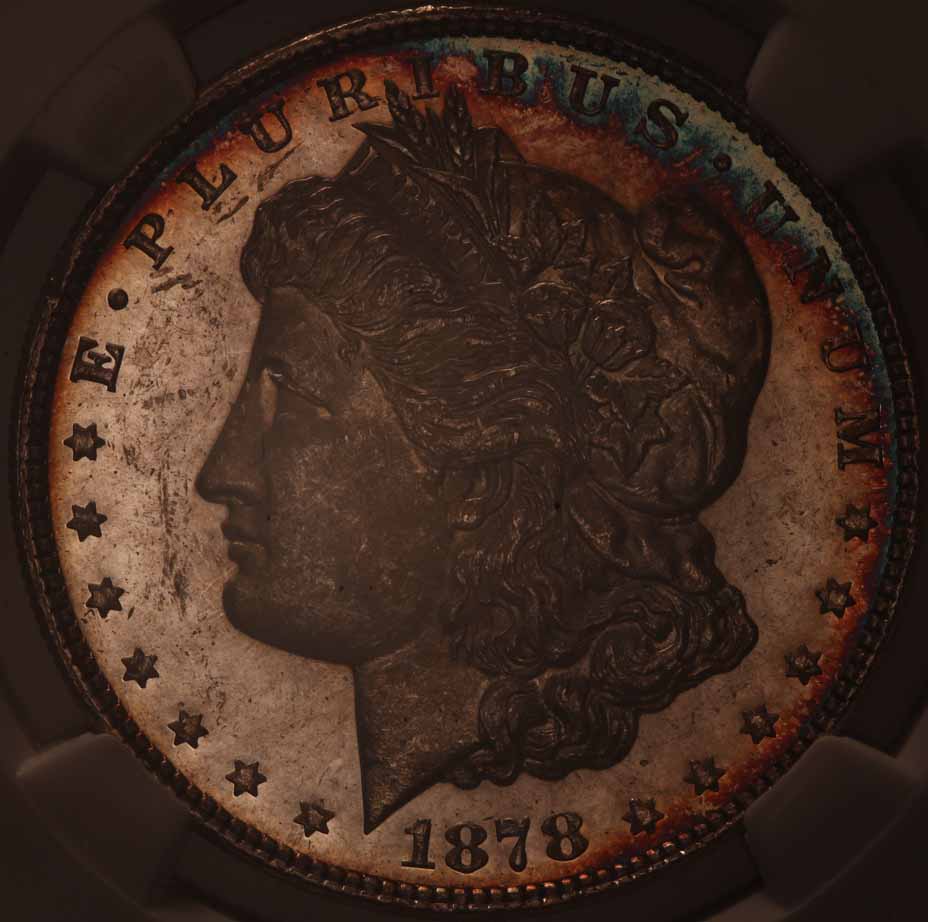
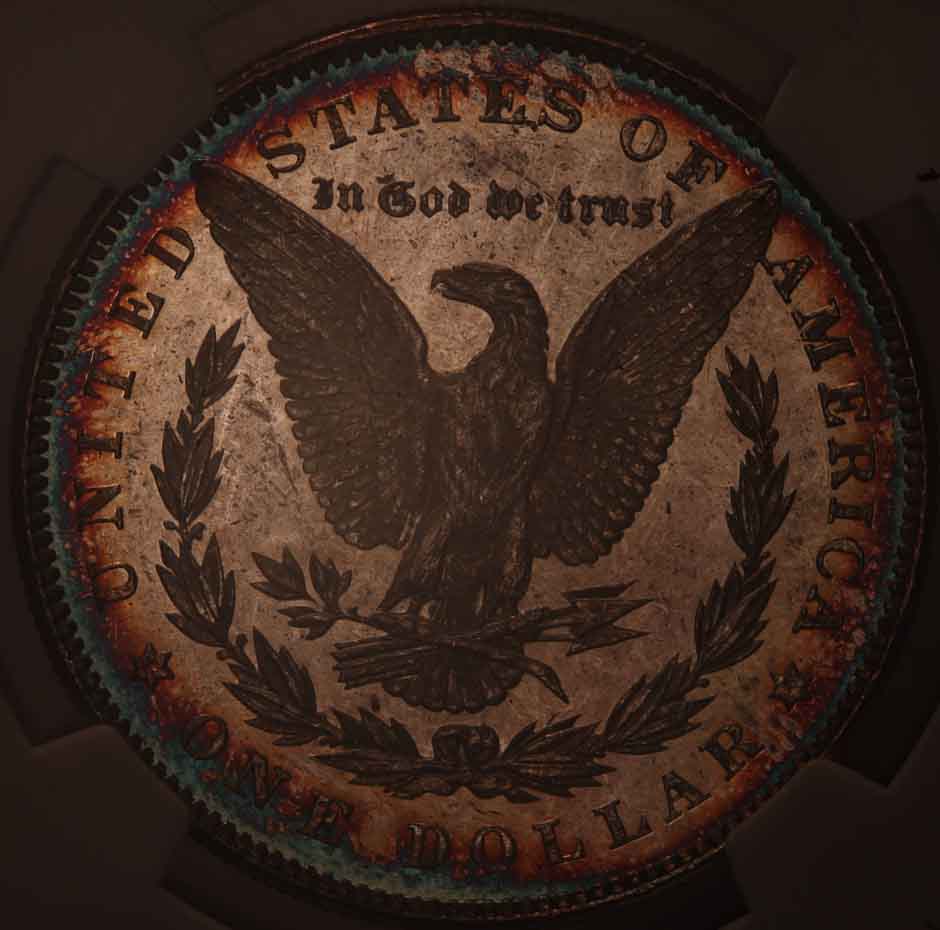
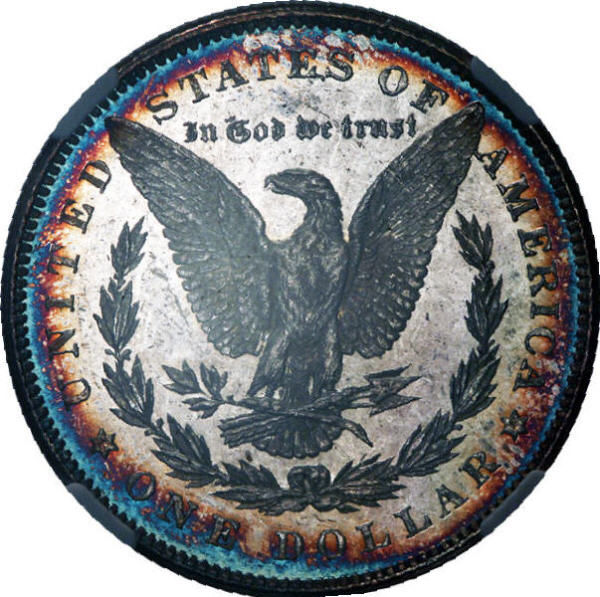
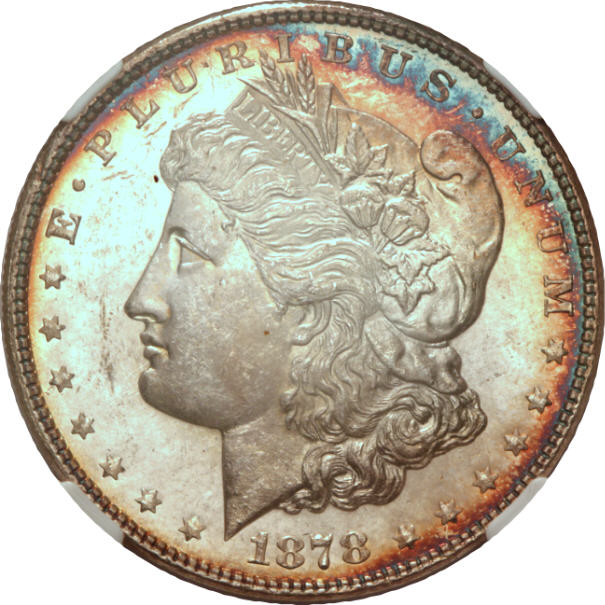
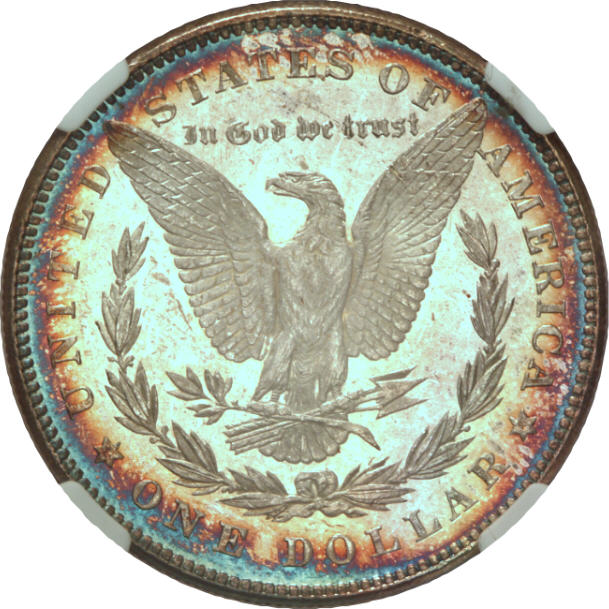
It's pretty obvious that Bryan nailed this one.
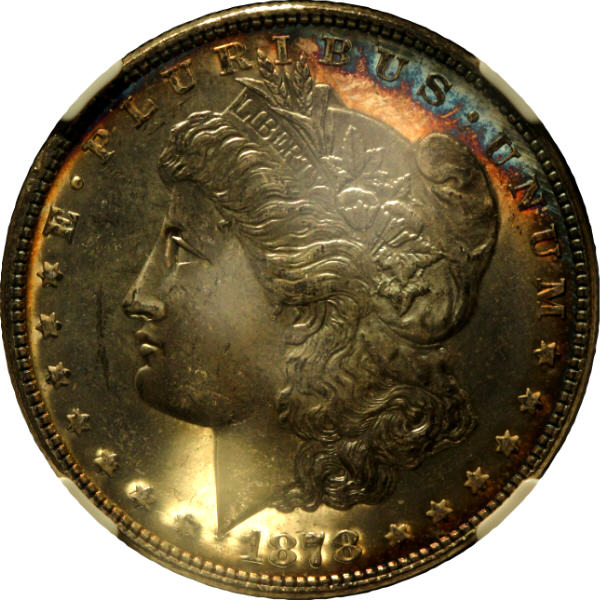
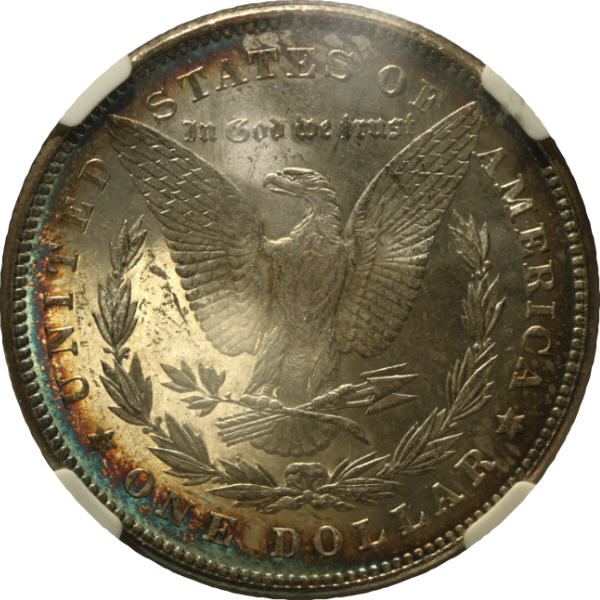
Now, for the next subtopic. If any of you have scanned coins, you've undoubtedly noticed that the greater the luster, the darker the fields of a coin will look under a scan. It's just what luster looks like under a scanner, and that trait tends to carry across all scanners. With that known, I can more easily entertain the idea of calling a coin PL/DMPL (although not deciding between the two) from a scan than from 95% of all photographic images.
I think the same thing is happening here. The fields are bright - too bright, maybe a little overexposed which I'll address in a moment - but you can see a serious "cameo" contrast between field and device. I'm theorizing, having never done this myself, but I have the thought that this is the typical axially-lit appearance of a mirrored coin. Bright fields and cameo contrast, deserved or not, simply because the fields are so much more reflective than the devices.
No, this doesn't show any reflection. But it might just be the smoking-gun trait where, if you know the shot is axially-lit, you can immediately conclude "yeah, this thing has serious mirrors." Just like with a scanned image, which doesn't directly show luster either, but when you see it, you know it's there.
One last point, which I forgot to tell Bryan about in our offline discussion: In order to most faithfully maximize the colors represented in an axially-lit image, you must block all direct light from the light source. The only light reaching the coin must come reflected from the glass. You have to set up an object between the light source and the coin to block any direct light.
This is going to seriously change your settings. You're going to have to run up the ISO - plan on at least ISO 800 and use 1600 if you can without too much noise - and expect exposures down to 1/8 or slower. Don't vary aperture from what you know to be a sweet spot for your lens, but if you can use f/5.6 or wider and still get depth of field, go there.
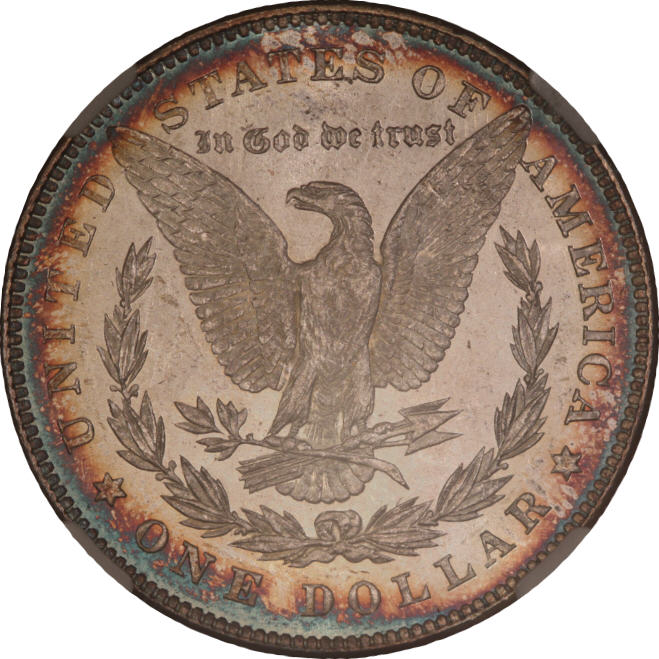
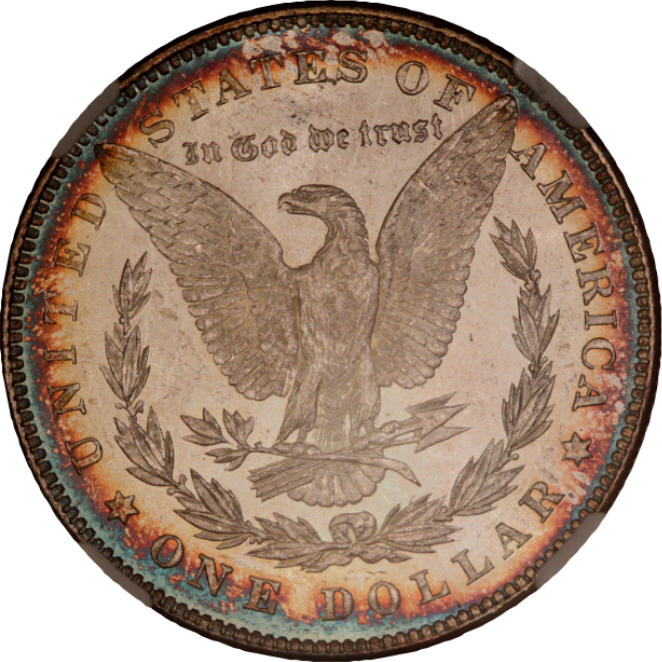
I obtained original images from Bryan, and played a bit in the Gimp to compensate for possible overexposure. In my personal workflow, I perform all operations on original-size images - it's my belief that having the most available pixels possible to alter any parameter is preferable to making any changes after downsizing. All I did with these, in the Gimp, was to reduce Levels to 70% and then impose a Sharpening level of 40%. My last step was to force the 1500px originals to 800px - no, I didn't do it geometrically - and I think Bryan made allowances for the axial lighting because I know his equipment will create 2500px originals - and I saved the result at 80% Quality to reduce the size in kilobytes of the subsequent images.
So these ended up right around 200kb, easy to upload, and it's my opinion that they're a fair representation of what this coin should look like under axial lighting.
And that's the final point. Do whatever the heck you want with the coin in postprocessing. Alter it however you want, to the limit of your skills. Yes, postprocessing is a sword you can use to other ends, but if your goal is a fairer representation of the coin you hold in your hand, then anything goes.
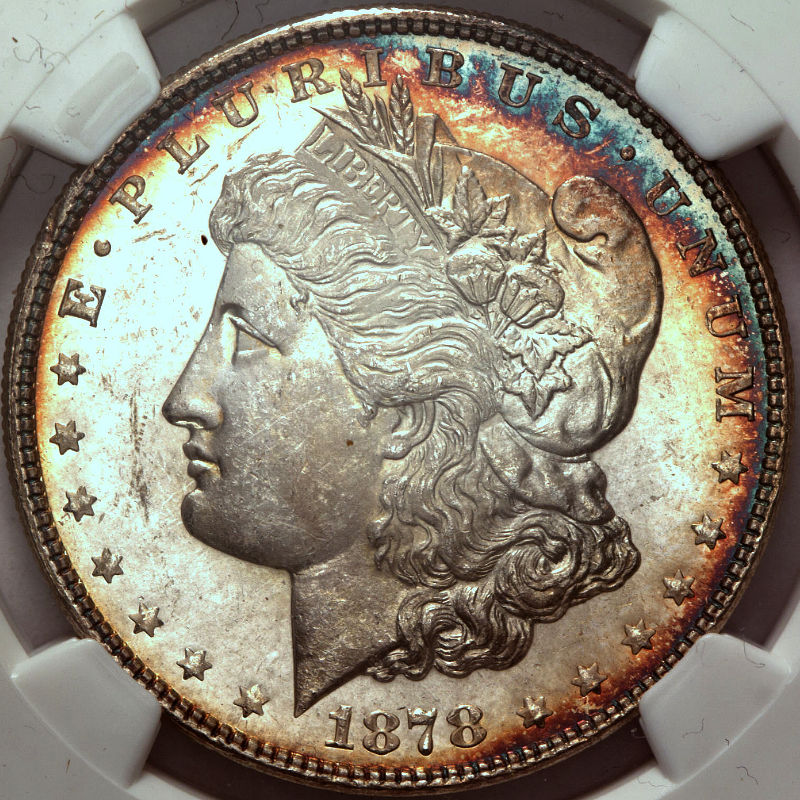
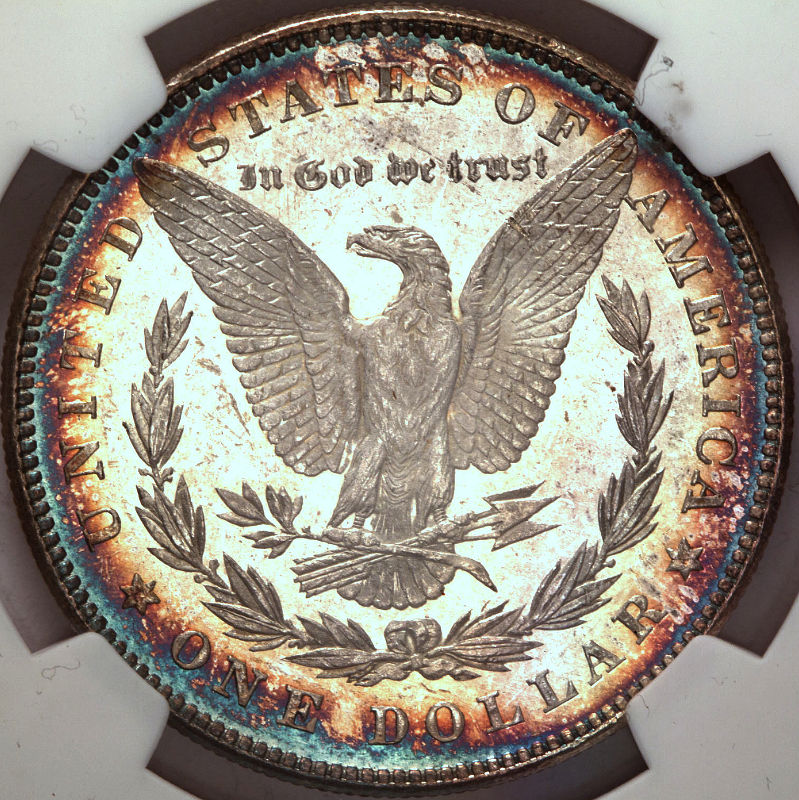
A "standard" axial setup of a 45-degree glass square to the coin will always cause glare on the slab. So you must (and you *can*) vary the angle of the glass. Not a lot; only a few degrees each way. But you can move that glare horizontally on the slab so it's out of the frame, or at least no longer interfering with the coin, and still retain the advantage of capturing the color which is why we use axial lighting in the first place. Furthermore, you can also vary the glass angle off-square. That moves the glare vertically with reference to the slab. It's a second option, or one you can use in conjunction with the other, to put that glare where you want it or minimize the effect on color.
Like everything else related to coin photography, you have to experiment to see what works for you. It won't be easy. You'll have to hold the glass steady - in the face of what's inevitably going to be a longer exposure - while snapping the shot.
It's pretty obvious that Bryan nailed this one.
Now, for the next subtopic. If any of you have scanned coins, you've undoubtedly noticed that the greater the luster, the darker the fields of a coin will look under a scan. It's just what luster looks like under a scanner, and that trait tends to carry across all scanners. With that known, I can more easily entertain the idea of calling a coin PL/DMPL (although not deciding between the two) from a scan than from 95% of all photographic images.
I think the same thing is happening here. The fields are bright - too bright, maybe a little overexposed which I'll address in a moment - but you can see a serious "cameo" contrast between field and device. I'm theorizing, having never done this myself, but I have the thought that this is the typical axially-lit appearance of a mirrored coin. Bright fields and cameo contrast, deserved or not, simply because the fields are so much more reflective than the devices.
No, this doesn't show any reflection. But it might just be the smoking-gun trait where, if you know the shot is axially-lit, you can immediately conclude "yeah, this thing has serious mirrors." Just like with a scanned image, which doesn't directly show luster either, but when you see it, you know it's there.
One last point, which I forgot to tell Bryan about in our offline discussion: In order to most faithfully maximize the colors represented in an axially-lit image, you must block all direct light from the light source. The only light reaching the coin must come reflected from the glass. You have to set up an object between the light source and the coin to block any direct light.
This is going to seriously change your settings. You're going to have to run up the ISO - plan on at least ISO 800 and use 1600 if you can without too much noise - and expect exposures down to 1/8 or slower. Don't vary aperture from what you know to be a sweet spot for your lens, but if you can use f/5.6 or wider and still get depth of field, go there.
I obtained original images from Bryan, and played a bit in the Gimp to compensate for possible overexposure. In my personal workflow, I perform all operations on original-size images - it's my belief that having the most available pixels possible to alter any parameter is preferable to making any changes after downsizing. All I did with these, in the Gimp, was to reduce Levels to 70% and then impose a Sharpening level of 40%. My last step was to force the 1500px originals to 800px - no, I didn't do it geometrically - and I think Bryan made allowances for the axial lighting because I know his equipment will create 2500px originals - and I saved the result at 80% Quality to reduce the size in kilobytes of the subsequent images.
So these ended up right around 200kb, easy to upload, and it's my opinion that they're a fair representation of what this coin should look like under axial lighting.
And that's the final point. Do whatever the heck you want with the coin in postprocessing. Alter it however you want, to the limit of your skills. Yes, postprocessing is a sword you can use to other ends, but if your goal is a fairer representation of the coin you hold in your hand, then anything goes.