| Author |
 Replies: 9 / Views: 1,747 Replies: 9 / Views: 1,747 |
|
|
Valued Member
Australia
493 Posts |
As from my flatbed scanner at 600dpi and put through photobucket.  |
|
|
|
Valued Member
United States
146 Posts |
If a scanner is what you have to work with and your intention was to pick a random worn and beat up coin to scan and post,
it worked.It adequately depicts a 20 Euro(had to look it up).So it gave enough detail for that.
It still lacks the sharp and clear detail that a decent P&S with a good macro mode would give you.
regards
coffeecup57
|
|
Valued Member
 Australia
493 Posts |
Thank you coffeecup57.
Yes I have seen some coin image so clear you could reach out and grab them!
|
|
Valued Member
Australia
60 Posts |
if coffeecup57 is seeing a 20euro it must be a terrible image  I have never scanned a coin before but it seems to do a good job ,could be a bit lighter and sharper. Use photo shop myself has photobucket got levels and unsharp mask these can help .What did the image look like before you processed it and lastly is more detail gained from more DPI |
|
Valued Member
Australia
493 Posts |
Hi CudLee Photobucket seems not to change the clearness of the image it just get the image to a size that will be accepted by CCF posting. If I scan at 1200dpi the image does become a lot clearer. My scanned image even though it insults the coin image specialist was not my intention to do that. I just wanted to get an image that showed up the true condition of the coin. I see a lot of images that have reflected glare interfering with the ability to see the coin with any clearness at all. I am happy that the image is clear enough so as not to deceive a buyer on ebay for instances. |
|
Valued Member
Australia
60 Posts |
i think it would be fine for ebay and the likes after some of the cruddy shots I have seen on there , just a wee bit lighter |
|
Valued Member
Australia
493 Posts |
Australia 20c shocker take II. scanned at 1200dpi and lightened.  Edited by kg5
02/25/2013 05:05 am
|
|
Valued Member
Australia
60 Posts |
great image kg5 you can see every dent and scratch , nice and crisp .Did some scanning last night as a test against my P&S with mixed results , main thing I noticed was loss of luster tried a few things but could not get the shine that my camera gives ,positives were sharper images with scanner especially edges , I hand hold camera , dull coins like worn $1 coins came up a treat much better colour 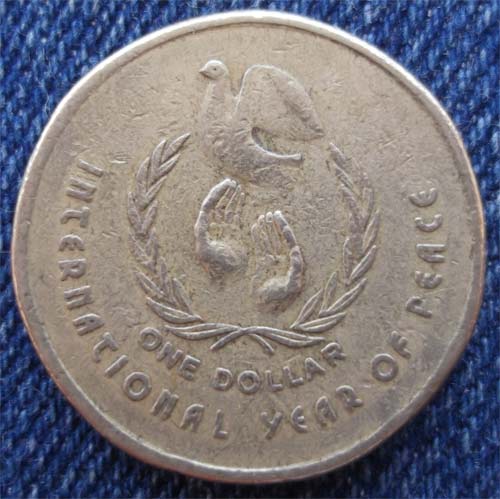 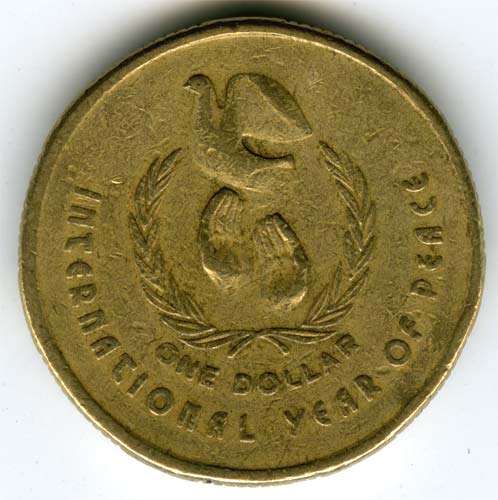 |
|
Valued Member
Australia
493 Posts |
Wow! That is awesome! Great experiment! Your time and effort has helped me greatly. Thank you! At least now I know I can communicate with my coin images on CCF which is a great relief for me. Happy Noodling. kg5  |
|
Pillar of the Community
United States
511 Posts |
KG5 I think your images are OK, definitely good enough for sharing online and ebay selling. The second, lighter, image is better. You should try different metals to see how they image. Silvery coins like coppernickel or steel are sometimes so reflective they're hard to work with. The only thing I'd like to add is to think about which direction the scanner light source is coming from. On your images the light is coming from the bottom 6 o'clock position which is rarely ideal. On images with human faces its even more noticeable. Look at cudlee's first image from the camera. Notice the bright spots on the rim and the hands. The light is coming from 12 o'clock. On cudlee's scanned image and both of your scanned images the light is coming from the bottom. This can be changed by rotating the coin in relation to the scanner beam. |
| |
Replies: 9 / Views: 1,747 |
|






 Posted 02/24/2013 5:56 pm





