| Author |
 Replies: 10 / Views: 1,136 Replies: 10 / Views: 1,136 |
|
|
Valued Member
United States
390 Posts |
I really hope this is the right area for this request. I couldn't figure out where it should go, so sorry if it's in the wrong place. Here's what I need to know. I have Photoshop and I used to be able to take a photo of a picture and change it to blue (Ageka told me how to do it, but that post is long gone and I can't find it anymore). It really helps to show any potential problems with a coin and I need to look at a few and I can't figure it out. I am no expert with this program, but this little feature is so helpful. Is there anyone who can tell me the steps I take to get to the point of being able to change the actual coloring of the coin? Thanks  |
|
|
|
Pillar of the Community
United States
1767 Posts |
Guido,
If you remember the topic in which Ageka posted that info, click on his ID and then click on the "Find all non-archived posts by ageka" which will bring up all post he made. I tried but have no idea what the subject was about when he posted the feature you are searching for. Maybe in the Coin Photography Forum?
mila_
Edited by Mila_cent
06/02/2007 6:48 pm
|
|
Pillar of the Community
Australia
1092 Posts |
I think that is the 'negitive' technique in most photo programs. All the light marks go dark and the dark go bright with an overall appearance of Blue. In Microsoft Photo Editor choose 'Effects' then choose "negitive" Negitive 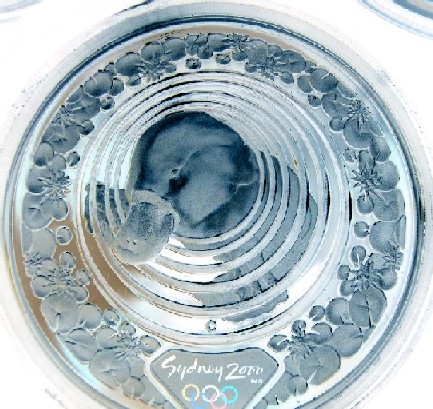 Origional 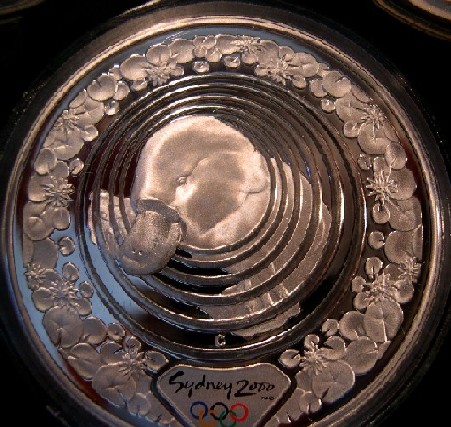 Edited by toast
06/02/2007 8:36 pm
|
|
Moderator
 United States
23522 Posts |
I use Negative more than I change the color, but it works just as Ageka says. In Photoshop (I don't know which version you use and I'm unfamiliar with the newer ones), look for How to Change Hue and Saturation in the Help section. That'll give you a couple of ways to skew the color towards the blue end of the spectrum.
Me, I've switched to The Gimp. Haven't even got Photoshop installed on this new computer yet. The Gimp is worlds better than Photoshop with Sharpness filtering, but not as good with color adjustments, in my opinion.
|
|
Pillar of the Community
United States
2254 Posts |
I have Photoshop CS2. You can change colors in:
Image\duotone\then select whatever secondary color you want.
Not sure if this is what you're looking for, but it will change color. You only have about a million colors to choose from at that point.....
|
|
Pillar of the Community
Belgium
2078 Posts |
Hi Guido All I explained was in the Coin Grading Forum I have iphotoplus and it has something called color balance and Hue and Saturation As I explained the eye sees 400% better in blue then in yellow ( and a 1000% better in gray but that should be used after blue and green if at all because gold is not nearly grey it may work for silver) You want to blow the color balance in blue too the max to start with and maybe the green on top if necessary I add a snaggit pic of my screen 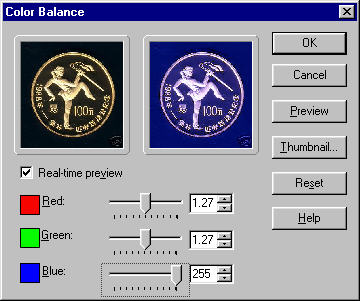 |
|
Pillar of the Community
Belgium
2078 Posts |
Especially goldcoins that were glued onto pages can be detected this way also if a fool has used testiing acid on the face of a goldcoin (saw that twice the coin was ruined of course ) 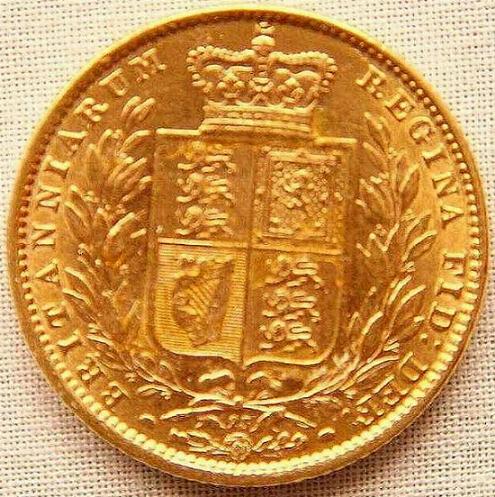 |
|
Pillar of the Community
Belgium
2078 Posts |
Oh yes and the blued version where you see the glue 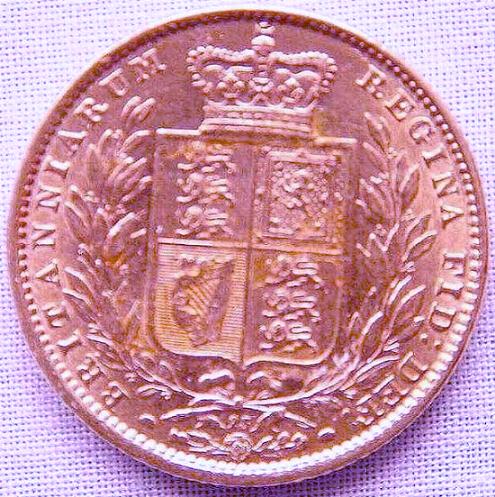 |
|
Valued Member
 United States
390 Posts |
Thanks for all the advice! I knew I could count on everyone here to help me out! SuperDave, That was the ticket! Once you open a picture you go to image/adjustments/hue,saturation. Mila, the post is archived, so I don't know how to get to those posts. I went under his name but it doesn't go that far back. Can we access archived posts? Here is the coin I wanted to look at. I was concerned about the black mark where the "t" in Liberty should be, also the wear on her hair. I don't know if it's a weak strike or something else. I'll post it in the grading forum for everyone's thoughts: Image: 3 Cent Nickel /a .jpg" target="_blank" rel="nofollow">  1865 3 Cent Nickel.jpg 51.15 KB Here is the blue version: Image: 3 Cent Nickel /a blue.jpg" target="_blank" rel="nofollow"> 1865 3 Cent Nickel blue.jpg 62.28 KB |
|
Pillar of the Community
Australia
1092 Posts |
And for a third view this is the negitive 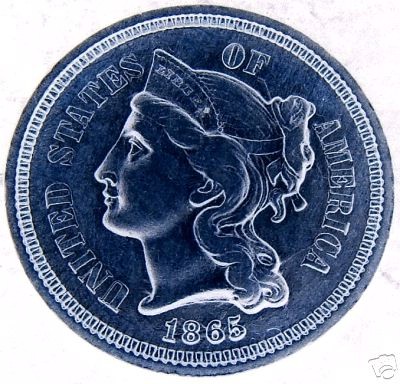 Edited by toast
06/03/2007 6:39 pm
|
|
Valued Member
United States
390 Posts |
Toast, That is an intersting picture too. Between the two, one should be able to get a pretty good idea of what is, or isn't, wrong with a coin. |
| |
Replies: 10 / Views: 1,136 |
|










 Posted 06/02/2007 8:33 pm


