| Author |
 Replies: 21 / Views: 3,580 Replies: 21 / Views: 3,580 |
|
|
|
Pillar of the Community
 United States
7376 Posts |
Not bored at all here. I really appreciate your response. Hopefully this thread will also help a few lurkers/shy people who also have Kodak cameras and average lighting  Pardon the digression. Will try and respond in order. Yes I do have the manual, thanks. I have been using the fluorescent choice for white balance. In regular P&S mode I was getting green/yellow photos, so the 'fluorescent' white balance is doing much better. Will probably try 'auto' to see what happens. Thanks for the suggestion to switch to a white background. Am anxious to try it. Will typical copy paper work? Will definitely look for any 'color,' and/or for the shade of grey. I feel a little better knowing that if the background color is correct, the coins color is correct. So let me ask a stupid ? In your photo, the background is actually white, but shows as grey. Is your coin's color correct? Or am I comparing apples and oranges, or as long as it's some shade of grey, you're ok. I think I am using center-weighted metering....will switch to spot. On a side note, there is a mode on my camera called Program Mode, which automatically controls the aperture, and shutter speed, but allows control over exposure compensation. That might be worth a try. Yeah, I'm drooling over the Jansjo lights, but am still trying to recover from an August coin spending spree  Time to get back to work now after spending a shameful amount of time online. Thanks again. Ed |
|
Pillar of the Community
 United States
4051 Posts |
"White" is just a shade of grey. All shades of grey are equal R,G, and B values. The only time "white" looks white on-screen is if it's fully saturated (RGB values of 255,255,255), or nearly so. What you're trying for is a white background that looks white to you with the lighting you will use to shoot the coin, and when your white balance is correct it will read equal RGB like 100,100,100.
Contact me for photographic equipment or visit my home page at: http://macrocoins.com |
|
Pillar of the Community
United States
7376 Posts |
Thanks for the 'white being a shade' of grey explaination. Tonight when I got home from work, replaced all 4 fluorescent bulbs, and lowered them a couple of inches. Raised the coin up 5" from the desk, and now with the lens extended, it is only 6" from the coin. I changed the metering to spot focusing. The 4 foot bulbs are 12" above the coin. Didn't think this camera was supposed to focus closer than about 8", but when I looked at the photos, they looked focused to me. They also looked pretty good and I got really excited. I only took 3 shots. ISO 100, f2.8, and the 3 shutter speed were 1/125, 160, and 200. the auto exposure comp varied from a little above, to a little under, exposed. These are totally raw, less cropping. Left some background for comparison. I definitely see some improvement, and no more shadow on her face. Please give me your opinions. I think I like the middle one the best. Mucho thanks again.  Ed 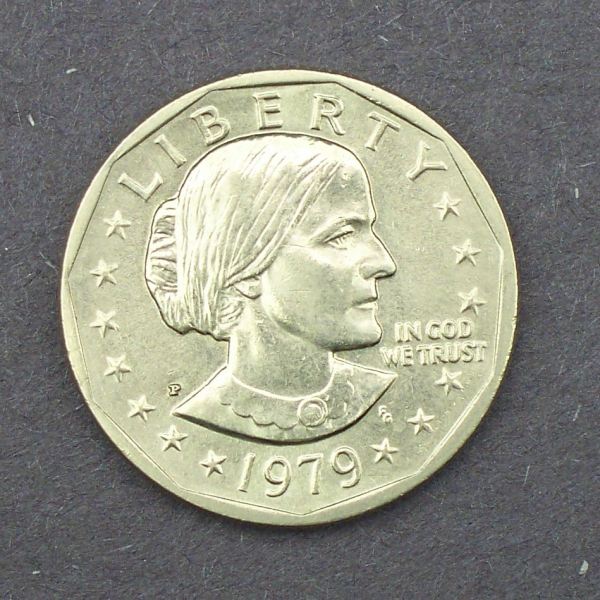 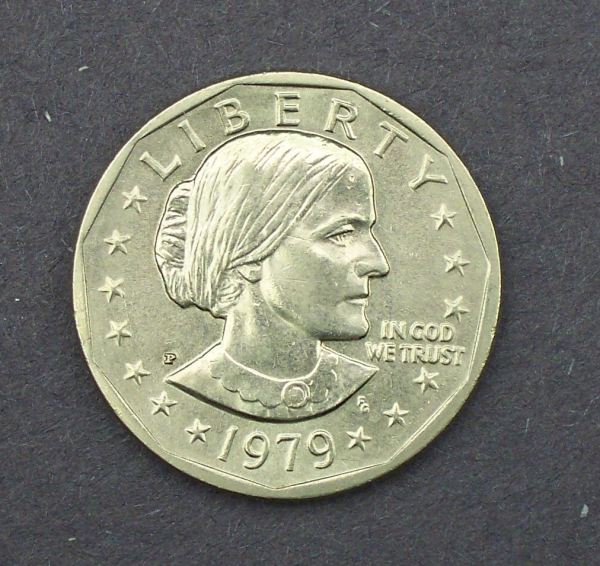 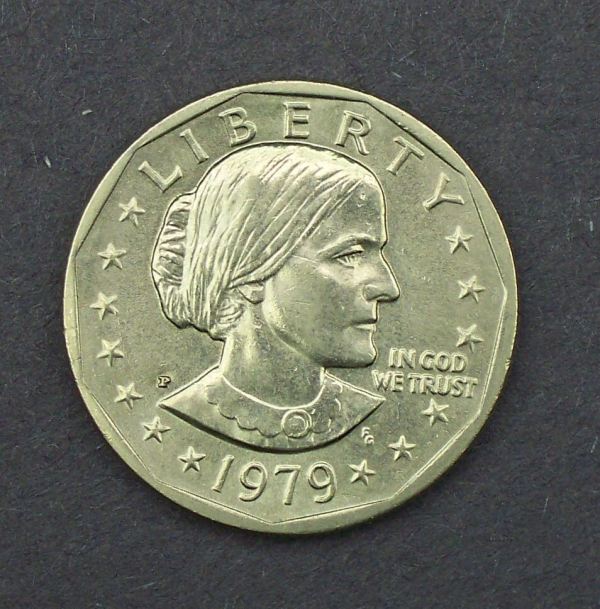 Didn't have time to do much tonight. these swing shifts really get in the way of my hobbies  |
|
Pillar of the Community
United States
4051 Posts |
Looking better. Still 2 things to do: 1) Rotate the coin until the IN GOD WE TRUST is level 2) Still too much light hitting the top of SBA's head, causing blown-out highlights. Try moving the light on the right a little lower to get rid of the highlighting under the eye. And one new thing...the lights seem to be at a lower angle now. Shadows around the devices are now edged with highlights. Try bringing your lights up a little higher. I expect this is a byproduct of your having the camera closer to the coin, as now you have less room for the lights. This is the classic problem with Point and Shoot cameras, and with short macro lenses on DSLRs or MILCs. The lens or camera or both get in the way of high-angle lighting... Contact me for photographic equipment or visit my home page at: http://macrocoins.com |
|
Pillar of the Community
United States
7376 Posts |
Ray thanks, I will work on getting the IGWT level. Working room is a bit of an issue. I thought it was level 'til I saw the picture. Doh! Will also work on the lighting a bit. I'm using 2, four foot long, 2 bulb fixtures. I think they are 35W, 4100K, Cool White bulbs. They are suspended, and centered, right to left, above the coin. There is no right or left light, more like front and rear. I could probably raise or lower one side or the other. I think the coin is sitting more under the front light, so the back light is shining on her head. I will try and adjust them a bit, and maybe post a photo or two to show what I'm working with. Thanks again. Ed
|
|
Pillar of the Community
United States
7376 Posts |
Interesting.....so I tried a white background, and compared the 'fluorescent' white balance setting to the 'auto' setting and the auto actually did a little better job. The white showed up just a bit purple using the F setting, and looked white using A. Which looks better? AUTO 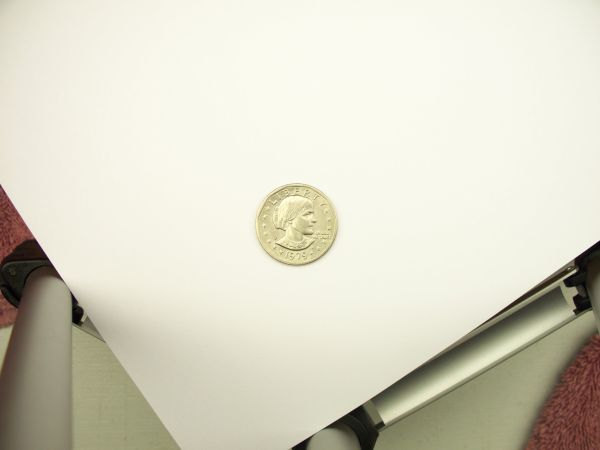 FLOURESCENT 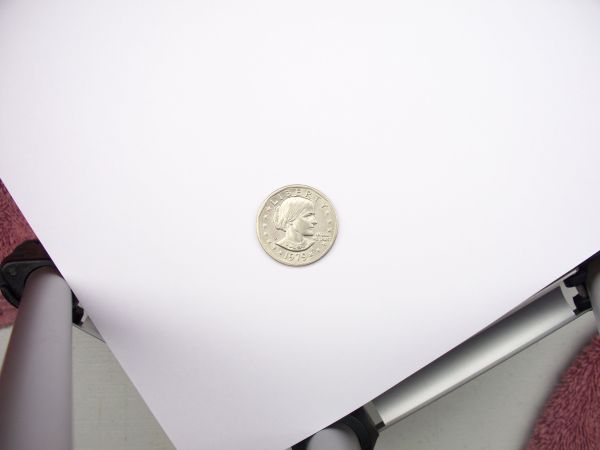 I must be a bit of a color freak...kinda like the touch of purple, but not sure if that's the consensus. I really like the one that would sell the coin better Thanks. Ed |
| |
Replies: 21 / Views: 3,580 |








 First Page


 Posted 10/21/2013 10:09 pm


