| Author |
 Replies: 21 / Views: 3,575 Replies: 21 / Views: 3,575 |
|
Pillar of the Community
United States
7376 Posts |
I am using a Kodak Z1485IS(with a 35mm-175mm lens,) and a tripod.
I can get to about 8" from the coin before the AF won't work.
-Should I use the zoom at all?
-What megapixel should I set the camera at? It goes up to 14MP.
-What is a good starting point for the settings for aperture, ISO,and shutter speed?
-What should I tweak if the pictures come out too light or dark?
Just trying to get comfortable with the camera I have before taking it to the next level.
Thanks. Ed.
|
|
|
|
Pillar of the Community
 United States
4051 Posts |
Ed...use the max zoom you can to try and frame the full coin in the viewfinder. Use all the MP you have available. Start at about f4, ISO 100, and let the shutter speed vary to get proper exposure. Post a shot and we'll help with determining what to do to fix any problems...Ray
|
|
Pillar of the Community
 United States
7376 Posts |
Feel kinda lame answering my own post, but here goes. This is the best photo I took tonight. I feel the unc coin could be shinier, but I'm proud that the black/dark grey background came out good. There are no enhancements less cropping. I used the tripod as low as it would go and the coin flat on my desk 11" away from the lens. NO zoom. 14.2MP, f2.8, 1/80 shutter speed, ISO of 80, 2 sec delay, and white balance for flourescent light. The lights were about 20" above the desk. The white balance correction did an ok job, compared to the green/yellow it would have been in P & S mode. 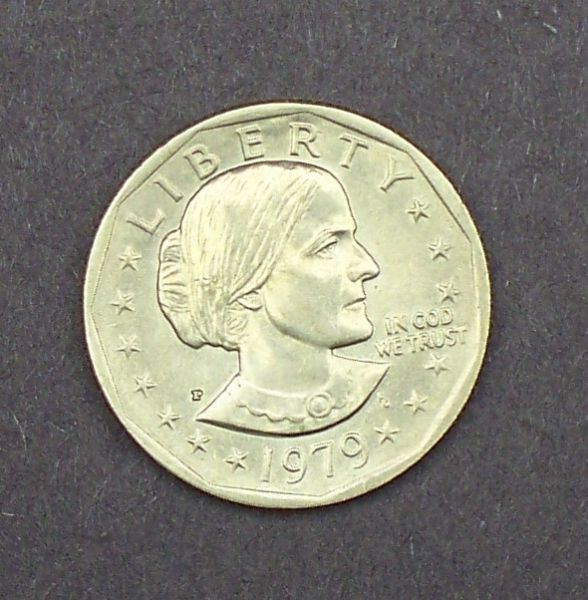 Tried the coin exactly 8" from the lens, but had trouble consistently focusing. Could probably get closer than 11" next time though.....maybe 9". I know I probably turned a lot of people away by mentioning a Kodak camera, but if that didn't do it, maybe that I'm also using flourescent lighting will seal the deal :-) I'm still on the steep part of the learning curve and having fun with a 0 dollar outlay so far. It's my wife's old camera, and had the tripod laying around with 2 four foot light fixtures. With the camera I have, is there anything I can do to improve the picture? Thanks. Ed |
|
Pillar of the Community
United States
4051 Posts |
Ed...first, turn the coin so that IN GOD WE TRUST is horizontal. Second, increase your shutter speed as you are over-exposed. You want the peak exposure values to be near the center of the histogram. After that, send us an un-cropped picture, as it's hard to tell how much cropping you've done. Here's your pic with the levels adjusted so that the histogram peak is nearer to the center:  |
|
Pillar of the Community
United States
7376 Posts |
OK, thanks Ray. I will try your suggestions. I'm just learning, but have heard about histograms. I think my camera has that feature. Thanks. Ed
|
|
Pillar of the Community
United States
4051 Posts |
Ed...your camera may have histograms but the editing program you use very likely has them. Another thing to do when you take the shot is to slightly under-expose. Are you doing manual mode? I recommend aperture priority, which lets the camera decide the shutter speed to achieve proper exposure. But the metering will drive exposure so that the brightest highlights will be full-scale, and that's often a problem. If you can set the camera for Aperture Priority (A mode or may Av mode) and also set the Exposure Value about -.33 or -0.5Ev, you will mostly avoid over-exposing the highlights. I'm not sure if your camera has these modes, you'll need to check. If not, then you'll just need to set camera on Manual and then take a sequence of shots with different shutter speeds, and pick the best one based on evaluations with your software...Ray
Edited by rmpsrpms
10/20/2013 2:48 pm
|
|
Pillar of the Community
United States
7376 Posts |
I took a bunch of photos tonight. There are 2 modes I can choose from. Manual and Program. Manual Mode gives me more control....over aperture, shutter speed, and ISO. The exposure compensation is automatic. Program Mode lets me choose exposure compensation and ISO, and the aperture and shutter speed is automatic. I used Manual Mode tonight. No cropping! Wasn't able to zoom in much. I tried 2 distances from camera: 1. The tripod was at it's lowest, and coin was raised up on desk about 8 1/2" from lens. I could use a minimal zoom. 2. Tripod was raised a little, and coin was flat on on desk at distance of about 14". Minimal zoom was possible. I was able to see the histograms in my viewfinder. I'm not sure if my editing software has it or not. Again, shoestring budget right now. I have an old Paint program, and also use the Kodak Easyshare software...which isn't too bad, but probably doesn't have a histogram. In general, IMO, the best pictures were in the aperture 3-4 range, shutter speeds around 1/125, and exposure correction of -0.5 to -1.5. The ISO was kept at 100. I optimized a few of them to post. Not sure how many will be allowed. I tend to like a brighter looking coin, so maybe opinions are a bit subjective. But then again histograms don't lie. The focus isn't that great on some, but I think I can do better on that. Please give me your opinion on these photos. I have the settings written down for each photo. Wow, they all uploaded! Thanks. Ed 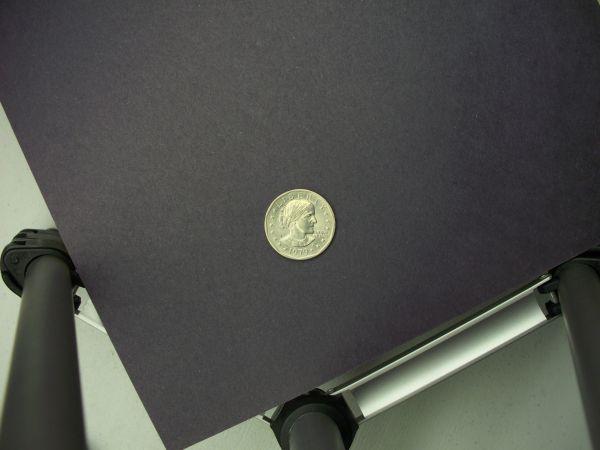 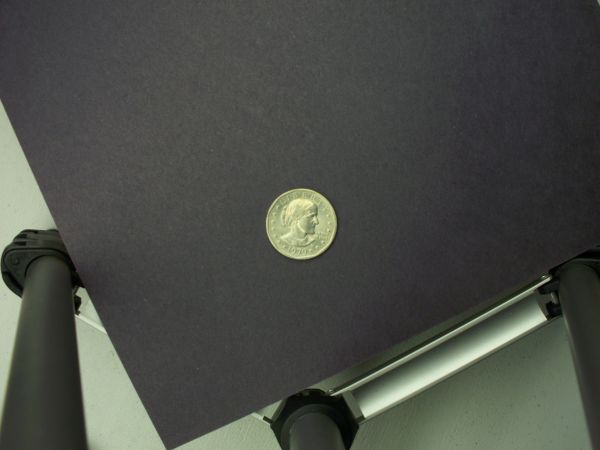 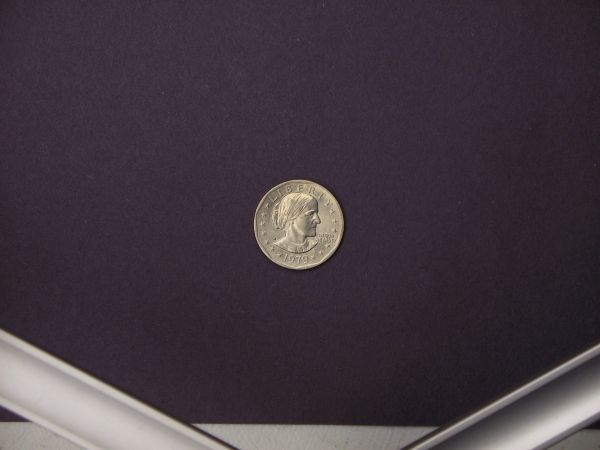 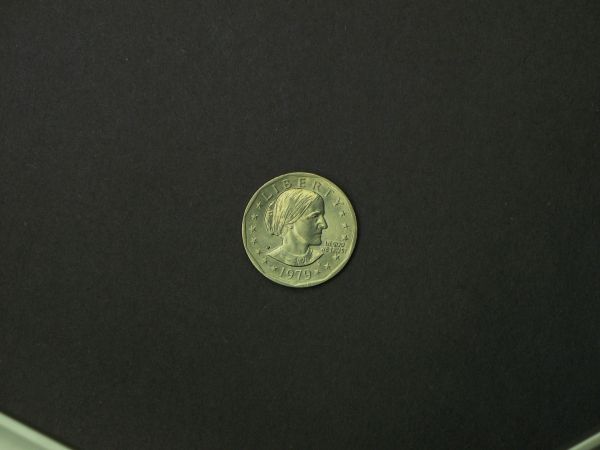 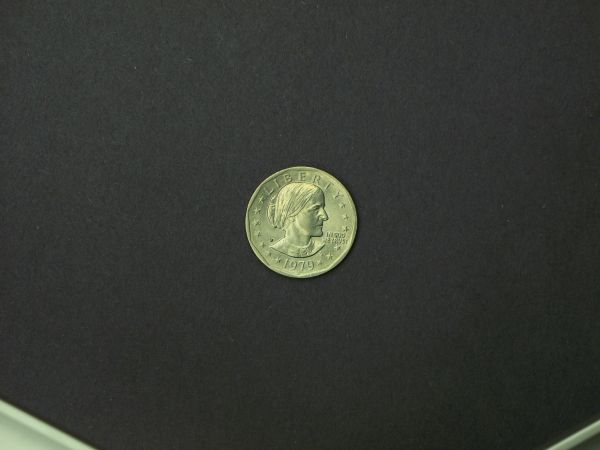 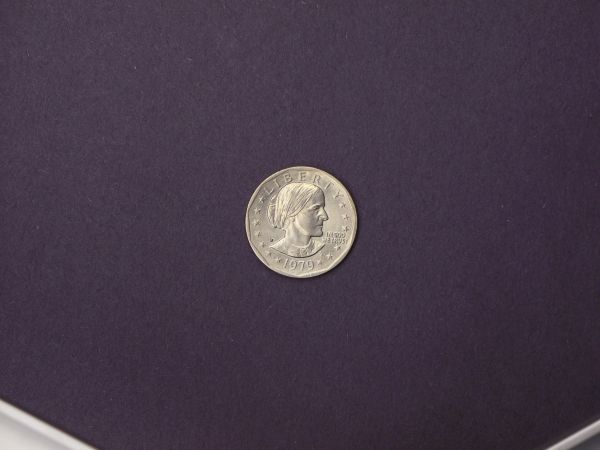 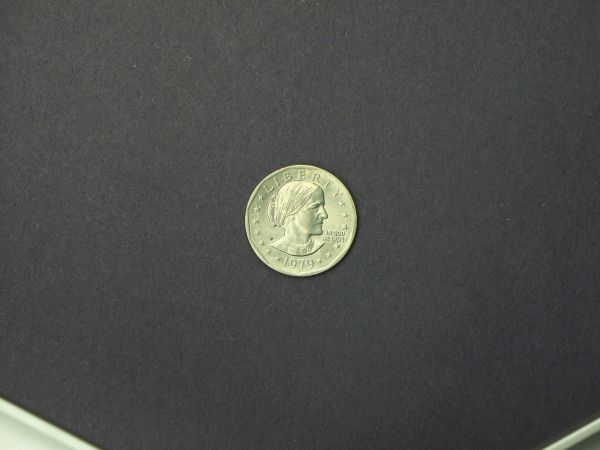 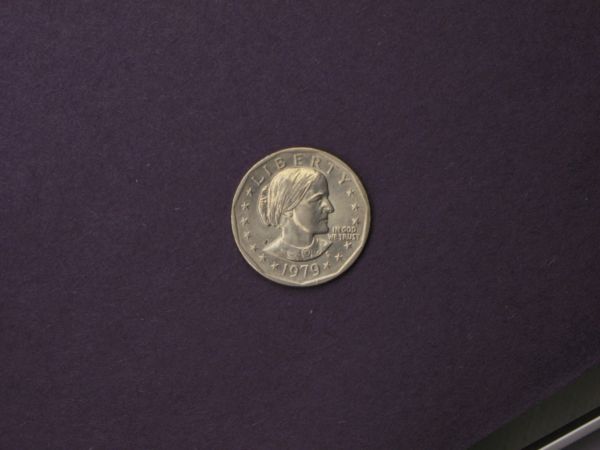 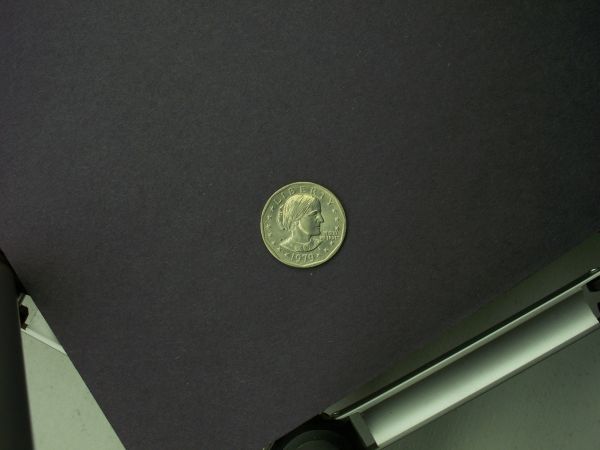 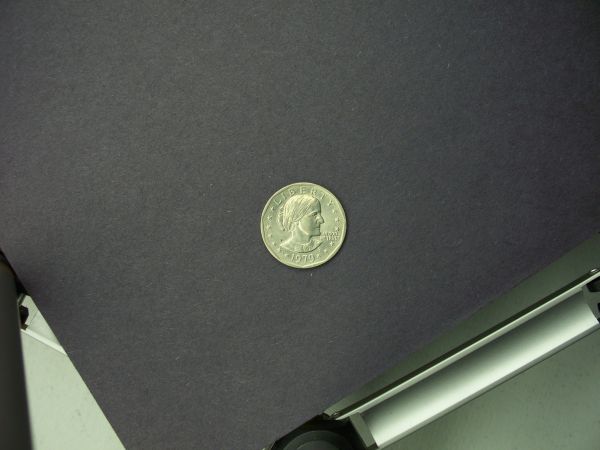 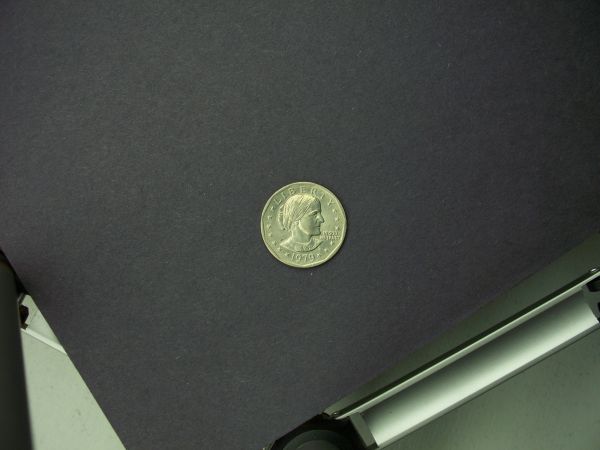 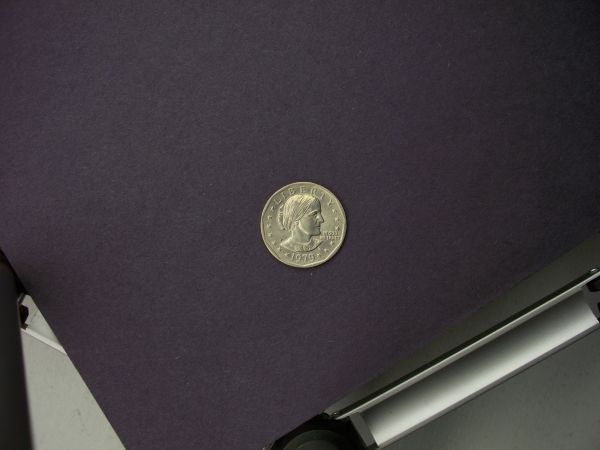 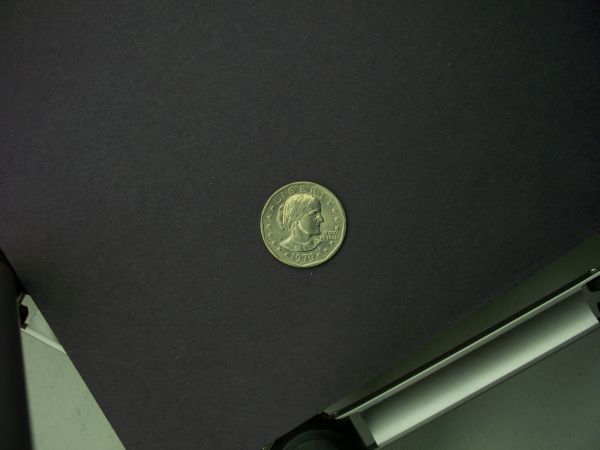 |
|
Pillar of the Community
United States
4051 Posts |
I'm expecting the best shot will be the one with the highest magnification, as long as the focus is good. That said, it's hard to tell since the images are not full-size so we can't look at them in detail. So, likely the 6th from the bottom will be the best. Can you do a 100% crop and re-post the crop?
|
|
Pillar of the Community
United States
7376 Posts |
Sure no problem! This one had an aperture of 5.9, a shutter speed of 1/50, and an exposure compensation of -1.3. The coin was a bit too close to the lens, so the zoom just put it out of focus. After I uploaded the pictures I noticed that the cameras Program Mode was pretty cool. As I was looking at the histogram in the viewfinder, and increasing exposure compensation, the histogram was moving from the left towards the center. Unfortunately I don't have any software with a histogram. I can enhance pretty good with the Kodak software though. This crop looks really out of focus. Thanks again. Ed 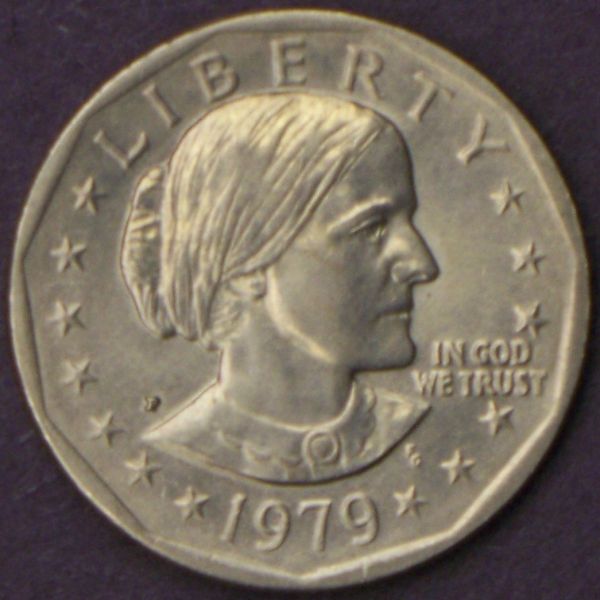 |
|
Pillar of the Community
United States
4051 Posts |
Much better from exposure viewpoint. Now just fix the focus issues and you'll be doing fine. Only critique I have is that it's more natural to have the light hit the subject in the face. It looks like you are lighting the coin mostly from around 10:00 but I don't see a corresponding 2:00, and this is making the face dark and the overall coin unbalanced...Ray
|
|
Moderator
United States
23522 Posts |
Keep in mind, with a zoom lens the minimum distance at which your camera is capable of focusing changes depending on the zoom. Zoomed all the way out, your minimum focusing distance is 7.9". Zoomed all the way in, that distance increases to 19.7", and it will be on a sliding scale for zooms in between. The ultimate size of the coin on the lens tends not to vary much for that reason, and I usually default to "zoomed all the way out" because most point-and-shoot camera lenses tend to be sharpest at that setting.
|
|
Pillar of the Community
United States
7376 Posts |
Thanks guys. Really appreciate it! You are right about the face shadow. I changed the angle of the tripod so 2 legs would fit square on the desk, and I could see the viewfinder better, which made the light come more out of 10 o'clock.....and it shows. Will have to straighten things out again.
Ray, just curious...if you had to pick a second coin out of the lot, which one would it be? If I had to pick one, it would be more like the one above the one you picked. Maybe I'm just currently biased toward a brighter looking coin and a background which looks more "black/grey" than purplish. But that's just me :-) Am also a little nervous that I won't be able to recreate exactly the one you picked, because I'll have to lower the coin a bit to focus properly. Thanks again. Ed
|
|
Pillar of the Community
United States
7376 Posts |
Here's one I took at the end of the session last night. I had it as close as I could get it with no zoom, f3,1/125,ISO 100,-0.7 correction. I cropped it and enhanced it a "little." Probably should have cropped it more. 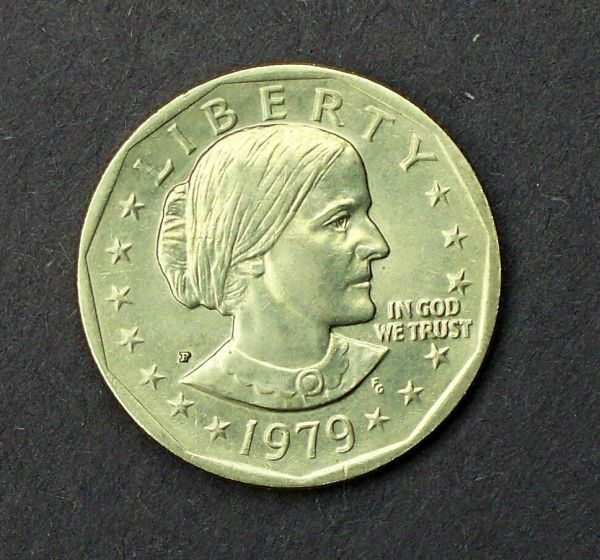 Any better? Worse? Thanks. Ed |
|
Pillar of the Community
United States
4051 Posts |
Ed...that's looking much better from all perspectives. Still not quite flat, though :) Is the color correct? ...Ray
|
|
Pillar of the Community
United States
7376 Posts |
What do you mean by 'still not quite flat, though?' Are you talking about IN GOD WE TRUST not quite level? I think I also have a bias toward her looking a hair upward....more distinguished looking...chin up :-) Color? Hummmm......... The color could be actually very close, but just not sure. In real life it's shinier, which also might make it "seem" a bit brighter/lighter in color. Would brighter lights help bring out more luster in a photo, or is the camera a limiting factor. Have actually sold a few (should say 'given away for a song')on ebay, a few that look like this. A totally rookie picture, way too light and hot/bright, but at least it seems to look shiny to me. If I could add a little shine to the photo in the last post I'd be happy. Maybe getting greedy here :-) At least think the bulbs in my fixtures need to be replaced, and maybe lowered a bit closer to the coin if possible. Can't thank you enough. Ed 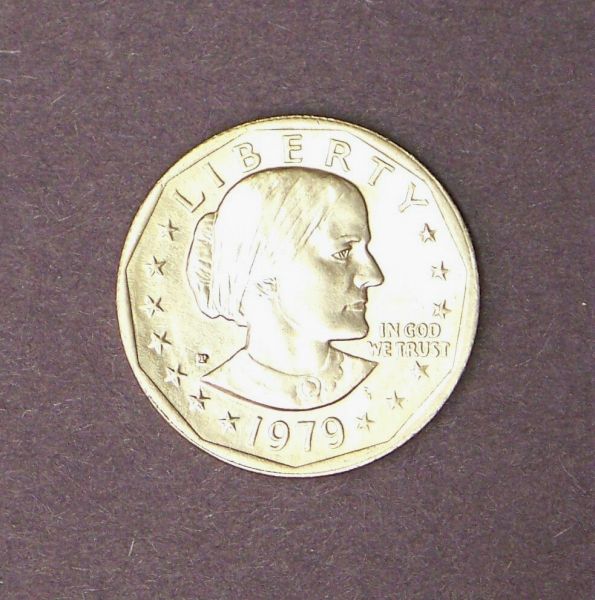 |
|
Moderator
United States
23522 Posts |
Quote:
The color could be actually very close, but just not sure. In real life it's shinier, which also might make it "seem" a bit brighter/lighter in color. What we're talking about here is White Balance. White Balance 101: Every form of lighting has a color. You'll note that standatd incandescent lamps in your house are a bit "yellowish," fluorescent lamps are a bit whiter, sunlight is quite different, etc. This color is measured in Kelvin, the same scale used for the colors of stars (the temperature "Kelvin" is a different scale). The Kelvin scale runs from theoretical zero to 10,000. An incandescent lamp is about 2800k, the standard "Cool White" fluorescent is 4000k, and daylight at Noon is about 5500k. Your camera has to figure this, and apply correction for the color "cast" thrown by differing-color lighting. The Z1485IS has no ability to create "Custom" white balance settings, which is a handicap. Do you have the manual for it, by the way? If not, here (.pdf): http://resources.kodak.com/support/...G_GLB_en.pdfSo you need to use either the "Auto" setting on your camera, or one of the presets: Daylight, Tungsten (the setting for incandescent bulbs), Fluorescent or Open Shade (shade is actually, believe it or not, a higher color temperature than daylight - about 6000k). I'm guessing you're using Auto right now. Some cameras are pretty darn good on Auto, others not so much. Here's how you tell how well you're doing, now that you've realized it isn't really as easy to decide if the coin is the right color, depicted on a computer monitor, as it is in-hand (  ): Switch to a white background for a few shots. That background is going to tell you the quality of your white balance. You're OK as long as it's pure white, or some shade of grey. If you see any "color" at all in it, your white balance is off. That degree of grey is also a rough (very rough) estimate of the quality of your exposure - the darker the grey, the more you're underexposed. But the trouble is, the more lustrous a coin is, the more "underexposed" a background needs to be for the bright coin to be properly exposed. Here's an example: 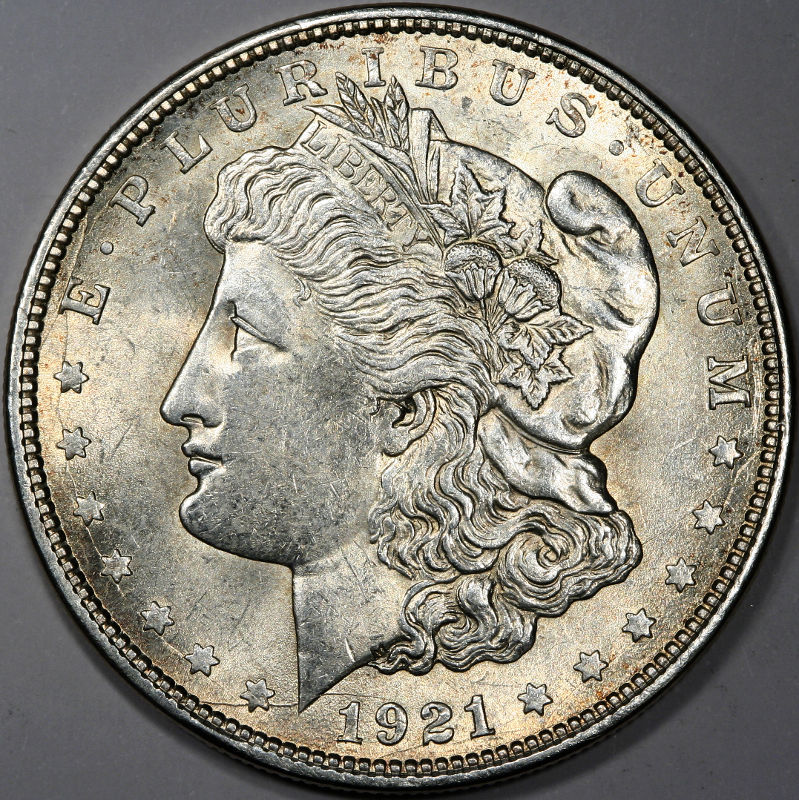 The coin itself is appropriately-exposed, but the background (which I know to be white as I shot this) is not only grey but varying in shade of grey depending on how the pattern of the lighting I chose falls on it. Your takeaway from all this is, as long as your background color is accurate, you can assume that the coin's color is accurate as well. And you're correct in thinking that how "bright" the coin is in the image (either luster or exposure) has a bearing on how the color will appear. This is a known phenomenon, and the more savvy members looking at your images in the forum will take that into account. One last thing, while I'm going off on color and brightness: If you have not already, set your Metering to "Spot." This will force the camera to take its' exposure information from the very center of the image, where you can be sure that the coin itself will be what the camera used to determine ISO, exposure and aperture (depending on how you're telling it to operate). "Center-Weighted" is also an appropriate choice, but cameras differ in how much weight they give to the center of the image or how large that "center" is, so stick with "Spot." One more thing. Quote:
Would brighter lights help bring out more luster in a photo, or is the camera a limiting factor. Luster needs direct light to present. The closer you can get your lighting to a "point source," the easier you'll find it to depict luster. As a bare minimum, "standard" household light bulbs are probably the "largest" source which will depict luster. Tube fluorescents won't do such a good job. This is partly why we're such fans of the little Jansjo LED lamps (available at Ikea) around here (in addition to the fact that they're cheap ( )) - they're very small and as close to a "point source" as one can get with lighting. You can always add some diffusion to them, for those conditions when diffusion might be recommended, and I'm not getting into that end of things right now. This wall of text is bad enough.  The tradeoff for "point source" lighting is brighter and darker areas on a given coin. You can see that in my image above - the darker areas towards the rim. I personally don't consider that a bad thing - the contrast helps to emphasize the coin's luster, to me. There. That should be enough to bore you and everybody else reading for at least one more day. |
| |
Replies: 21 / Views: 3,575 |










 Posted 10/20/2013 01:02 am


