Coin Community Family of Web Sites Join Thousands of Coin, Bullion, & Money Collectors
Coin, Banknote and Medal Collectors's Online Mall Royal Canadian Mint products, Canadian, Polish, American, and world coins and banknotes. Specializing in Modern Numismatics Join Thousands of Coin, Bullion, & Money Collectors Vancouvers #1 Coin and Paper Money Dealer 300,000 items to help build your collection! Royal Estate Auctions - $1 Coin Auctions


Username:
Password:
Save Password
Forgot your Password?


This page may contain links that result in small commissions to keep this free site up and running.

Welcome Guest! Registering and/or logging in will remove the anchor (bottom) ads. It's Free!

Cropping Images

To participate in the forum you must log in or register.
Author Previous TopicReplies: 4 / Views: 1,889Next Topic  
Pillar of the Community
Cruisinfusion's Avatar
United States
1531 Posts
 Posted 07/13/2014  3:19 pm Show Profile   Bookmark this topic Add Cruisinfusion to your friends list Get a Link to this Message Number of Subscribers
I posted this on someone else's topic in the U.S. Coin forum to teach them how to crop, but decided it would be nice to post it here, maybe someone will find it useful.

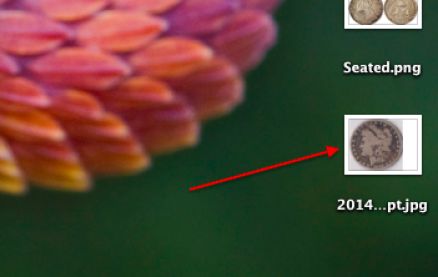
MAKING YOUR IMAGES BETTER: (by Cruisinfusion) On a Mac... Drag the image to your home dock or desktop
Cropping-Images

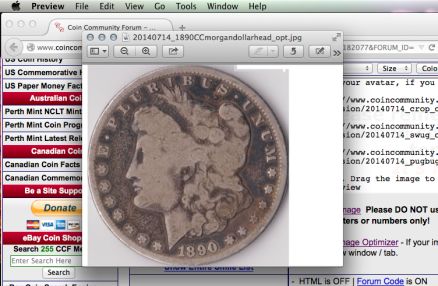
Then, double click the icon to make it larger. It should appear as a small window at the top of your screen, so...
Cropping-Images

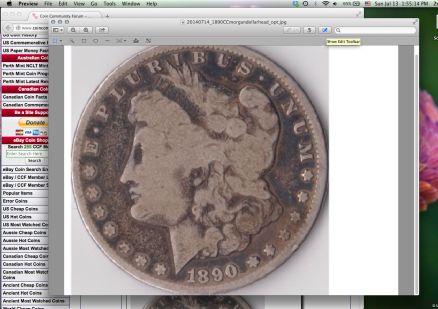
Make the window larger by dragging the corners.
Cropping-Images

Once in preview and the window is at a decent size, click the pencil button [1]. Then, click the crop button [2]. Last, choose the elliptical selection (circular selection) .
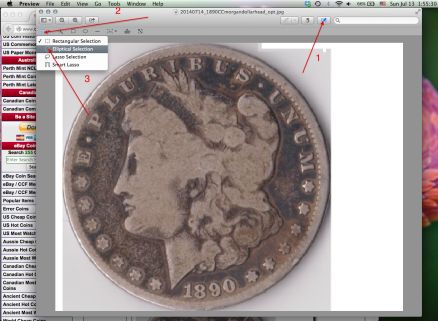
Cropping-Images

Drag the circular selection around the edges of the coin using the four dots until it fits perfectly.
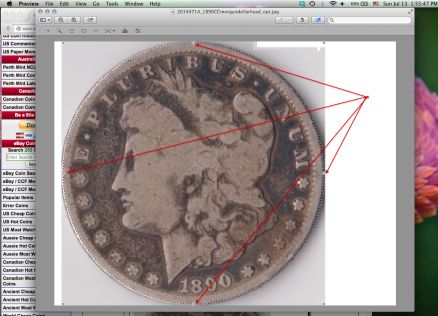
Cropping-Images

Finally, press COMMAND K (the command button and then the letter K) to crop the image. Tah-dah!
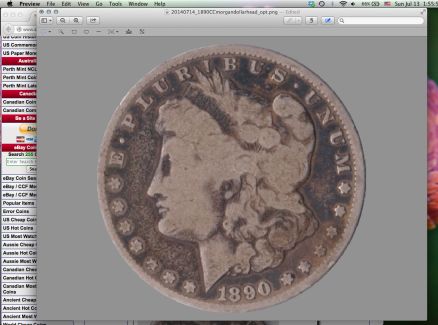
Cropping-Images

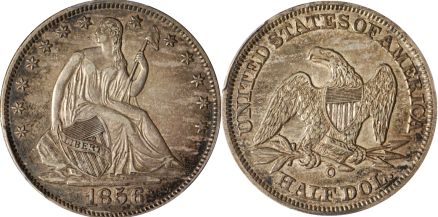
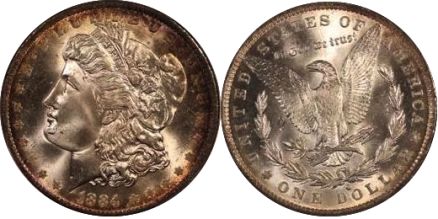
I then find the measurements of the image (In this case, it was 355x355 for the obverse, and the reverse was larger so I had to optimize them to be the same size). I have a paint program where I can choose how large I want the painting to be, so I chose 710x355, then selected both images and pasted them side-by-side to create the picture that has both the obverse and the reverse. Here are examples of some of my coins that I've done this with:
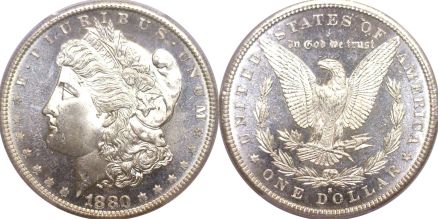
Cropping-Images

Cropping-Images

Cropping-Images


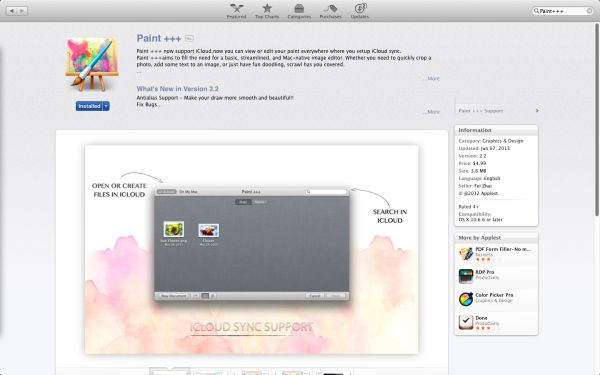
Edit: here is the paint application:
Cropping-Images
Edited by Cruisinfusion
07/13/2014 6:25 pm
Pillar of the Community
johntookit's Avatar
United States
589 Posts
 Posted 07/13/2014  5:54 pm  Show Profile   Bookmark this reply Add johntookit to your friends list Get a Link to this Reply

Quote:
I posted this on someone else's topic in the U.S. Coin forum to teach them how to crop, but decided it would be nice to post it here, maybe someone will find it useful.

Is it same on the Window as Mac? Thanks
Pillar of the Community
Cruisinfusion's Avatar
United States
1531 Posts
 Posted 07/13/2014  6:23 pm  Show Profile   Bookmark this reply Add Cruisinfusion to your friends list Get a Link to this Reply
Hmm, I don't own a Windows computer. Is there a program similar to preview when you double click an image?
Pillar of the Community
johntookit's Avatar
United States
589 Posts
 Posted 07/13/2014  6:45 pm  Show Profile   Bookmark this reply Add johntookit to your friends list Get a Link to this Reply
From what I can tell it is not the same.
Moderator
Learn More...
Fuzzy317's Avatar
United States
14463 Posts
 Posted 07/13/2014  7:35 pm  Show Profile   Bookmark this reply Add Fuzzy317 to your friends list Get a Link to this Reply
The program Paint comes with Windows, but I like the freeware program Picasa for editing the images.
  Previous TopicReplies: 4 / Views: 1,889Next Topic  

To participate in the forum you must log in or register.


Disclaimer: While a tremendous amount of effort goes into ensuring the accuracy of the information contained in this site, Coin Community assumes no liability for errors. Copyright 2005 - 2026 Coin Community Family- all rights reserved worldwide. Use of any images or content on this website without prior written permission of Coin Community or the original lender is strictly prohibited.
Contact Us  |  Advertise Here  |  Privacy Policy / Terms of Use

Coin Community Forum © 2005 - 2026 Coin Community Forums
It took 0.25 seconds to rattle this change. Forums