| Author |
 Replies: 22 / Views: 4,866 Replies: 22 / Views: 4,866 |
|
Valued Member
United States
116 Posts |
can someone please explain how to take a decent close up picture of a coin  *** Moved by Staff to a more appropriate forum. *** *** Moved by Staff to a more appropriate forum. *** |
|
|
|
Moderator
 United States
56855 Posts |
You can use a point-n-shoot camera set to macro or use a usb microscope. John1  |
|
Valued Member
 United States
116 Posts |
i have this really high quality camera and I try to take a picture of the coin and they either come out blurry or 2 far away
|
|
Valued Member
United States
234 Posts |
There is a ton of useful information in this (coin photography) forum that has helped me improve tremendously. If you post more info about your camera and settings, people will probably be able to get more specific advice. I'd also recommend purchasing Mark Goodman's "Numismatic Photography, 2nd Edition" book- its quite inexpensive and definitely worth the investment.
|
|
Moderator
United States
23522 Posts |
First, let's find out what your current rig is, and the settings you're using with it. Then we'll go from there.  |
|
New Member
United States
10 Posts |
ive got a similar issue myself. I have a fairly decent digital microscope thats perfect for viewing the smallest details. But when it comes time to take a picture of the coin in its entirety ii end up with an shaky or out of focus pic.
|
|
Valued Member
United States
116 Posts |
i have a nikon coolpix with a small stand set to macro and thats it
|
|
Pillar of the Community
Canada
4944 Posts |
If I remember correctly, there are a few members on the forum that are using that camera, and are able to get good results. Your biggest problem is going to be getting ample lighting onto the coin. If you have an IKEA around you, it's suggested that you pick up a couple of their Jansjo LED Lights. They are very cheap ($10) and are highly recommended by many on the forum. Edited by Canadian-Banknotes
08/18/2014 7:43 pm
|
|
Valued Member
United States
116 Posts |
my lighting is fine I just cant zoom in enough to get a decent picture to ask you guys questoins
|
|
Valued Member
United States
234 Posts |
Maybe post a picture and we can better make suggestions?
|
|
Pillar of the Community
Canada
4944 Posts |
 Post what you have. That way we can suggest what may need adjusting. |
|
Valued Member
United States
116 Posts |
|
|
Valued Member
United States
116 Posts |
help how do I put pictures on
|
|
Valued Member
United States
116 Posts |
can I post pictures off of my desktop
|
|
Valued Member
United States
234 Posts |
When you click on "Reply to Topic" there is an option to upload a picture. They have to be under 100 kb. There is a free image optimizer that can help you resize your images. You should see the option for that when on the reply page. Note that you can't sue the quick reply function and upload a pic. You actually have to click on "Reply to Topic".
|
|
Valued Member
United States
116 Posts |
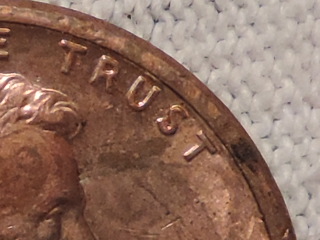 heres a picture |
| |
Replies: 22 / Views: 4,866 |







 Posted 08/18/2014 11:56 am





