Hey Ken,
Is this your web site, you provided the link to 'templates'?
I frequently check the "coin inventory software" thread to read newest replies, thinking maybe
someone posted something new I haven't seen.
Well, let me tell you....a new member Thanks you for a software link, of course had no idea
what software link this was and had to check it out. Thought it was 'recent' but didn't see
anything and had to go further back. and there it was!!
http://typesets.wikidot.com/free-coin-templatesIn the same thread I see references to the Numismatic's Notebook which is less then $10.
so I bought it. I'll just say I am not happy with it.
I've recently been working with Microsoft Works...it sucks, in my opionon.
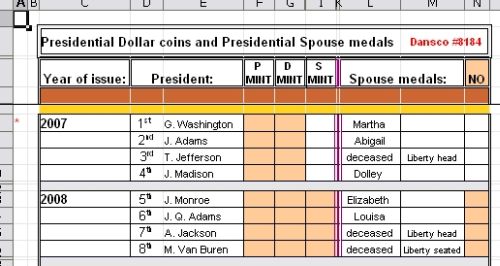
I like to 'color-code'(shaded cells) depending on what I am working with.
In MS Works, not many colors to choose from and the colors are IMO a
bit too bright. Also Nancy sent me a spreadsheet for Aussie coins and
MS Works wouldn't open the complete file because of 'hyberlinks'.
So the file was incomplete and a total waste.
I tried to open the template for' Australian Coin Inventory' from this site
and MS Works wouldn't allow
(turns out it was the same template Nancy sent me).
Further down I see FREE OFFICE SOFTWARE.
Yes, I remember seeing this but was reluctent to download it before
because of the 'size' of the download (96MB) and wasn't sure what
the heck "Office Software" was. But I took the chance and downloaded it... took about 10 min.
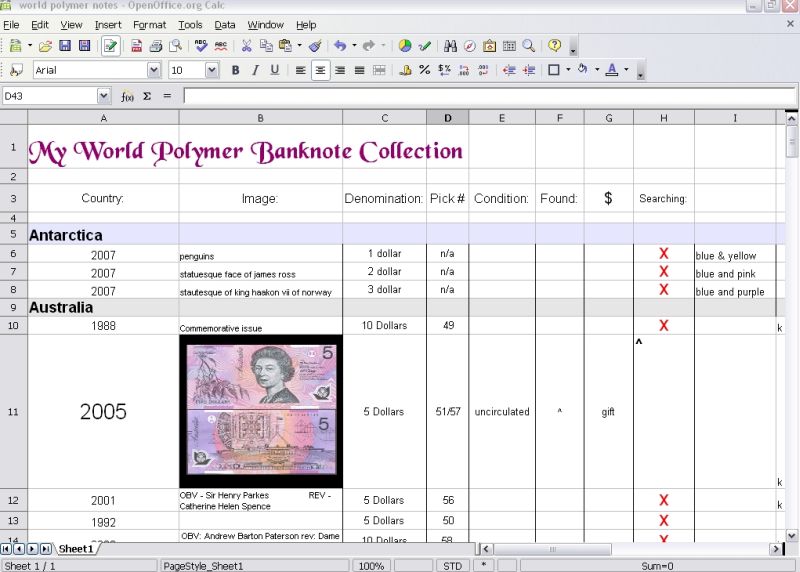
Once the download and installation was complete I tried the spreadsheet from Nancy and....

MAN O MAN What a BIG difference !! No problem in opening the entire spreadsheet.
I AM IMPRESSED! ...............AND I am getting rid of MS WORKS...
I absolutely love the OpenOffice.org software! most especially it's FREE!
and the 'colors' I can use are awesome!
Now I've got something else to 'play and create' with.
Oh and one other thing, it allows me to change font size within same cell such as
1909 VDB.!
I'm sure I'll discover other stuff I can do with this software. I'm still 'playing' with it.


THANKS KEN !!
mila_










 Posted 02/02/2008 3:58 pm