| Author |
 Replies: 9 / Views: 2,807 Replies: 9 / Views: 2,807 |
|
|
New Member
United Kingdom
39 Posts |
I've just started to catalog my collection and I'd like some advice/suggestions about what I can do to improve my coin photography. These were taken with a Pentax Optio L30, 7.1 MP. These are by far the most interesting coins I have, but not necesarily the best pictures - I just wanted to show them off to you guys.  None of them are worth anything - I just collect what I find interesting.  Slovakian 50 Halierov  Slovakian 50 Halierov  Hungarian 1 Forint  Hungarian 1 Forint 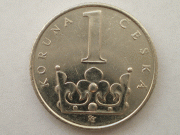 Czech 1 Koruna 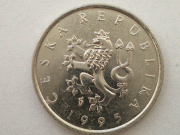 Czech 1 Koruna  Hong Kong 2 Dollars  Hong Kong 2 Dollars Edited by Alakazam
09/01/2008 5:35 pm
|
|
|
|
Pillar of the Community
United States
1173 Posts |
Alakazam...go to photobucket.com to get a free photo hosting site. Then you can upload your photos to photobucket, and post the images on this forum. At that point, we can answer your questions and drool over your pretty coins.
|
|
Forum Dad
 United States
24230 Posts |
Alakazam, I'm sorry but you're going to have to find another free image site like photobucket.com.
The site you used is no longer allowed on this forum, due to the really scummy ads they place on it. Sorry, but it just doesn't fit with our family here.
|
|
New Member
 United Kingdom
39 Posts |
Oh is that what the problem is? Okay fair enough, I was getting into a muddle with it.  I've used photobucket before and it doesn't work for me - just never loads up  I might try this site's image uploader although all my pics are 3000 Pixels plus with a file size of about 2 MB. Or go hunting for another... Anyway, thanks for clearing that up Bob. |
|
Pillar of the Community
United States
1173 Posts |
Alakazam...to post pics here (or any forum, for that matter) you need to reduce them to about 600 x 600 pixels or a bit larger or smaller. If you are leaving them at 3000, no wonder it was taking photobucket a long time to upload.
|
|
New Member
United Kingdom
39 Posts |
Oh I knew about the resolution problem Hunter, it's just that that site never even seemed to load for me... I don't know why.
Anyway - I've found a new image site, although they aren't very big.
In another thread I saw this poster who had managed to make a kind of "click to enlarge" section under his pics... how do you do that?
|
|
Pillar Of The Community
Turkey
1205 Posts |
I guess if the pic is larger than some resolution, the forum software resizes the pic and you need to click to see in full size.
But before that, let me say your pics are just great for a catalogue.
I think Coincommunity's gallery feature is quite good for your purpose and there's also Omnicoin.com, even Picasa.com can do the trick, they give you a decent space but it's not specifically on coins, so using the coin info (for sorting, searching etc) may not be as efficient as the others.
|
|
New Member
United Kingdom
39 Posts |
Thanks! If I get the chance to show them full-size you might even be able to judge the quality of them.
I need 50 posts to be able to use this site's own Image Hoster don't I?
If so... I'm happy to wait.
|
|
Pillar of the Community
United States
2443 Posts |
From what I can tell from the photos (kinda hard to see since they're small) but they look good to me. My only critique is that in some of the photos you can see the lense in the coin, but I have the same problem too.
Edit: If you want to, you can e-mail me your photos and I can put them up for you. Just PM me.
Edited by Amazon99
02/20/2008 9:55 pm
|
|
New Member
United Kingdom
39 Posts |
Edited by Alakazam
09/01/2008 5:42 pm
|
| |
Replies: 9 / Views: 2,807 |
|










 Posted 02/06/2008 4:15 pm


