| Author |
 Replies: 12 / Views: 1,618 Replies: 12 / Views: 1,618 |
|
|
Valued Member
United States
338 Posts |
I'm new to the forum and have posted a few picts asking for grading feedback. The quality of the picts hasn't been too good so I've gone through photo forum and picked up some pointers. Basically want to take a good pict for feedback on grading as to not waste folks time and generosity with crappy photos. I'm using an iphone 4 and a make shift light box. I'd appreciate feedback on the quality of this pict to be used for grading evaluation. I think I may be a little too dark. This photo has not been enhanced at all. Thanks in advance. 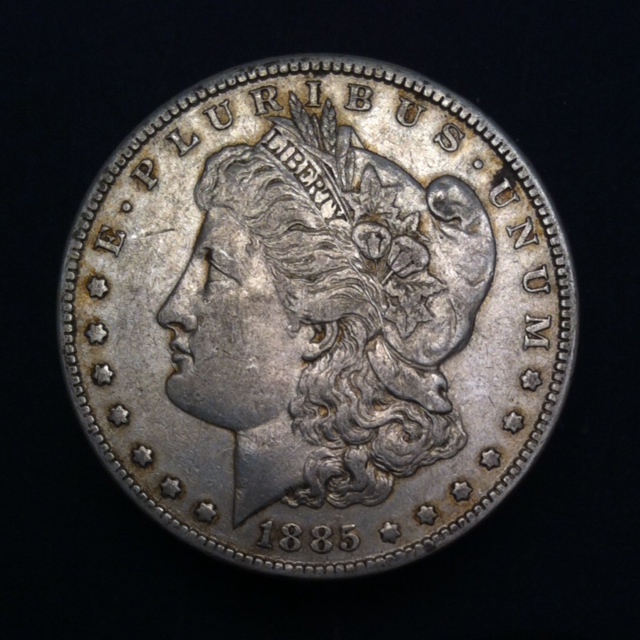 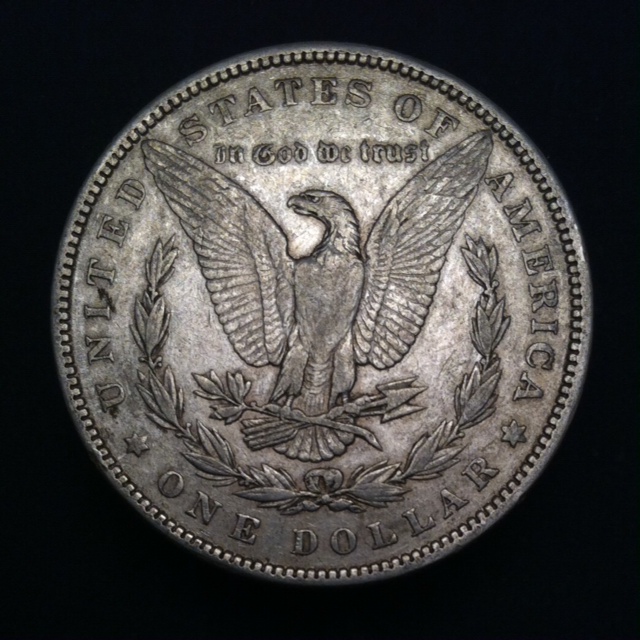 |
|
|
|
Pillar of the Community
 United States
4048 Posts |
SuperDave is the Dollar guy, hopefully he'll give some feedback on this one. Personally, I think it looks just a bit dark, but with some minor processing would be fine. Don't be afraid to modify the image with photo editing software if it makes the image look more like the coin. Just make sure that is your goal, not to enhance it to look better than the coin does. The image is a little fuzzy...are you getting it truly in focus? Are you on the edge of the phone's focus range, so that if you pull back just a little bit the focus might be better?
|
|
Valued Member
 United States
338 Posts |
rm, thanks for the feedback. I'll try pulling back on focal distance. I really need to keep things as simple as possible to meet my objective.
|
|
Rest in Peace
United States
10625 Posts |
I agree with all of the points Ray has posted above. You are definitely on the right track for ultimate I-phonology. Unfortunately SuperDave has been awol from CCF for quite some time now and most definitely missed...
|
|
Pillar of the Community
United States
4048 Posts |
Are there any apps for the iPhone4 that allow you to make changes to the camera settings? It seems odd that the camera would make the image this dark. Usually I'd expect the image to be over-exposed, not under-exposed, coming out of any camera.
Contact me for photographic equipment or visit my home page at: http://macrocoins.com |
|
Valued Member
United States
338 Posts |
I find that the image is much brighter until I hold for macro focusing and then it darkens. Guess I need to shoot some auto focus shots to compare. Didn't think about that until now as I was so focused on macro focusing.
|
|
Pillar of the Community
Canada
2784 Posts |
Hunter611 are you shooting. your coin on top of black acrylic. your camera will pull that black on top of your coin. try a little brighter back ground. if you have some try a yellow drawing paper.
|
|
Pillar of the Community
Canada
2784 Posts |
I adjusted your images a little DPP canon 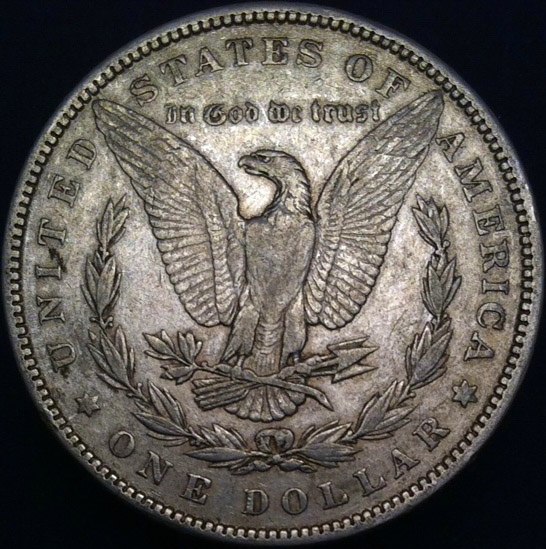 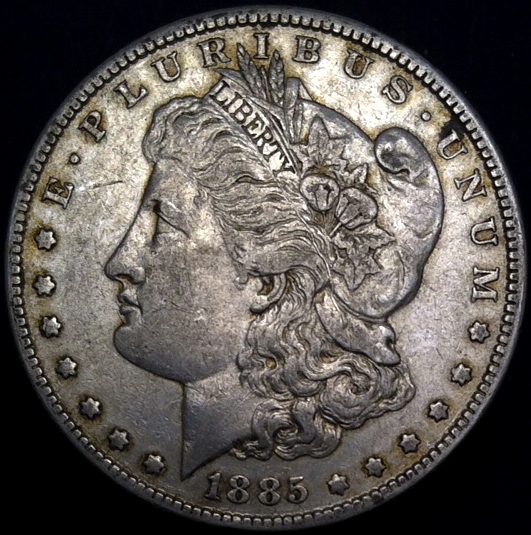 |
|
Pillar of the Community
Canada
2784 Posts |
hunter here is a nickel plated quarter. laying on yellow drawing paper. the dark you see on the coin is the reflection. from the camera lens. 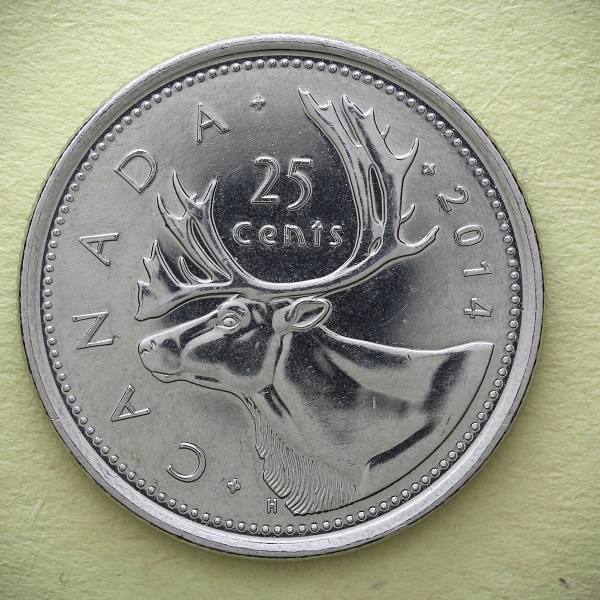 |
|
Valued Member
United States
338 Posts |
Thanks Rocky. I'll change up the color and see what I get.
|
|
Pillar of the Community
Canada
9661 Posts |
rocky - What lighting did you use for that pic?
|
|
Rest in Peace
United States
17900 Posts |
The background can emphasize color as well. A dark background will make all darkness on the coin appear more evident. A white background will tend to bleed the lighter colors.
Try different backgrounds and if nothing else the effect will change.
|
|
Pillar of the Community
Canada
2784 Posts |
mcshilling I used 3 jansjo lamps diffused with broad cloth. I did not point them directly at the coin. angled them just so the coin was in the light spectrum. worked pretty good. my problem is the lens reflection. I am building a new mount to try. I am going to mount the camera flat. stand the coin up. I think that will help a lot with lighting. this also give me the opportunity. to be able to move the camera in and arch. I will be able to shoot bright metal coins from both sides. using focus stacking. there should be no lens reflected. I hope
|
| |
Replies: 12 / Views: 1,618 |
|







 Posted 03/06/2016 7:06 pm





