| Author |
 Replies: 18 / Views: 2,829 Replies: 18 / Views: 2,829 |
|
Pillar of the Community
United States
5964 Posts |
|
|
|
|
Pillar of the Community
United States
3656 Posts |
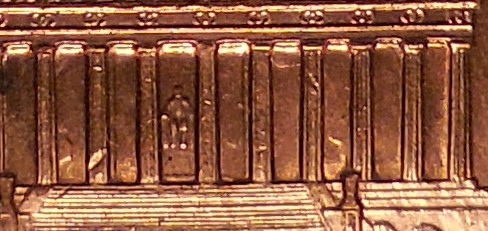
Part 2 of the question - looks like all the bays have clash marks - it will take me more time to see if I can actually count them.
|
|
Pillar of the Community
United States
3656 Posts |
I am sure that I am no where near right - I need a microscope for my computer screen. It was a fun try though (now don't laugh too hard - I know what you must be thinkings - CC is a lost cause).
Now looking back on the post pictures - on the bottom image you didn't show us the first 2 bays so I should have said just the 9 - Oh well I will look forward to the correct answers.
|
|
Bedrock of the Community
United States
62064 Posts |
Note the die scratches through ONE CENT are in the same direction. So the marks in the bay are die scratches and die clash marks.
|
|
Moderator
 United States
56855 Posts |
Bay 4 and 9 show clashes. CoinCents: "I need a microscope for my computer screen" Did you click on the photo? That makes it bigger. Also on my keyboard there is a zoom key,does yours have one? John1  |
|
Pillar of the Community
United States
3656 Posts |
The last image I couldn't get to open in a larger window so I used the image of the whole reverse - which did open. No zoom key on my keyboard - that would be very handy.
How about at the top of bay 8 and the bottom of 5 is that stuff from the plating then?
|
|
Pillar of the Community
United States
849 Posts |
Quote:
No zoom key on my keyboard - that would be very handy. No zoom on Mine either,but if I push "Ctrl" and spin the wheel on the mouse,it will zoom in.HTH |
|
Pillar of the Community
United States
3656 Posts |
Love your Name "Cross-eyed" that is exactly what mine (and probably most of the others) feel like most of the time. Thanks for the tip, I will try that for sure.
|
|
Moderator
United States
56855 Posts |
I see it at the top of bay 8. John1 |
|
Pillar of the Community
United States
2775 Posts |
Keyboard tip:
ctrl and + (to enlarge screen content)
ctrl and - (to reduce screen content)
ctrl and 0 (zero snaps back to default screen)
Thanks, Doug,
PS: you can hit more than once to get larger and larger or smaller and smaller.
Edited by Halo1st
06/15/2016 08:21 am
|
|
Pillar of the Community
United States
3360 Posts |
Quote:
No zoom on Mine either,but if I push "Ctrl" and spin the wheel on the mouse,it will zoom in Great tip! Thanks! It works for me!!  |
|
Pillar of the Community
United States
3656 Posts |
Hey, that CTL & scroller wheel works fantastic :).
How about the top right corner of bay 10 - is that a clash?
Edited by CoinCents
06/15/2016 09:55 am
|
|
Pillar of the Community
United States
3656 Posts |
Thanks Doug, really appreciate it - got all the good tips written on a piece of tape stuck to my desk - can't get lost that way and easy to see until I get them memorized :)
|
|
Moderator
United States
56855 Posts |
Bay 10 looks like die scratches to me. John1 |
|
Pillar of the Community
 United States
5964 Posts |
Without an overlay, I know bays 4, 8, and 9 have clash marks. I don't know about 7. Thanks all, for the input.
Tomorrow I will post a truly unique coin.
Edited by CoinMasters
06/16/2016 02:04 am
|
|
Pillar of the Community
United States
3656 Posts |
This was fun and educational for me - thanks
Can't wait to see your unique coin.
|
| |
Replies: 18 / Views: 2,829 |










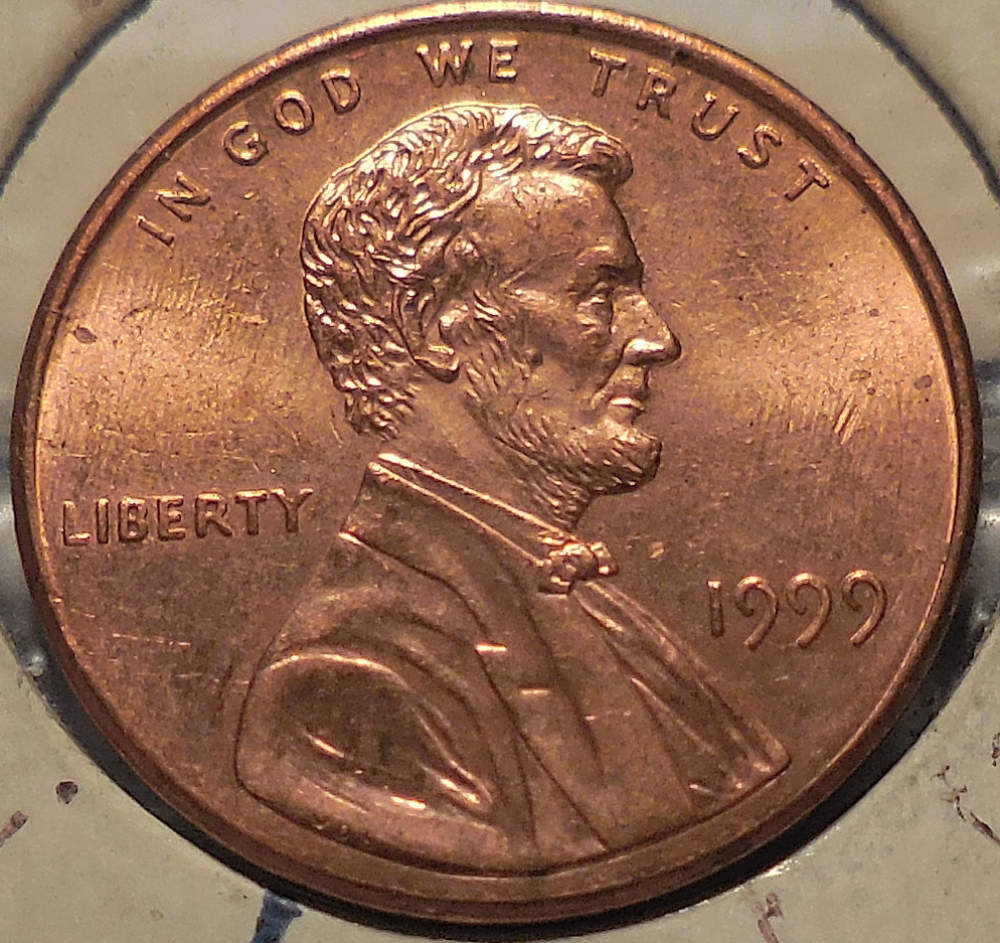
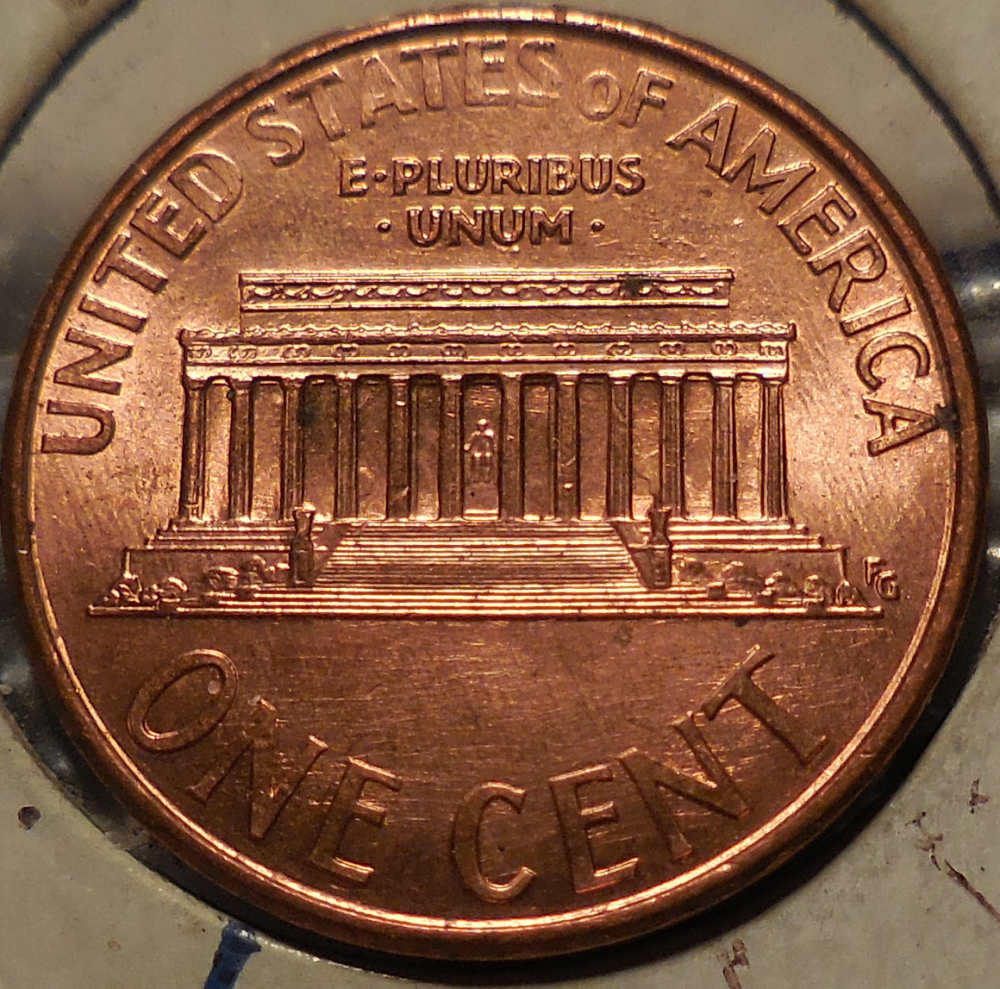


 Posted 06/14/2016 10:43 pm


