| Author |
 Replies: 71 / Views: 9,453 Replies: 71 / Views: 9,453 |
|
|
|
Valued Member
Russian Federation
172 Posts |
And 2 legs.) I'm very surprised that SG6 cost less than $100 now.
|
|
Valued Member
United States
112 Posts |
So I guess he was putting us on since he can't explain how he took those great pics with two hand held lights a phone an old box an elastic band and a piece of gum...  |
|
Pillar of the Community
United States
1305 Posts |
|
|
Bedrock of the Community
United States
12477 Posts |
I borrowed some of WB's methods but, my setup may be slightly cheaper. I got some push-type LED lights but with an opaque "lens" and am using an older phone. I already had the phone so the most expensive part was the batteries for the lights! Some results: 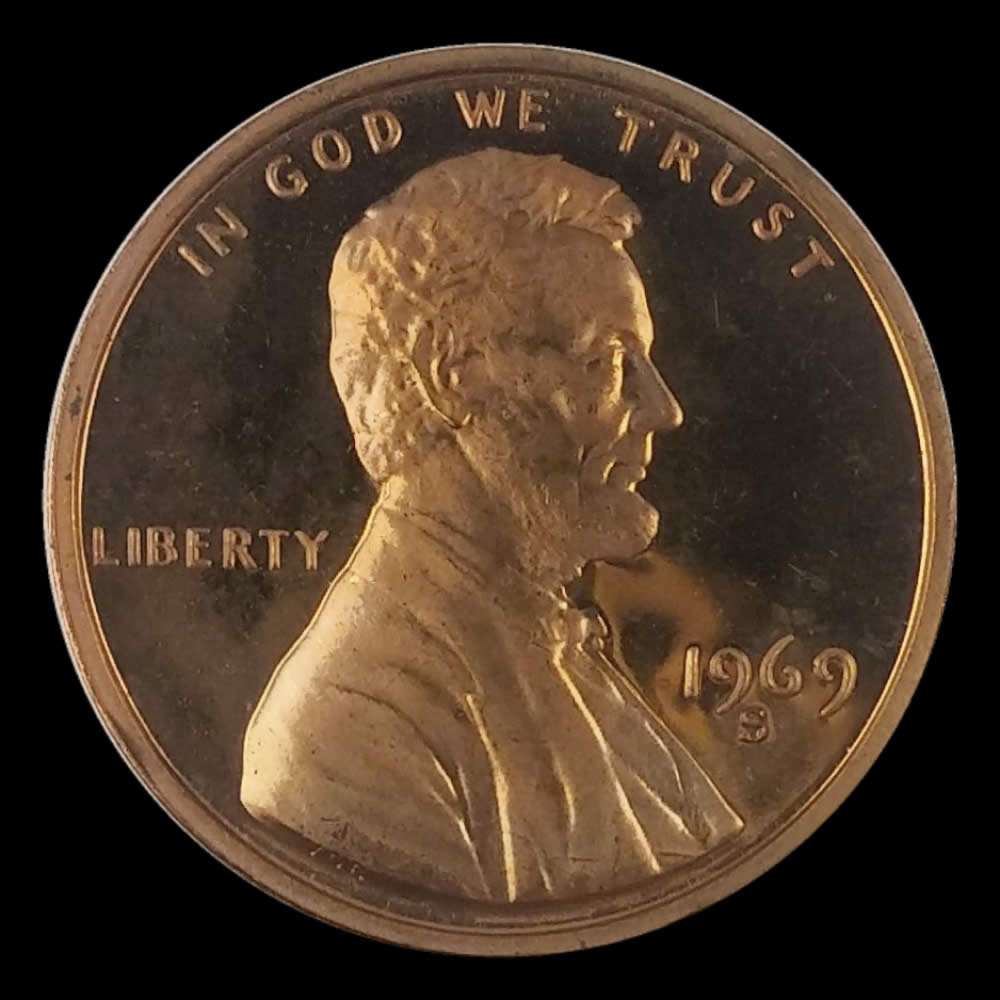 And one to compare directly: 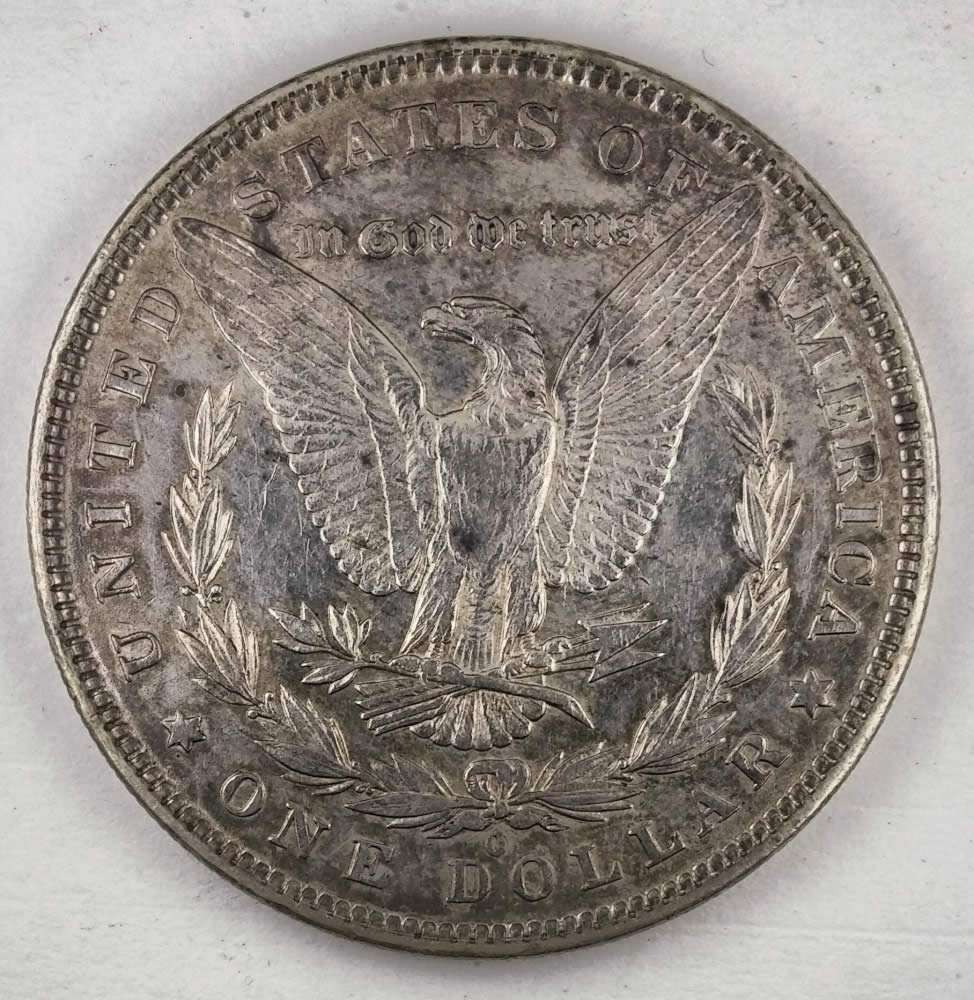 In Memory of Crazyb0 12-26-1951 to 7-27-2020
In Memory of Tootallious 3-31-1964 to 4-15-2020
In Memory of T-BOP 10-12-1949 to 1-19-2024
|
|
Valued Member
United States
411 Posts |
my question is this.
i went to this luna site, did a few redos on coins .
my problem is this , when I loaded the coin it was like 990x990.
after croping it came out 150 x 150 and I could not get it any bigger.
What do I need to do.
|
|
Pillar of the Community
United States
1305 Posts |
Very nice spruett001. Could you help us out by showing some pics of your setup, and specifics on the lights, camera, background, etc.? Thanks, Ham.
|
|
Pillar of the Community
United States
1305 Posts |
|
|
Pillar of the Community
United States
1305 Posts |
I ordered 2 led lights and shot this with my iPhone 6s. Too much light at 5 o'clock. 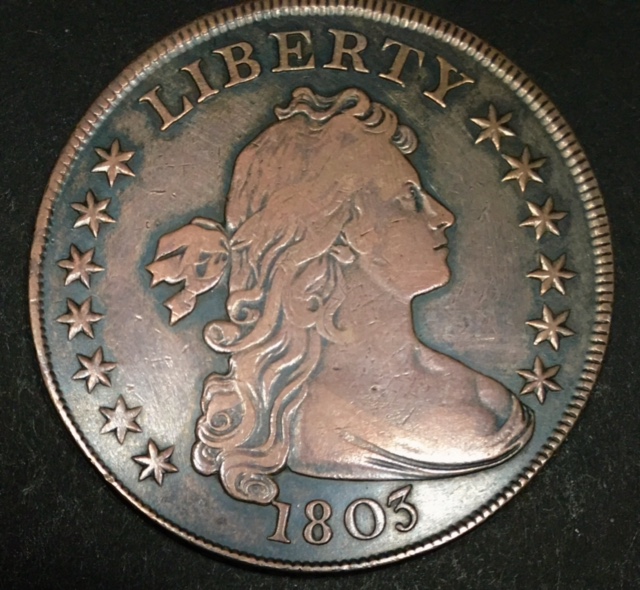 |
|
Pillar of the Community
 United States
2859 Posts |
Hi all.
I completely forgot I had posted this topic. I was just browsing the photography forum again and saw this topic was revived.
As for how I take my photos with my pictured setup, I hold those two handheld LED lights, usually at about 3 and 9 o' clock. I also have a large fluorescent desk lamp that has a piece of white paper over it. This part may sound very silly, but I make sure I like what I have and everything is in focus on my phone's screen and I will take the photo using my nose. Yes, I said it. My nose. The perks of touch screen. This is all I do to take my photos.
I came up with this odd setup just messing around with different lightning setups. Took me a while to perfect it. (Hey, I was a bored college student at the time that didn't have many options)
I now have a DSLR, but I still take better photos with my Samsung S6. Again, it's another learning curve.
|
|
Pillar of the Community
United States
1305 Posts |
Thanks WheatBack for sharing your setup and photo taking procedures. Ham.
|
|
Valued Member
126 Posts |
Tell us more about this LunaPic site
|
|
Pillar of the Community
United States
2859 Posts |
Quote:
Tell us more about this LunaPic site LunaPic is a good site for doing circle crops on a coin. If you just want the coin without whatever background that is in your photo, this website will crop it out and leave you with a transparent background. From there you can place the coins on one image with a background of your choice. For example, the two photos of the coin below are cropped images. I then added them to a black background as one image. NOTE: These photos were taken with a DSLR, not with this setup. However, the cropping method can be used with any photo as long as the photo has been taken directly above the coin.    |
|
Pillar of the Community
United States
1305 Posts |
WheatBack, those photos are the best I have seen here. DSLR? What is your setup and process?
|
|
Pillar of the Community
United States
2859 Posts |
Quote:
WheatBack, those photos are the best I have seen here. DSLR? What is your setup and process? Thanks! I am using a Canon EOS T6 using a macro lens with a macro wide angle conversion lens attachment. I have three gooseneck lamps surrounding the camera at the base of the camera lens. Two of the lamps are LED and the other uses a standard CFL bulb. The base of the lens is about 7" from the table's surface directly over the coin I am shooting. I then do remote shooting using Canon's EOS Utility so I can make live adjustments by viewing the shot from my computer. I can use the utility to take photos from my computer as well, to avoid and shaking. I then do some post-processing by slightly adjusting contrast if necessary and then sharpen the image. If I remember correctly, the only thing I adjusted on the 1899 Morgan above was the image's sharpness.  |
|
Pillar of the Community
United States
1305 Posts |
|
| |
Replies: 71 / Views: 9,453 |






 First Page


 Posted 03/08/2017 11:41 pm


