| Author |
 Replies: 30 / Views: 3,026 Replies: 30 / Views: 3,026 |
|
|
|
Moderator
 United States
196100 Posts |
Quote:
If so, how do I petition that it has not technically ended yet? Or is the correct response to open a new thread and link to the old one? You can always click the Report this Post to the Staff link on your moved topic and ask us to move it back. |
|
Bedrock of the Community
Canada
11922 Posts |
Quote:
Actually there was just an extra slash in there. This is all you actually need.... Oh, I see; that way is much simpler!  |
|
Forum Dad
United States
24232 Posts |
I probably should change the upload function to post them the same way.
|
|
Forum Dad
United States
24232 Posts |
|
|
Moderator
United States
196100 Posts |
Looking good. Search works great. I like the date option. |
|
Forum Dad
United States
24232 Posts |
There are some dates 2005-2007 that get messed up. I changed the upload code in late 2007 to force the date part of the file name to use YYYYMMDD. The default code when first installed depending on the date M and D could be a single digit. I'm counting characters in the file name to generate and search dates so... well... Blech....  I'm trying to work on a fix. |
|
Bedrock of the Community
Canada
11922 Posts |
Quote:
Have a look now.... The search engine is working great for me! And it makes it much easier than going through multiple pages (I mean, I may only have two, but that will change over time). Well done!  |
|
Moderator
United States
196100 Posts |
I tested search for 8/2005 and 9/2005, but does not seem to work.
|
|
Forum Dad
United States
24232 Posts |
|
|
Moderator
United States
196100 Posts |
Indeed it is! |
|
Bedrock of the Community
United States
11951 Posts |
Just a test ... to see how this works. I do have over 7000 images .. But I think I can figure it out ...  |
|
Moderator
United States
196100 Posts |
Seems like you got it. |
|
Forum Dad
United States
24232 Posts |
Quote:
Cleanly copying the image link is still a pain, though As long as you don't have javascript disabled, there is now a copy to clipboard button. 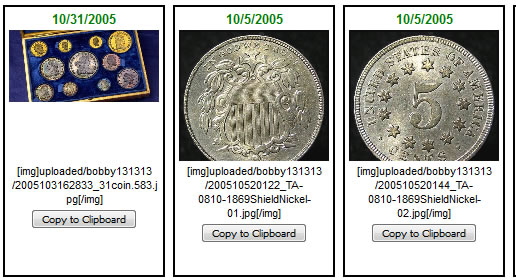 |
|
Moderator
United States
196100 Posts |
Sweet! |
|
Forum Dad
United States
24232 Posts |
Also just noticed something cool. If you need to reuse two images, say an obverse and reverse, you can do it in one step if they are both on the same page. Click Copy to Clipoard on one, then the other, and they will both be on the clipboard.
|
| |
Replies: 30 / Views: 3,026 |







 First Page


 Posted 07/24/2017 11:20 pm


