| Author |
 Replies: 8 / Views: 2,242 Replies: 8 / Views: 2,242 |
|
|
Valued Member
Australia
222 Posts |
|
|
|
|
Pillar of the Community
Australia
655 Posts |
Your whitepoint is shifted a bit Eric. Just doing some simple adjustments in Photoshop makes them look less washed out. Image:  1927j.jpg 1927j.jpg87.54 KB Image: 1936j.jpg90.24 KB Coins will always shoot better naked rather than slabbed, but it's still possible to take reasonable pics. You've seen this one before, but here's a comparison of in and out of slab. Image: 1879slab.jpg86.09 KB Image: 1879noslab.jpg78.35 KB |
|
Pillar of the Community
United States
5318 Posts |
That's a nice '36 Florin! What a contrast to those I have. Nice lighting--it brings out the details. If you don't mind me adding my observations here... At first glance, I thought this photo was a bit "posterized", judging from the abrupt color transitions. However, I could not find that in the file's histogram, so I'm guessing the camera has compressed the tonal range. I realize the photo appeared washed out, but the tonal range was quite compressed all the same. Setting your camera on a lower contrast setting might help. That said, you'll still pick up scattered light off a slab surface, which only post-processing may help alleviate. I had a go at the photo myself:  I find that digicams often oversaturate photos of silver coins, often leaving a color cast which I find unacceptable. In photoshop, I also adjusted the color balance and saturation to a coloration that seemed more reasonable--yet might not match "the coin in hand". In total, I adjusted levels, brightness/shadow, color balance, saturation, and curves to achieve the effect pictured above. Edited by KurtS
04/27/2008 6:01 pm
|
|
Valued Member
 Australia
222 Posts |
Thanks Kurt and LearJet. It's graded PCGS MS63.
A few questions for the beginner:
-I did some research on what whitepoint was, and it seems to be the same as white balance? I am right?
-What do you mean by "posterised"?
-What is "tonal range" and where can you see an images histogram?
Eric
|
|
Pillar of the Community
United States
5318 Posts |
Eric,
Posterized means abrupt transitions between colors. It happens sometimes when using software that limits the "tonal range", ie the number of colors in the photo. The result can be sharp transitions between colors, or a painterly effect where the photo appears composed of color blocks. Or, think of those old street posters that used maybe 5 colors to depict something. A histogram is a graph of the different colors in the photo, which can be accessed in photoshop under windows->histogram. Sometimes that helps me see where I need to adjust the photo.
|
|
Pillar of the Community
Australia
655 Posts |
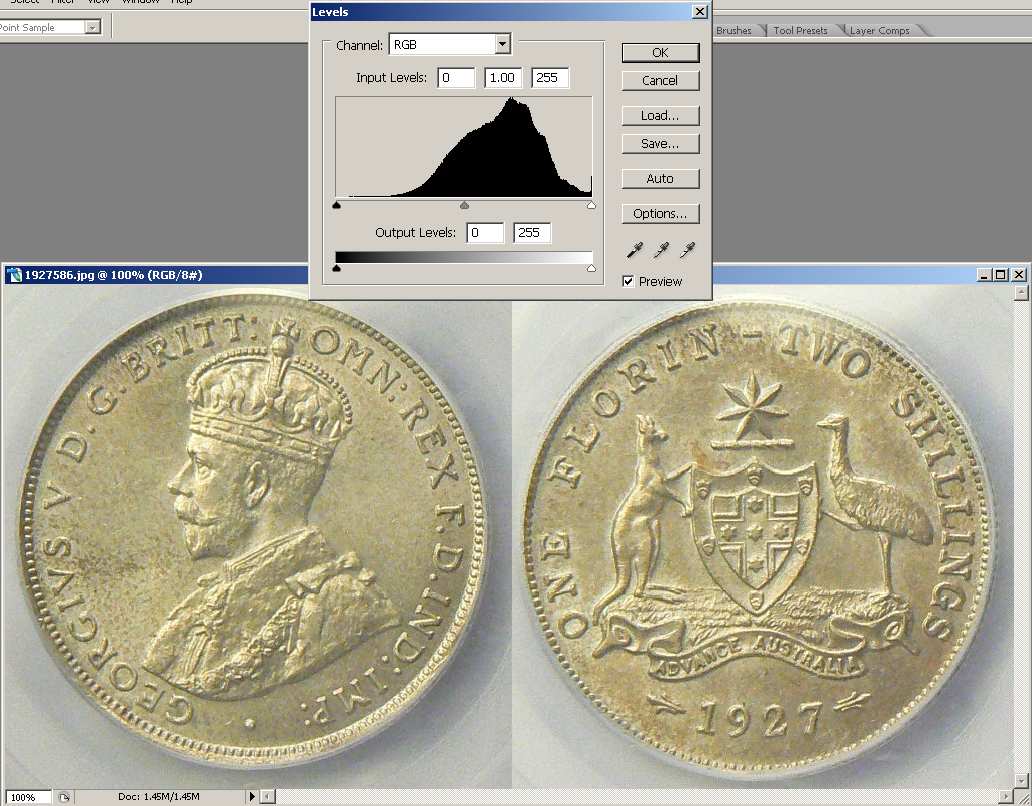
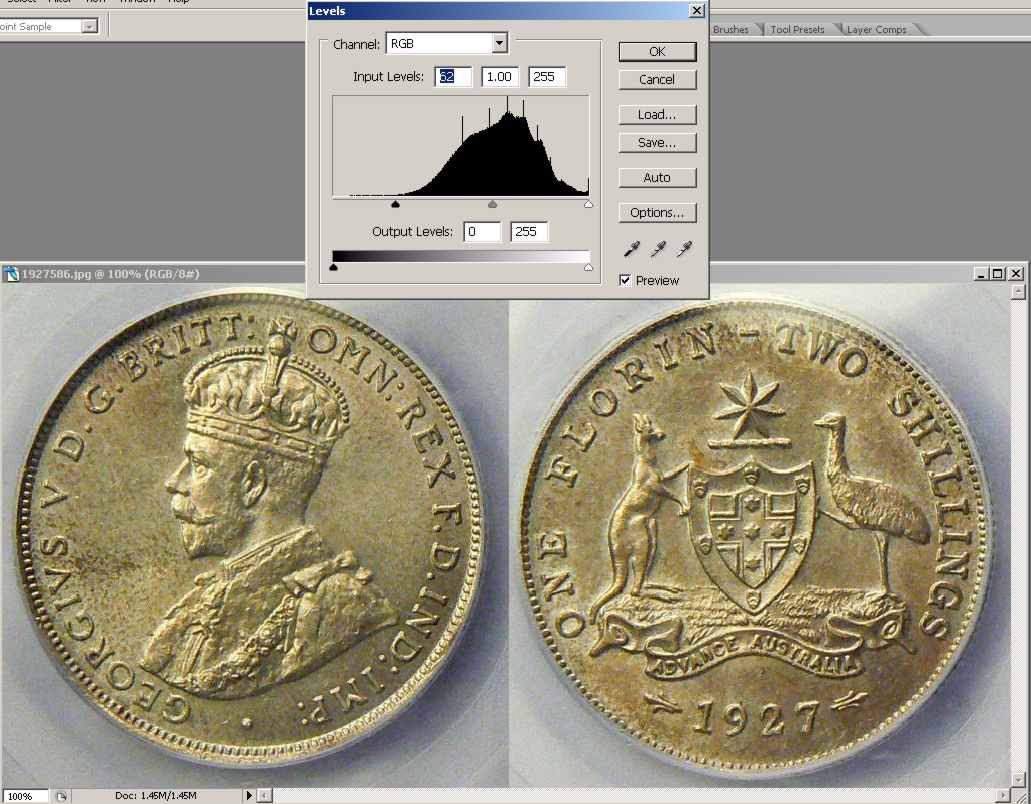
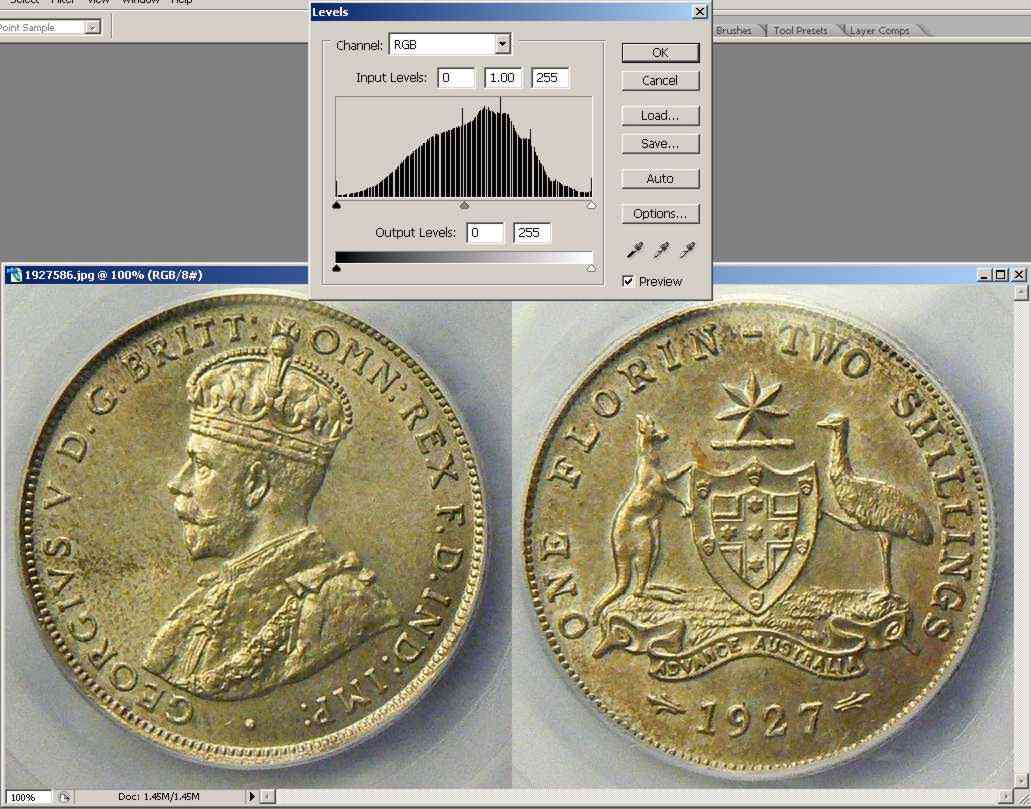
Sorry, rather than whitepoint I meant to say histogram tuning. In photoshop the levels control shows the histogram graph. If there is a large gap at the high or low end of the graph it means the tonal range can be "stretched" to fill the full spectrum. Otherwise the images will look dark or washy. These screen grabs show your coin before and after level stretching. Note how the histogram shows tones through the full width of the graph. Image: Clipboard01j.jpg102.27 KB Image: Clipboard02j.jpg96.11 KB Image: Clipboard03j2.jpg97.76 KB |
|
Pillar of the Community
United States
5318 Posts |
Ok...now I realize how the coin color gets a "patchy" look. If you look at the third screen grab that Learjet provided, you'll see the gaps in the histogram. This essentially means there are many places in the photo missing color transitions (if this is an effect that's noticeable to you). There are a few ways to preserve the color information better so you have more to work with. You can change the camera settings to stretch the amount of colors the camera will capture by changing contrast. While lowering contrast may result in a coin shot through a slab appearing "washed out", you'll actually have more photo data to manipulate. And, if your camera provides this option, I'd also recommend shooting in 16 bit color, or editing the photo in 16bit under image->mode->16 bit. This should improve the tonal range further when editing contrast. Just some ideas from using Photoshop for 10 years--have fun!  Edited by KurtS
04/30/2008 11:23 am
|
|
Pillar of the Community
Australia
655 Posts |
Some of the patchyness in the 3rd pic is due to recompression also Kurt. I had to be pretty brutal to get the pic under 100k.
Yes also agree on more bits the better. Shooting in RAW format may give greater bit depth than the standard jpeg compression also.
|
|
Pillar of the Community
United States
5318 Posts |
quote:
Shooting in RAW format may give greater bit depth than the standard jpeg compression also.
Right--you can't capture 16-bit jpegs, thanks for the reminder. I only shoot in RAW mode. |
| |
Replies: 8 / Views: 2,242 |
|









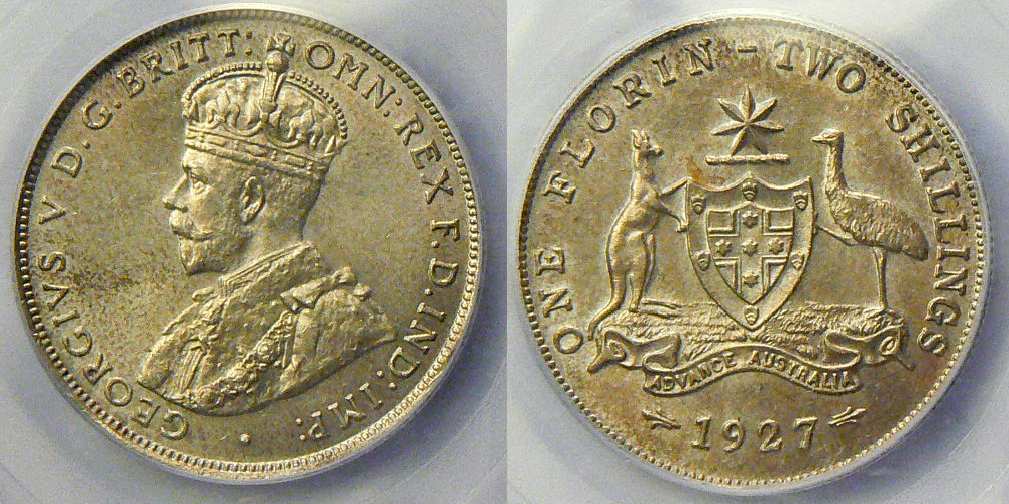 1927j.jpg
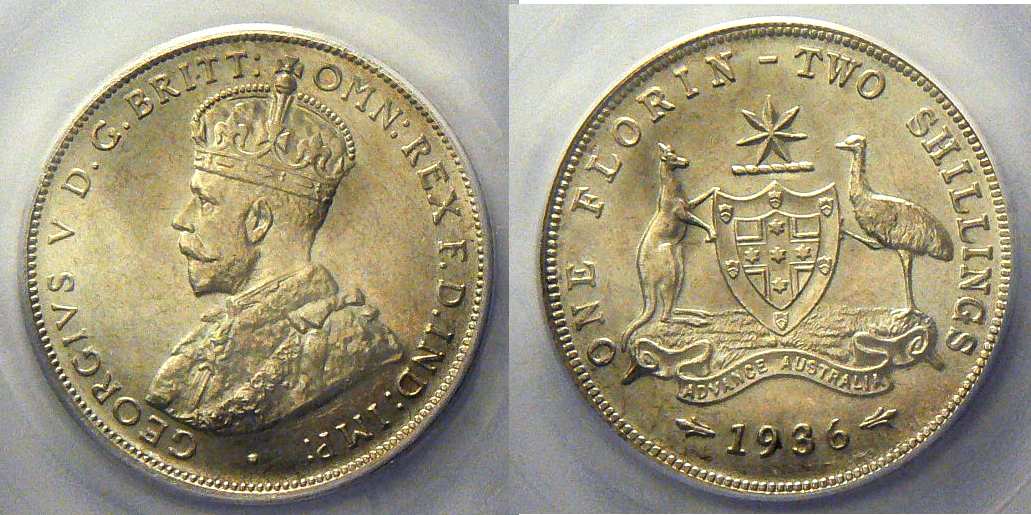 1936j.jpg
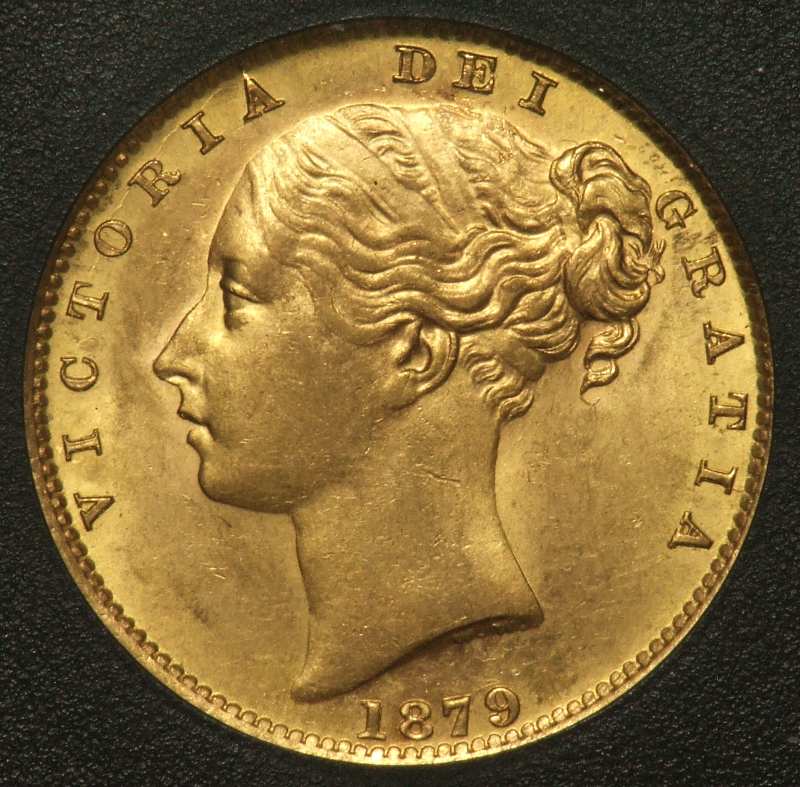 1879slab.jpg
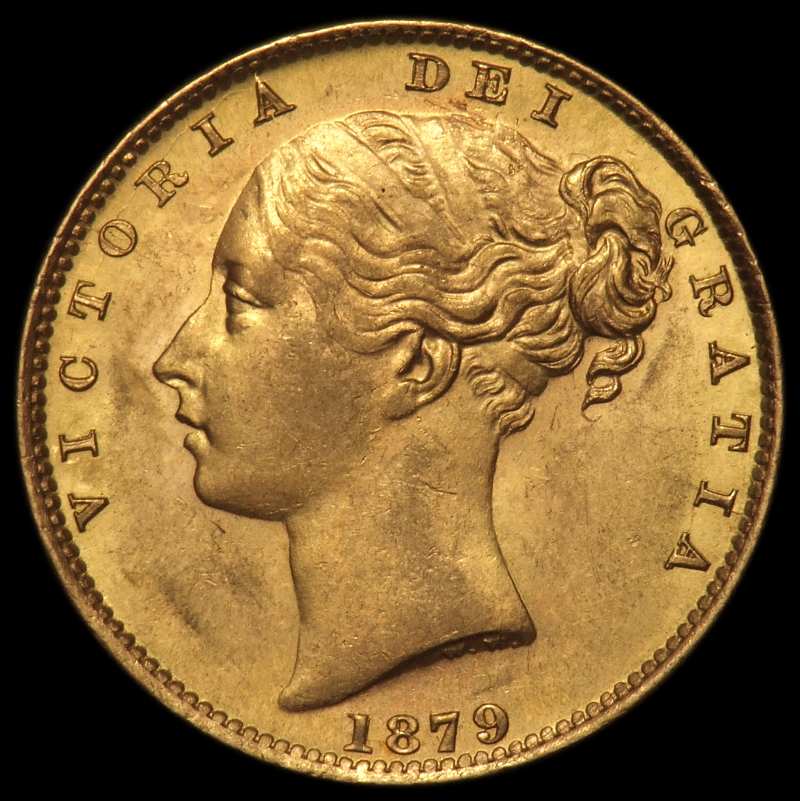 1879noslab.jpg

 Posted 04/27/2008 1:22 pm


 Clipboard01j.jpg
 Clipboard02j.jpg
 Clipboard03j2.jpg


