| Author |
 Replies: 8 / Views: 1,824 Replies: 8 / Views: 1,824 |
|
|
Valued Member
United States
441 Posts |
I'm having some recent issues with LV and the exposure compensation,the "white box". I have a T6i. When using an actual native lens on the camera, the box will look correct. And, when moving it over the bright spot in LV, it darkens the pic and prevents over-exposure.
However, when I use the camera on a bellows setup with an enlarger lens, the box looks different and will not automatically adjust the exposure no matter where it's move on the screen. What the.......?!?!
Has anyone else had this issue? If so, what fixed it? I'm using version 3.6.3 of the EOS Utility software.
Thanks in advance.
|
|
|
|
Moderator
 United States
23522 Posts |
Use Aperture Priority when on the bellows. The reason the image darkens is that the camera is unaware of the aperture being used, doesn't know what to put on the screen and defaults to the narrowest aperture. You can use Exposure Compensation for any manual brightness adjustments you feel appropriate, and that will be visible on-screen.
|
|
Valued Member
 United States
441 Posts |
Thanks for the reply SuperDave. I've always shot in AV mode. What's also wierd...if I use my old Canon Rebel XS with bellows, and I'm in LV, the white box works and will actually darken the exposure when it's moved over a bright area. See below. Box on light area 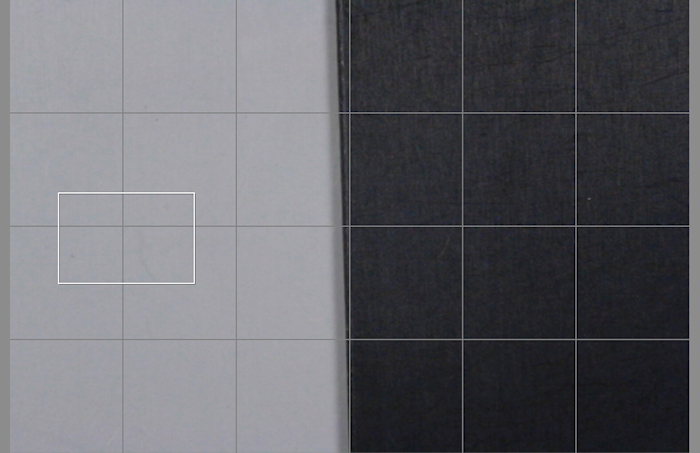 Box on dark area: 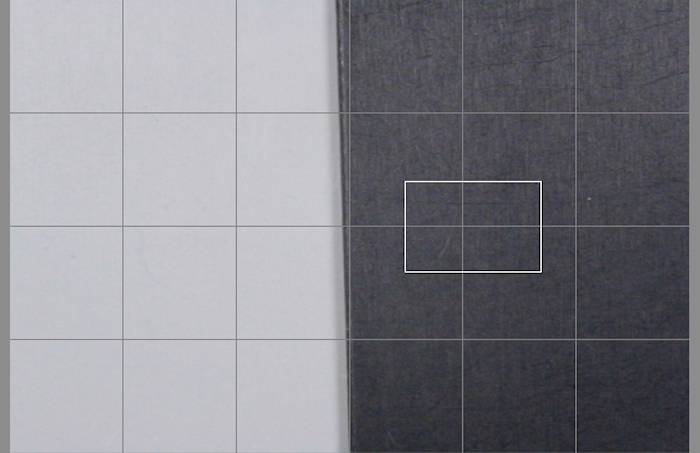 The T6 just won't do it unless it has an actual Canon lens attached. I distinctly remember the T6 working with the bellows in the past. Not sure what's happening now. |
|
Pillar of the Community
 United States
4616 Posts |
On the bellows, unless you stop it down manually, it's wide open. The native lens reports back to the camera it's characteristics and can thus be simulated on the display. The bellows doesn't couple to the camera...
-----Burton 50+ year / Life / Emeritus ANA member (joined 12/1/1973) Life member: Numismatics International, CONECA Member: TNA, FtWCC, NETCC, EveryCountry (online) coin club Owned by three cats and a wife of 40+ years (joined 1983) Author: 3rd Edition of the Sample Slabs book, https://www.sampleslabs.info/ |
|
Valued Member
United States
441 Posts |
Understood BStrauss. I agree with what you're saying.
That still doesn't explain why the white box process will adjust the exposure up and down with Rebel 1000D on the bellows and not with the T6i with the same setup.
IMHO, I believe it's a software issue between ver 2.0 that's used with the 1000D and ver 3.0 with my T6i.
|
|
Pillar of the Community
Canada
2784 Posts |
hello andy check your firmware. here is a statement posted by canon. its talking about some bugs in some of the rebel series cameras.
Alongside the new Rebel firmware, Canon has also updated its GP-E2 GPS receiver this week. The Canon GP-E2 firmware version 2.0.0 update adds support for the Canon Rebel T6s (aka EOS 760D) and Rebel T6i (aka EOS 750D) camera bodies. It also fixes two bugs: an incorrect "signal acquired" indication before signal had actually been acquired, and a failure to save log files correctly when the receiver's built-in memory ran out. Get the new Canon GP-E2 version 2.0.0 update here. hope this helps andy
|
|
Valued Member
United States
441 Posts |
Thanks Rocky. I'll go check it out.
|
|
Pillar of the Community
United States
9395 Posts |
Quote:
Has anyone else had this issue? With a T6s and a bellows or microscope objective, I've always had a problem with the brightness on the screen vs the final image when using Manual exposure mode. Somewhere, I read online that shutter speed priority ("Tv" on the camera dial) would solve this problem. I tried it, and it works pretty well. The camera will try to set the lens opening, but it can't. Of course, YMMV. |
|
Pillar of the Community
United States
4616 Posts |
It may be that the newer camera is reporting more information that can be used to adjust the image. I've done a few patches on digiCamCtl and the various camera specific modules are coded to handle part of this. I'd have to dig into the two cameras to see and I'm not able to at this point.
-----Burton 50+ year / Life / Emeritus ANA member (joined 12/1/1973) Life member: Numismatics International, CONECA Member: TNA, FtWCC, NETCC, EveryCountry (online) coin club Owned by three cats and a wife of 40+ years (joined 1983) Author: 3rd Edition of the Sample Slabs book, https://www.sampleslabs.info/ |
| |
Replies: 8 / Views: 1,824 |
|










 Posted 08/25/2017 12:39 am


