| Author |
 Replies: 10 / Views: 1,923 Replies: 10 / Views: 1,923 |
|
|
Valued Member
Sweden
135 Posts |
It seems to be an issue with smaller coins for me (I'm shooting Mercury dimes at the moment) and if the coin has a slight bit of toning, the photo is erupted with noise. I tried to remove the noise in gimp (despeckle - sharpening), but the results are not favorable. Setup: Sony xperia cameraphone - Three Jansjo lights (wrapped once with baking paper to diffuse the light a bit) - white background - ISO set to 100 or manual. Included are two images. 23 Mercury and a 17 Mercury. The 23 came just fine and the 17 is a mess. Angling the 17 seems to make little difference. The amount of light I put on the coin or allow into the camera doesn't make too much of a difference either. Any suggestions? Thanks. 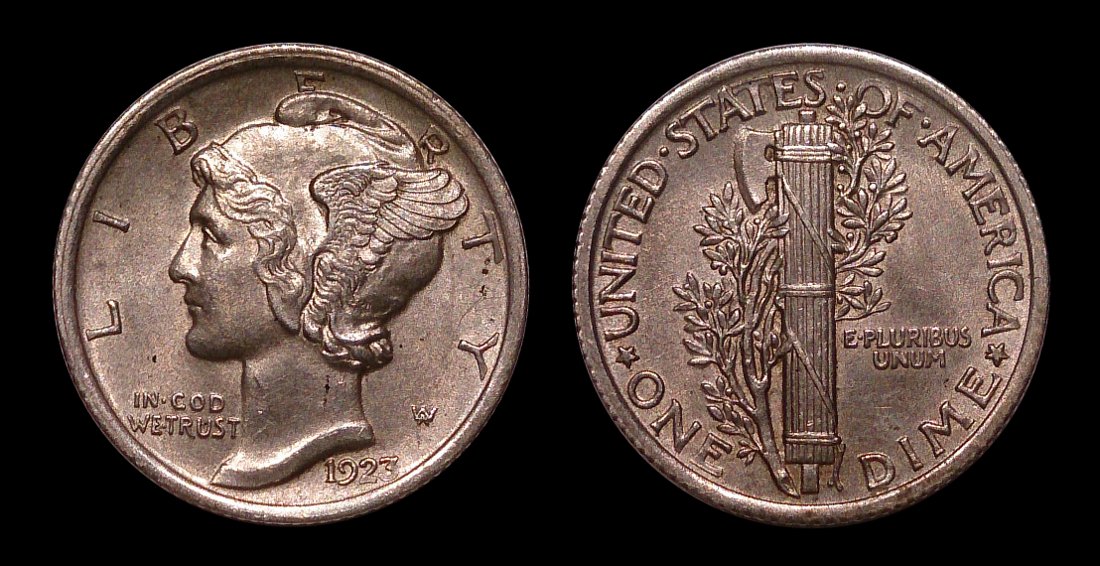 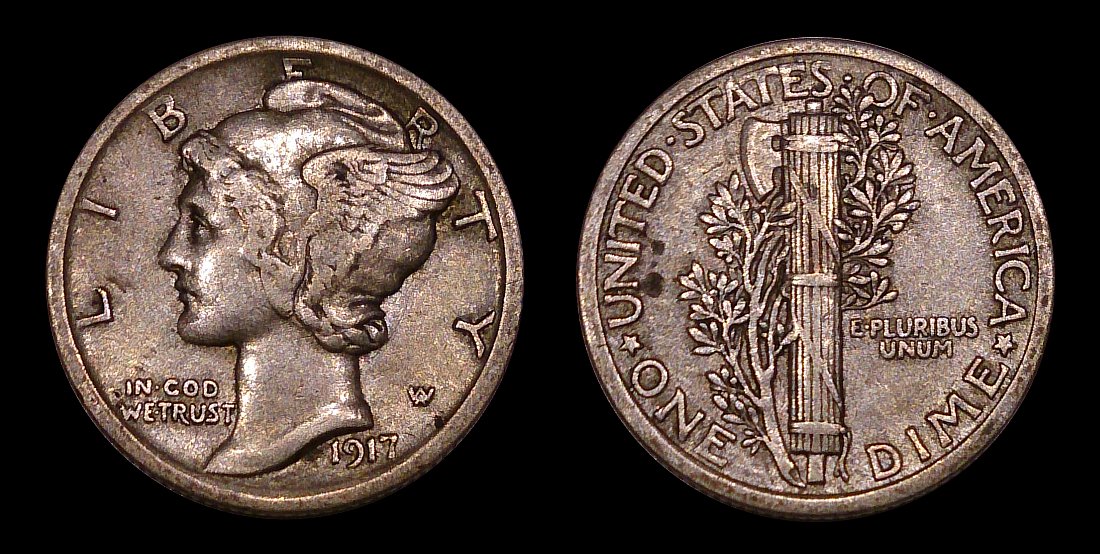 |
|
|
|
Bedrock of the Community
United States
12477 Posts |
I can see the difference but, they are different coins after all.
What Xperia phone are you using? Were those both shot at ISO 100? Was there any digital zoom involved? Were there any other settings changed manually, like exposure compensation?
In Memory of Crazyb0 12-26-1951 to 7-27-2020
In Memory of Tootallious 3-31-1964 to 4-15-2020
In Memory of T-BOP 10-12-1949 to 1-19-2024
Edited by spru
12/13/2017 03:49 am
|
|
Valued Member
 Sweden
135 Posts |
They are certainly different, but the 17 doesn't look speckled and grainy like that in hand. Sony Xperia Z (2013 model I believe), Yes, ISO was at 100 for both of these shots (lowest my camera will go). No, no digital zoom. All of the cropping is done with Gimp. Exposure was neutral, but in the case of the 17, even with increased exposure, it's still noisy. It seems to be a problem with coins just this size. Larger examples with similar toning have been fine.  |
|
Pillar of the Community
2087 Posts |
noise is an issue linked to sensor size and the associated pixel size. If your at the point that noise is an issue for you its time to ditch your cell phone for a real camera, as it is an issue that can't really be fixed
Edited by austrokiwi
12/13/2017 07:22 am
|
|
Rest in Peace
United States
17900 Posts |
It sounds like you've attempted every possible solution already. A inexpensive digital camera with macro setting (not automatic macro) performs very well and is usually less than $100, and more like $60 during this season, or after this season.
|
|
Pillar of the Community
United States
5825 Posts |
And cameras "see" many things that the eye misses (or edits out).
|
|
Valued Member
Sweden
135 Posts |
Any suggestions for an inexpensive camera that would perform well? All of these are for a personal archive with occasional sharing.
|
|
Pillar of the Community
Canada
2784 Posts |
you take very good photos. your coins is focused bang on. myself get rid of the parchment paper. change to Kleenex tissue paper. better diffusion for your lights. lighting can cause this effect on certain metals. I would start there. if the images do not change or improve. well camera time, there will be lots of help here on the forum.
|
|
Valued Member
Sweden
135 Posts |
Thanks Rocky, much appreciated. That seems to have made a difference and I can see that there's a noticeable reduction in noise. 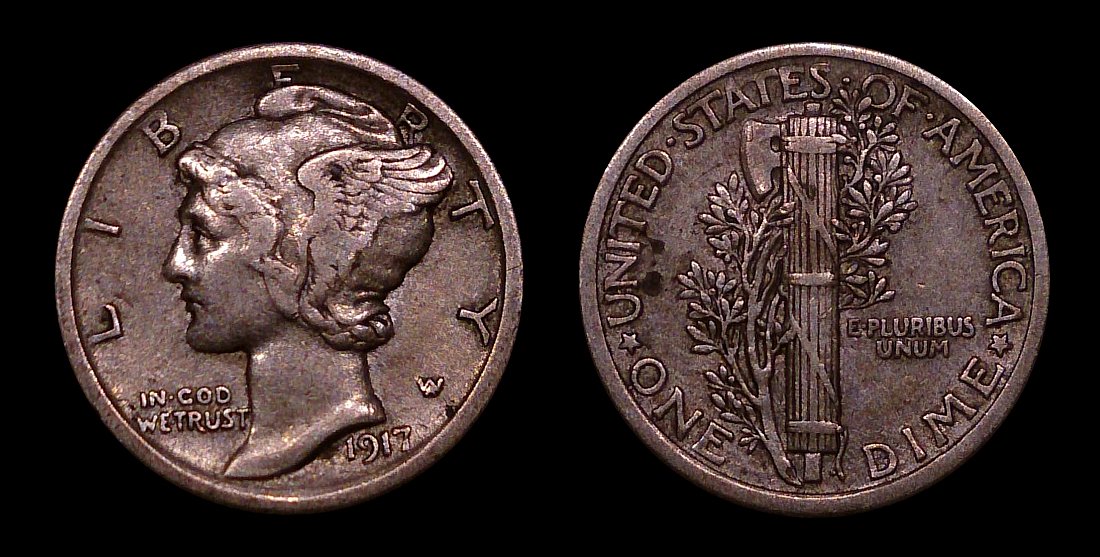 |
|
Pillar of the Community
2087 Posts |
Ican't see any reduction in noise. What are you referring to when you write "noise". I suspect you have been using the wrong term
|
|
Valued Member
Sweden
135 Posts |
That's certainly possible, austrokiwi. I'm not an expert by any stretch. I'm referring to what is considered chroma noise? It was setting off unnatural coloring on the coin's surface. There's still luminance noise in the photo, but that's shortcomings as you stated earlier with the camera's sensor.
|
| |
Replies: 10 / Views: 1,923 |
|










 Posted 12/13/2017 04:05 am


