| Author |
 Replies: 10 / Views: 15,250 Replies: 10 / Views: 15,250 |
|
|
Valued Member
United States
253 Posts |
Hey Guys- I finally found an App that can take good pictures of the small coins I have been asking questions about lately! It is called Open Camera. I found a real ugly coin to use to show you how good it works.  As you can see you can get real good detail from it. 15mm and 2.3 grams. Yes I know. Mithra II and Rhagae Mint. 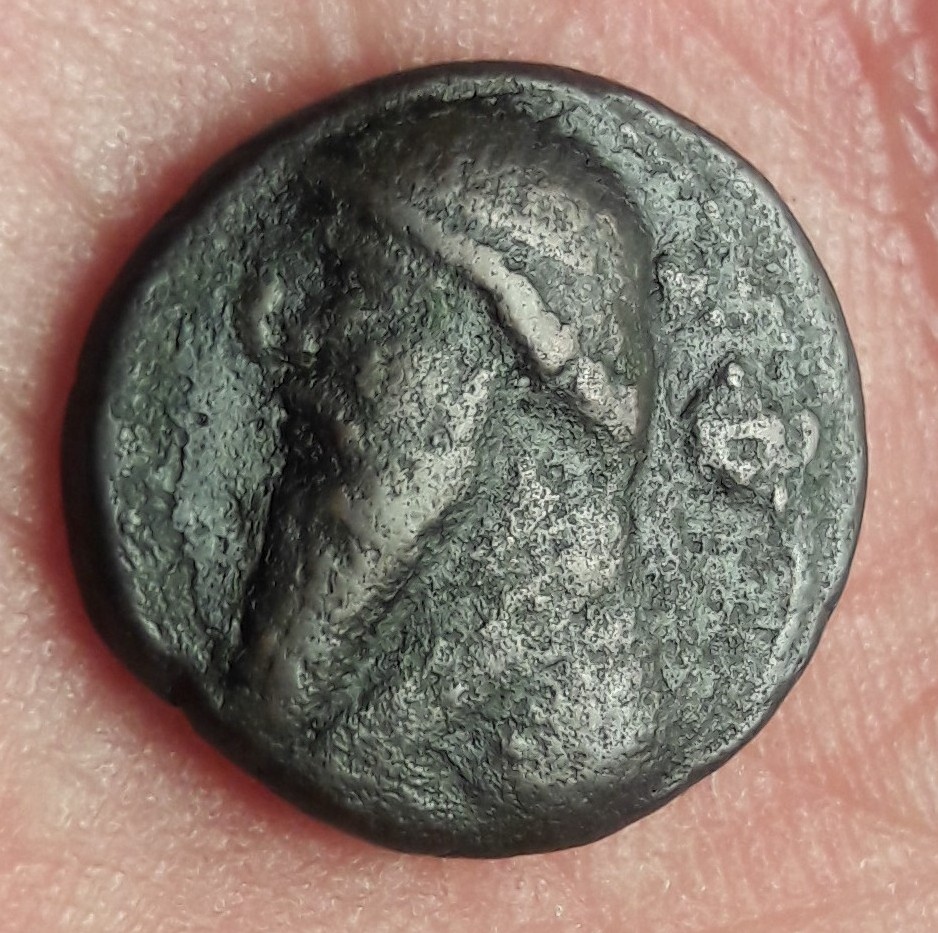 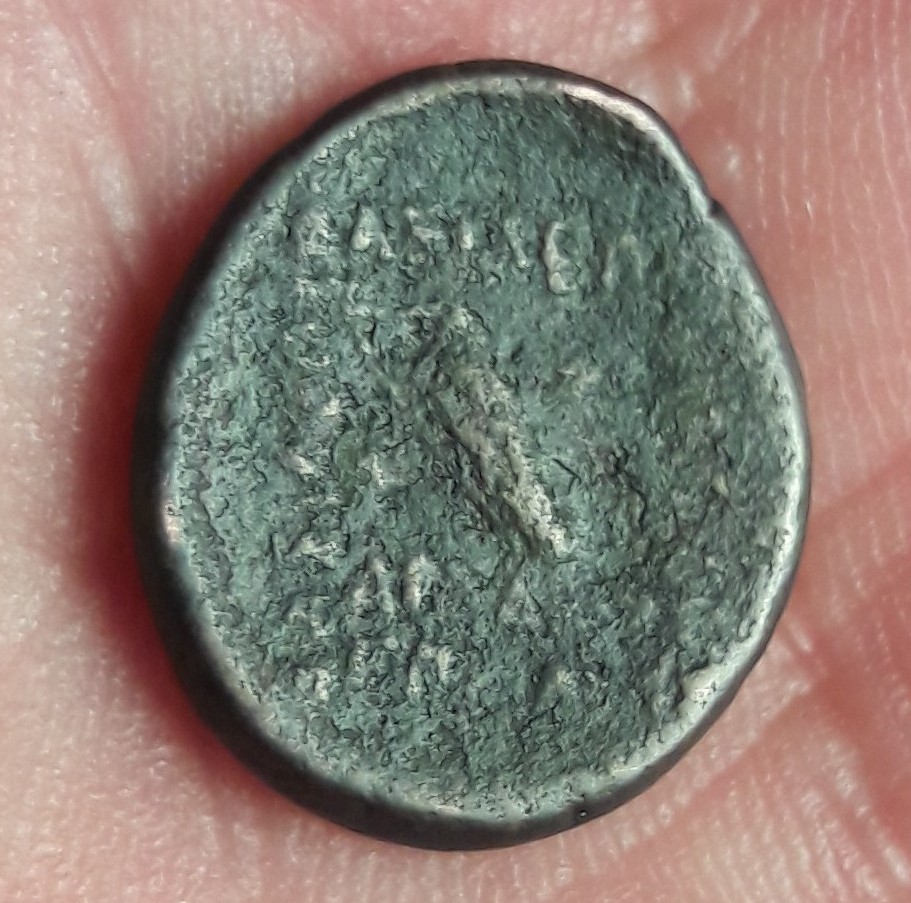 *** Moved by Staff to a more appropriate forum. *** *** Moved by Staff to a more appropriate forum. *** |
|
|
|
Bedrock of the Community
United States
12477 Posts |
Those are nice pics. I've used Open Camera for a while and I really enjoyed the advanced options it allowed me. I was using an LG G3 and it was the answer because after some random update, I lost all manual control of the camera  . However, after upgrading to a G6, the on-board manual mode is equivalent if not better. If you're using an editing app afterwards, I suggest Photoshop Express. I used Photodirector for a while but, eventually realized it was downgrading the end-result images significantly and you have to pay to increase output resolution.  I also use Sketch and Round Photo on top of that for combining images (comparisons) and circle-cropping, respectively. In Memory of Crazyb0 12-26-1951 to 7-27-2020
In Memory of Tootallious 3-31-1964 to 4-15-2020
In Memory of T-BOP 10-12-1949 to 1-19-2024
|
|
New Member
Portugal
16 Posts |
thanks, I tested it works great, I really needed this app.
|
|
Pillar of the Community
United States
1609 Posts |
Can someone give a link to the App Store for this? I'm having trouble finding it. (I'm assuming this is for mobile devices?)
|
|
Pillar of the Community
United States
616 Posts |
It's not in the Apple Store.
Given how smug is about their camera, I find the iPhone returns poor quality coin photos. But I'm an ex-Android user who hasn't drunk the Apple kool-aid for very long.
I find taking coin pics with the camera a real PITA. It's very hard to get consistent focus or lighting as the app decides what it thinks is best for you.
I want this.
Edited by jskirwin
08/31/2017 11:34 am
|
|
Bedrock of the Community
United States
10065 Posts |
If you are using an iPhone, you can easily tell the camera what to focus on and adjust the lighting before taking the pic. I had no idea of any of this stuff either until I googled the subject and found a website where the person was using an iphone for some amazing photography. Here is a copy paste of my personal cheat sheet: Focus on object/spot in pic: tap object in pic => camera auto focuses on that spot Focus Lock on desired spot: tap & hold on point desired => square with lighting adjustment slider appears at spot Lock focus between shots: tap and hold until "AE/AFLOCK" appears onscreen — you can then adjust exposure as above There is a lot more online about taking professional pics with an iphone (4s and above). There are also people on here using an iPhone to take amazing pics that some of the best photographers on here have praised. Below is the one from Darth Morgan: http://goccf.com/t/160092Here is a cheap lens for macro on any phone: http://goccf.com/t/243488If the setup you make for the macro seems fuzzy, flip the lens over. |
|
Formerly coinlover1899
 United States
3058 Posts |
Great photos! Congrats on finding the new app!
www.InGodWeTrustCoins.com
|
|
New Member
United States
41 Posts |
|
|
New Member
35 Posts |
Thanks for the info, I'm going to install it right now
|
|
Pillar of the Community
United States
1409 Posts |
I have an LG Android camera as well, and thanks for pointing out this app. It is FAR better than what I was getting using the standard phone on the camera!
|
|
Pillar of the Community
United States
562 Posts |
Can someone give a link to the App Store for this? I'm having trouble finding it. (I'm assuming this is for mobile devices?)
I did a search in the app store and it was the first thing that popped up, hope this helps.
|
| |
Replies: 10 / Views: 15,250 |
|







 Posted 08/31/2017 04:26 am





