| Author |
 Replies: 16 / Views: 3,042 Replies: 16 / Views: 3,042 |
|
Pillar of the Community
United States
1361 Posts |
I've been a member on here for about 3 years, and all of a sudden I'm having great difficulty downloading pictures. I am on a new computer, but I've successfully posted a couple, but it's to the point that I'm about to give up. 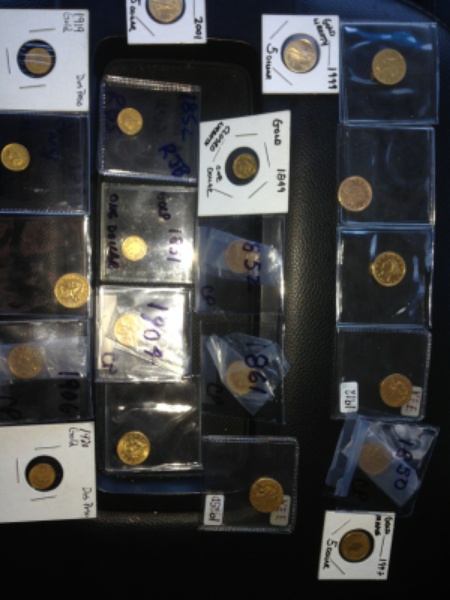 Some of my pictures will load successfully, while most will not? Edited by thecoinguy1964
01/02/2018 10:47 am
|
|
|
|
Pillar of the Community
 United States
1361 Posts |
I'm guessing I have Microsoft edge, but I don't know for certain? I'm a computer idiot, what are my options? 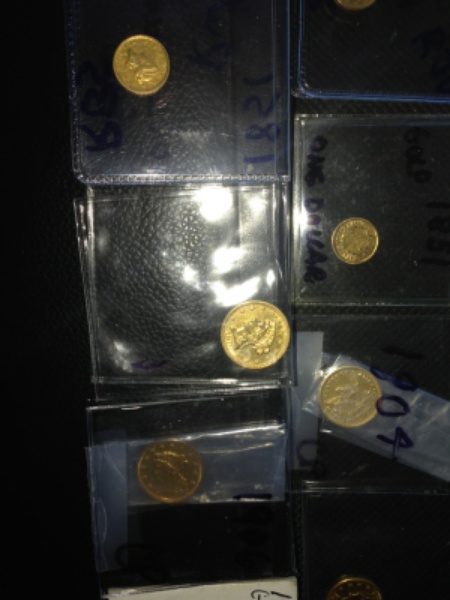 Edited by thecoinguy1964
01/02/2018 10:48 am
|
|
Bedrock of the Community
United States
10284 Posts |
Please try to describe your process and the problems more in detail. Sometimes people post huge images and they load slow for me. They may be images that are linked to a URL. The page is wide as a tractor trailer until they load and then they show a page correct size when completely downloaded in the threads. I can't stand that as I have satellite internet. The bad thing about it is once it's posted, it's always posted. So visiting a favorite thread to keep up with, opens to page one and there it goes again ... Uploading images is not all that difficult if it is a jpg. png won't load here. I almost always resize my images in my photoscape program, save them on my desktop and upload from there but there is an optimizer and instructions on how to add images to posts. I think this link might help, but I don't need it since I don't have problems. https://www.coincommunity.com/forum/tutorials.aspI try to keep my images in the 100kb range give or take but 300kb is the limit for something to upload in a thread.. Edited by TNG
01/02/2018 11:00 am
|
|
Bedrock of the Community
United States
10284 Posts |
That image you posted is 63kb as I saved it on my desktop to study it. It really isn't a great image since there is a lot of dead space and the subjects are blurry and small. The image size is great tho. If you cropped parts of the image off, you could have even smaller size uploads with bigger images of what you want to show. Here's your biggest coin of the 5 I worked on. It's only 19kb  |
|
Rest in Peace
United States
10625 Posts |
Quote:
I'm guessing I have Microsoft edge, but I don't know for certain? If your computer is windows 10 then you likely have edge. Edge does not work and you will need to download something like Firefox. (that's what I'm currently using with windows 10) |
|
Forum Dad
 United States
24232 Posts |
Your image in the OP had an extra s on it, it was...
uploaded/thecoinguy1964/20180102_IMG_52941_resized.jpgs
Instead of...
uploaded/thecoinguy1964/20180102_IMG_52941_resized.jpg
|
|
Pillar of the Community
Canada
9871 Posts |
I just put a pic on here with no problem.
|
|
Pillar of the Community
United States
1361 Posts |
Whenever I go to crop or downsize the picture, nothing more happens? I used to get pop up that stated successful. The pictures I'm posting are downloads off my phone, that didn't need reducing.
I get all the way to the green arrow, but nothing after that.
In the past, whenever I'd reduce/crop, my new images were stored in downloads, but nothing is downloading there?
Edited by thecoinguy1964
01/02/2018 4:22 pm
|
|
Rest in Peace
10197 Posts |
|
|
Pillar of the Community
United States
1361 Posts |
I'm on my lap top, not my phone.
|
|
Rest in Peace
United States
17900 Posts |
Edge is a nightmare. I've tried everything to get rid of edge without success.
|
|
Moderator
United States
196100 Posts |
Quote:
Edge is a nightmare. I've tried everything to get rid of edge without success. Just do not use it. Install Chrome or Firefox and set to default. Ignore Edge. It does not exist.  |
|
Forum Dad
United States
24232 Posts |
This has been right at the top of the optimizer almost since it was installed....
Microsoft Edge will not work at all. Microsoft does not know how to make a browser, still.
|
|
Pillar of the Community
United States
1361 Posts |
Can someone explain to me why some of my pictures will load, while others will not? Is this a bug in Microsoft edge?
|
|
Rest in Peace
United States
10625 Posts |
Quote:
Just do not use it. Install Chrome or Firefox and set to default. Ignore Edge. It does not exist This!  |
|
Pillar of the Community
United States
1304 Posts |
|
| |
Replies: 16 / Views: 3,042 |









 Posted 01/02/2018 10:52 am


