Coin Community Family of Web Sites Join Thousands of Coin, Bullion, & Money Collectors
Specializing in Modern Numismatics Coin, Banknote and Medal Collectors's Online Mall Vancouvers #1 Coin and Paper Money Dealer 300,000 items to help build your collection! Royal Canadian Mint products, Canadian, Polish, American, and world coins and banknotes. Royal Estate Auctions - $1 Coin AuctionsJoin Thousands of Coin, Bullion, & Money Collectors


Username:
Password:
Save Password
Forgot your Password?


This page may contain links that result in small commissions to keep this free site up and running.

Welcome Guest! Registering and/or logging in will remove the anchor (bottom) ads. It's Free!

Comments On Potential USB Microscope Set-Up

To participate in the forum you must log in or register.
Author Previous TopicReplies: 6 / Views: 1,510Next Topic  
Valued Member

United States
314 Posts
 Posted 01/24/2018  09:40 am Show Profile   Bookmark this topic Add einstem to your friends list Get a Link to this Message Number of Subscribers
All,

Been looking for a better way to take images of my coins to upload for my inventory and to post to websites (such as this) for comments.

I have read through several posts in this discussion board, and looks like the Celestron 5MB Digital Microscope Pro may be a good value for the money:

https://www.amazon.com/Celestron-Ha...p/B00CMJ1I08

Only issue I read about was that the extension tube that comes with this unit isn't long enough to take full frame photos of larger sized coins, but it looks like you can "retrofit" this with just a longer extension tube with a bit of work. Found a reference to this one:

https://www.amazon.com/Hollow-Alumi...p/B00OBL2UV6

I want to spend perhaps $75 to $100 in total, so looks like combination of these will get me right about where I want to be.

Just wanted to know if anyone uses this set-up and feedback?
Any other suggestions/additions? Some additional lights perhaps?

Thanks for any feedback/comments.

Regards,

Michael
Moderator
Learn More...
John1's Avatar
United States
56855 Posts
 Posted 01/24/2018  09:58 am  Show Profile   Bookmark this reply Add John1 to your friends list Get a Link to this Reply
Whatever scope you go with the lights will be a problem. I have two scopes and had to block off all the LEDs but the one at 12k. Then I had to put a filter on that one. I use a hand held LED flashlight when needed. I much prefer using my point-n-shoot camera set to macro.
John1
Pillar of the Community
SilverDollar2017's Avatar
United States
8715 Posts
 Posted 01/24/2018  10:47 am  Show Profile   Bookmark this reply Add SilverDollar2017 to your friends list Get a Link to this Reply
I personally don't use anything fancy. I just place the coin on a table and use my mobile device camera to take a picture. I usually only use room lighting, nothing fancy.
Pillar of the Community
Coconutjoe's Avatar
United States
1475 Posts
 Posted 01/24/2018  12:04 pm  Show Profile   Bookmark this reply Add Coconutjoe to your friends list Get a Link to this Reply
I purchased USB camera last year to possibly catalog my coins of few thousands.

After receiving the camera, I quickly realized you will not get an even distribution of lights to get quality photos.

One possible use might be to capture macro photos, but you can do that with you phone.

I returned it, and I am looking at DSLR & Copy Stand setup since I have tons of photos to take. I want to have a uniform look.


Rest in Peace
Tootallious's Avatar
United States
1559 Posts
 Posted 01/24/2018  1:32 pm  Show Profile   Bookmark this reply Add Tootallious to your friends list Get a Link to this Reply
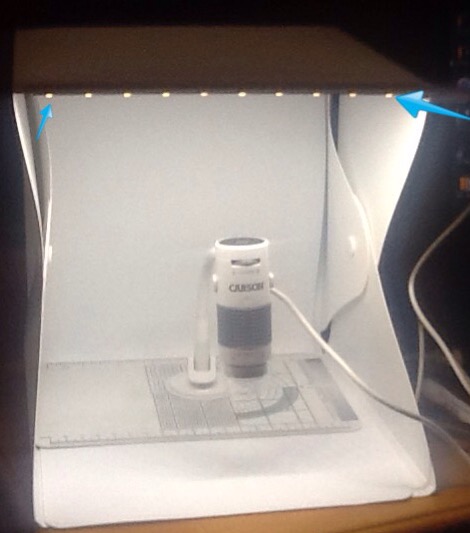
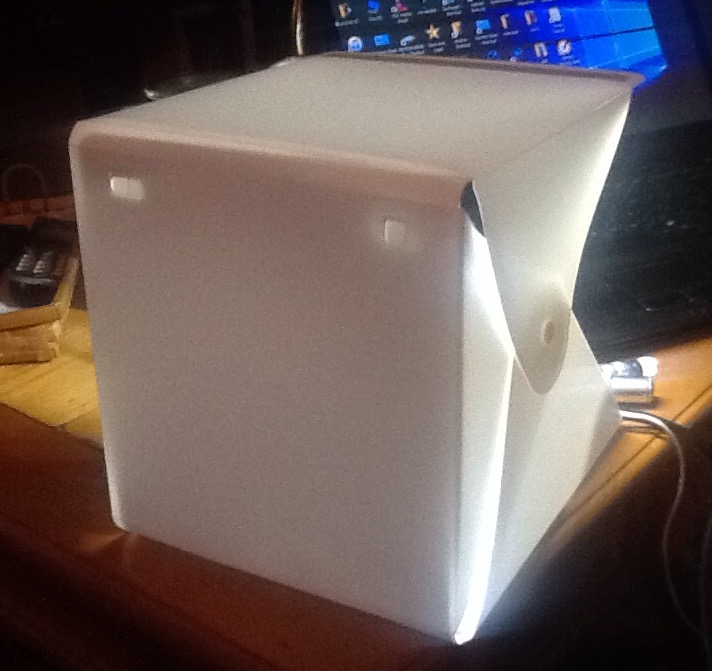
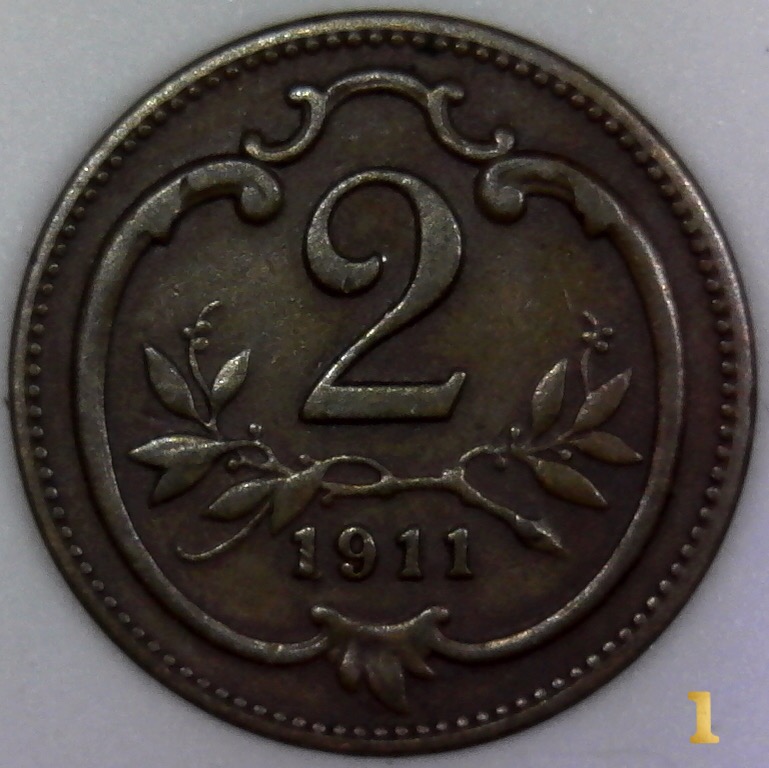
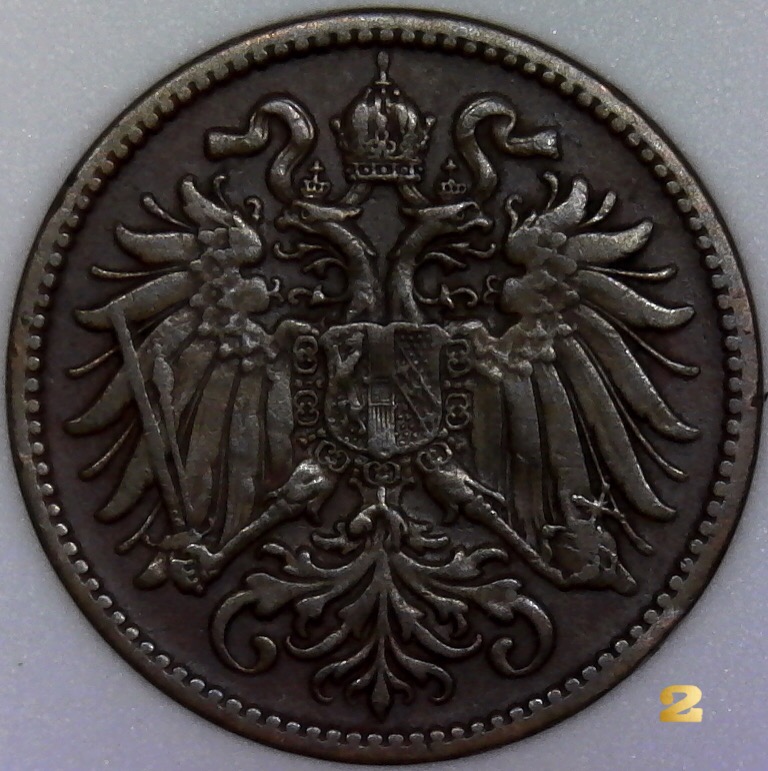
I use a Carson eFlex MM-840 USB microscope with a led photography box. The scope runs about $45 from Amazon and the photo box runs about $9 on ebay. I turn off the led's on the scope and use only the box's led's. I just received the box last weekend so m still experimenting with it. There is not a way to adjust the USB led's on the box however, I plan on looking for some kind of dimmer switch incorporated into a USB cord.
Comments-On-Potential-USB-Microscope-Set-Up
Valued Member
United States
314 Posts
 Posted 01/24/2018  5:01 pm  Show Profile   Bookmark this reply Add einstem to your friends list Get a Link to this Reply
Thanks for the comments so far.
I don't have very steady hands, and although I do have a DSLR, to get it to work for Macro work, I would need to buy a macro lens and a tripod. And that also takes much more set-up whereas this USB system looks like it would allow me to "live view" the coins and snap shots as I go for uploading the ones I like.
Michael
Pillar of the Community
Learn More...
United States
4038 Posts
 Posted 01/24/2018  10:32 pm  Show Profile   Bookmark this reply Add rmpsrpms to your friends list Get a Link to this Reply
Contact me for photographic equipment or visit my home page at:
http://macrocoins.com
  Previous TopicReplies: 6 / Views: 1,510Next Topic  

To participate in the forum you must log in or register.


Disclaimer: While a tremendous amount of effort goes into ensuring the accuracy of the information contained in this site, Coin Community assumes no liability for errors. Copyright 2005 - 2026 Coin Community Family- all rights reserved worldwide. Use of any images or content on this website without prior written permission of Coin Community or the original lender is strictly prohibited.
Contact Us  |  Advertise Here  |  Privacy Policy / Terms of Use

Coin Community Forum © 2005 - 2026 Coin Community Forums
It took 0.29 seconds to rattle this change. Forums