| Author |
 Replies: 17 / Views: 2,245 Replies: 17 / Views: 2,245 |
|
Pillar of the Community
Russian Federation
5186 Posts |
I wanted to post a coin in a contest, took a photo with my smartphone, and tried to crop it in the Image Optimizer. Unfortunately, one of the cropped photos still took up 340 kilobytes - just over the image size limit. When this happened before, I tried to change the quality from 80 to 75. However, this time, I wasn't able to find a "quality" field - only "width" and "sharpen". (Despite the instructions on the Image Optimizer page still recommending that I adjust the quality.) I didn't want to make the photo smaller, because I was afraid that this would introduce inconvenient artifacts; and I definitely didn't want it any sharper. Any ideas what happened? For that matter, any suggestions what to do? Seriously, I have only 16 hours (and a few minutes) before that contest ends, and if the photo problem wasn't there I would likely have won it  (If that helps: Windows 8.1, IE 11, and I would very much prefer not having to install a new browser just to be able to post a coin. Besides, I probably wouldn't make it in 16 hours anyway.) |
|
|
|
Forum Dad
 United States
24233 Posts |
Unfortunately I had to remove it on purpose because I got tired of people posting 300KB 200x200 images because they cranked the quality up to 99% when 75% is perfectly fine for the internet. Making the image a bit smaller does not affect it to 98% of naked eyes. How big an image are you trying to post? Anything over 800px wide is usually overkill. I just did this one with the optimizer, It was 2400 pixels across, I resized it 800 pixels across and it's 136KB. Not good enough? 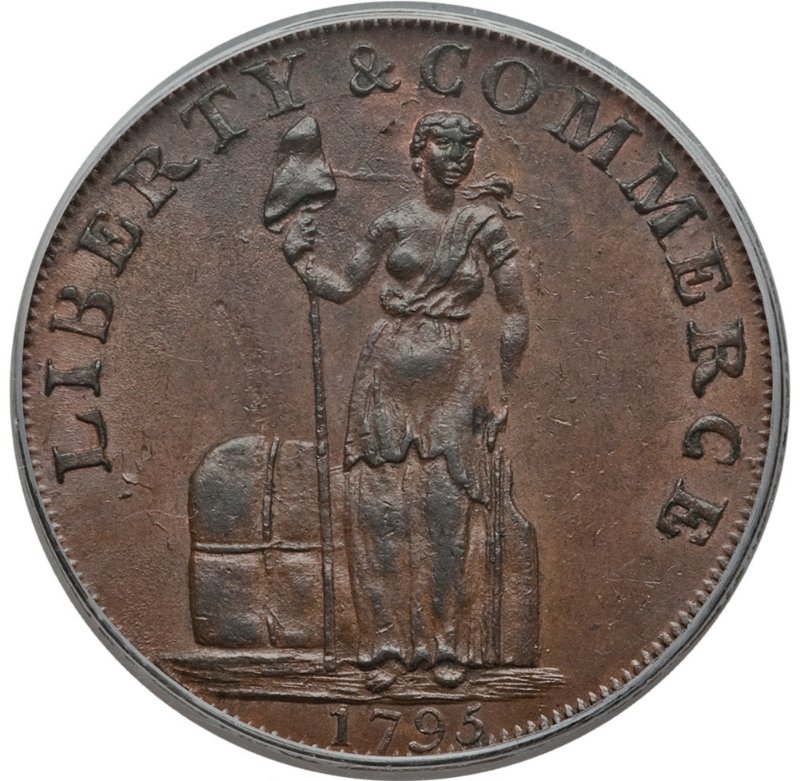 |
|
Pillar of the Community
 Russian Federation
5186 Posts |
Those particular photos were 850 pixels or so (after cropping), I think. Over 800, but definitely well under 1000.
[EDIT: I checked, and it was actually more like 950. Still true.]
I'm just afraid that if I change the size from 850 [or 950] to, say, 800 or 700 I might get ugliness because the pixels combine unevenly, and if I go all the way to 425 [or 475] it might end up too tiny.
Can you recommend any other optimizer? Preferably one that works under IE 11?
It really was very close, and changing the quality down to 75 would almost certainly have fixed it, but now I didn't have the opportunity.
|
|
Forum Dad
United States
24233 Posts |
No, it wouldn't have because they all default to 75 now.
Make it smaller, it will be fine. You're really overthinking it. I mean I shrunk the one above from 2400 to 800 and it's still an awesome picture, you can see every mark on it clearly.
|
|
Pillar of the Community
Russian Federation
5186 Posts |
OK, will change to 475 pixels (or whatever it actually comes out to).
I think I was mostly that sad because the other side of the same coin was able to fit within 300 kilobytes, and now I'd have to fix both images, so that one isn't twice as big as the other.
|
|
Forum Dad
United States
24233 Posts |
Trust me changing it to 800 will not kill the image. You've been brainwashed apparently. In the above post, I removed over 5 million pixels from the original image, cut the sides by 2/3, by your logic it should be atrocious.
Email me your original image and I will prove it to you. bobby at coincommunity.com
|
|
Pillar of the Community
Russian Federation
5186 Posts |
Quote:
In the above post, I removed over 5 million pixels from the original image, cut the sides by 2/3, by your logic it should be atrocious. No, it doesn't quite work that way. 3 is an integer, so shrinking the image by a factor of exactly 3 (as you apparently did - 2400 to 800) combines the pixels evenly, which, as far as I understand it, would produce much less distortion. I would have believed you if you had resized it to, I dunno, 700 or 900. (Or 853 or whatever.) With 800 it just proves my logic. I guess I should post both 480-pixel and 800-pixel versions of my coin, and ask which one is better? (I've already uploaded the 480 pixel versions, and was almost ready to post them when I saw your comment.) |
|
Forum Dad
United States
24233 Posts |
I give up. Do whatever you want.
|
|
Forum Dad
United States
24233 Posts |
There, I used the optimizer and resized it from 2400 to 769, how horrible is it? 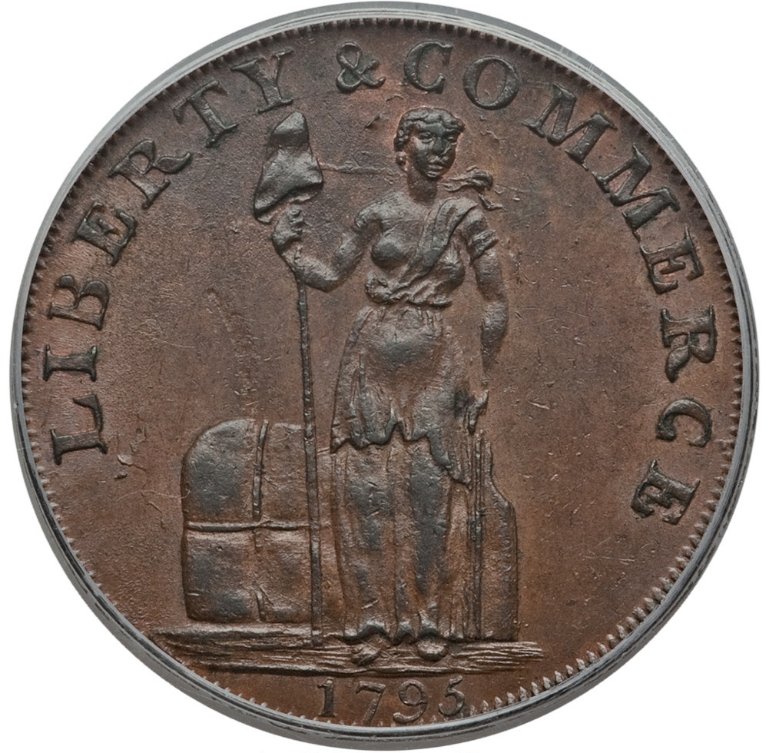 2400 to 649.... not an integer.... 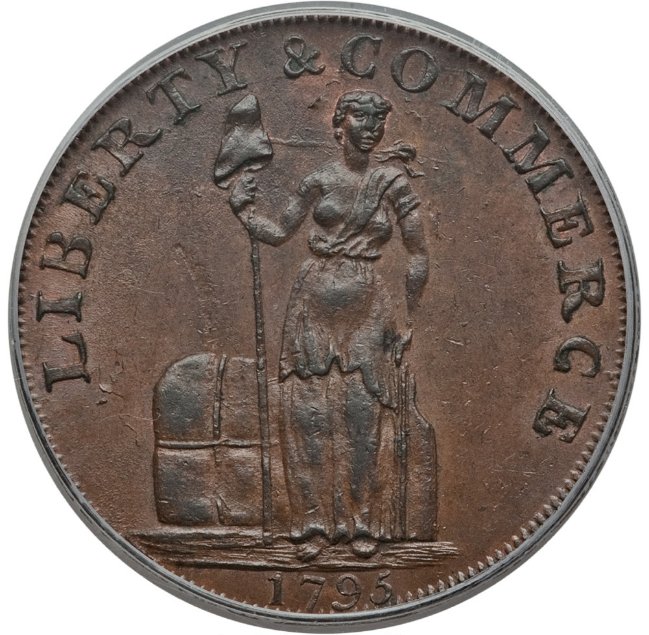 |
|
Rest in Peace
United States
17900 Posts |
Very beautiful, actually.
|
|
Pillar of the Community
Russian Federation
5186 Posts |
I just did what I really should have tried originally: I resized the 1200-pixel Washington token provided as the default in the Image Optimizer to 853 pixels. And, just as you predicted, there was no distortion that I could notice. So yes, you were correct; sorry.  In the future I will try to resize my images to 800 pixels (if they are larger). Certainly would make them neater, if nothing else (typically my obverse and reverse pictures are not quite the same size as each other, since they are photographed and cropped individually). EDIT: ninja-ed. Though yes, that token is indeed quite pretty. Edited by january1may
02/11/2018 7:41 pm
|
|
Forum Dad
United States
24233 Posts |
Your theory is not incorrect, it's just not something that is visible to the naked eye on the internet. Maybe there are some "super eyes" that can but who knows.
|
|
Moderator
United States
54297 Posts |
Windows, including v8.1, have an included program called PAINT.
Paint can easily crop and resize images.
I do a lot of photo editing, cropping, resizing, side-by-side comparisons, etc. and I use Paint about 80% of the time.
For the other 20% I use a FREE program called PAINT.NET (from getpaint.net). It is a much more robust image editor, but it also easily resizes images, and has a quality setting upon saving.
|
|
Pillar of the Community
Russian Federation
5186 Posts |
Quote:
Windows, including v8.1, have an included program called PAINT.
Paint can easily crop and resize images.
I do a lot of photo editing, cropping, resizing, side-by-side comparisons, etc. and I use Paint about 80% of the time.
For the other 20% I use a FREE program called PAINT.NET (from getpaint.net). It is a much more robust image editor, but it also easily resizes images, and has a quality setting upon saving. Meh. Paint's JPG quality sucks (it's a lot worse than the 75 used here), and its resize function double sucks. Sure, it's almost perfect for PNG images: tables, maps, flags, line drawings, most kinds of screenshots... that sort of thing. (Which Is in any case useless now as far as CCF is concerned, because that format isn't accepted any more, but can be useful on many other forums.) But for JPG... meh. And probably worse than just "meh". I mean, I'd use it on a JPG if I actually really had to and there was nothing else, but even then I'd probably try to add a disclaimer (or several) about how it sucks. And this particular contest didn't make it to my boundary of "really had to"; that only works with a much stronger need (a document or a CV would probably be enough). As for Paint.NET... well, from what I've heard, it's really complicated to use, and has a horrible learning curve. I've never actually used it, though, so in principle it's possible that it's not really that bad. Even so... isn't it a Linux thing? (And doesn't it take up lots of drive space, for that matter?) |
|
Pillar of the Community
 United States
4622 Posts |
january1may you are confusing paint.net with the GIMP. Paint.net is a very simple to use (but quite powerful) image editor for Windows (the .Net comes from the .Net foundation library). GIMP is an open source tool, and has a reputation for being difficult to use. It's very, very powerful and people confuse the learning curve with difficulty. It's available for just about every platform you can think of: https://www.gimp.org/They have some tutorials here: https://www.gimp.org/tutorials/GIMP_Quickies/ Guess what - the workflow for our simple tasks of resizing or cropping an image? Are basically the same for paint, paint.net and GIMP. Open an image, select a tool, draw the crop box. Click. Resize the image involves setting a size and taking the defaults. Click. Save As. -----Burton 50+ year / Life / Emeritus ANA member (joined 12/1/1973) Life member: Numismatics International, CONECA Member: TNA, FtWCC, NETCC, EveryCountry (online) coin club Owned by three cats and a wife of 40+ years (joined 1983) Author: 3rd Edition of the Sample Slabs book, https://www.sampleslabs.info/ |
|
Moderator
United States
54297 Posts |
I agree that Paint does not store images efficiently, but it comes with Windows, and is incredibly easy to crop and resize images, and when doing that it is FAST. I especially like the ease of increasing or decreasing canvas size.
Paint.net has no greater learning curve than any image editor having as many features.
|
| |
Replies: 17 / Views: 2,245 |










 Posted 02/11/2018 6:43 pm


