| Author |
 Replies: 14 / Views: 1,341 Replies: 14 / Views: 1,341 |
|
|
Pillar of the Community
United States
3546 Posts |
Hope you enjoy. Just click the little boxes to the right of the image or use your mouse to swipe left or right. My Crack 21-D Morgans*** Moved by Staff to a more appropriate forum. ***Edited by srs77
06/21/2018 2:23 pm
|
|
|
|
Moderator
 United States
195559 Posts |
That is an interesting presentation!  Are the boxes supposed to overlap the right side of the image? |
|
Pillar of the Community
 United States
3546 Posts |
Jbuck, first thanks for moving this to the appropriate area.. Sorry about that. When I view the slideshow on my MAC the image should just spin in it's given space with the look of a cube turning. Mine does not overlap. If others see this I'll see about changing the effect....
|
|
Moderator
United States
195559 Posts |
No problem on the move.  I have tried in both Chrome and Firefox, they both show some overlap. Everything else looks good and the spin is really cool. 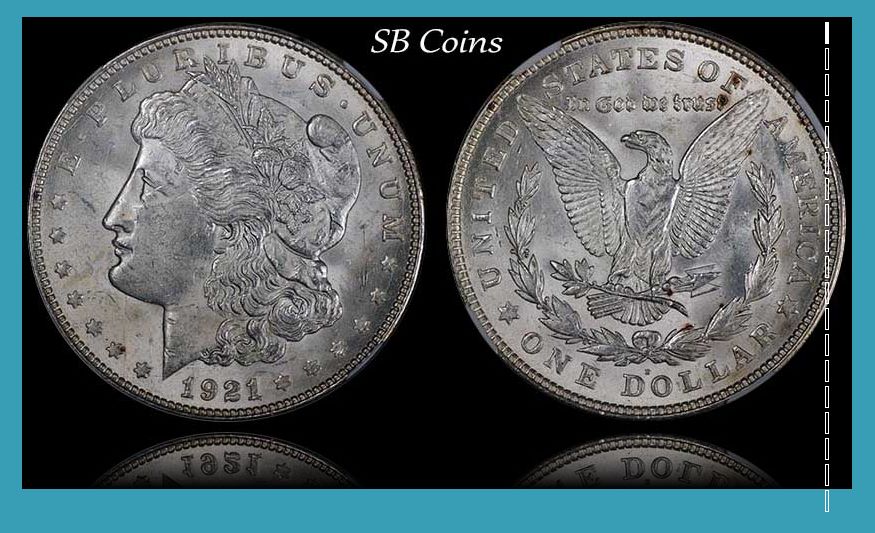 |
|
Pillar of the Community
United States
3546 Posts |
Thanks Jbuck... Can you reload the page and try again?
|
|
Moderator
United States
195559 Posts |
Fixed in Firefox! Still overlapping in Chrome.  |
|
Moderator
United States
34549 Posts |
Works fine on my ipad and those are super die cracks you are showing.
@srs, you didn't mention if you were looking for feedback, so please ignore this next bit if you aren't...
I found it a little confusing at the start that I would slide down to go to the next coin since the coin was rotating horizontally. It seems like I should be swiping in the same direction of the movement on the screen.
"If you climb a good tree, you get a push."
-----Ghanaian proverb
"The danger we all now face is distinguishing between what is authentic and what is performed."
-----King Adz
|
|
Pillar of the Community
 United States
5719 Posts |
Very cool effect! Worked fine in Chrome on my pc.
|
|
Pillar of the Community
United States
3546 Posts |
Thanks everyone. Spence a little later I will adjust it a little more... Supreme, I'll look a little bit at your suggestion as well...
Edited by srs77
06/21/2018 10:35 pm
|
|
Pillar of the Community
United States
3546 Posts |
The rotation has been changed....
|
|
Moderator
United States
34549 Posts |
Sweeet!
"If you climb a good tree, you get a push."
-----Ghanaian proverb
"The danger we all now face is distinguishing between what is authentic and what is performed."
-----King Adz
|
|
Rest in Peace
United States
1559 Posts |
Now that is cool! Quote:
It seems like I should be swiping in the same direction of the movement on the screen. On my IPad it does flip in the up or down swipe. Left and or right does nothing. And there is an overlap of the boxes on Chrome and Safari. Still very cool  |
|
Moderator
United States
195559 Posts |
Quote:
The rotation has been changed.... I like! I like the all black background, too. I still have overlap in Chrome while Firefox remains perfect. |
|
Pillar of the Community
United States
3546 Posts |
Jbuck, it's a styling issue where without much work I can make it work in one and not the other.... I'll probably keep trying though.... Thanks!
|
|
Moderator
United States
195559 Posts |
|
| |
Replies: 14 / Views: 1,341 |
|








 Posted 06/21/2018 2:27 pm


