| Author |
 Replies: 20 / Views: 8,229 Replies: 20 / Views: 8,229 |
|
Pillar of the Community
Canada
1189 Posts |
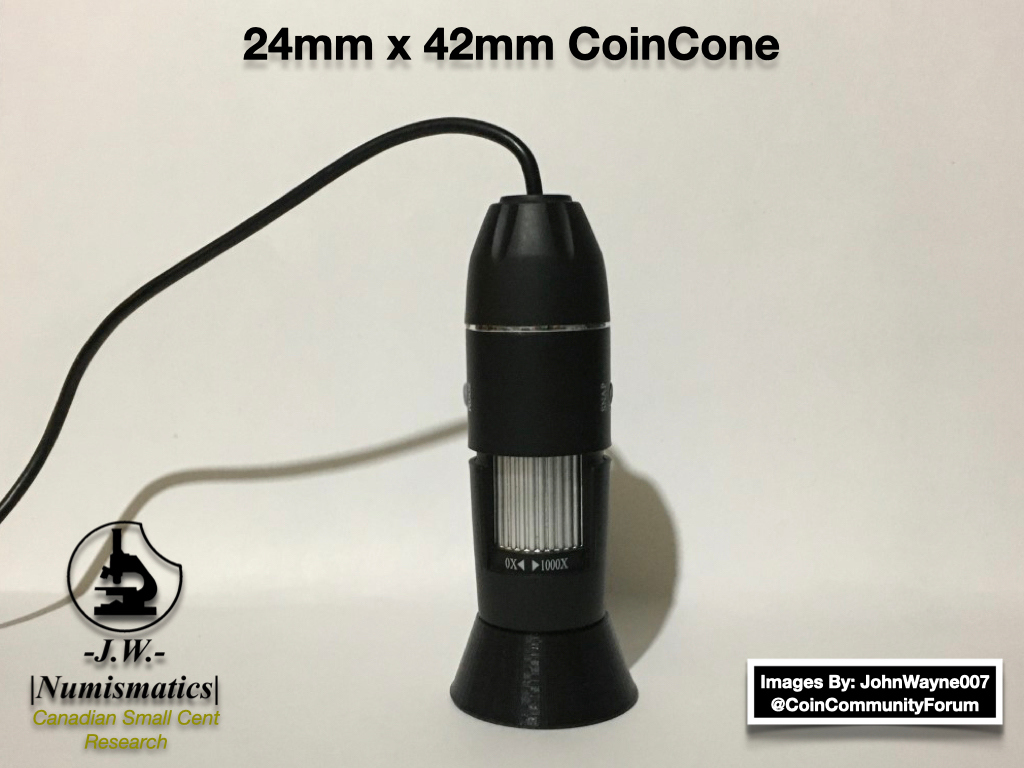
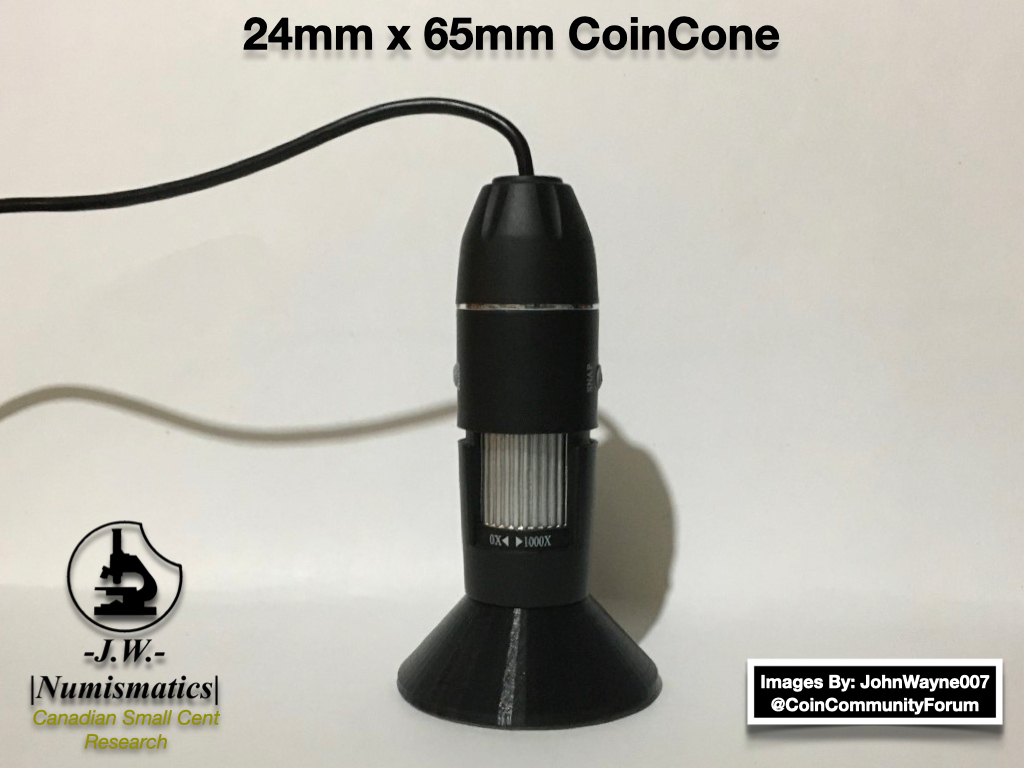
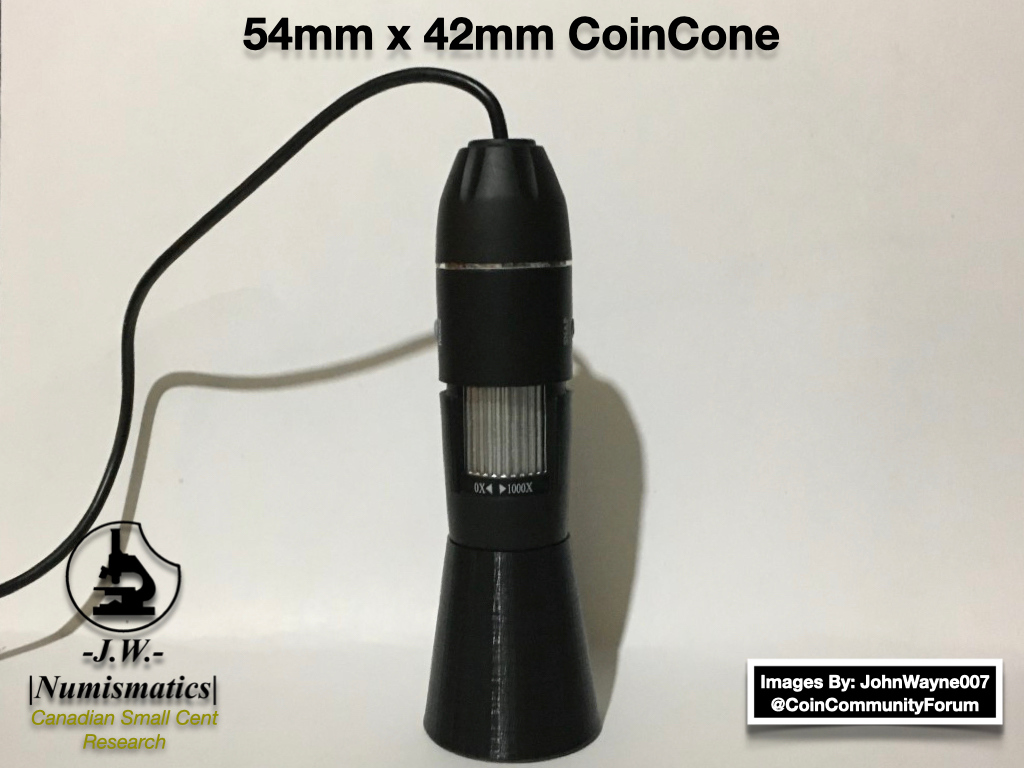
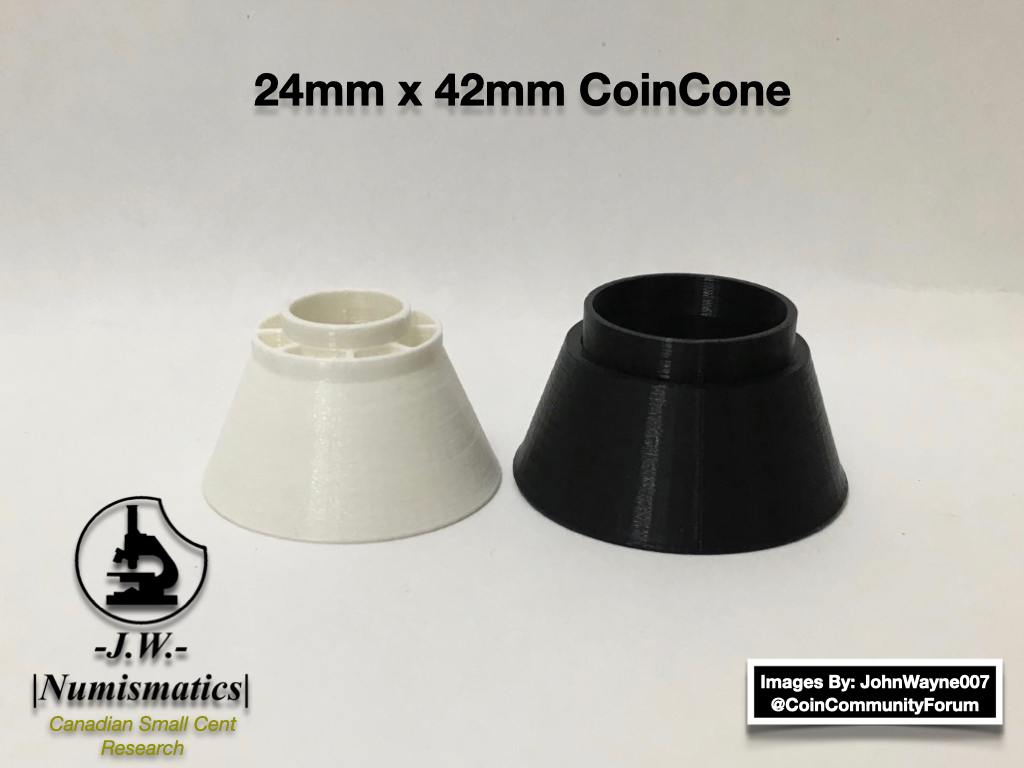
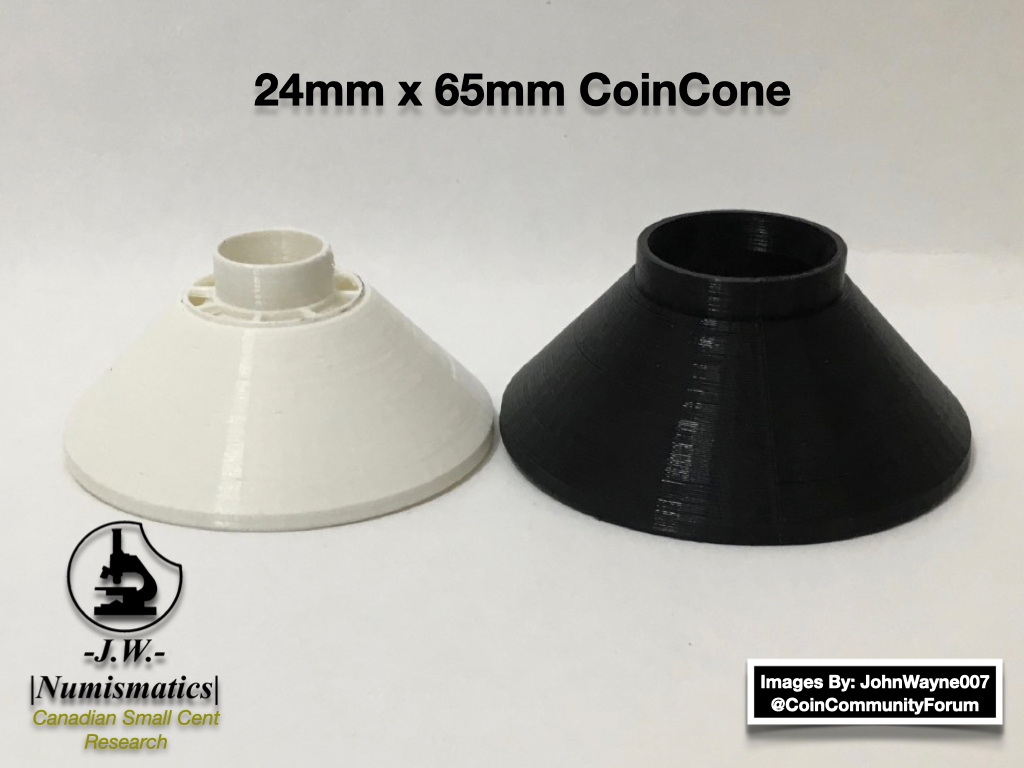
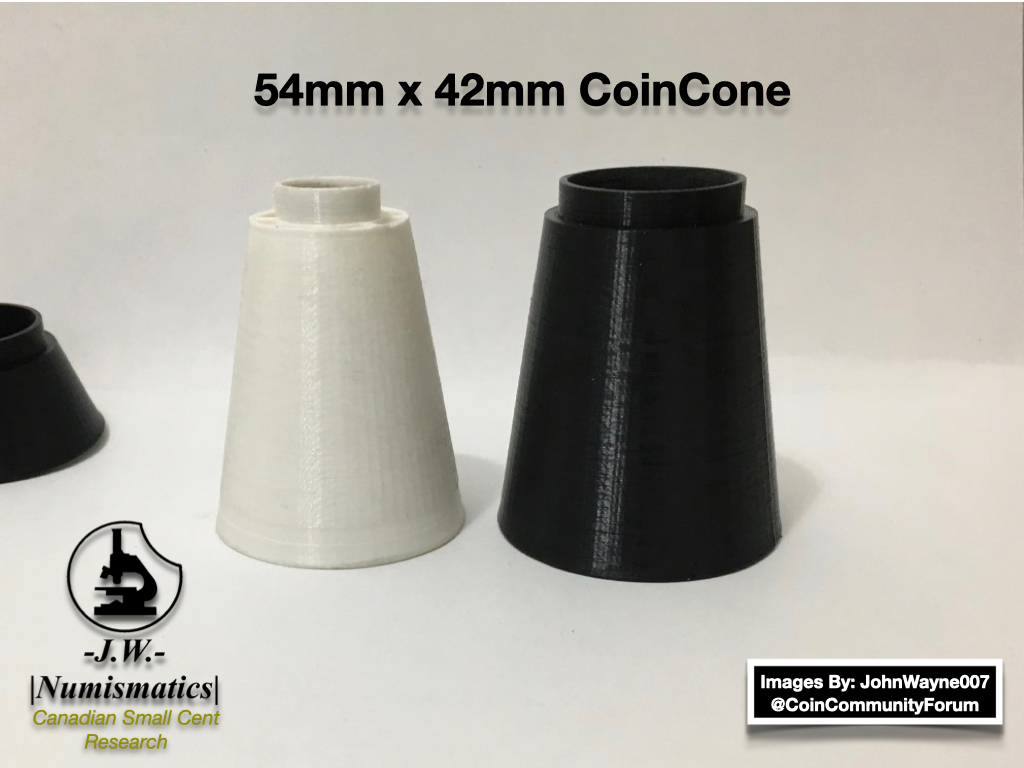
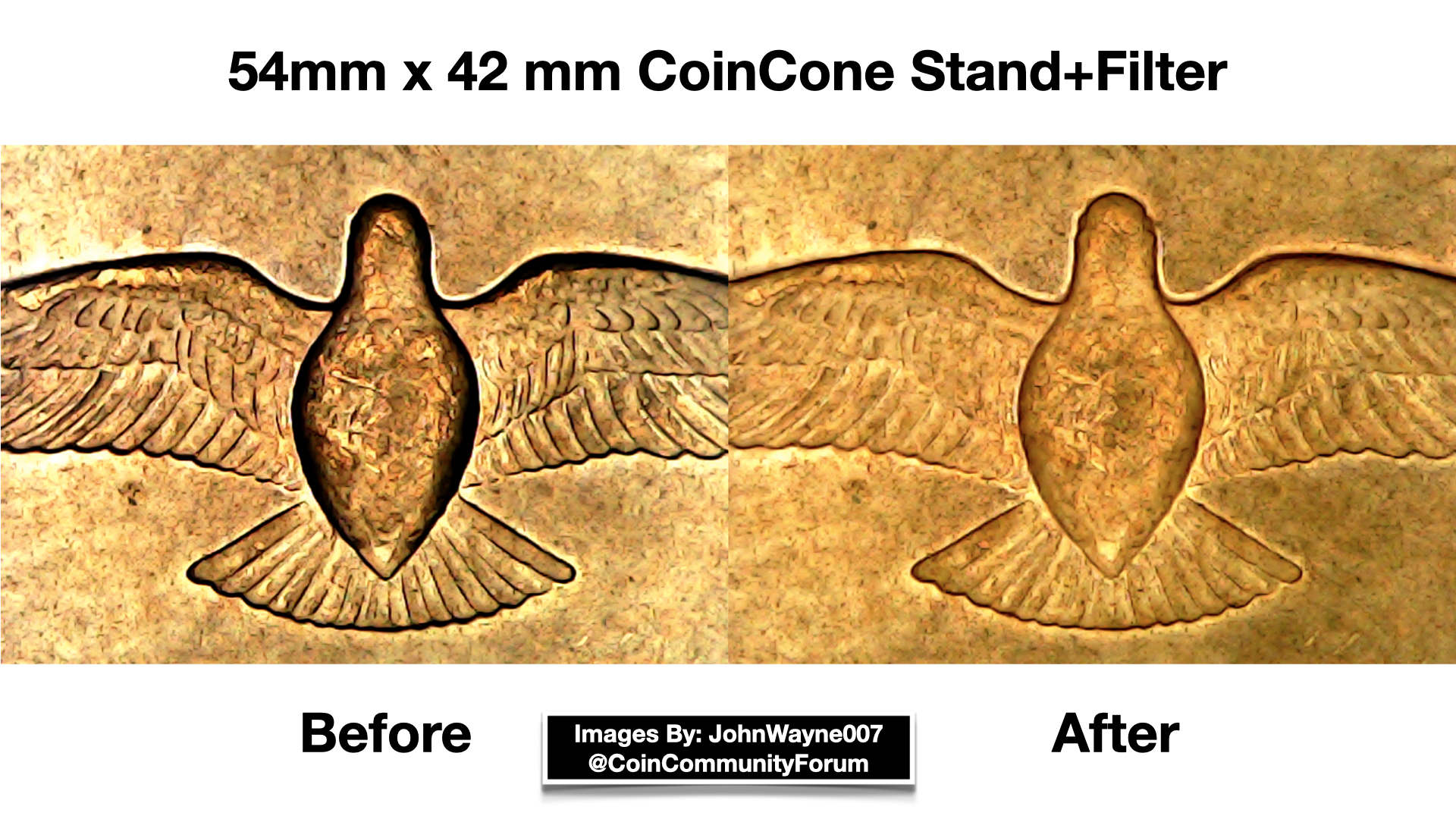
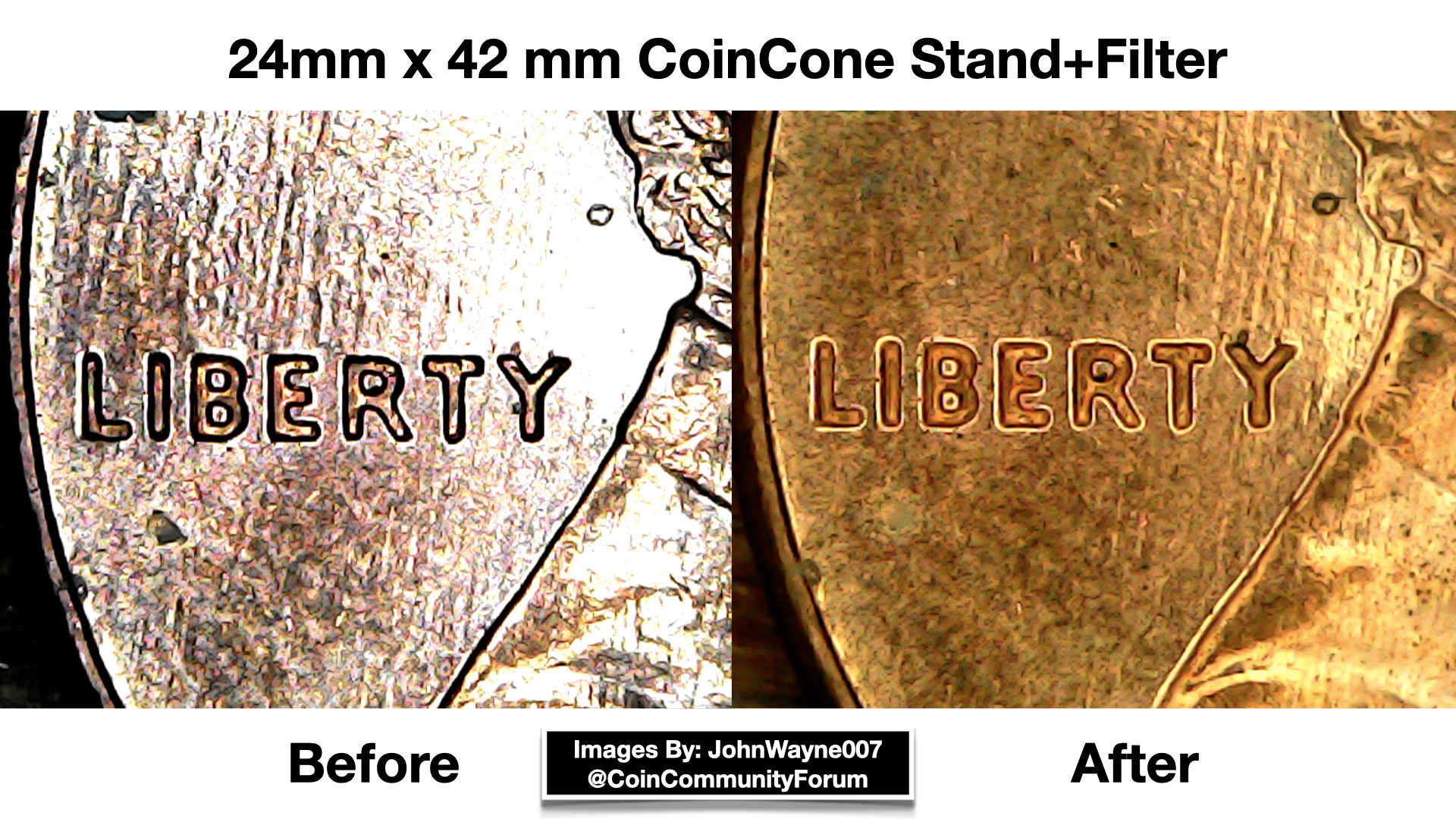
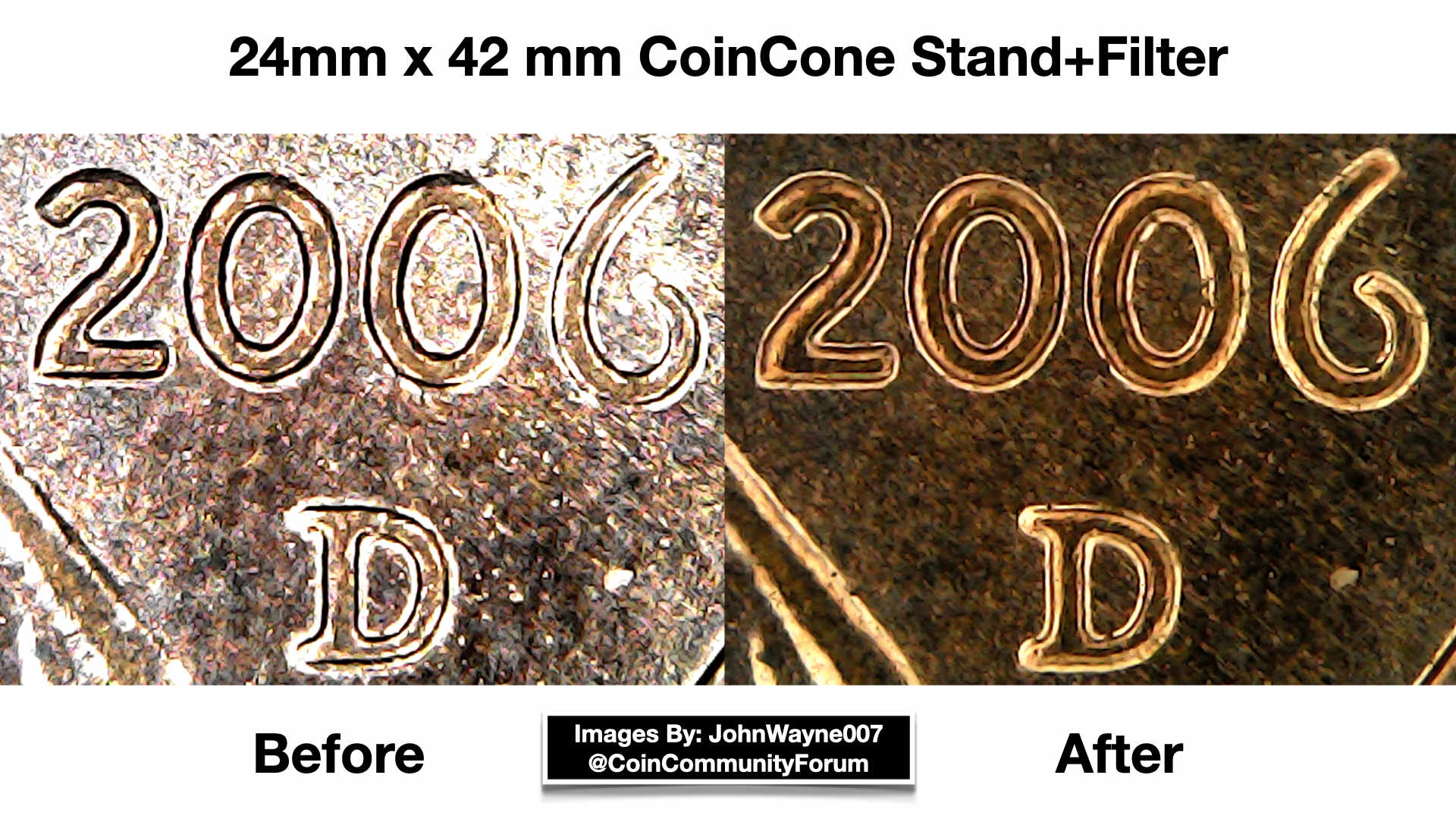
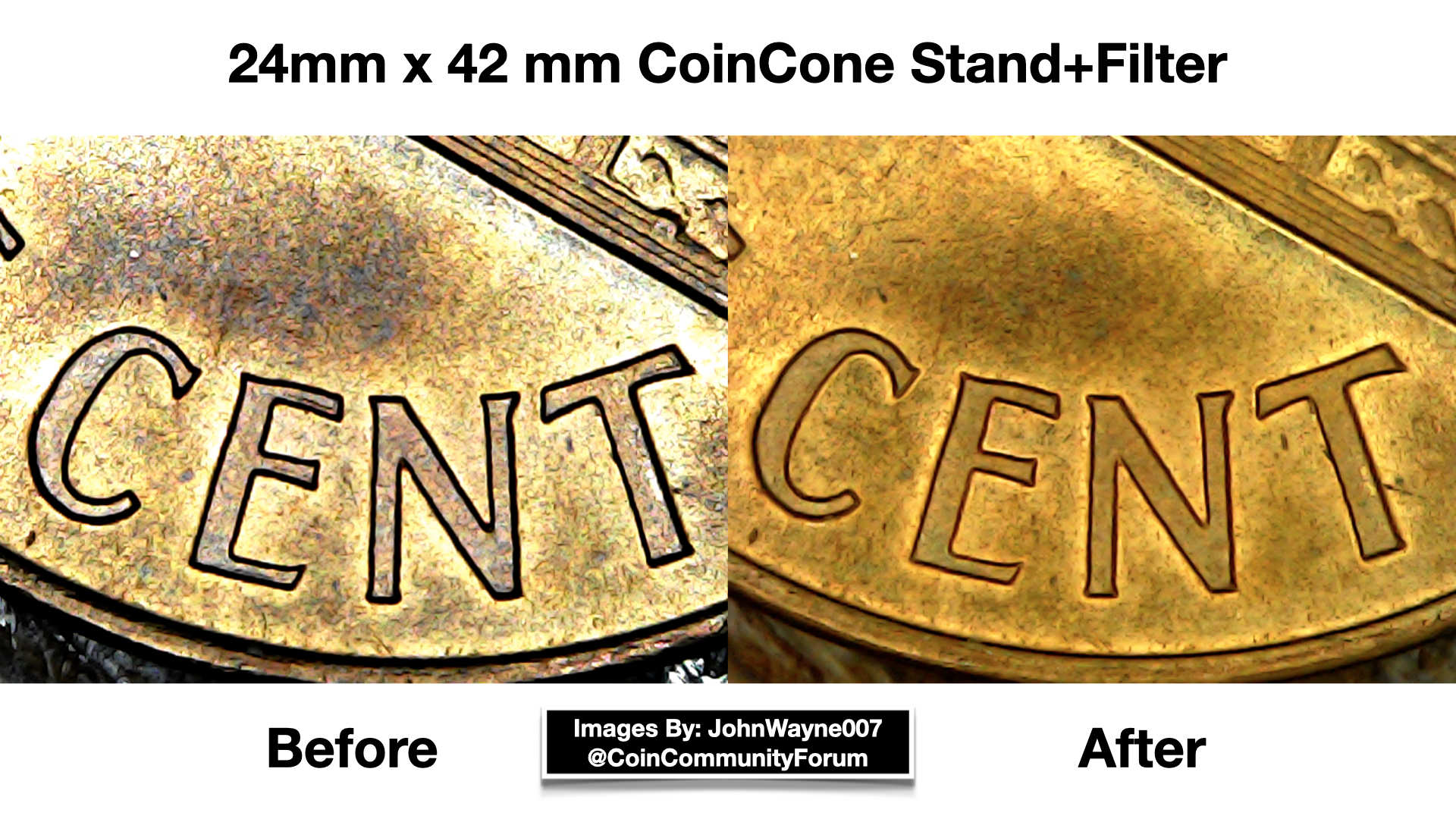
I just thought I would share this with you guys, I'm sure those who have USB microscopes can agree, the "Lights" are far from good. I got tired of messing around with it and never getting those clear shots I know it was capable of doing, not to mention the stand they come with are horrible, they become loose and never stay in place after using it a few times. So I used my 3D Printer and printed two Microscope Stands, with LED Light Filters to block out most of the glare the first one is 26mm high. 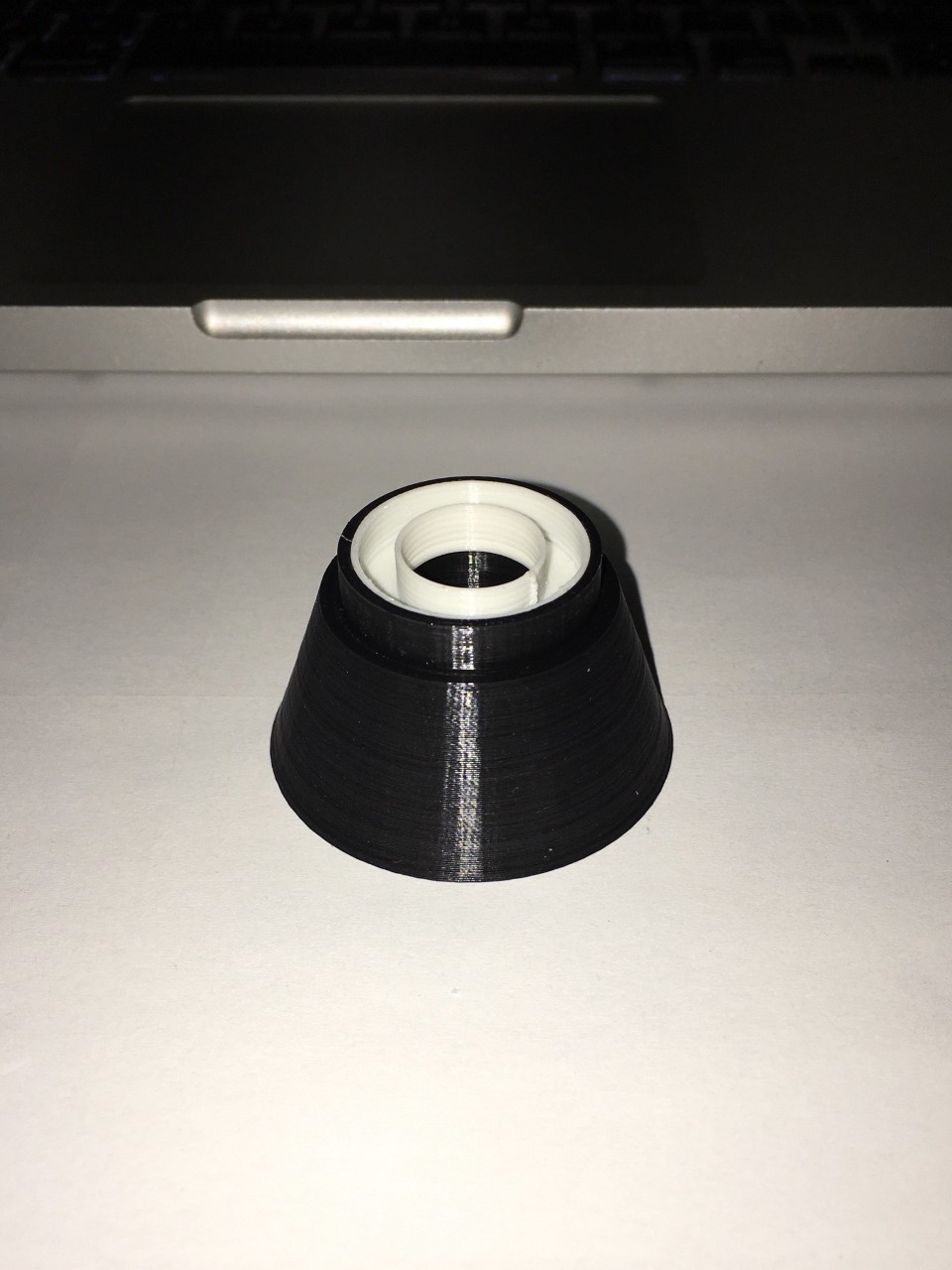 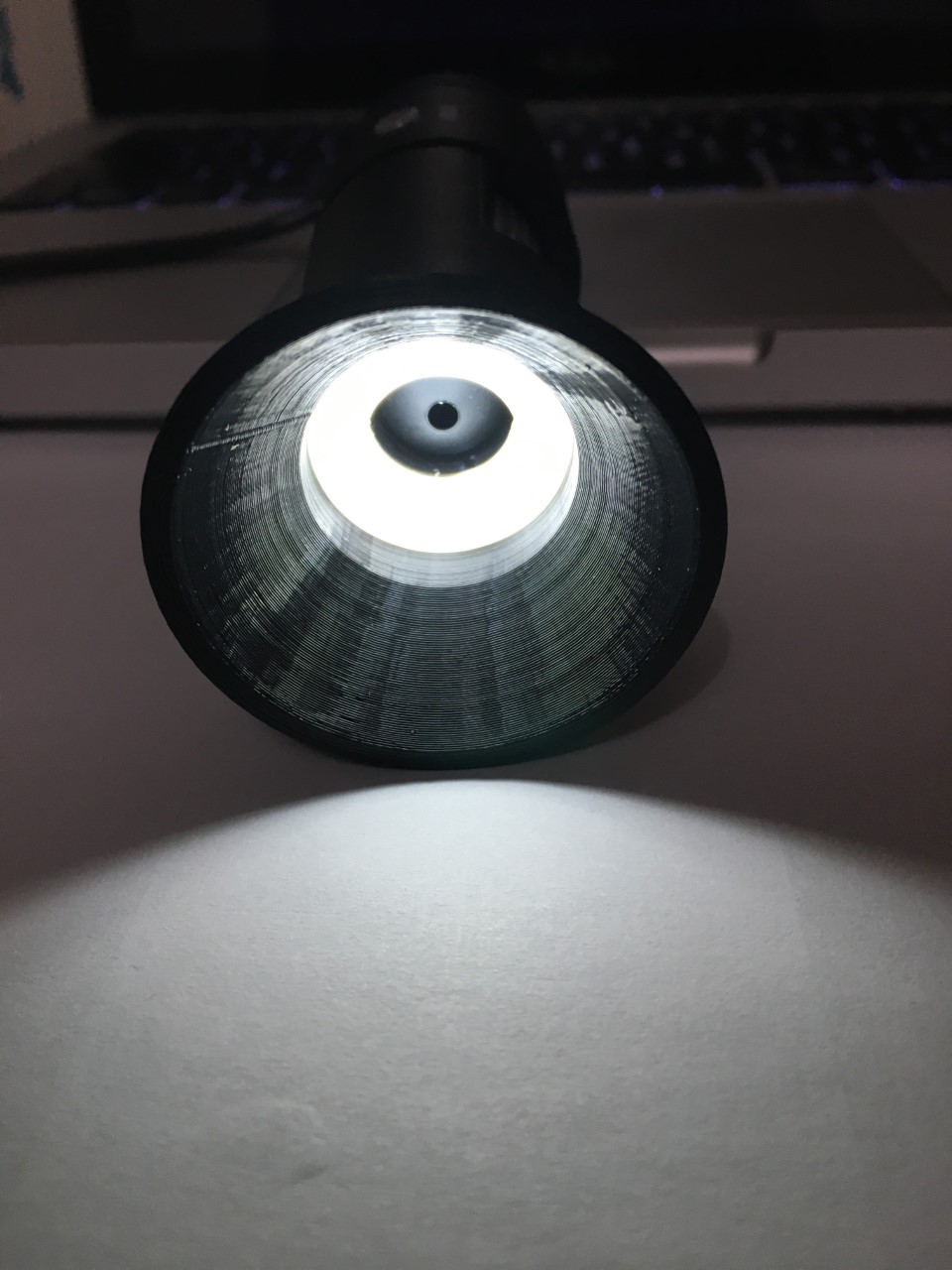 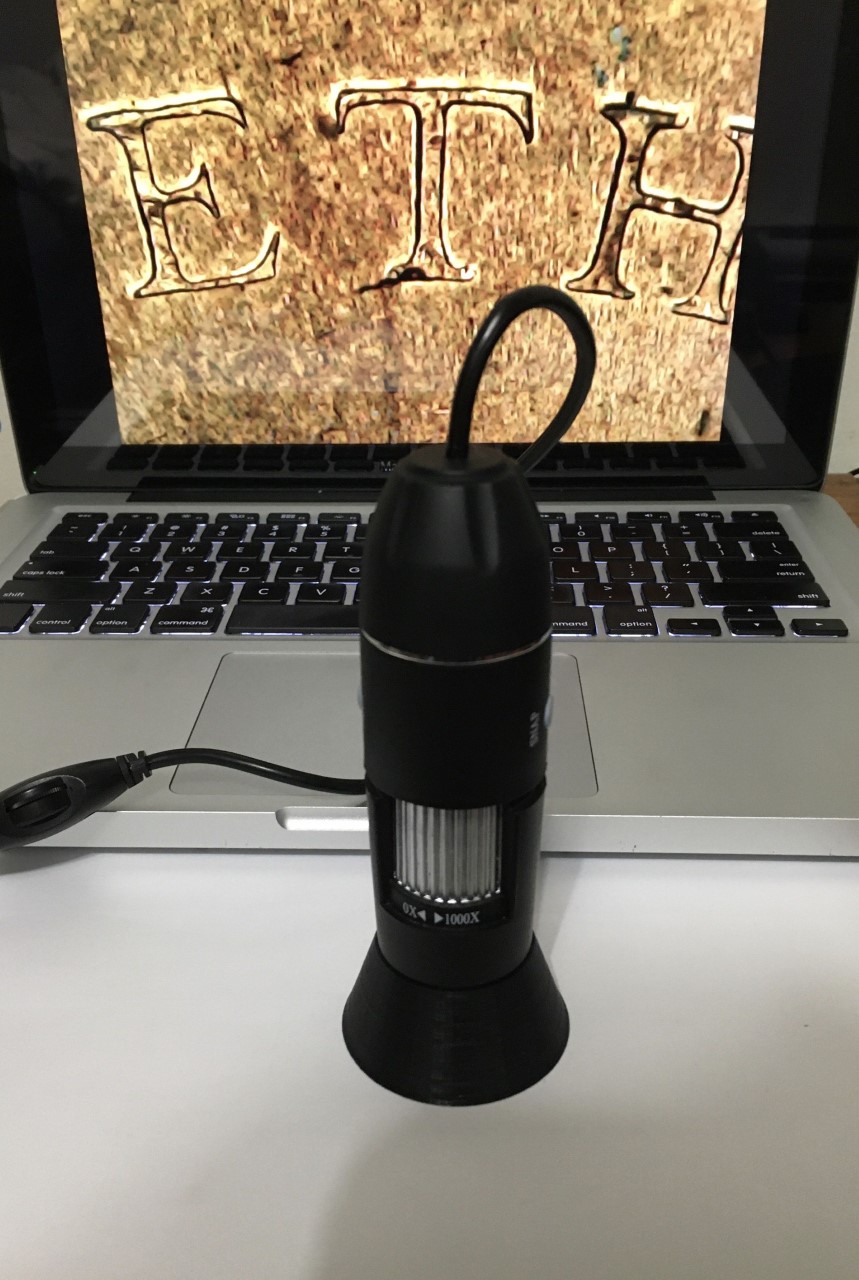 The second one is 56mm High. 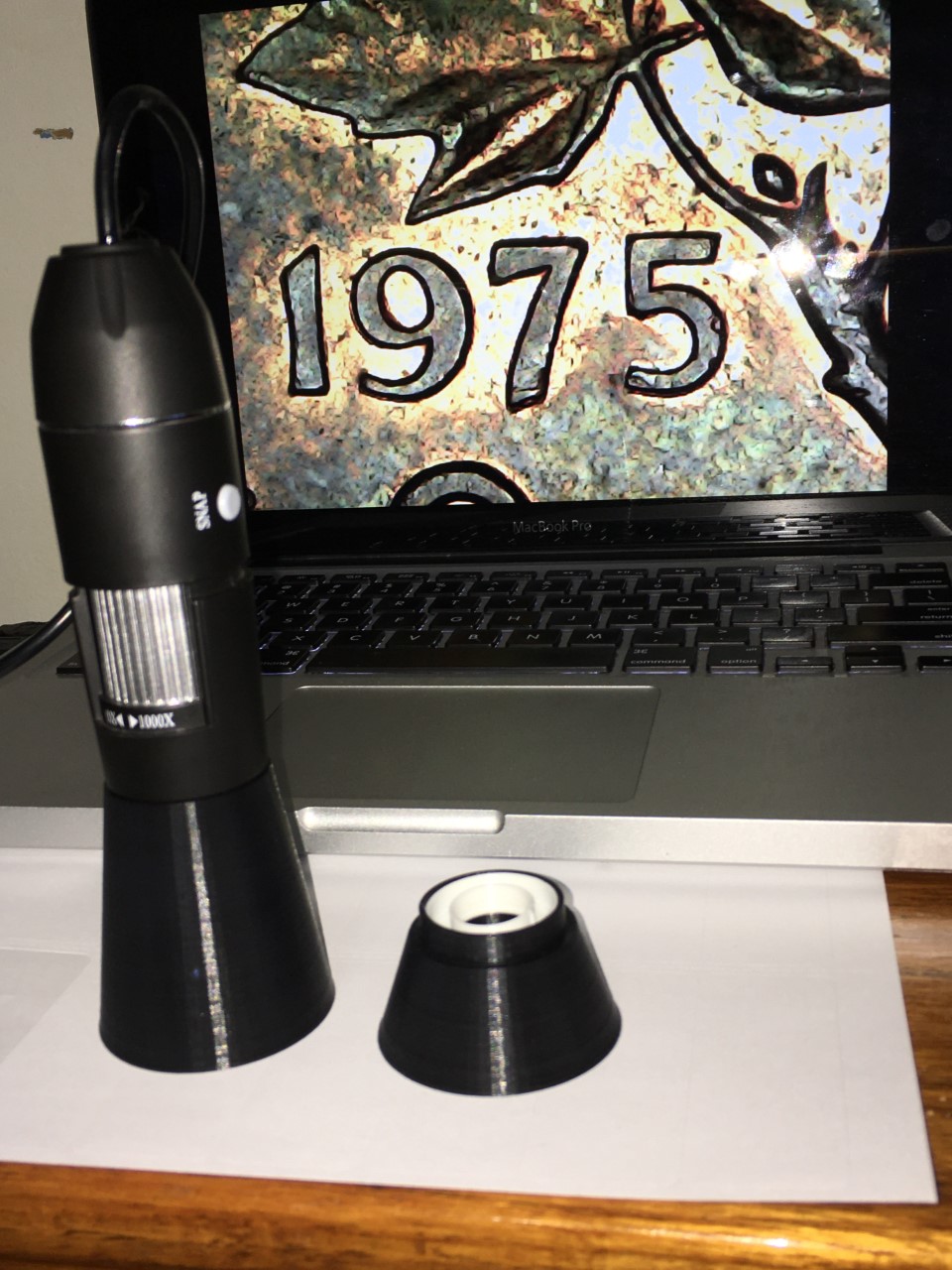 You may wonder why I made 2 with different heights, the smaller one was made for Closer images, and the larger one was made for Larger images while searching for errors or varieties. Here are photos of how the filter images look. 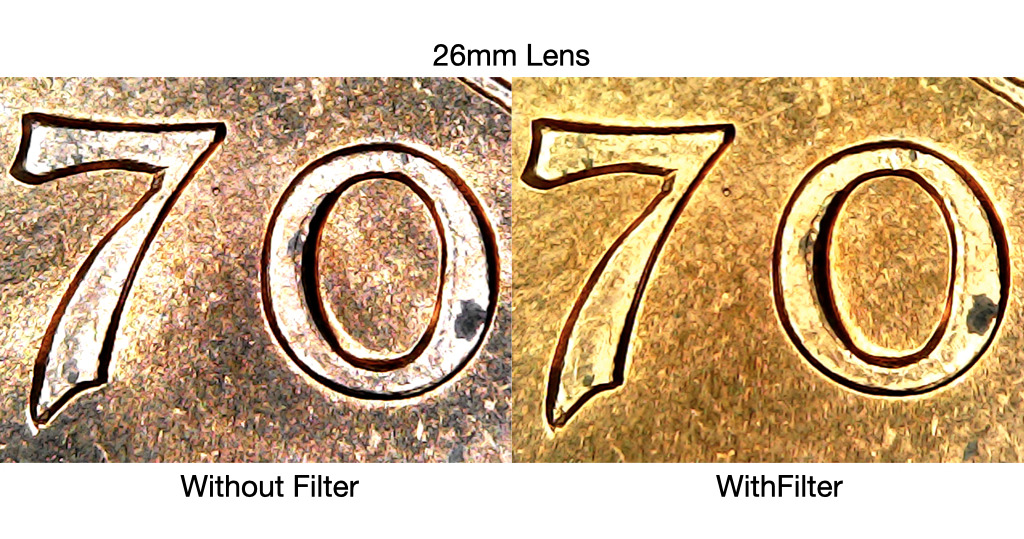 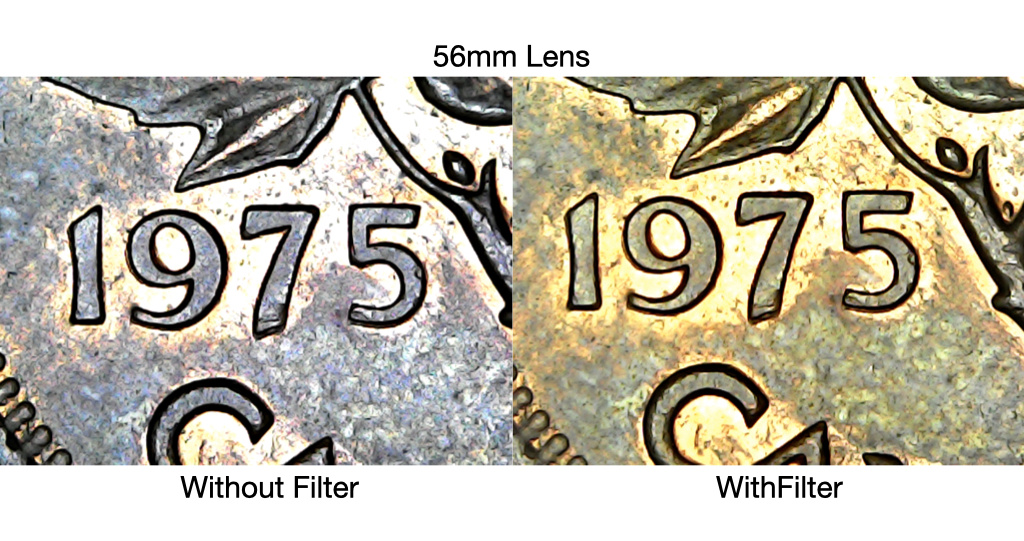 It may not look like a huge difference, but if you notice there is no more glare, and both images were taken with the lights on Max, if I turned one with filter down a hair you would see almost every detail but I didn't for comparison while testing the light filter. The best part about these stands, you can take perfectly still photos from a 100% Level camera angle. No more dealing with your microscope going out of focus before taking a photo  Finding and discovering modern Canadian doubled die varieties since 2018. 2023 Recent Publications: Modern Canadian Doubled Die Varieties - First Edition PDF & Paperback https://www.mcddv.ca - (New Site, Second Edition, Registry & Services coming fall 2026) |
|
|
|
Pillar of the Community
 United States
4051 Posts |
Very nice work indeed! Does the USB scope have any provisions for adjustments such as exposure, contrast, white balance, etc?
|
|
Pillar of the Community
 Canada
1189 Posts |
Quote:
Very nice work indeed! Does the USB scope have any provisions for adjustments such as exposure, contrast, white balance, etc? Thank you rmpsrpms, The microscope itself only has the zoom in and out adjustment, along with the snapshot and digital zoom, but the software that runs the microscope does have settings to adjust the exposure. contrast white balance and something that looks like an xray. I've never gotten around to using any of those settings though mainly because I had a hard enough time with the physical things like the stand and LED's so now that I can actually see with it I plan on checking them out. My goal was to turn a budget microscope into something actually usable without too much fuss and it seems to have worked out pretty good. Finding and discovering modern Canadian doubled die varieties since 2018. 2023 Recent Publications: Modern Canadian Doubled Die Varieties - First Edition PDF & Paperback https://www.mcddv.ca - (New Site, Second Edition, Registry & Services coming fall 2026) |
|
Moderator
United States
56855 Posts |
Very ingenious. Is there a way to "dull" the inside of the cone? Can you make the "filter" part just a bit thicker? John1  |
|
Pillar of the Community
Canada
1189 Posts |
Quote:
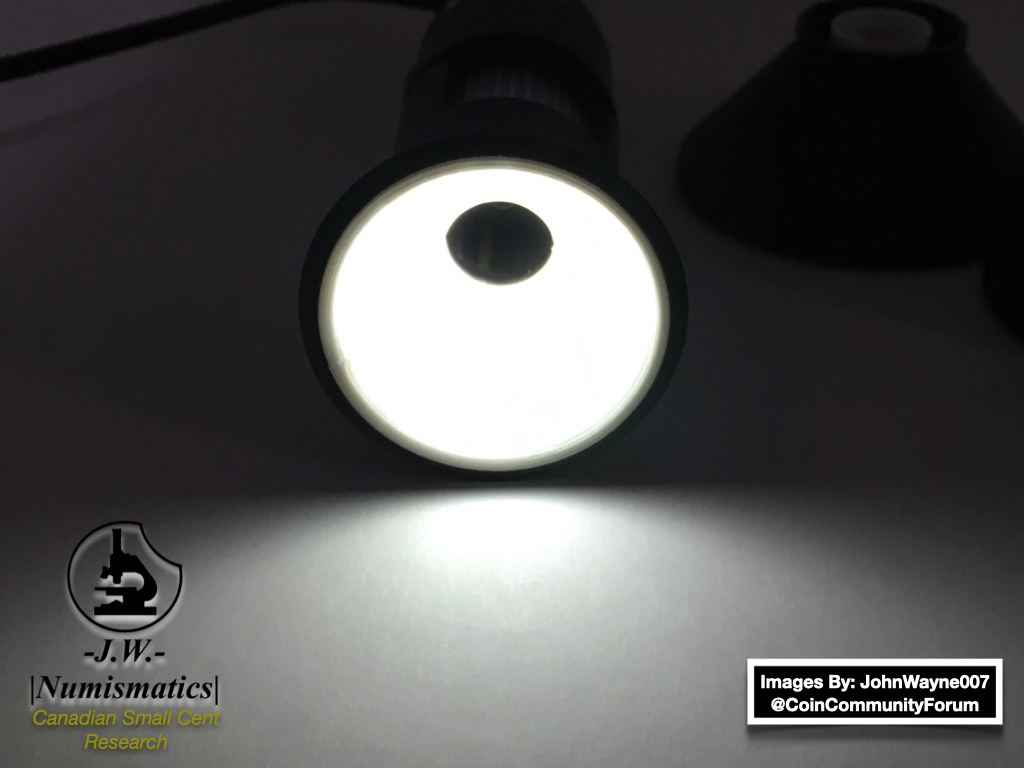
Very ingenious. Is there a way to "dull" the inside of the cone? Can you make the "filter" part just a bit thicker? The filter is removable so that I can put thicker or thinner filters in when needed (or different coloured filters) as the filter incases the LED's entirely, there is also a dimmer switch for the light connected to the microscopes USB cord to turn the LED's brightness up or down. The inside of the cone I am debating on if I should keep it black, or if I should make it white, I printed the whole cone solid black because I did not want the white to make it way too bright and I knew the black would act as a sponge and soak up most of the unnecessary light glare bouncing off of the coin. Just like the filter, I plan to make white cone inserts for the inside of the cone, I can also make it grey, I plan on trying a few different approaches to get the best lighting possible. Finding and discovering modern Canadian doubled die varieties since 2018. 2023 Recent Publications: Modern Canadian Doubled Die Varieties - First Edition PDF & Paperback https://www.mcddv.ca - (New Site, Second Edition, Registry & Services coming fall 2026) |
|
Pillar of the Community
 United States
584 Posts |
nice hack , what ive done was moved the filter up to the focus so it traps the side lighting, and cones it outward.
|
|
Pillar of the Community
Canada
1189 Posts |
Finding and discovering modern Canadian doubled die varieties since 2018. 2023 Recent Publications: Modern Canadian Doubled Die Varieties - First Edition PDF & Paperback https://www.mcddv.ca - (New Site, Second Edition, Registry & Services coming fall 2026) |
|
Pillar of the Community
United States
3346 Posts |
Very clever. Good job.
Must be nice to have access to a 3-D printer.
"Nummi rari mira sunt si sumptus." - Filius Scotiae
|
|
Pillar of the Community
United States
1353 Posts |
Outstanding results for a difficult problem....many people could use your hack. Is it expensive to make? You may have a nice little additional product line to sell.
|
|
Pillar of the Community
Canada
1189 Posts |
Quote:
Very clever. Good job.
Must be nice to have access to a 3-D printer. Thank you Bump111, it does come in handy for sure! Quote:
Outstanding results for a difficult problem....many people could use your hack. Is it expensive to make? You may have a nice little additional product line to sell. It is not expensive at all to make, I can make anywhere from 5 to 15 at a time depending on which size I am printing, the filters are removable as well incase you have an extra shiny non copper coin (nickels, dimes ect) the inside of the cone itself without the filter is black so when you put a really shiny coin under it the light will bounce off and absorb into the walls instead of glaring back into the microscope. So the cone itself has a completely separate use with or without the filter. As for selling them I actually plan to, originally I was just making them for my own use but I know a lot of collectors would appreciate a low budget option for the cheaper microscopes. USB microscopes really aren't that bad if you can get the lighting to cooperate properly and that was why I made them, I found myself messing with the lighting more than I was actually using it, so all in all I accomplished my goal with these and not only do they work, they have been tested rigorously for the best possible outcome. Finding and discovering modern Canadian doubled die varieties since 2018. 2023 Recent Publications: Modern Canadian Doubled Die Varieties - First Edition PDF & Paperback https://www.mcddv.ca - (New Site, Second Edition, Registry & Services coming fall 2026) |
|
Pillar of the Community
United States
992 Posts |
I could certainly use them!!
|
|
Pillar of the Community
United States
1353 Posts |
Absolutely put me on your to buy list. The digital microscope lighting has been frustrating. Thank you.
|
|
Valued Member
United States
54 Posts |
I have a scope just like the one in your pic. Put me in your potential buyer list. TY
|
|
Valued Member
Canada
235 Posts |
Very nice upgrade JohnWayne007 I'm using the Celestron USB microscope and I have the same challenge with the internal LEDs. https://www.celestron.com/products/...croscope-proFor now I just added a paper cone inside the microscope's clear plastic end tube to diffuse the light. It's not perfect but it's working. Is there a similar end tube on your microscope? Did you remove it to add your custom cone? My kids have a 3D printer. So I think I will try your setup. Edited by SP67
06/01/2020 7:22 pm
|
|
Pillar of the Community
Canada
1189 Posts |
Quote:Very nice upgrade JohnWayne007 I'm using the Celestron USB microscope and I have the same challenge with the internal LEDs. https://www.celestron.com/products/.croscope-proFor now I just added a paper cone inside the microscope's clear plastic end tube to diffuse the light. It's not perfect but it's working. Is there a similar end tube on your microscope? Did you remove it to add your custom cone? My kids have a 3D printer. So I think I will try your setup. The clear "Dust cover" lens you speak of needs to be removed, they normally just pop off but I'm not sure about the Celestron, you would have to find out as I do not have one on hand to see. Also if you decide to print your own you need to make sure that you do not hit the LED's from the sides or top, you need to make precise measurements with a measuring calliper in order to make enough clearance in the right places or you could bust the LED's right off of the microscope while trying to fit the cone, so print at your own risk. Celestrons are fairly expensive an id hate to see you bust it so you need to be 100% confident in your measurements or be willing to potentially ruin your microscope as an outcome, that warning is not meant to be taken lightly either, I went through 2 cheaper USB Microscopes while going through testing before perfecting the design. Finding and discovering modern Canadian doubled die varieties since 2018. 2023 Recent Publications: Modern Canadian Doubled Die Varieties - First Edition PDF & Paperback https://www.mcddv.ca - (New Site, Second Edition, Registry & Services coming fall 2026) |
|
Pillar of the Community
United States
992 Posts |
I'm using a dinolite, is it compatible?
|
| |
Replies: 20 / Views: 8,229 |







 Posted 05/13/2020 01:07 am