| Author |
 Replies: 14 / Views: 2,060 Replies: 14 / Views: 2,060 |
|
|
New Member
United States
15 Posts |
Hi: I'm exercising my Canon Powershot A720 to see if the camera and I are up to the task of taking grading-quality shots. I started with this Roosevelt dime, because I figured smaller coins would be the most difficult. I reviewed Super Dave's post on this topic, and have gotten through step 3, and here are the results. Any comments are welcome, is this good enough to grade, and what can be done to improve it. Thanks in advance! Lighting: Fluorescent Size: 464 x 452 Shutter: 1/30 Aperture: F/8 Focal Length: 23mm (macro mode) No color compensation   |
|
|
|
Pillar of the Community
United States
1424 Posts |
I think it's a great shot, the only thing is that the lighting appears to all be coming from the right side causing some slight glare.
|
|
Pillar of the Community
Canada
1931 Posts |
I think it's a pretty good shot too. I know a lot of us put some attention into background as well and usually the same way I do it. For a silver coin a dark background and for dark colored coins a light colored background. Just a thought.
|
|
New Member
 United States
15 Posts |
Thanks. I'm working on lighting, will take a bit of work to get an improvement. I did manage to find the light balance function on the camera, which helps the color balance. Do you think it has a gradable level of detail?
Jim
|
|
Bedrock of the Community
United States
12437 Posts |
The image itself is a good size for grading and it is clear, although the white balance is off but it sounds like you are working on that. BTW, MS63  |
|
Pillar of the Community
United States
5318 Posts |
 If your camera has a WB setting for fluorescent lighting, I'd try that. Otherwise, play around with the setting until colors look accurate. Taking a closer look at your photo, I noticed the highlights are "clipped", which means the details were lost at some point. If your camera has contrast settings, I would lower the contrast and diffuse the lighting by putting translucent plastic or tissue paper between the light and the coin. Below, I've done a few things in Photoshop as a quick demo for color correction and highlight/details:  As a thought on lighting, you might try directing the light towards the face, as it's a focal point on coins. Have fun!  |
|
Bedrock of the Community
United States
10284 Posts |
I think it is an excellent image, I hope to do as well in the near future. You are on the right track for sure.
I do have a question about this coin. Is that a trace of coin preservative or a little bit of oil of some kind I see lingering to the right of the Y in LIBERTY and behind the outline of Roosevelt's head?
|
|
New Member
United States
15 Posts |
Hi Folks: Thanks for your feedback. It's good news for me that I won't have to invest in a new camera to be able to share photos of my coins with you. @ Kurt: The clipping you mention is, for example, at the back of Roosevelt's head, right? I see what you mean, it is definitely an artifact of my lighting setup. Will work on that for future pix. I did find the WB setting on this camera, and it does make a difference, though it doesn't get the color exactly right. @wheezydog: I see the mark you are referring to. I don't know what it is. I know I didn't put it there. You can't see it with the naked eye, but it does show up under my 10x magnifier. This coin, along with the others that will show up here from time to time, were inherited from my father. This one was stored in a plastic tube, was the third coin down. I'm open to speculation about what caused it. Thanks, Jim |
|
Pillar of the Community
United States
5318 Posts |
your present camera takes nice shots. Good to hear you have WB control...that comes in handy. Have fun! |
|
Pillar of the Community
United States
1807 Posts |
I like your shots. Lighting is still a problem for me as well. I will sometimes take a strip of paper and roll it around the object to reflect the light, it works pretty good. What is WB, on a camera?
I forgot to mention that I use the Picasa program to doctor up my photo's.
Edited by rockdude
01/07/2009 12:26 am
|
|
Bedrock of the Community
United States
10284 Posts |
Thanks for mentioning Picasa, I downloaded it free and it seems to do a very nice job. Next week I am going to start working on my coin photos. I have a very nice tripod coming from KurtS that he GAVE ME! whaddaguy!  Thanks Kurt! |
|
New Member
United States
15 Posts |
@rockdude: WB = "white balance", the shots I posted were taken under cool florescent lights, which resulted in the green tint (at least that is how they look on my monitor. Kurt's edited pictures show the color much closer to reality. My camera has a setting to correct white balance, if you know what kind of light is illuminating the subject.
On a related note, my close up lens showed up today, so I will be experimenting again shortly!
Jim
|
|
Pillar of the Community
Canada
1082 Posts |
How about this? 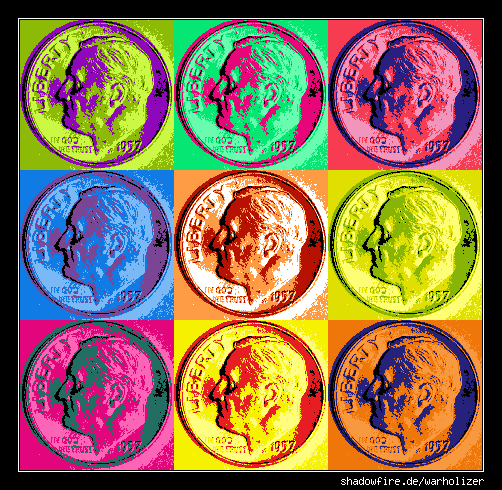 |
|
New Member
United States
15 Posts |
Yeah, but can you grade from it? ;-)
Jim
|
|
Valued Member
United States
60 Posts |
WpgLwr - nicely done on the Warhol. :)
|
| |
Replies: 14 / Views: 2,060 |
|









 Posted 01/02/2009 7:51 pm


