
You might try the site that lists doubled dies and RPM and study them. They are a map that tells you where to go, to find something. If you don't have a map traveling in unknown territory, you are lost. Take a look at the sites and figure out why they are listed as doubled dies. Some sites like Variety vista show images of pretty much each side of the coins devices. Well guess what? Not all areas are affected. So you have to look at the description box to know what you are looking at. That is the best way to learn. You will be able to train your eyes faster that way.
http://www.varietyvista.com/01b%20L...201983-D.htmOpen this link and it will show your what the
DDO's look like. What to look for. Open the first one:
http://www.varietyvista.com/01b%20L...3DDDO001.htmNow when you look through the images, they are all normal except the ones described in the
Description Box.
All the others images are helpful, after you find an exact match, then you can determine the die stage your coin is in. Note on this one:
Quote:
Description: Strong spread South as an extra lower earlobe.
Now on this one the other images are normal, except the area under the ear lobe. This one is a tough find, but now, you know what to look for.
Go to the second listing for that year:
http://www.varietyvista.com/01b%20L...3DDDO002.htmAgain the images are no help, unless you know what the description box says:
Quote:
Description: Light extra thickness on IN GOD WE TRUST, date, and LIBERTY.
So now check those devices and compare them with your coin, that are in the description box. As you become more familiar with what a doubled die looks like, then you will be able to spot them with out the help at first. But we didn't finish school on the first day, did we? So what are we looking at here?
Light extra thickness? That means those devices are wider/taller than a normal set of devices on their coin. looking over these motto devices show that the tops of the devices are normal sized, but the bottoms are enlarged.
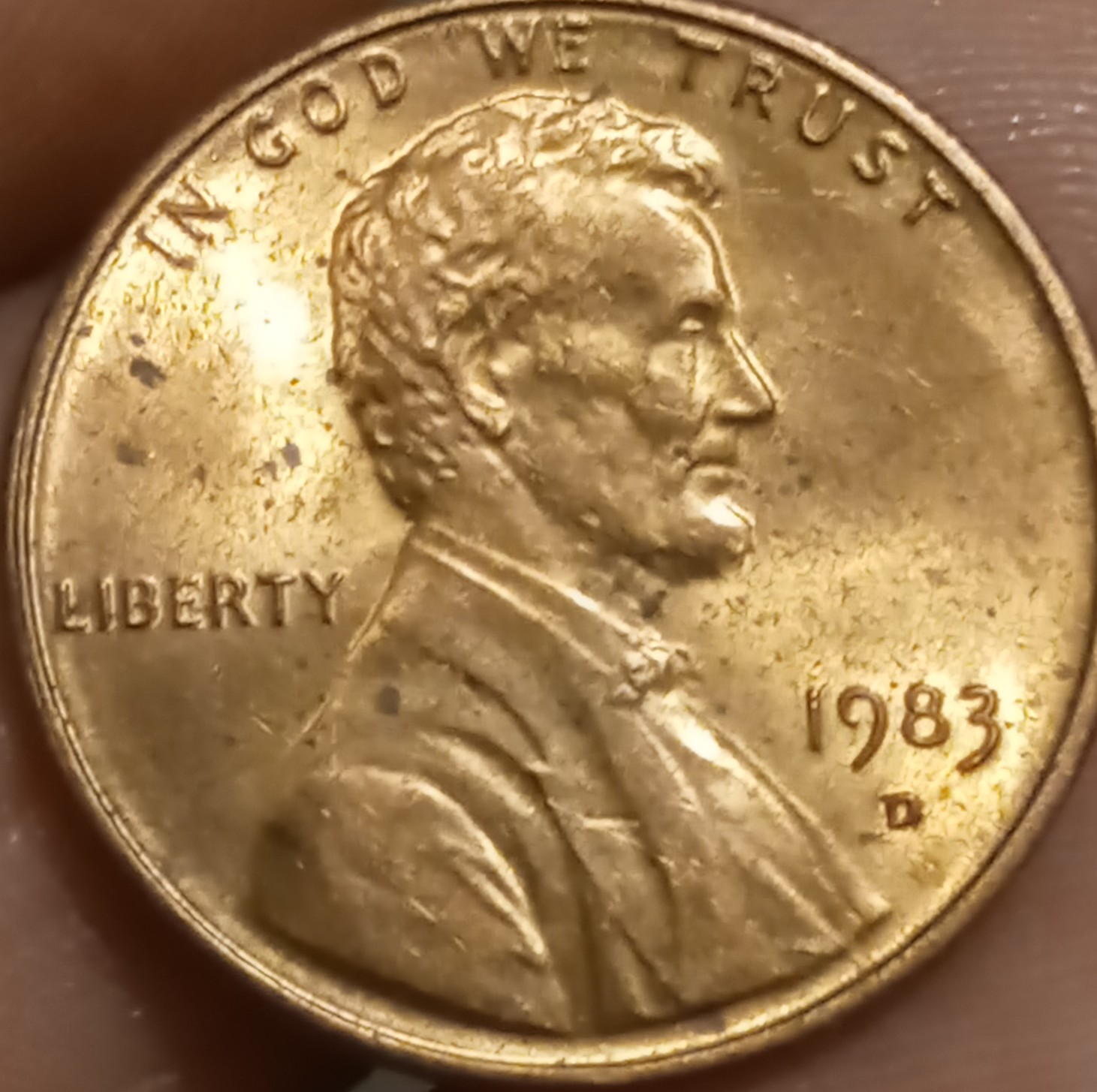
Compare this information with your coin. Now can you see that the devices on your coin are not like these. Your devices on the tops and bottoms are both the same. On these devices they are distorted a slight amount.
Now to "Liberty. Note how the devices are sweeping back on the bottoms of the devices? That is part of the differences that are listed on this die. Check your coin and you will see they are vertical. Now on to the date:
Note the digits are pretty much normal, except the "3" looks a bit different. On most of the
DDO's the last one, or the last 2 or the last three can be different. So this one is a minor doubled die on the '3'. (not all the devices, show the same amount of doubling.
so now, you see looking at the reference helps to show what is different. So you have to compare your coin to their images to see if yours is a match, or are the devices all normal. This takes time to train your eye what you are looking for and what you are seeing. But each time you do this you learn something new. But if we had not covered this information, guess what, you would have been unaware of what to look for. Now you know. There are a lot more dies to see, so take it slow at first and learn what is normal and what is a doubled die. When you figure this out, then you can move faster. Hope this helps.









 Posted 06/06/2021 9:33 pm





