| Author |
 Replies: 23 / Views: 7,919 Replies: 23 / Views: 7,919 |
|
Forum Dad
 United States
24243 Posts |
Pixlr is the recommended editor for desktops. (Mobile Tutorial here)
https://pixlr.com/x/
First, click on open image. A box will come up to select your image. I will be using a Abraham Lincoln Dollar.

Then you will want to click on the Crop and Rotate icon as shown.

Now drag the corners and sides in to show just the coin. Use the Rotate and Flip icons if your image is not oriented properly. Then click Apply, as shown below.

Now click the Save button, as shown below.

It will usually default to jpg which is fine. Medium is all that is needed. High is overkill and not needed. Images must be under 300KB, see what it says under the image after clicking on medium. If it's over 300KB just adjust the height or width of the image down. You can change the width and height here by using the boxes provided. Generally 800 on the longest side is plenty.

You'll see below my image dropped from 546KB to 123 KB after selecting medium and making the longest side 800px.

Once you hit Save As your new edited image will open in a new window for you to download or download to your desktop automatically depending on your settings..

This is the new edited image, 800px across and 123KB...

|
|
|
|
Pillar of the Community
 United States
5725 Posts |
I just tried it, and it works great!
|
|
Valued Member
United States
299 Posts |
Thank you so much bobby! I was literally just now trying to figure out how to keep my pics under 300. I'm going to try this out as when I take a pic on my phone it's huge.
|
|
Valued Member
United States
299 Posts |
@bobby131313 this is awesome. Just used it to upload a dollar bill pic to the currency forum. Thank you so much. The step by step was so simple even I could figure it out. This will help me in posting better pic's to the community. Thanks again.
|
|
Forum Dad
 United States
24243 Posts |
|
|
Valued Member
United States
331 Posts |
Is this a Windows only program? I'll I get on my MAC is a grey checkerboard pattern.
Also, the tutorial above only shows the small blue boxes with a question mark, no pics?
Edited by Jimjumper
04/30/2022 11:46 pm
|
|
Pillar of the Community
United States
3857 Posts |
Works fine on my Mac.
Member of SPMC, FCCB, ANA and ANS. My U.S. Classic Commemorative Complete Set: https://www.NGCcoin.com/registry/co...sets/278741/ |
|
Forum Dad
United States
24243 Posts |
Quote:
Is this a Windows only program? I'll I get on my MAC is a grey checkerboard pattern.
Also, the tutorial above only shows the small blue boxes with a question mark, no pics? Others have said Mac works fine and I see the images in the tutorial just fine. |
|
Valued Member
United States
52 Posts |
|
|
Pillar of the Community
Australia
2583 Posts |
A checkerboard pattern normally indicates that a transparent layer is being used. But pixlr X (well mine at least) doesn't have layers. Are you using Pixlr X free version or full blown Pixlr Editor?
The Ox moves slowly, but the Earth is patient.
|
|
Valued Member
United States
71 Posts |
After months of not trying to post an image here because of it not working, it still doesn't work. There's no "medium" option on Pixlr now, and I'm only limited to a small amount of images I can upload on there too. I would like to post pictures on this forum, but I've never had such difficulty on a forum with images, and I've posted on old school and new school boards. Can someone please give me a non-ancient and clear alternative? Would appreciate any help :)
Edited by CozyCoin
10/08/2023 7:08 pm
|
|
Forum Dad
United States
24243 Posts |
You just posted this one in June? Are you using a phone? Set your phone resolution to medium and try this: http://goccf.com/t/422658 Be sure to crop. 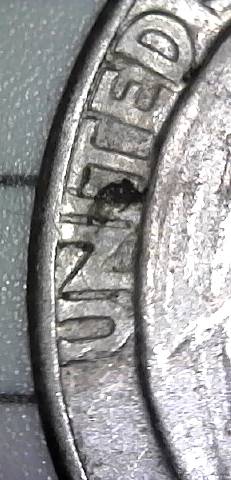 |
|
Valued Member
United States
71 Posts |
How did you find that? I uploaded that to Pixlr, but don't see it posted on here because it said it wasn't the right size.
I took the pictures with a microscope.
Thanks for the link. I'll check that out.
|
|
Forum Dad
United States
24243 Posts |
|
|
Valued Member
United States
71 Posts |
That's weird it went there, but I just tried posting on here a different image and it said "File sizes must be under 300KB". I did see and click that "MED" button to re-size, but still not small enough.
You only have three saves a day too. Not very helpful if you need to share more.
Edited by CozyCoin
10/09/2023 11:05 am
|
|
Forum Dad
United States
24243 Posts |
Are you taking pics with your phone?
|
| |
Replies: 23 / Views: 7,919 |




 Posted 04/30/2022 11:25 am





