



Coin Community Family of Web Sites Join Thousands of Coin, Bullion, & Money Collectors
Royal Estate Auctions - $1 Coin AuctionsJoin Thousands of Coin, Bullion, & Money Collectors Coin, Banknote and Medal Collectors's Online Mall Royal Canadian Mint products, Canadian, Polish, American, and world coins and banknotes. 300,000 items to help build your collection! Specializing in Modern Numismatics Vancouvers #1 Coin and Paper Money Dealer


Username:
Password:
Save Password
Forgot your Password?


This page may contain links that result in small commissions to keep this free site up and running.

Welcome Guest! Registering and/or logging in will remove the anchor (bottom) ads. It's Free!

1984 LMC Thickened "Li" In Liberty Or Flattening?

To participate in the forum you must log in or register.
Author Previous TopicReplies: 9 / Views: 898Next Topic  
Pillar of the Community
SilverCents's Avatar
United States
3281 Posts
 Posted 09/05/2022  3:47 pm Show Profile   Bookmark this topic Add SilverCents to your friends list Get a Link to this Message Number of Subscribers
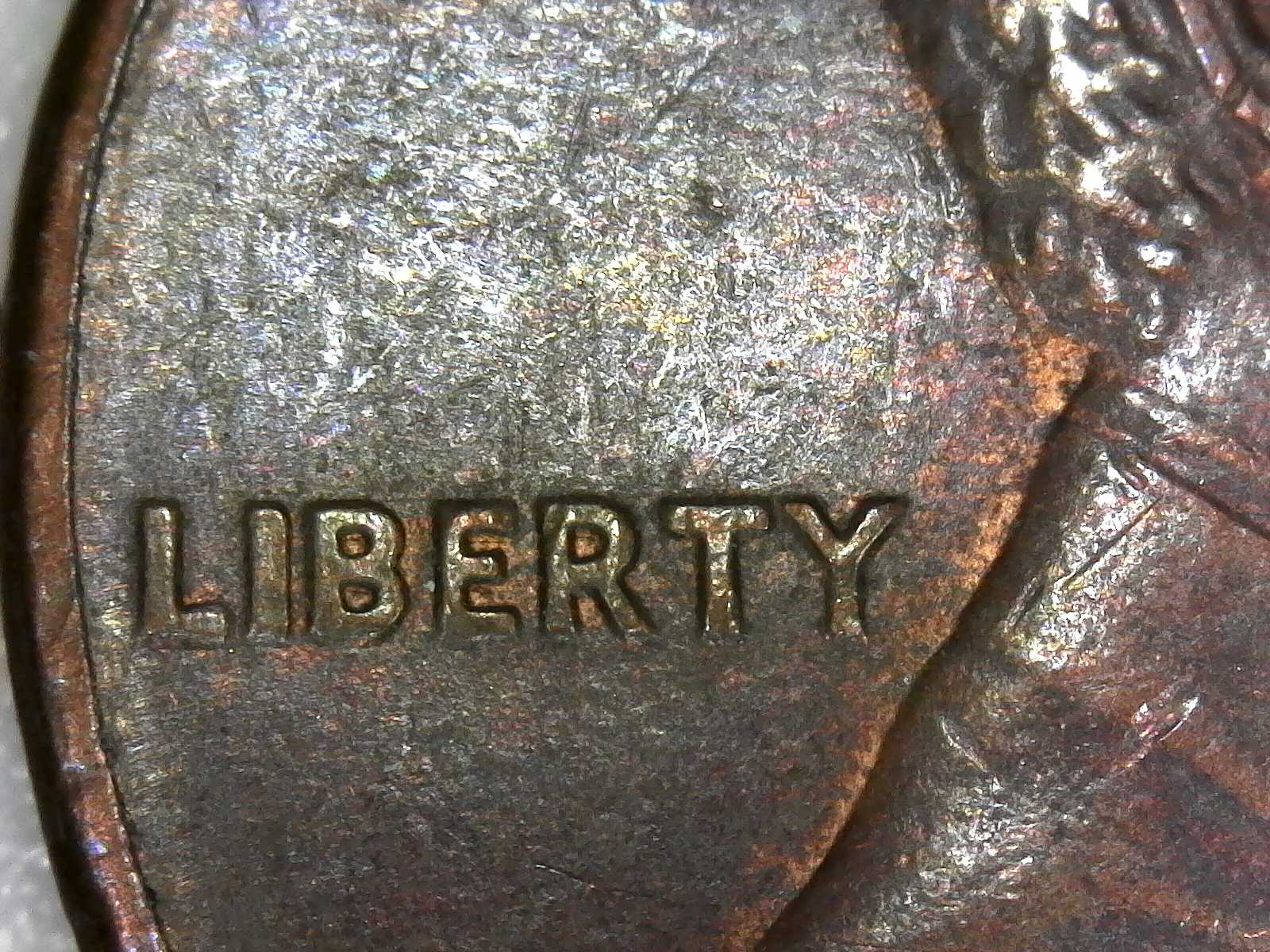
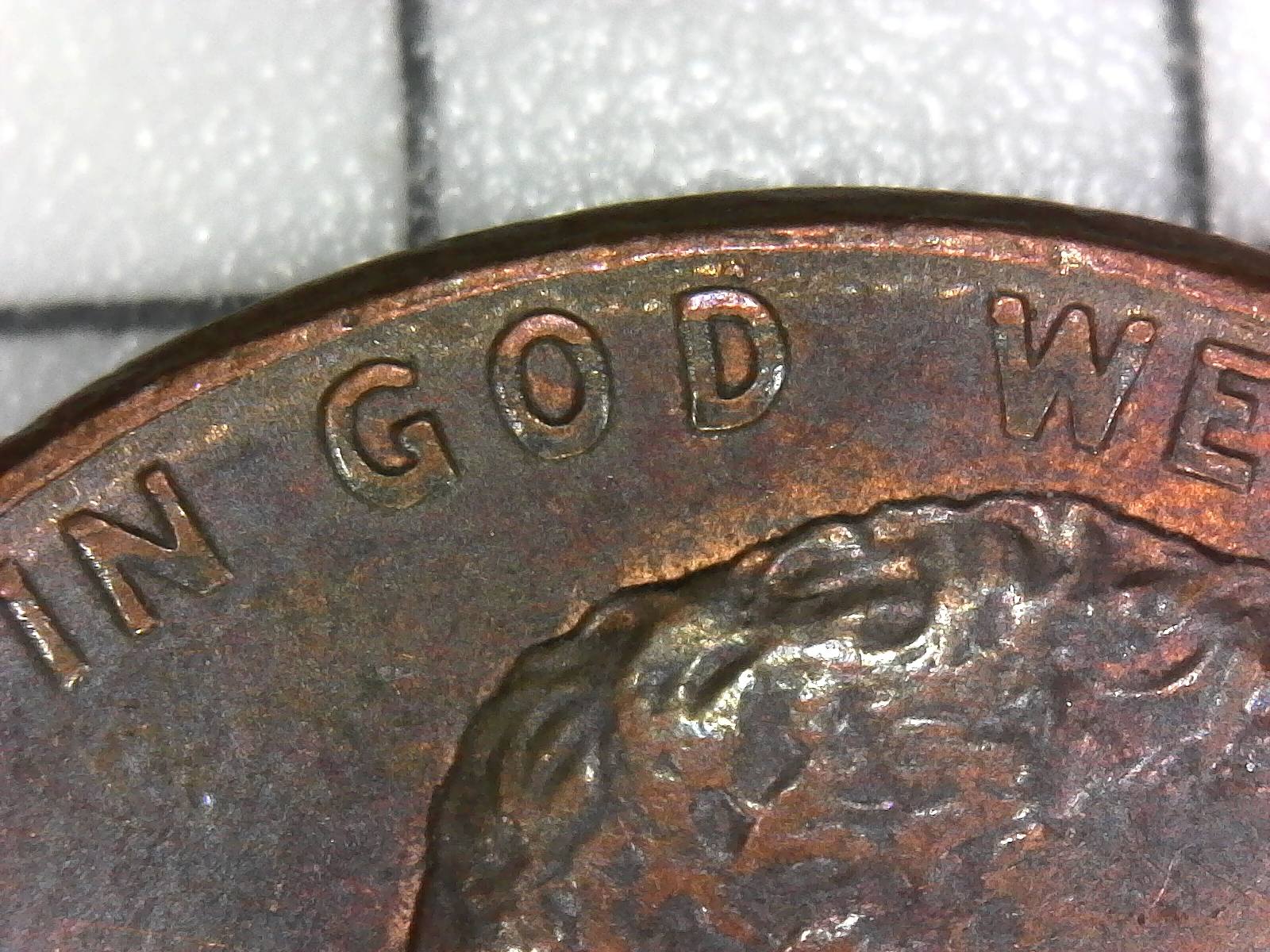
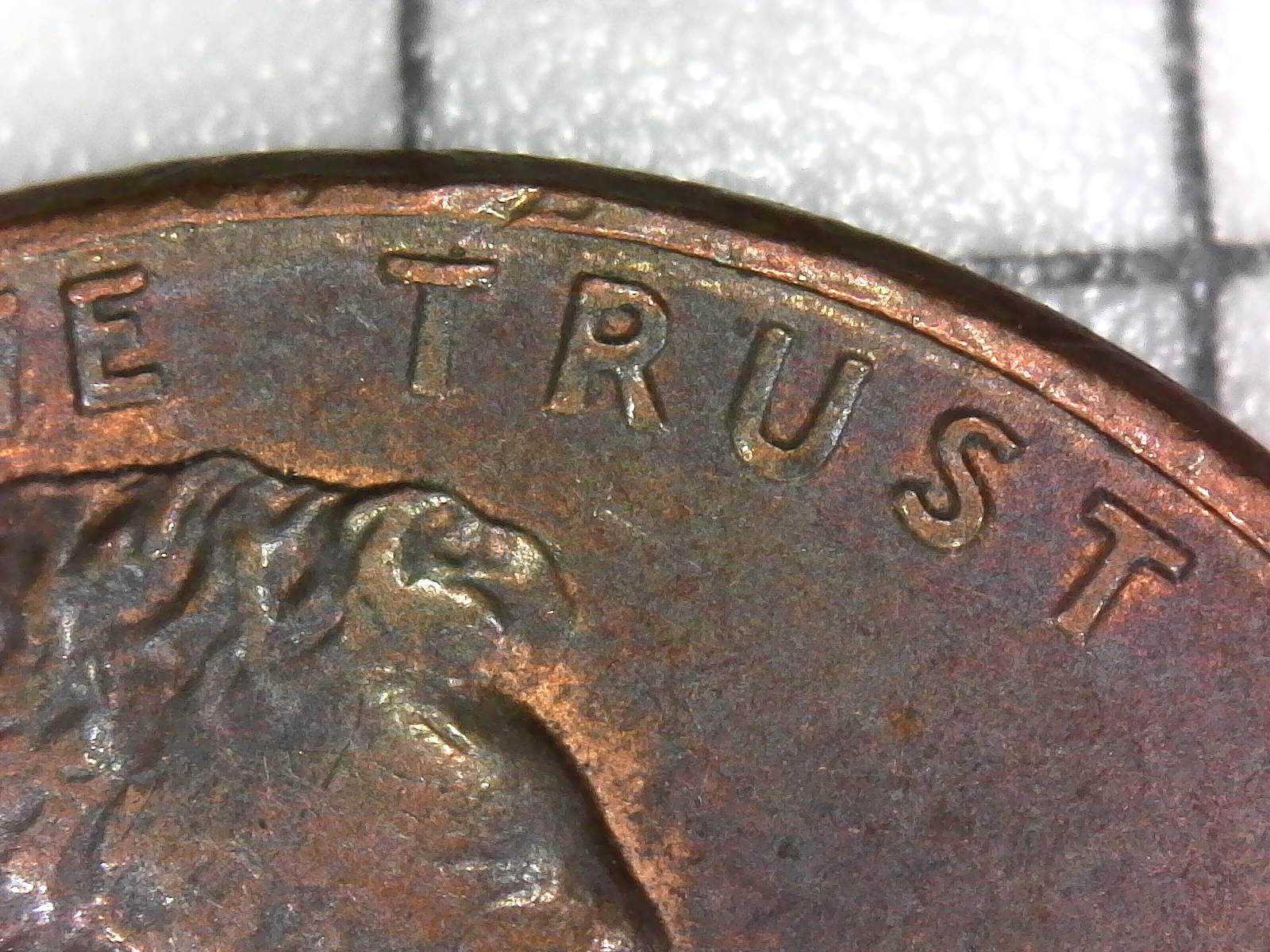
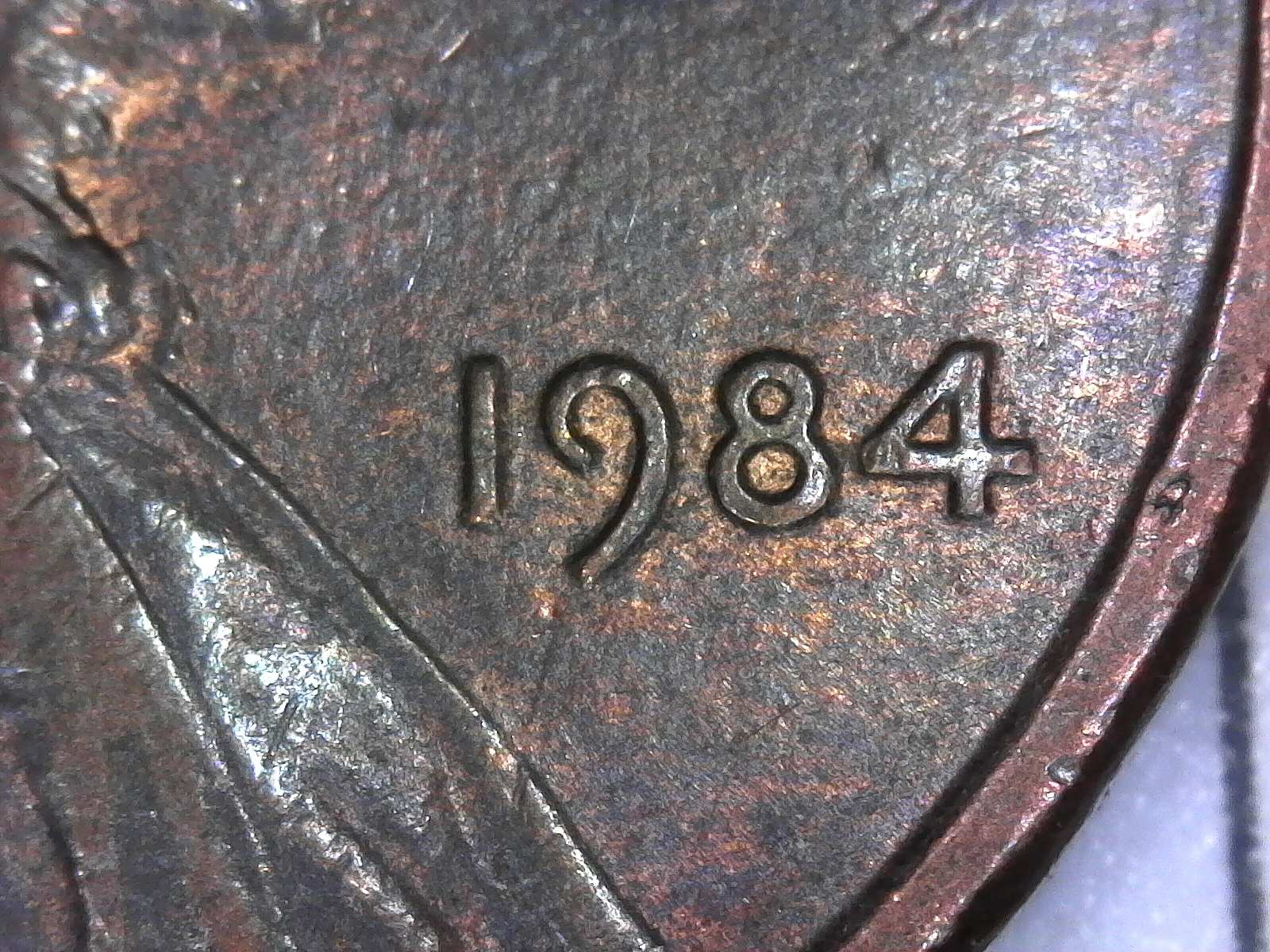
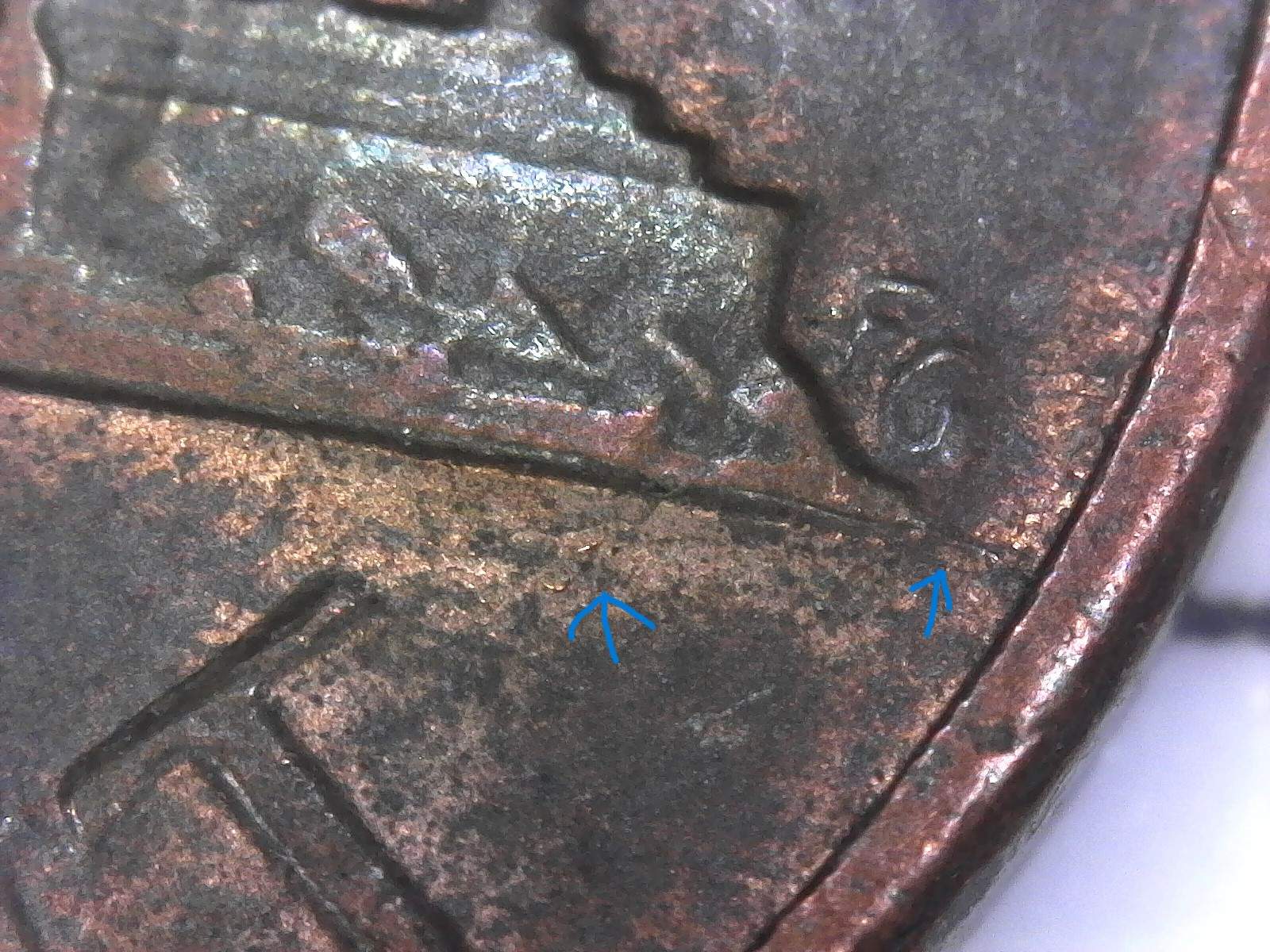
I am quite rusty when it comes to CRHing, so this might be "normal" for this year, or it could be flattening, or it could be doubling.

I doubt it's doubling but I want to make sure before I throw it out. I know that "IN GOD WE TRUST" is most likely flattening, but I want to make sure the "LI" in LIBERTY is as well.

(Also there seems to be the start of a pre-cud on the reverse).


1984-LMC-Thickened-
1984-LMC-Thickened-
1984-LMC-Thickened-
1984-LMC-Thickened-
1984-LMC-Thickened-
Moderator
Learn More...
John1's Avatar
United States
56855 Posts
 Posted 09/05/2022  4:19 pm  Show Profile   Bookmark this reply Add John1 to your friends list Get a Link to this Reply
Exhalent photos. Obverse looks like circulation flattening and the crack on the reverse is common.
John1
Moderator
Learn More...
Dearborn's Avatar
United States
98052 Posts
Valued Member
CentSeeker's Avatar
United States
108 Posts
 Posted 09/05/2022  5:39 pm  Show Profile   Bookmark this reply Add CentSeeker to your friends list Get a Link to this Reply
How many megapixels is your microscope?
Bedrock of the Community
Coinfrog's Avatar
United States
94367 Posts
 Posted 09/05/2022  7:19 pm  Show Profile   Bookmark this reply Add Coinfrog to your friends list Get a Link to this Reply
Not seeing DD here.
Pillar of the Community
SilverCents's Avatar
United States
3281 Posts
 Posted 09/05/2022  9:38 pm  Show Profile   Bookmark this reply Add SilverCents to your friends list Get a Link to this Reply
Thank you all very much, that's what I had assumed. Thank you for confirming it for me.

CentSeeker, the microscope has 2.0 megapixels, and it has up to 250x magnification.
Valued Member
CentSeeker's Avatar
United States
108 Posts
 Posted 09/05/2022  10:50 pm  Show Profile   Bookmark this reply Add CentSeeker to your friends list Get a Link to this Reply
Do you use alternate light source? It sounds very similar to mine yet my pics come out like cartoons. Figured so it must not be the microscope, it is me using it wrong. Any tips?
Pillar of the Community
SilverCents's Avatar
United States
3281 Posts
 Posted 09/05/2022  11:01 pm  Show Profile   Bookmark this reply Add SilverCents to your friends list Get a Link to this Reply
Light source is produced by the microscope. It's strange but I have kept the same magnification/zoom level the exact same for the several years I've had it, and manually move it up and down on the stand. I change the focus whenever I move it as well. I don't know which one you're using but I recommend just tinkering around with the settings.

This is it: https://www.amazon.com/dp/B00XNYXQH...83D_afap_abs

Besides some glare problems on some coins such as shield cents, it gets the job done.
Valued Member
CentSeeker's Avatar
United States
108 Posts
 Posted 09/05/2022  11:36 pm  Show Profile   Bookmark this reply Add CentSeeker to your friends list Get a Link to this Reply
Thanks for the tips!

That's the one! Must be the glare like you mentioned. And I cannot keep bending it up and down cuz it comes off the board, so I wet the suction cup down to stay there, then put things under the coin and push the coin up to it instead, then just refocus.

If the coin is too far back away from the lens, I cannot get the details. If I get too close, it all goes silver and devices get mirror-like. When it is about where your pics were taken, the entire pic goes orange.

I will keep playing with it like you suggested, thank you.

PS: I saw you are doing some cents form the 80s. I am looking at my 80s decade too. There are Soooooo many variety listings for 1989.
Bedrock of the Community
coop's Avatar
United States
62064 Posts
 Posted 09/06/2022  1:52 pm  Show Profile   Bookmark this reply Add coop to your friends list Get a Link to this Reply
Or it could be a slight Grease Fill on those devices. But noting the same thing on the date, it looks like the coin took a hit by something.
  Previous TopicReplies: 9 / Views: 898Next Topic  

To participate in the forum you must log in or register.


Disclaimer: While a tremendous amount of effort goes into ensuring the accuracy of the information contained in this site, Coin Community assumes no liability for errors. Copyright 2005 - 2026 Coin Community Family- all rights reserved worldwide. Use of any images or content on this website without prior written permission of Coin Community or the original lender is strictly prohibited.
Contact Us  |  Advertise Here  |  Privacy Policy / Terms of Use

Coin Community Forum © 2005 - 2026 Coin Community Forums
It took 0.3 seconds to rattle this change. Forums