| Author |
 Replies: 16 / Views: 1,081 Replies: 16 / Views: 1,081 |
|
Pillar of the Community
United States
1806 Posts |
|
|
|
|
Bedrock of the Community
United States
79682 Posts |
Nice find!  Errers and Varietys.
|
|
Pillar of the Community
United States
1770 Posts |
Nice find and great images!
Seeker_101, can you tell me the name of your microscope please?
gigi2110
|
|
Pillar of the Community
 United States
1806 Posts |
Thanks. It's an Elikliv EM4K. The secret to the pics is getting the lighting right to show what you want to see.
Edited by Seeker_101
12/07/2024 01:08 am
|
|
Pillar of the Community
United States
1806 Posts |
@ Gigi: This was done with same lighting and everything. All I did was rotate the coin 90 degrees, snap a photo and rotate it again. 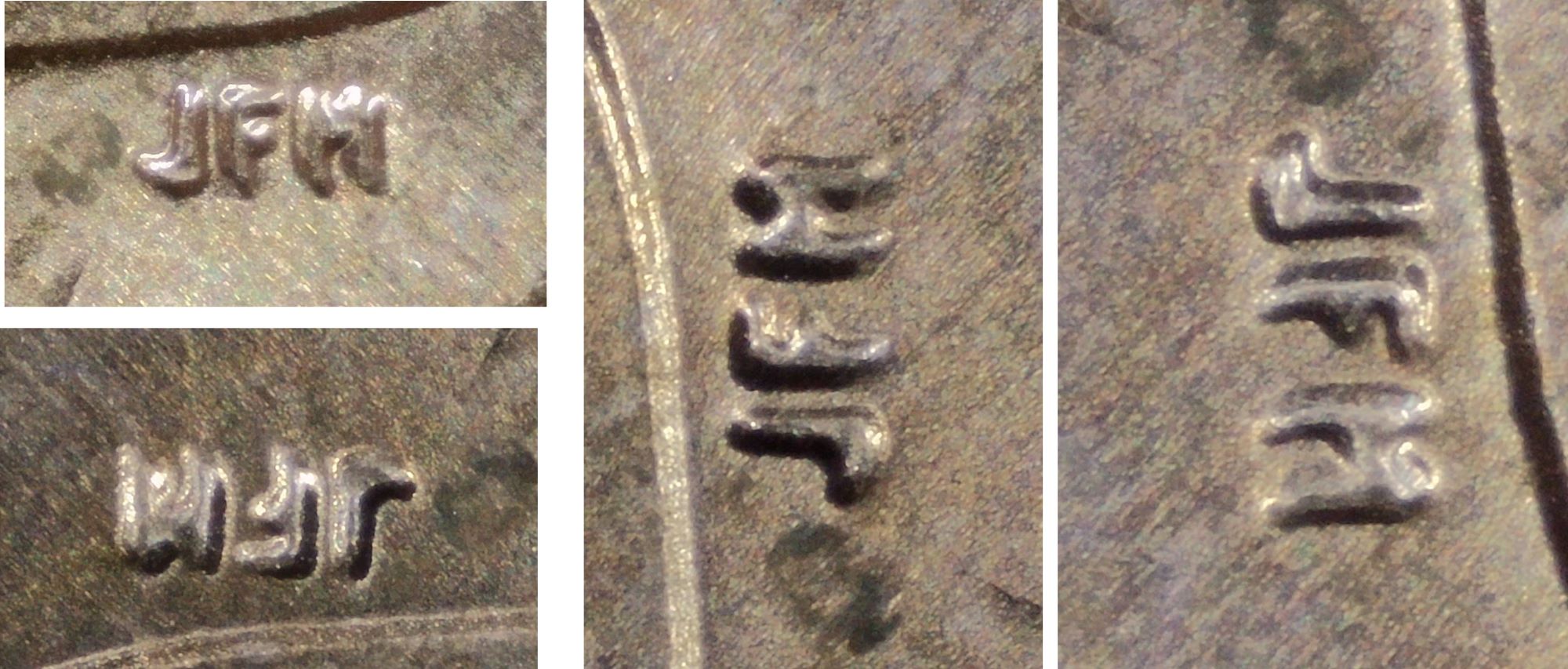 |
|
Pillar of the Community
United States
1770 Posts |
Thank you! I have the same microscope, but I'm having some issues. I have to return my original order that I loved it for some issues I had after 3 months of using it, and the one they send me is a pain in the neck, is very difficult to make a good focus with the screen live, I have to edit every photo I take because of the Blurriness, the issue with the fcus is with this microscope because I never have that issue with my previous one. I swear this is driving me crazy, sometimes I just want to destroy this microscope   gigi2110
|
|
Pillar of the Community
United States
1770 Posts |
Yes I also do that, I did it with my last post of the die clash on the 2023 Roosevelt Quarter to get a better shot. http://goccf.com/t/473620gigi2110
Edited by gigi2110
12/07/2024 01:37 am
|
|
Pillar of the Community
United States
1806 Posts |
I understand what you mean with the focus. The focus on mine is nice and then there is a point where it gets very stiff and then nice again. I also found that if I press 2 buttons at the same time by accident, it locks up and I have to let the battery go dead before I can use it again. I do take all my pics with the remote now. That eliminated the slight movement from pressing the button.
|
|
Pillar of the Community
United States
1770 Posts |
Yes you right, sometimes the screen get frozen, but I don't wait for the battery to die, you can go to the back of the microscope and push the reset button, the microscope is going to turn off, so you just have to turn it on again. Lookat the image I attached. But I can tell you, I'm not going to get another microscope like my original order. That one was the best.  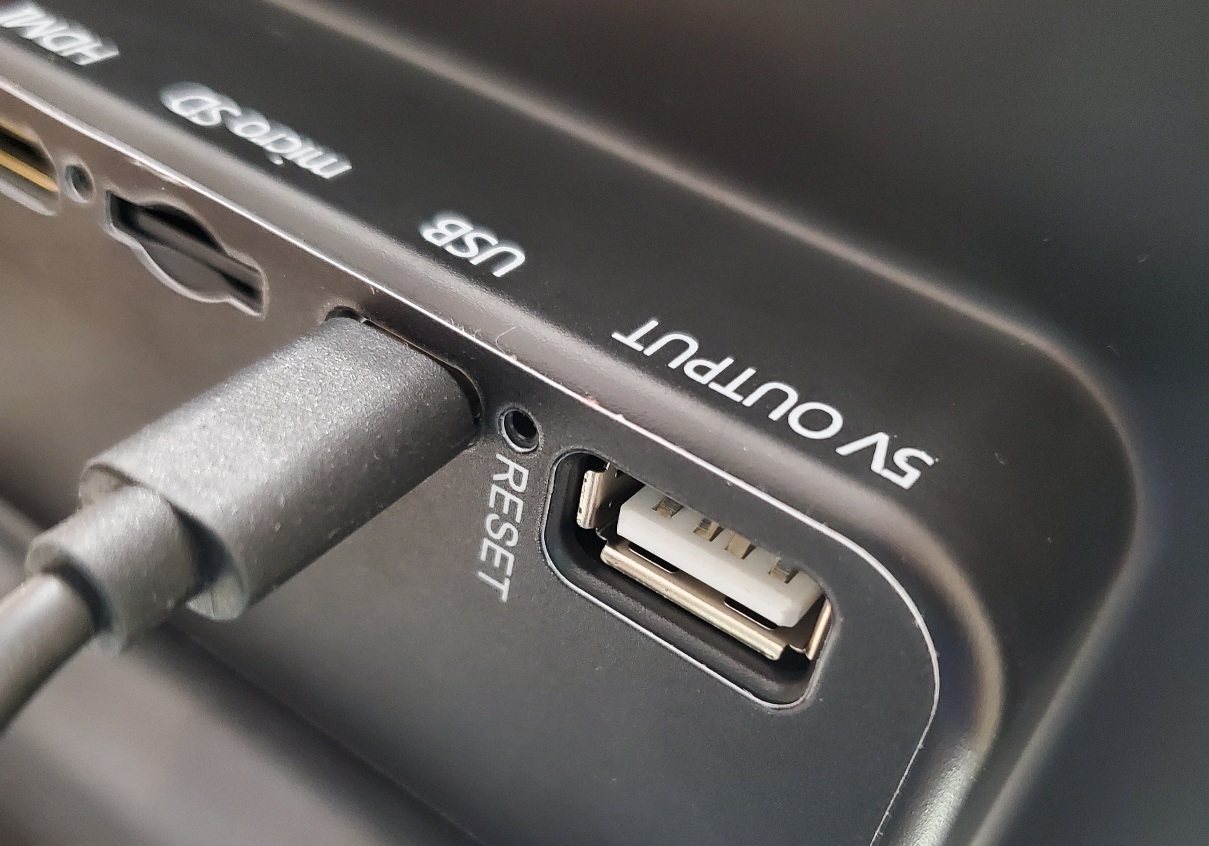 gigi2110
Edited by gigi2110
12/07/2024 01:45 am
|
|
Pillar of the Community
United States
6906 Posts |
If it was an otherwise identical microscope, and the second one is performing poorly, that seems like a warranty situation. At the very least, you should message their customer service and notify them of the problem.
|
|
Pillar of the Community
United States
1770 Posts |
Thank you Brandmeister!! I use the warranty and they send me the one I have now from China. I already let them know that I'm having some issues with the new they send me, and they want that I make a video for them to see the issue, but when I make the video it say is to large to be send by email, but I don't know how to reduce the size of the video. So what I'm going to do is send them pictures so they can see the out of focus on the images.
gigi2110
|
|
Pillar of the Community
United States
2889 Posts |
|
|
Pillar of the Community
United States
6906 Posts |
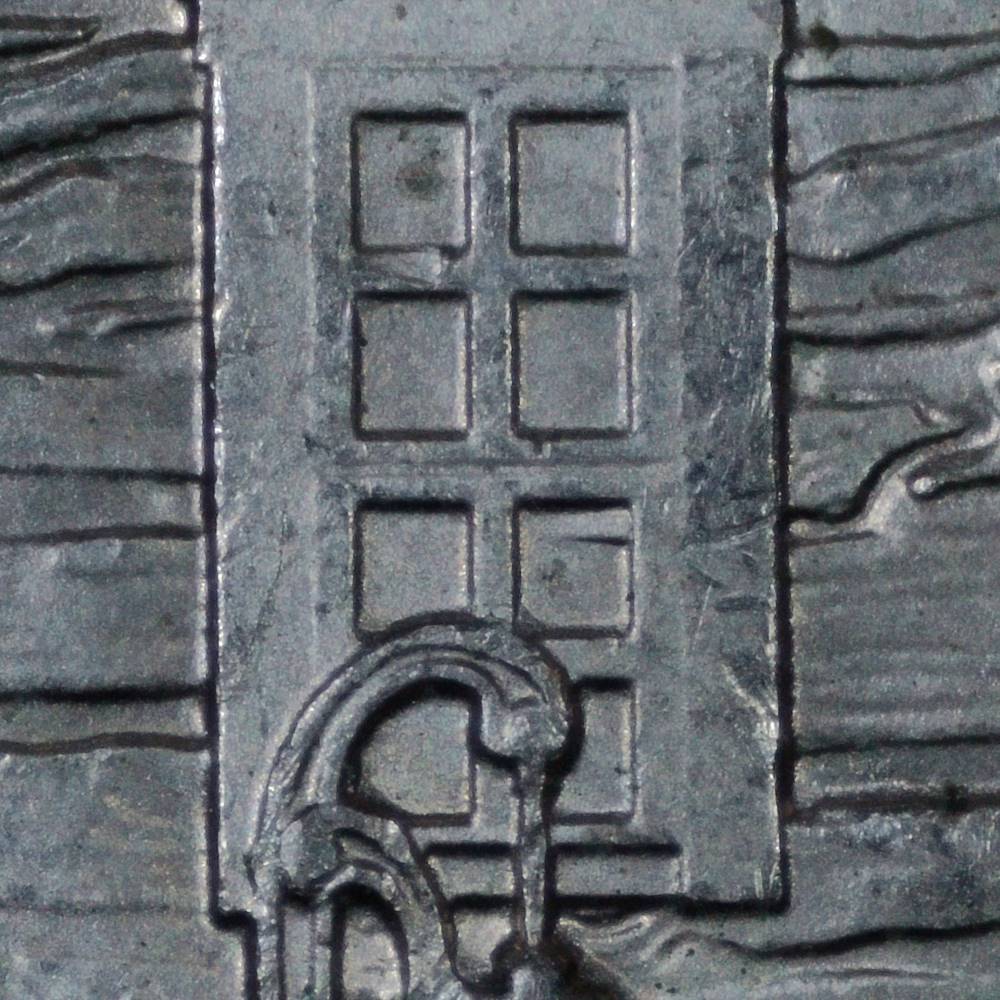
Agreed, that is a nice, clear DDR. Definitely worthy of a 2x2. |
|
Moderator
 United States
108292 Posts |
and back to the coin - very nice DDRas for the microscope issue you are having, please take it to the Imagery section of the forums: http://goccf.com/f/81 |
|
Pillar of the Community
United States
1770 Posts |
Thanks Dearborn!! gigi2110
|
|
Pillar of the Community
United States
2729 Posts |
nice find, Seeker! that's one I haven't found yet.
|
| |
Replies: 16 / Views: 1,081 |











 Posted 12/07/2024 01:02 am





